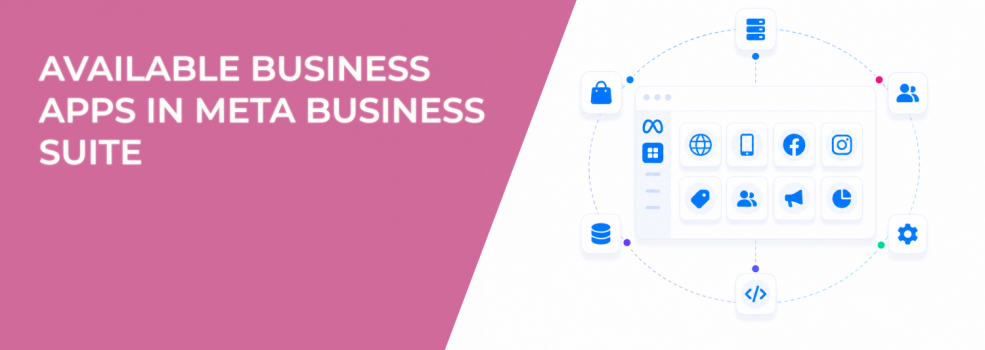
Meta Business Suite provides a range of Business Apps that connect your business portfolio to third-party platforms.
These apps cover scheduling, ecommerce, tracking, creative production, and targeting.
Most advertisers treat them as optional tools. In practice, they define how data enters your campaigns and how Meta learns from user behavior.
The type of app you connect directly affects campaign efficiency.
Business Apps categories define the signals Meta receives
Meta groups Business Apps by function, but each category contributes a different signal type to the optimization system.
Key categories include:
- Appointments and reservations. These generate high-intent actions tied to time commitments and real-world outcomes.
- E-commerce integrations. These send purchase value, product interaction, and transaction data.
- Measurement and optimization tools. These control how conversion events are tracked and attributed.
- Lead ads integrations. These define how lead data is captured, synced, and used.
- Ads targeting tools. These influence how audiences are built and refined.
Even though these apps serve different purposes, they all feed the same system — the delivery algorithm.
Why app availability creates performance gaps between advertisers
Not all Business Apps are available to every account. Meta rolls them out gradually.
This creates an uneven playing field.
Advertisers with better integrations often see:
- Faster learning phase stabilization;
- More consistent conversion tracking;
- Lower CPA over time.
Campaign performance differences are not always caused by targeting or creatives. Sometimes they come from access to better data infrastructure.
This is closely tied to what’s explained in how to finish the Facebook learning phase quickly, where consistent event flow directly impacts optimization stability.
The apps that have the biggest impact on conversions
Some Business Apps sit closer to revenue than others.
The most critical ones are:
- Measurement and optimization apps.
These define how Meta receives and interprets conversion data. Incorrect setup leads to missing or delayed events. - Lead ads integrations.
These control how leads move into your CRM. Broken sync reduces lead quality and follow-up speed. - E-commerce platforms.
These determine purchase tracking accuracy and product availability signals.
When these apps fail or are misconfigured, campaigns don’t stop — they optimize based on incomplete data.
This is a common reason behind performance issues described in why your Facebook ads aren’t generating leads, even when lead volume appears stable.
Apps that indirectly influence campaign results
Some apps don’t send conversion data but still affect performance.
These include:
- Creative tools. Better creatives improve CTR, which feeds early-stage signals into the algorithm.
- Appointment and booking tools. These generate structured intent signals that improve downstream conversion rates.
- Vertical-specific apps (e.g., food ordering). These create niche but highly valuable conversion signals.
These apps strengthen the signal environment rather than replace tracking.
Where integrations break in real campaigns
The issue is rarely the app itself. It’s how it’s connected.
Typical failure points include:
- Partial connections. The app is connected but missing key asset permissions.
- Inconsistent event flow. Conversion events fire irregularly.
- Delayed syncing. Data arrives too late to influence optimization.
- Attribution mismatches. External tools and Meta report different results.
These issues create observable patterns:
- Conversion spikes followed by sudden drops;
- Learning phase resets without changes to campaigns;
- Budget shifting unpredictably across ad sets.
When measurement apps are configured correctly, they allow you to optimize Facebook ad performance with better attribution. When they are not, they distort performance signals.
Why Business Apps affect targeting quality more than expected
Meta’s targeting system relies on behavioral data, not just audience selection.
Apps shape that data.
Strong signals lead to:
- More accurate lookalike audiences;
- Better performance with broad targeting;
- Higher-quality retargeting pools.
Weak signals lead to:
- Optimization toward low-intent users;
- Reduced targeting precision;
- Increasing acquisition costs.
This explains why similar campaigns can perform differently across accounts with different app setups.
Where LeadEnforce fits into this ecosystem
Most Business Apps improve post-click data.
LeadEnforce improves pre-click targeting by building high-intent audiences from Facebook groups, Instagram followers, and engaged users.
This reduces dependence on perfect tracking.
Even if app integrations are incomplete, campaigns start with stronger audience intent, making performance more stable.
Practical takeaway
Business Apps are not just integrations. They are signal sources.
Each category contributes different data into Meta’s optimization system. That data determines how effectively campaigns deliver and scale.
Strong app setup leads to:
- Reliable conversion tracking;
- Stable CPA;
- Better targeting accuracy.
Weak setup leads to:
- Signal gaps;
- Misleading performance data;
- Rising costs over time.
Before optimizing campaigns, review your app ecosystem. In most cases, performance issues start with data quality, not ads.