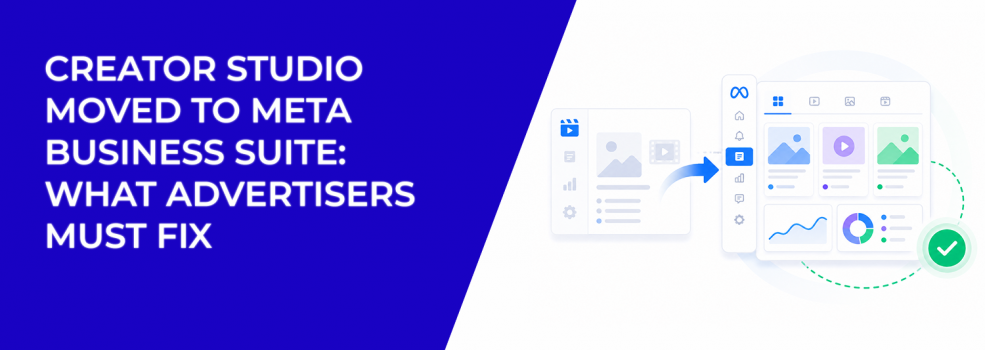
Creator Studio was not removed. Its tools were moved and integrated into Meta Business Suite.
The key change is not about features disappearing. It is about how those features are organized and accessed.
Instead of working across separate tools, you now manage content, insights, monetisation, and ads inside one interface. This reduces fragmentation and makes it easier to move between tasks without losing context.
For advertisers and teams, this primarily affects workflow efficiency, not capability.
How content creation and publishing now works
Content creation happens inside the Content and Planner sections of Meta Business Suite. These sections combine what used to be split across different tools.
You can create posts, reels, videos, and stories, edit them, and schedule them without leaving the same interface. The calendar view allows you to see all scheduled and published content in one place, which simplifies planning.
You can also prepare multiple pieces of content at once using bulk upload or organize posts across different dates. This becomes especially useful when managing multiple campaigns or accounts.
Publishing is also more flexible. You can post to Facebook and Instagram simultaneously, which directly supports workflows like cross-posting on Facebook and Instagram.
How connected accounts change daily operations
One of the most noticeable differences is the connected account experience.
Instead of treating Facebook Pages and Instagram accounts as separate environments, Meta Business Suite allows you to manage them together. This applies to publishing, analytics, and permissions.
If you’re working with multiple brands or clients, this centralization reduces the need to switch accounts or tools. It also makes it easier to coordinate content across platforms.
Permissions are also handled in one place. Anyone who previously had access through Creator Studio keeps access, but roles can now be adjusted inside Business Suite settings.
What’s different about performance insights
The Insights tab combines performance data from Facebook and Instagram into one view.
You can track how individual posts perform, monitor overall account activity, and review audience-related metrics. Instead of comparing results manually across tools, the system presents them side by side.
This makes it easier to evaluate which types of content perform better on each platform. For advertisers, this is especially relevant when deciding which content to promote.
That’s where using insights becomes practical, particularly when applying using organic content performance to guide ad creative.
How engagement and communication are handled
Meta Business Suite includes a unified Inbox that brings together messages and comments from Facebook, Instagram, and Messenger.
Instead of responding across separate apps, you can manage conversations in one place. This is useful for teams handling customer communication at scale.
You can also create automated responses for common questions. While this doesn’t change how users engage, it simplifies how businesses manage those interactions.
Additional tools now available in one system
Meta Business Suite also provides access to tools that were previously separate or harder to reach.
These include Ads Manager for campaign creation, Commerce Manager for selling products, and Rights Manager for protecting content. There is also access to Sound Collection for licensed audio and a gaming dashboard for creators in that niche.
The important change is not the tools themselves, but the fact that they are accessible from the same environment. This reduces friction when moving from content creation to campaign execution.
What stayed the same after the transition
Most core functionality from Creator Studio remains unchanged.
You still have access to content publishing, scheduling, analytics, monetisation tools, and rights management. The workflows are familiar, but they are now consolidated into one system.
This means that if you previously used Creator Studio, the learning curve is minimal. The main adjustment is understanding where everything is located inside Meta Business Suite.
Why this matters for advertisers and teams
The transition simplifies how organic content and paid campaigns coexist.
Instead of switching between tools to analyze performance and launch ads, everything is accessible in one place. This supports a more connected workflow between content and advertising.
That connection is exactly why why organic and paid social need to work together remains relevant.
The platform now reflects that principle structurally, not just strategically.
Final takeaway
The move from Creator Studio to Meta Business Suite is a consolidation of tools, not a reduction of features.
You still have the same capabilities, but they are now organized into a single, unified interface. For advertisers and teams, this means less time switching between tools and more clarity in managing content, insights, and campaigns.
The impact is operational: simpler workflows, centralized control, and easier coordination across platforms.