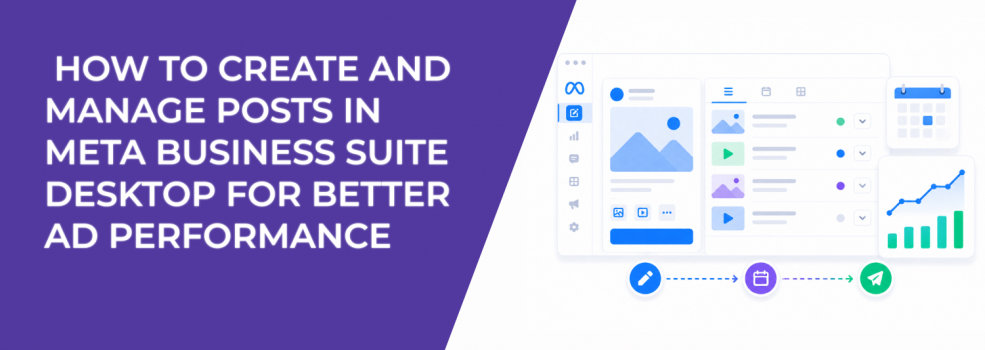
Creating a post in Meta Business Suite involves more than adding text and media. You choose placements, customize messaging, define the audience, and decide when the post goes live.
Each of these inputs influences how the algorithm evaluates the content.
For example, when you select placements, Meta adjusts how the post is displayed. When you customize text for Facebook and Instagram separately, you improve relevance for each platform. When you choose an audience under privacy settings, you define who generates the initial engagement signals.
These early signals determine how useful the post will be later in ads.
If the wrong audience engages first, campaign performance suffers. If the right audience engages early, optimization becomes easier and more predictable.
What happens during post creation inside Meta Business Suite
The desktop workflow is structured and allows more control than mobile.
You select where to publish, add media, write post details, and define audience settings. You can also adjust captions for each platform and use scheduling recommendations based on recent activity.
These steps directly shape engagement quality.
The most important elements to control during creation are:
- Placement selection, because Facebook and Instagram reward different content behaviors and formats.
- Message customization, since identical captions often perform unevenly across platforms.
- Audience visibility, because privacy settings influence who generates initial signals.
- Scheduling timing, as posts published at active hours gain stronger early engagement.
When these elements are aligned, posts produce cleaner signals that can be reused in campaigns.
Why scheduling during creation influences performance outcomes
Meta Business Suite allows you to schedule posts at specific times or use “Active times” based on recent audience activity.
This feature is often underused.
Timing determines how quickly a post gains traction. Posts published during high-activity windows tend to generate faster engagement, which increases distribution.
When you later promote those posts, the system already has positive signals.
In Ads Manager, this typically leads to:
- Lower CPM when boosting posts that gained strong early engagement.
- More stable CTR across campaigns using similar creatives.
- Faster optimization during the learning phase.
If timing is inconsistent, these advantages disappear.
Managing posts is where performance insights are created
After publishing, Meta Business Suite allows you to manage posts through editing, rescheduling, duplicating, or analyzing performance.
This stage is where many advertisers lose clarity.
Posts are often edited or rescheduled without understanding how those changes affect signals. At the same time, insights are viewed superficially, focusing only on likes or comments.
A more structured approach to post management includes:
- Reviewing engagement type, not just volume, to understand whether users show real intent.
- Comparing performance across similar time slots to isolate timing effects.
- Avoiding unnecessary edits that reset engagement patterns.
- Using duplication strategically to test variations without losing original data.
These actions make performance data more reliable.
To translate this data into campaign decisions, you need to use learnings from organic posts.
Why post insights are often misinterpreted
Meta Business Suite provides insights for each post, but not all metrics are equally useful.
High engagement does not always mean high performance.
For example, a post with many likes but few clicks may attract attention without generating conversions. Another post with fewer interactions but stronger click-through behavior may perform better in ads.
To evaluate posts correctly, you need to focus on metrics that reflect intent.
These typically include:
- Link clicks, because they indicate movement toward conversion.
- Saves and shares, which signal content relevance beyond passive engagement.
- Comment quality, as meaningful discussions often correlate with stronger interest.
- Audience overlap, which helps determine whether engagement comes from the right users.
To go deeper into evaluation, review analyze Facebook ad performance and Facebook metrics that matter.
How poor post management increases CPA
When posts are managed without a clear system, signal quality declines.
Common patterns include editing posts after publishing, rescheduling without consistency, and scaling content based on incomplete data.
These actions distort how Meta interprets engagement.
In campaigns, this often appears as:
- Rising CPA despite stable CTR.
- Lower conversion rates when scaling “high-performing” posts.
- Increased spend required to achieve the same results.
The issue is not always the creative. It is often how the post was managed after publication.
Where LeadEnforce improves the process
Meta Business Suite helps you control content creation and management.
It does not control audience quality.
LeadEnforce improves this by allowing advertisers to build audiences from high-intent sources such as Facebook groups, Instagram engagement, and behavioral data.
This ensures that engagement signals come from users more likely to convert.
As a result, campaigns rely less on perfect post management and more on strong audience inputs.
Practical takeaway
Creating and managing posts in Meta Business Suite desktop is not just an operational task. It defines how engagement signals are created, interpreted, and used in campaigns.
Use creation settings to align content with audience intent. Use scheduling to control timing. Use post management to extract reliable insights.
When these elements work together, your organic data becomes a reliable foundation for paid performance.