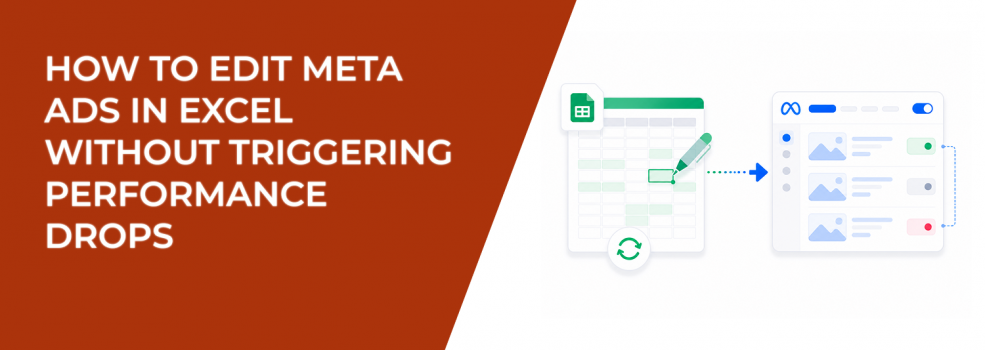
Bulk editing exists for one reason: speed.
You export, update multiple rows, re-upload, and publish changes across campaigns in minutes. That’s useful when managing dozens of ad sets or client accounts.
But speed creates a hidden risk. Edits don’t just change settings. They change how Meta interprets your campaign.
Most performance drops after edits aren’t random. They’re a direct result of how the system reacts to those changes.
What Actually Happens When You Edit Ads in Bulk
When you upload an edited Excel file, Meta reevaluates your ads instead of simply updating them.
That process can include:
- Re-entering the learning phase, especially when optimization signals change.
- Re-triggering ad review, which pauses delivery during approval.
- Recalculating delivery priorities, shifting spend across ad sets.
You’ll notice this in Ads Manager quickly. Delivery becomes uneven. Some ad sets slow down, while others start taking more budget.
Even small edits can trigger these shifts depending on what you change.
The Excel Editing Workflow (and Where Mistakes Happen)
The editing flow is simple, but execution errors create performance issues.
- Export campaigns, ad sets, or ads from Ads Manager.
You can export selected items or the full structure. - Modify allowed fields in Excel.
Ad ID, Campaign ID, and Image hash cannot be changed. - Save and upload the updated file.
Meta processes all edits at once. - Review changes before publishing.
Only selected edits go live.
The workflow is stable. The risk comes from changing too much at once.
The Edits That Quietly Reset Performance
Some edits look minor but trigger major delivery changes.
The most disruptive include:
- Creative updates, which reset engagement history and force re-testing.
- Targeting changes, which replace the entire delivery pool.
- Optimization changes, which alter how bids compete in auctions.
These edits don’t just adjust campaigns. They reset parts of the system.
This behavior closely mirrors what happens when you pause and restart Facebook campaigns.
What You’ll See in Ads Manager After Bulk Edits
Bulk edits create consistent, observable patterns.
Typical signals include:
- Learning status returning to “Learning.”
- Spend shifting unevenly across ad sets.
- CPM increasing during re-testing.
If multiple ad sets are edited at once, performance instability compounds across the account.
How to Edit at Scale Without Disrupting Delivery
The goal is to control impact, not avoid edits.
A safer approach includes:
- Editing smaller batches instead of entire campaigns.
- Changing one major variable per upload.
- Leaving top-performing ads untouched when possible.
For example, updating copy across a few ad sets is manageable. Updating copy, targeting, and optimization together often resets performance.
If results drop after edits, use structured recovery approaches like rapid optimization tactics for struggling ad sets.
When Excel Editing Makes Sense — and When It Doesn’t
Bulk editing works best for controlled updates:
- Adjusting budgets across multiple ad sets.
- Updating naming conventions for reporting clarity.
- Rolling out small creative variations.
It becomes risky when used for large structural changes:
- Replacing creatives across all ad sets.
- Changing audiences globally.
- Switching objectives mid-campaign.
If the change significantly alters delivery, duplicating and testing is often safer.
For sensitive updates, refer to how to edit live or scheduled ads without resetting learning.
Why Targeting Quality Matters More Than Editing Frequency
Frequent edits don’t fix weak inputs.
If your audience quality is low, you’ll keep resetting learning without improving results.
LeadEnforce improves this by building high-intent audiences based on:
- Facebook group participation.
- Instagram engagement signals.
- Competitor audience behavior.
Stronger inputs reduce the need for constant edits and stabilize performance faster.
Final Takeaway
Excel-based editing gives you control at scale. It also increases the impact of every change.
Each edit sends a signal to Meta. Some refine performance. Others reset it.
Before uploading changes, ask whether this will strengthen existing signals — or replace them. That answer determines whether your campaign stabilizes — or starts over.