When a user visits your website but leaves without converting, you’re not dealing with a lost lead — you’re dealing with a delayed one.
Sophisticated Facebook retargeting lets you revive that intent. But high-performance campaigns require more than tossing out a generic “Come back!” ad. This guide walks you through how expert media buyers build segmented, behavior-driven, conversion-optimized retargeting flows that drive results.
Why Retargeting Non-Converters Is a Core Growth Lever
Most funnel drop-offs aren’t because your offer is bad. They’re because the user:
-
Wasn’t ready to act yet;
-
Needed a different message or angle;
-
Got distracted mid-funnel;
-
Didn’t trust you — yet.
Retargeting helps you fix those exact friction points. Done right, it improves your conversion rate, ROAS, and pipeline velocity, without inflating CAC.
If you’re deciding between retargeting and broader strategies, explore this breakdown: Retargeting vs. Broad Targeting: Which Strategy Drives Better Results.
Step 1: Pixel Infrastructure — Track Deep, Not Just Broad
Before you can retarget effectively, your tracking setup needs to be precise and data-rich.
If you haven’t completed this setup — or want to make sure you’ve done it right — start here: How to Set Up Facebook Retargeting.
Events You Should Be Tracking:
-
ViewContent, with product_id, category, and price parameters; -
AddToCart, with value and currency, segmented by collection or funnel stage; -
InitiateCheckout, with checkout step and user type (e.g., guest vs. registered); -
Custom events, such as:
-
FAQView; -
SizeGuideClick; -
ExitIntentPopupClose.
-
This gives you flexibility to retarget based on hesitation signals, not just funnel steps.
Step 2: Segment Visitors by Funnel Stage and Intent Type
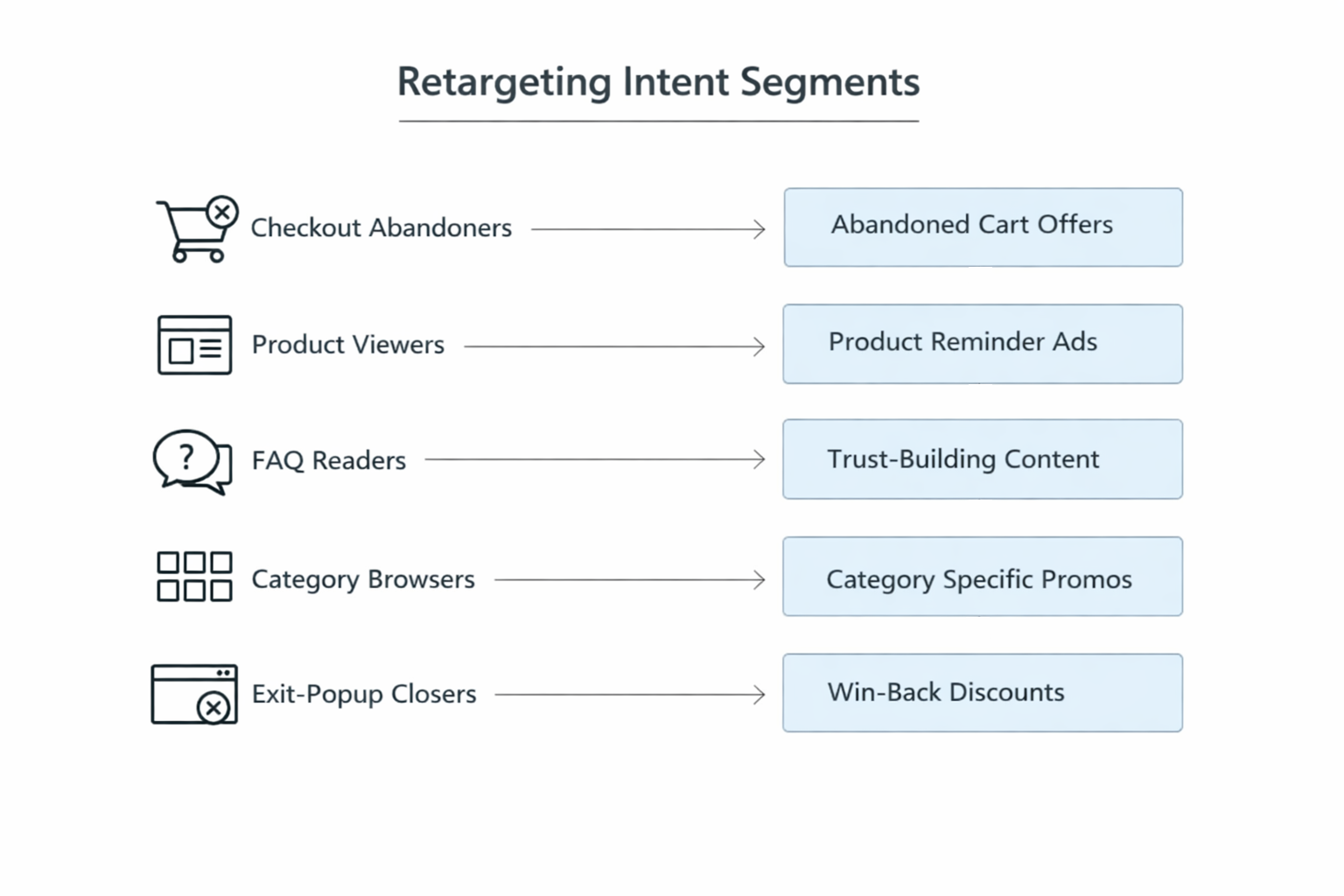
Sophisticated retargeting isn’t just about page visits — it’s about mapping behavioral intent.
If you're running an e-commerce brand and want more examples, read: Facebook Ads for E-Commerce: How to Drive Sales Through Retargeting.
Advanced Retargeting Segments:
| Segment Type | Behavior Criteria | Ad Strategy |
|---|---|---|
| High-intent (checkout drop) | Initiated checkout, spent >1 min, visited shipping page | Urgency + incentive (e.g., free shipping) |
| Mid-intent (deep product view) | Viewed product >30s, returned twice in 7 days | Value reinforcement + testimonial |
| Trust-seeking | Viewed FAQ, returns, about-us, or reviews page | Risk-reduction + brand proof |
| Category skimmers | Visited 3+ products in same category, no adds-to-cart | Category-focused carousel ads |
| Exit-popup closers | Triggered offer but didn’t convert | Re-engagement with updated offer |
Apply sequencing and frequency caps to avoid creative fatigue and message burnout.
Step 3: Campaign Architecture — Stop Running Flat Retargeting Loops
Flat retargeting wastes budget. Build tiered campaigns that adjust to funnel stage and timing.
Need help with balancing frequency and user experience? Start here: Advanced Retargeting: Bring Back Abandoned Leads Without Annoying Them.
Retargeting Campaign Stack:
-
Campaign 1: Product-level retargeting
-
Objective: Sales.
-
Audiences: ViewContent + AddToCart (1–7 days).
-
Creative: Product-focused ads with urgency messaging.
-
-
Campaign 2: Consideration warm-up
-
Objective: Engagement or Traffic.
-
Audiences: Viewed multiple pages, no cart (4–14 days).
-
Creative: Educational, trust-building content.
-
-
Campaign 3: Long-tail re-engagement
-
Objective: Sales.
-
Audiences: All site visitors (15–30 days).
-
Creative: New angle, bundle offer, or time-sensitive promo.
-
Always apply exclusions between audiences to ensure clean sequencing and zero overlap.
Step 4: Optimize Retargeting Windows Intelligently
Retargeting windows should reflect cognitive readiness, not arbitrary timeframes.
Suggested Windows and Tactics:
| Time Since Visit | Behavioral Meaning | Recommended Strategy |
|---|---|---|
| 0–3 days | High awareness, low resistance | Direct conversion CTA. |
| 4–7 days | Evaluating options | Comparison ads; testimonials; guarantees. |
| 8–14 days | Disengaging | New creative angle; fresh offer. |
| 15–30 days | Cold fade-out | Brand re-introduction + incentive. |
Use custom audiences while moving users between windows and refresh ad copy accordingly.
Step 5: Use Smart Exclusions and Filters
Retargeting isn’t just about inclusion — it’s about knowing who not to show ads to.
Who to Exclude:
-
Users who reached a thank-you or order confirmation page;
-
Customers already converted (unless you’re upselling or cross-selling);
-
Low-quality visitors who bounced in under 5 seconds or didn’t scroll.
Clean your retargeting pools regularly using engagement-based filters. Prioritize users with scroll depth, page duration, or multi-session visits.
Step 6: Build Creative for Intent, Not Discovery
Retargeting ads should shorten the decision cycle — not reintroduce your brand.
Effective Retargeting Creative Types:
-
Problem-agitation ads: Highlight what happens if they don’t act (e.g., clutter, stress);
-
Benefit-focused visuals: Emphasize results, not product specs;
-
Micro-proof assets: Feature a short, high-impact customer quote or stat;
-
Offer stack creatives: Combine urgency, value, and trust in one layout.
Use Dynamic Product Ads with overlays like “Selling fast,” “Trending now,” or “Picked for you” to add contextual persuasion.
Step 7: Track Metrics That Actually Matter
Avoid surface-level KPIs. Deep performance insights come from flow-based tracking.
What to Watch:
-
Click-to-ViewContent Rate: Reveals whether the ad is attracting relevant traffic;
-
AddToCart-to-Purchase Ratio: Highlights drop-off points in late-stage funnel;
-
Frequency by ad group: Identifies where fatigue begins;
-
ROAS and AOV from retargeting vs. cold traffic: Shows the real value of returning users.
Set up dashboards by audience segment, not just campaign or ad set.
Bonus: Layer in Status-Based Targeting
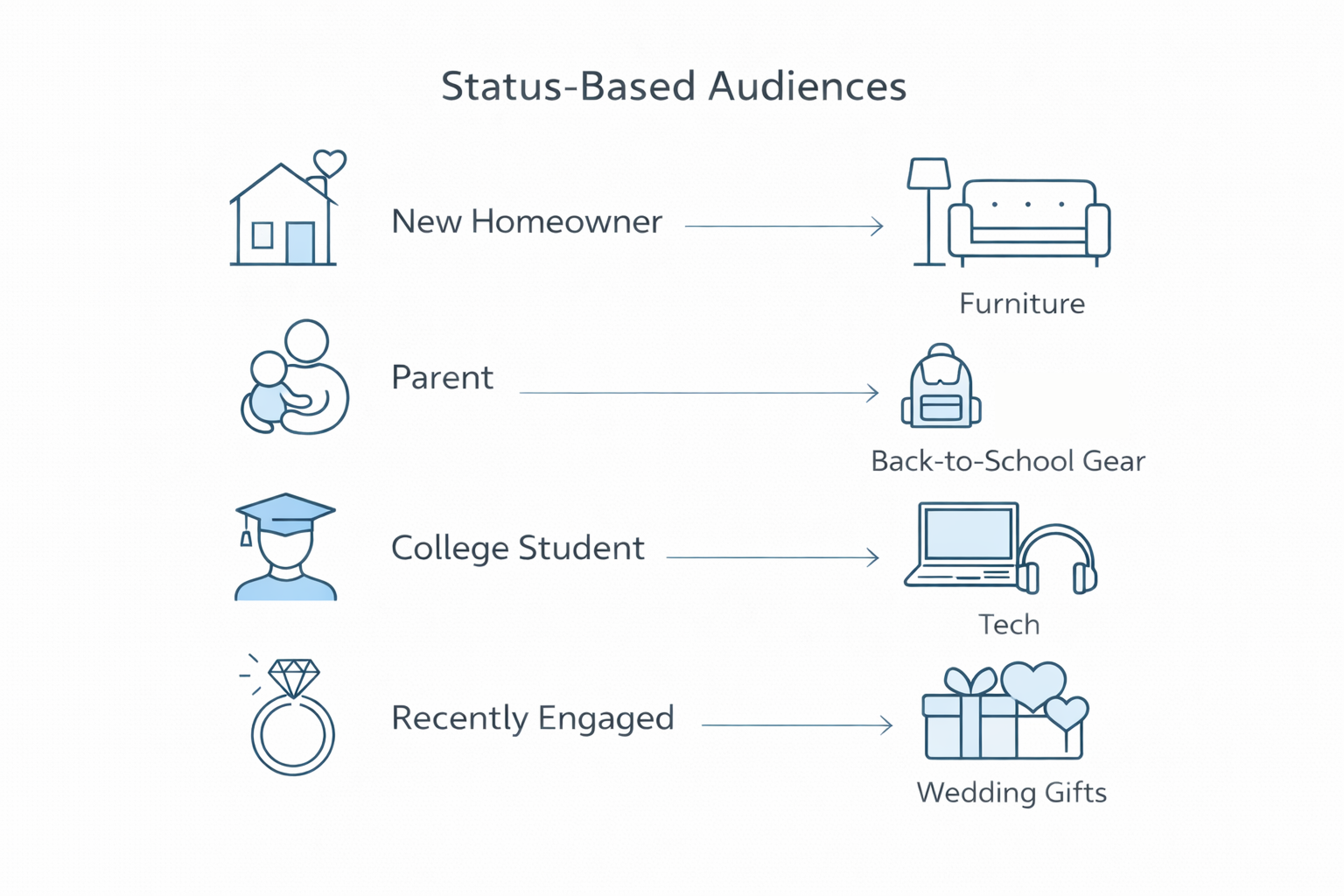
Pair behavior-based retargeting with life-stage or status-based signals for deeper relevance.
Examples:
-
Retarget new homeowners with home furnishing bundles;
-
Retarget parents during seasonal school campaigns;
-
Retarget engaged users with wedding services or honeymoon offers.
You can access many of these signals via Meta’s Advantage+ Audiences, or import them using CRM and enrichment tools.
Final Takeaway
Retargeting website visitors isn’t about serving the same ad repeatedly. It’s about designing a conversion experience tailored to the user’s:
-
Behavior stage;
-
Intent signal;
-
Timing window;
-
Friction point.
Get your segmentation right. Use message sequencing. Optimize creative to match readiness. And always measure outcomes by impact, not vanity metrics.