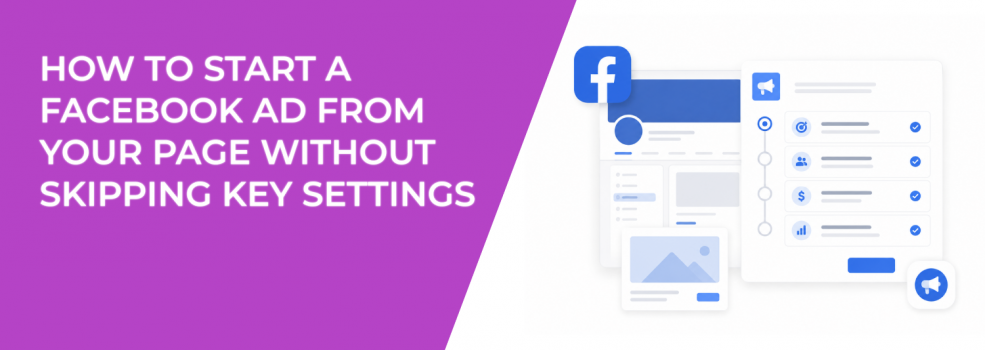
Creating a Facebook ad from your Page feels deceptively easy.
That is usually where the problems start.
A business owner boosts a post during lunch, sets a quick budget, chooses a broad audience, and launches the campaign before checking how Meta will actually optimize delivery. The ad starts getting clicks almost immediately, but a week later nothing meaningful changed in the business.
No qualified leads. No booked calls. No increase in purchases.
Most of these campaigns do not fail because Facebook ads are ineffective. They fail because important settings get skipped during setup.
Problem #1: The Facebook Page Workflow Encourages Fast Decisions Instead of Careful Setup
The “Promote” flow is intentionally simplified.
Meta removed most of the complexity that advertisers normally see inside Ads Manager. That helps small businesses launch campaigns faster, but it also means people move through setup screens without thinking carefully about how each setting changes delivery behavior.
A boosted post can go live in minutes while using:
- the wrong campaign objective;
- broad low-intent targeting;
- weak placements;
- missing conversion tracking;
- unstable budget pacing.
The campaign may still spend normally. That is what makes these mistakes dangerous.
Many advertisers assume the campaign is healthy because CTR or CPC looks acceptable during the first few days. Meanwhile Meta is already learning from weak user behavior.
Solution: Slow Down the Setup Before Clicking Publish
Treat the Page workflow like a compressed version of Ads Manager.
Before launching anything, stop and verify:
- what action Meta is optimizing for;
- whether the audience actually matches buying intent;
- where traffic will go after the click;
- how conversions will be tracked later.
This usually takes a few extra minutes, but it prevents campaigns from training the algorithm around the wrong signals from the beginning.
Using a proper Facebook ads launch checklist helps catch missing settings before the campaign starts spending aggressively.
Problem #2: Advertisers Choose Traffic Objectives Because Cheap CPC Looks Better
This is one of the most common setup mistakes in Page-created ads.
Meta shows estimated reach and click volume during setup, so many advertisers automatically choose traffic because the projected CPC looks cheaper.
The campaign launches and starts generating inexpensive clicks quickly. Then sales teams realize the leads are weak or nonexistent.
This happens constantly with:
- local services;
- coaching businesses;
- B2B campaigns;
- ecommerce stores.
Traffic campaigns optimize for users likely to click. That does not necessarily mean those users are likely to buy.
You can usually spot the problem through patterns like:
- strong outbound CTR;
- weak landing-page engagement;
- low form completion rate;
- high bounce rate;
- cheap CPC paired with expensive CPA.
Solution: Match the Campaign Objective to the Actual Business Outcome
If the goal is lead quality, optimize for leads.
If the goal is purchases, optimize for conversions.
That sounds obvious, but many advertisers still prioritize low CPC instead of downstream business results.
Switching from traffic to lead optimization often increases click costs immediately. At the same time, lead quality usually improves because Meta starts prioritizing users more likely to complete meaningful actions instead of habitual clickers.
Experienced advertisers rarely judge campaigns based only on cheap traffic metrics.
Problem #3: Broad Audience Defaults Pull Campaigns Toward Weak Traffic
The Facebook Page workflow encourages broad targeting because broad audiences are easier for Meta to deliver into quickly.
That creates problems for smaller advertisers.
A local remodeling company targeting an entire city may end up paying for clicks from renters who will never need remodeling services. A B2B software company targeting massive interest categories often attracts students, freelancers, and low-intent users instead of decision-makers.
The campaign still spends smoothly, which makes the issue harder to notice early.
Usually the warning signs appear later:
- sales rejects leads;
- booked calls stop increasing;
- CPA rises during scaling;
- traffic increases without revenue growth.
Solution: Use Stronger Intent Signals Before Launching
Smaller advertisers usually need tighter audience quality than larger brands.
Instead of relying only on broad Meta interests, many advertisers now build audiences around stronger behavioral signals.
That can include:
- Facebook groups;
- Instagram followers;
- engaged audiences;
- niche communities;
- customer lists.
LeadEnforce fits naturally into this process because it helps advertisers build audiences from Facebook groups, Instagram followers, engaged users, and social profile data. That usually creates stronger intent signals before the campaign even begins optimizing.
Problem #4: Automatic Placements Can Push Spend Into Weak Inventory
Many advertisers skip placement review completely during setup.
The campaign defaults into automatic placements and Meta starts distributing impressions wherever delivery looks easiest.
Sometimes that works perfectly fine.
Other times the campaign starts leaning heavily into placements that generate poor conversion quality.
You usually notice this through strange behavior patterns:
- CTR looks healthy but purchases stay weak;
- Messenger conversations become low quality;
- mobile users bounce immediately;
- engagement rises while revenue stays flat.
One common issue is mobile-heavy delivery paired with a slow landing page. The ad itself performs well enough to generate clicks, but users leave before the page fully loads.
Solution: Review Placement Behavior Early Instead of Assuming Automation Is Working
Check where Meta is actually delivering impressions after launch.
If a placement consistently produces weak engagement quality or poor conversion behavior, adjust delivery instead of assuming the creative is failing.
This matters even more for businesses with slower landing pages, long forms, or higher-ticket offers where user friction increases quickly.
Problem #5: Conversion Tracking Gets Ignored During Quick Launches
A surprising number of Page-created ads launch without anyone checking whether Meta is receiving accurate conversion data.
That becomes a major optimization issue later.
Some advertisers never verify:
- Meta Pixel events;
- purchase tracking;
- lead-event accuracy;
- attribution consistency;
- landing-page event behavior.
At first the campaign may still appear healthy because clicks and impressions continue normally.
The problem appears later when Meta struggles to optimize delivery because conversion feedback is incomplete or unreliable.
Solution: Verify Tracking Before Increasing Budget
Before scaling anything, confirm that Meta is receiving clean conversion signals.
Check:
- whether events are firing correctly;
- whether leads appear consistently;
- whether purchases match reporting expectations;
- whether attribution behavior looks stable.
Many businesses later discover expensive Meta ads setup mistakes only after poor tracking already damaged campaign optimization.
Problem #6: Budget Settings Get Rushed During Launch
A lot of advertisers either underfund campaigns or scale too aggressively immediately after setup.
Small budgets can prevent Meta from collecting enough useful conversion data to stabilize optimization.
Aggressive budgets create a different issue. Fresh campaigns often show:
- unstable CPA;
- uneven delivery;
- rapid frequency spikes;
- inconsistent lead quality.
The issue is usually not the budget itself.
The problem is scaling faster than the campaign’s conversion signals can support.
Solution: Let the Campaign Stabilize Before Pushing Spend
Give the campaign enough time to collect reliable behavioral data before increasing budget aggressively.
Watch for:
- stable conversion volume;
- consistent CPA behavior;
- reliable lead quality;
- steady delivery patterns.
Once those stabilize, scaling becomes much safer.
Advertisers eventually reach a point where they need to structure a Facebook campaign without wasting budget instead of relying only on simplified Page-based workflows.
Final Takeaway
The biggest risk when creating a Facebook ad from your Page is not the creative.
It is skipping key settings because the setup process feels too simple.
Most performance problems start with rushed decisions around:
- campaign objectives;
- audience quality;
- placements;
- tracking;
- budget pacing.
Once Meta starts optimizing around weak signals, fixing the campaign becomes much harder later.
The advertisers who consistently improve CPA, lead quality, and ROAS usually spend more time reviewing setup before launch instead of trying to repair delivery after performance already drifted in the wrong direction.