Instagram is a platform built around engagement. But getting consistent likes, shares, and comments — especially from new audiences — is getting harder. Organic reach continues to drop, and even great content often gets buried.
Running ads through Meta Ads Manager (formerly Facebook Ads Manager) gives you a way around this. You can target the right people, show them the content you want them to see, and prompt meaningful actions — whether that’s a profile visit, a comment, or a follow.
If you want to combine the best of both platforms, here’s how to run Facebook and Instagram Ads together for maximum impact.
Let’s walk through the real strategy behind using Facebook Ads to grow your Instagram page.
1. Choose the Right Objective for Instagram Engagement
Meta has simplified its campaign objectives. But your choice still tells the algorithm how to optimize delivery — and who to show your ad to.
If you're running campaigns to drive real interaction on Instagram, the wrong objective will waste budget and attract low-intent clicks.
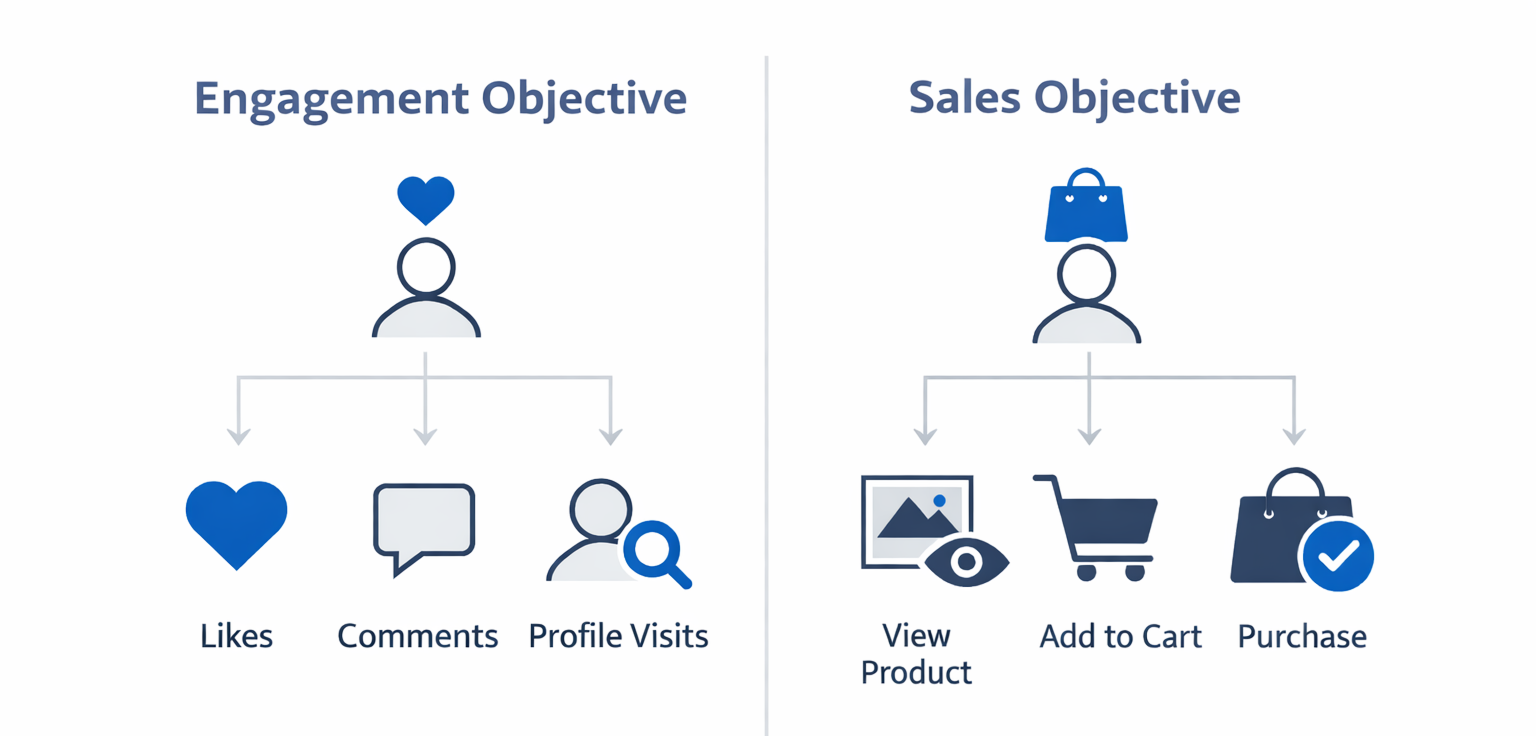
Best objectives for Instagram engagement:
-
Engagement — Prioritizes likes, comments, shares, saves, and DMs. Use this if your goal is post-level interaction or messaging.
-
Traffic — Sends people to a destination like your Instagram profile, a specific post link, or a landing page. Best for profile visits and potential follows.
-
Awareness — Optimizes for reach and recall. Works well when you’re launching a new Instagram brand or product and want exposure first.
-
Leads — Can be useful if you’re using Instagram Stories to collect sign-ups or start conversations. Choose this when your engagement is tied to a conversion point (like a newsletter form).
Avoid “Sales” or “App Promotion” unless your main goal is transactions or installs. These objectives are optimized for purchase behavior — not interaction.
If you're running a small business, you may also want to check out our dedicated guide on using Instagram Ads for small business growth.
2. Use Manual Placements and Prioritize Instagram
Meta often defaults to running ads across all placements — Facebook, Instagram, Messenger, and more — under Advantage+ Placements. This approach favors delivery efficiency, not engagement relevance.
If you're trying to increase Instagram interaction, it’s better to manually select placements that keep users on that platform.
Ideal Instagram placements for engagement:
-
Instagram Feed — Strong for photos, carousel posts, and longer-form captions. Feels native to organic browsing.
-
Instagram Stories — Best for short-form vertical video. Great when paired with interactive stickers or a swipe-up CTA.
-
Instagram Explore — Reaches users actively discovering new content. Helps you break out of your existing bubble.
Disable placements like Facebook Marketplace or Audience Network if your content is Instagram-specific. This keeps your budget aligned with your goal.
Still unsure which platform delivers better value for your brand? Read our comparison: Instagram Ads vs. Facebook Ads — Which Is Better for Your Business?
3. Build Custom Audiences Based on Real Behavior
Too many advertisers still target broad interests like “Travel” or “Fitness.” While that may work for awareness, it’s not effective when your goal is engagement.
Meta lets you build high-intent audiences based on actual behavior. These people already know your brand — or closely resemble those who do.
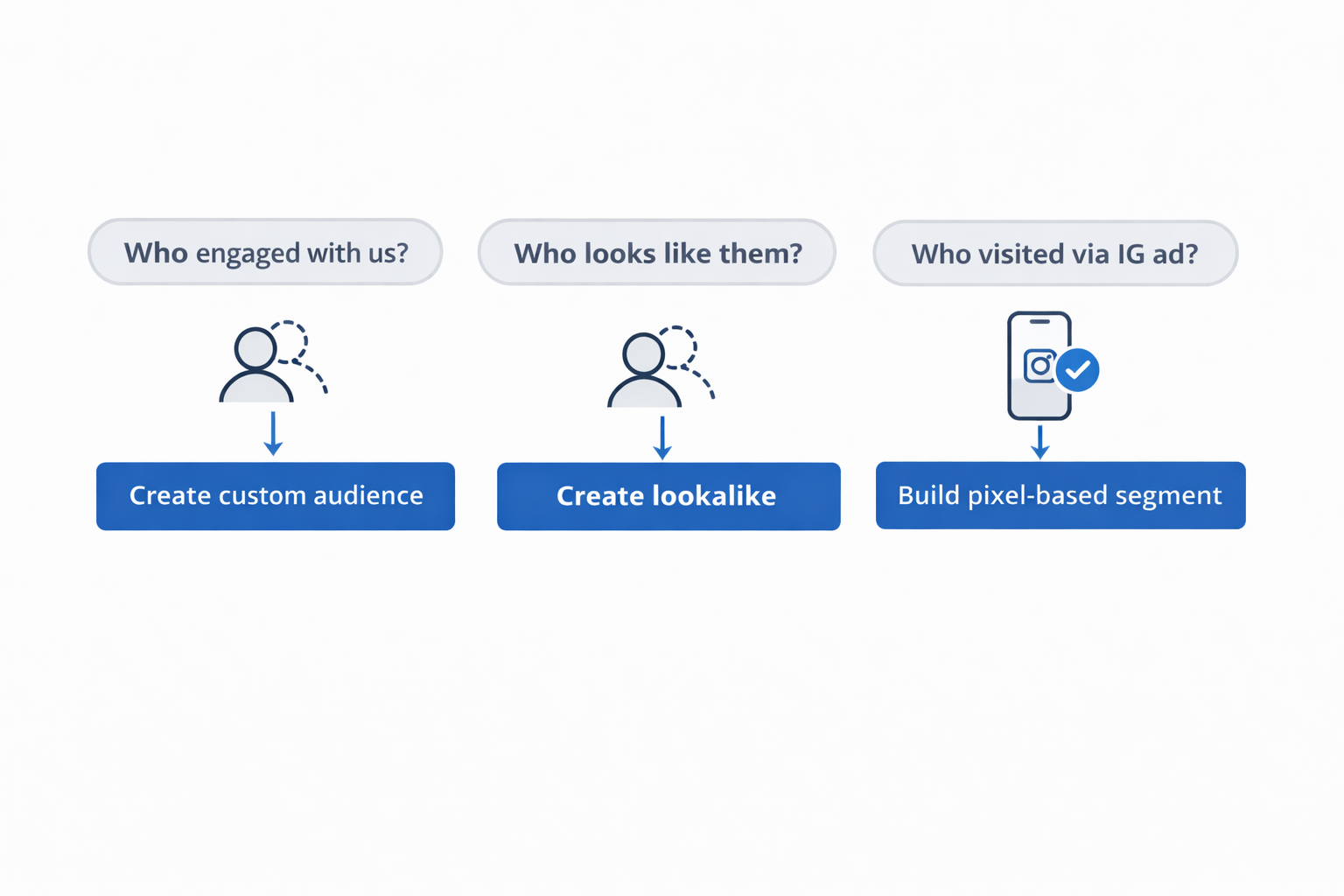
Proven audience types for engagement:
-
Instagram Engagers — Target users who’ve interacted with your IG profile in the past 7, 30, or 90 days. These are your warmest leads.
-
Lookalike Audiences — Use your top engagers to build a broader audience that shares their traits. Great for scaling while staying relevant.
-
Pixel-Based Visitors — If you have the Meta Pixel on your site, retarget people who came from Instagram and stayed more than 10–30 seconds.
Avoid the temptation to go broad too quickly. A small but engaged audience will outperform a large, passive one every time.
4. Design Creative That Fits the Instagram Experience
Instagram has its own visual culture. If your ad looks like a typical banner, users will skip right past it.
Instead, create ads that feel like they belong in the feed or Story format. Native-looking content performs better — and drives more engagement.
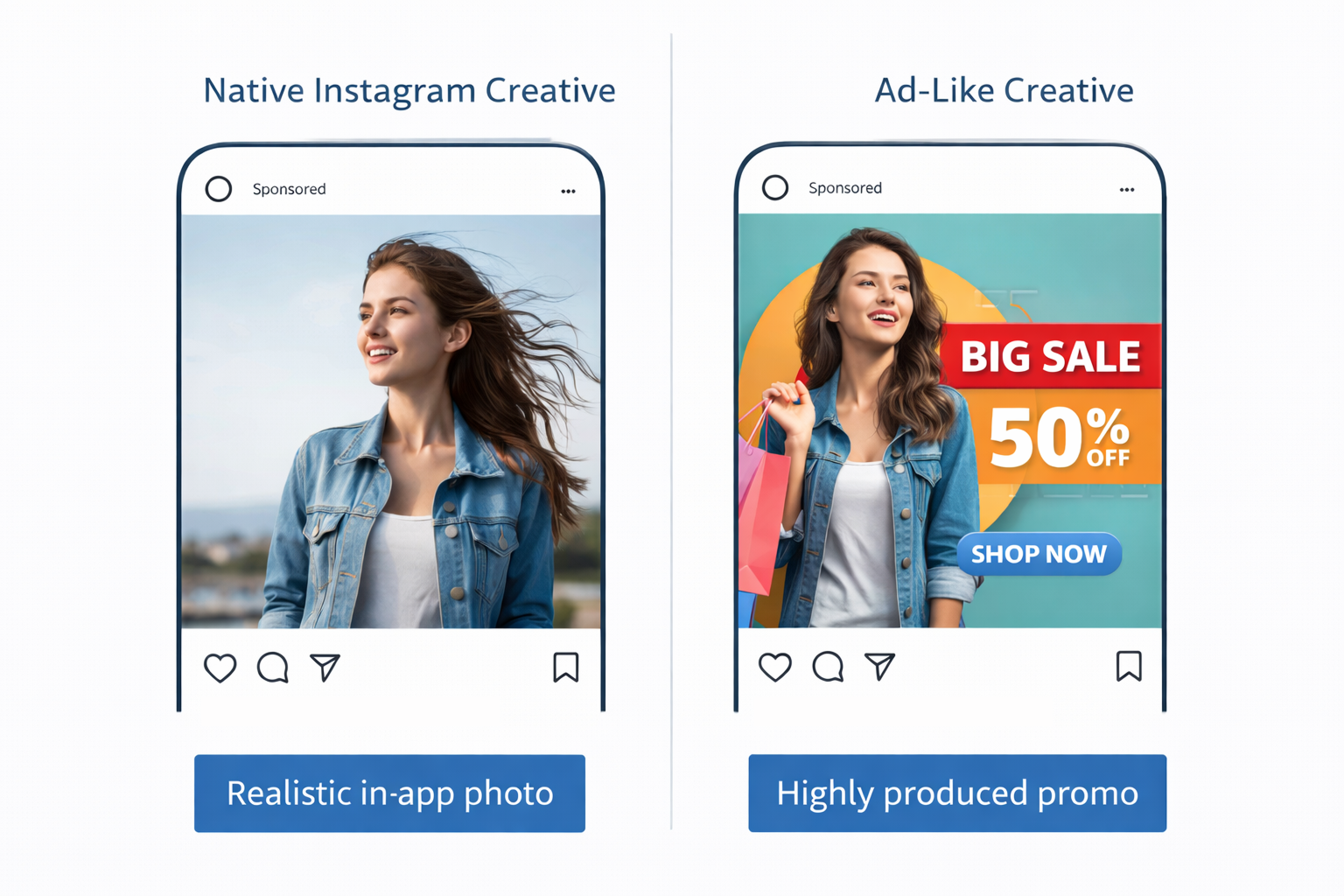
Key creative tips for Instagram ads:
-
Design for the format — Use vertical video for Stories and Reels, and square or portrait for Feed. Don’t crop Facebook assets to fit.
-
Lead with movement — Use motion, transitions, or a talking face to stop the scroll within the first 2 seconds.
-
Prompt simple actions — Ask questions, encourage saves, or invite comments. Examples: “Which one would you pick?” or “Save this for later.”
Avoid over-branding. Use clean design, natural lighting, and visuals that feel personal or useful — not polished ads.
Bonus tip: Add auto-captions or on-screen text. Many users browse with sound off.
5. Promote What’s Already Working Organically
You don’t need to build every ad from scratch. If a post is performing well on your page — promote it. This gives you built-in social proof and stronger interaction rates.
How to boost organic posts the right way:
-
In Instagram Insights, filter posts by engagement (likes, saves, shares) over the past 30 days.
-
Go to Meta Ads Manager (not the Boost button).
-
Create a new campaign and choose Use Existing Post.
-
Select Instagram placements only.
-
Target either warm audiences (like engagers or website visitors) or a relevant Lookalike.
This approach makes your ad budget work harder and keeps organic and paid engagement in one place.
6. Focus on Metrics That Reflect Real Engagement
Many advertisers track CTR or CPC and assume they’re doing well. But clicks aren’t the same as real attention or interaction.
To measure actual Instagram engagement, you need to track the right signals.
Metrics that matter for Instagram-focused ads:
-
Post interactions — Likes, comments, saves, and shares. Saves are especially strong indicators of content value.
-
Profile actions — Follows and profile visits triggered by the ad.
-
Video view duration — For Stories and Reels, track how long users watch. Completion rate >50% is a good benchmark.
-
Engagement rate per impression — Not just total likes or comments, but how often people engage per view.
You’ll find these metrics in Meta Ads Manager, but you can cross-check some in Instagram Insights as well.
Look at patterns across ad sets, not just isolated wins. And don’t rely on CTR alone.
Summary: You Can’t Force Engagement — But You Can Engineer It
Instagram engagement doesn’t happen by luck. It’s the result of a strategy that brings the right content to the right people — in the right format.
To recap:
-
Set the Engagement or Traffic objective based on your goals.
-
Select manual placements and focus only on Instagram.
-
Build custom audiences from behavior, not just interests.
-
Design ads that look and feel native to the platform.
-
Promote top-performing organic content through existing post campaigns.
-
Measure success using real engagement signals, not just surface-level clicks.
You’re not just trying to get views. You’re trying to build a presence people want to follow and interact with. That starts with setting up your ad system to prioritize attention — not just exposure.