Most ad waste starts before the campaign launches.
The creative may look fine. The budget may be reasonable. The campaign may be easy to build in Meta Business Suite. But if the goal is vague, the audience is generic, the offer is unclear, or the follow-up path is missing, the campaign is already at risk.
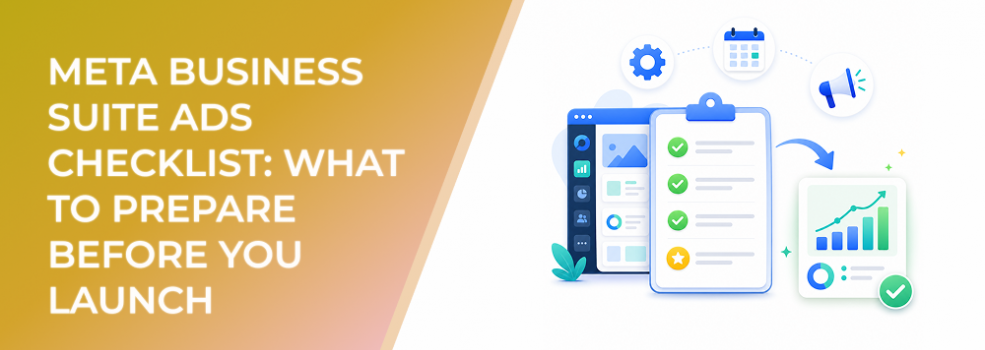
A getting-started checklist is not just an admin exercise. For performance marketers, it is a way to protect CPC, CPA, CAC, ROAS, lead quality, and testing speed.
Why a checklist matters for Meta Business Suite ads
Meta Business Suite makes ad creation accessible for businesses that do not need a complex Ads Manager build. That is useful for SMBs, agencies, freelancers, and startup marketers who need to move quickly.
But simple ad creation can make unprepared campaigns look ready.
A good checklist forces you to answer the questions that affect performance:
What outcome are we optimizing for? Who exactly should see the ad? What makes this audience high intent? What creative are we testing? What happens after the click, call, message, or form submission? How will we judge success?
Without these answers, your campaign may still deliver. It just may deliver the wrong results.
Business impact on budget efficiency
A pre-launch checklist improves performance by reducing avoidable uncertainty.
It can help prevent:
- Paying for broad reach when you need qualified leads.
- Choosing a goal that does not match the business outcome.
- Launching creative that attracts curiosity but not buying intent.
- Sending users to a landing page that does not match the ad.
- Generating leads before sales or follow-up is ready.
- Misreading early campaign performance because success was not defined.
The checklist does not guarantee a lower CPA or higher ROAS. It gives the campaign a cleaner starting point, which makes testing more useful and budget allocation more disciplined.
Typical scenarios where this applies
New advertisers launching their first Meta ads
A business owner may know what they sell but not how to translate that into campaign goals, audiences, and creative tests.
Agencies onboarding a new client
A checklist prevents missing access, billing, audience, creative, or follow-up dependencies before launch.
Startup marketers testing early demand
Startups often need to validate messaging quickly, but fast testing only works when variables are controlled.
B2B lead-gen campaigns
B2B campaigns require clearer qualification, audience logic, and follow-up planning than basic traffic campaigns.
Affiliate and offer-based promotions
When margins are tight, a weak campaign setup can make performance unprofitable quickly.
Risks and considerations
The first risk is treating the checklist as a one-time setup document.
Campaign needs change. A checklist should be revisited before each new launch, not only when the ad account is created.
The second risk is overcomplicating the launch. A checklist should clarify decisions, not slow down testing with unnecessary bureaucracy.
Another risk is assuming Meta’s guided workflow will solve audience quality. It will help you create the ad, but it cannot fully know whether your selected audience is commercially relevant.
Finally, avoid launching with only platform metrics in mind. If the business cares about qualified leads, booked calls, demo requests, purchases, or revenue, those outcomes need to be defined before the campaign starts.
Prerequisites and dependencies
Before launching an ad in Meta Business Suite, confirm the following areas.
Business and account readiness
Make sure the correct Page, Instagram account, ad account, payment method, permissions, and business portfolio access are in place.
Access problems can delay launch, interrupt billing, or prevent the right team members from reviewing performance.
Campaign goal
Define the business outcome first. Then choose the Meta goal that best supports it.
Do not choose traffic when the real need is qualified leads. Do not choose engagement when the real goal is sales conversations.
Audience
Define the audience by relevance and intent, not just demographics.
Ask: What signals show this person is likely to care about the offer? Has this audience engaged with related communities, profiles, content, or professional categories?
Creative and offer
The ad creative should communicate one clear idea and one next step.
If the offer needs explanation, do not rely on vague copy. Make the benefit, target audience, and CTA easy to understand.
Destination or follow-up path
Prepare the landing page, instant form, call path, message workflow, or WhatsApp response before launch.
A campaign can generate interest and still fail if the next step is weak.
Measurement
Define what success means. For many teams, the useful metric is not raw clicks or leads. It is qualified lead rate, cost per qualified action, conversion rate, CAC, or ROAS.
How LeadEnforce helps
LeadEnforce strengthens the audience section of the checklist.
Advertisers often struggle because native targeting inputs are too broad or assumption-based. LeadEnforce helps build higher-intent audiences from Facebook groups, Instagram profiles, followers, engagers, LinkedIn professional data, and custom social-profile data.
This gives the campaign a more relevant audience foundation before it enters Meta’s delivery system.
For example, a B2B advertiser can prepare a professional audience before launching a lead campaign. An agency can build niche audiences for different client offers. A startup can test early demand among people connected to specific communities or social profiles.
The checklist still matters. LeadEnforce helps one of the most important checklist items become more precise.
Practical recommendations
Write the campaign goal in business language
Before selecting anything inside Meta Business Suite, write the goal plainly.
Example: “Generate demo requests from operations managers at companies likely to need workflow automation.”
This is more useful than “run a lead campaign.”
Build the audience before choosing creative
Audience and message should be developed together. A strong ad for one audience may be too vague or too detailed for another.
Limit the first test
Do not launch with too many creative variations, audiences, and offers at once. Keep the first test readable.
Confirm follow-up ownership
If the campaign generates leads, messages, calls, or WhatsApp conversations, assign ownership before launch.
Paid traffic should never arrive before the business is ready to respond.
Review the checklist after performance comes in
Use results to improve the checklist. If lead quality was weak, add stronger qualification requirements. If the landing page underperformed, add pre-launch page review. If audience performance varied, add audience validation.
Final takeaway
A Meta Business Suite ads checklist helps prevent avoidable waste.
It ensures that goals, audiences, creative, budget, access, and follow-up are ready before spend begins. For performance marketers, that preparation is not optional. It is what turns a simple ad launch into a useful test.
To add more relevant audience inputs to your pre-launch checklist, join the free 7-day LeadEnforce trial period.
Related LeadEnforce Articles
- Create a New Audience in Meta Business Suite Insights (Step-by-Step + Performance Tips) — Useful for preparing audience inputs before launching ads.
- How to Access Audience Insights in Meta Business Suite (and Use Them for Better Ads) — Helps marketers interpret audience signals before turning them into campaigns.
- Meta Business Suite Settings: The Paid Social Control Layer Most Advertisers Ignore — Relevant for checking access, assets, and operational readiness.
- Meta Business Suite Home Dashboard: How to Read Performance Signals Without Misleading Yourself — Helps advertisers evaluate early signals after launch without overreacting.