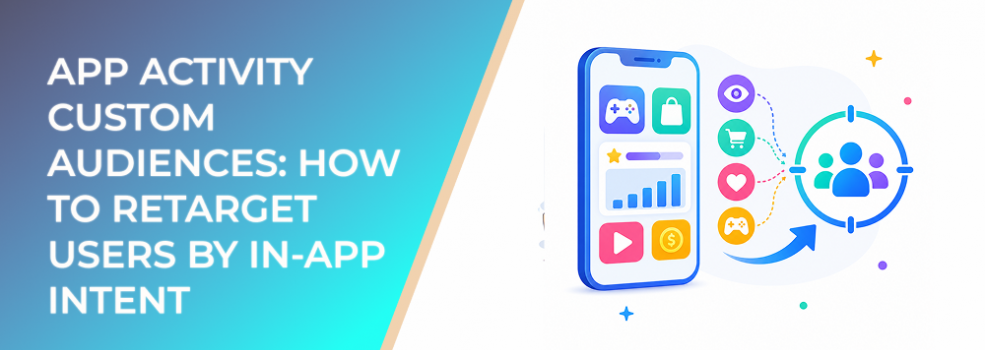
An app install is not the same as an engaged user.
Some people install an app and never open it again. Some complete onboarding. Some use one feature repeatedly. Some start a trial, abandon checkout, or become high-value customers. If your Meta campaigns treat all app users the same, your budget is probably not working as efficiently as it could.
App activity custom audiences help advertisers build audiences based on what people do inside an app. For performance marketers, this makes app advertising more practical because it connects campaigns to actual user behavior, not just installs.
What app activity custom audiences solve
App activity custom audiences help you separate users by in-app actions.
Instead of targeting every person who downloaded the app, you can build audiences around meaningful behaviors. These may include users who launched the app, completed registration, viewed content, started a trial, added items to cart, made a purchase, subscribed, or stopped engaging.
That matters because app funnels often have multiple drop-off points. A campaign aimed at inactive installers should not use the same message as a campaign aimed at trial users or repeat buyers.
The goal is to turn app behavior into audience strategy.
Business impact on CPA, CAC, retention, and revenue quality
App campaigns can become expensive when advertisers optimize only for installs or surface-level events.
A low install cost may look good in Ads Manager, but if users do not activate, subscribe, buy, or stay engaged, CAC can rise quickly. App activity audiences help shift attention toward behaviors that matter after the install.
Used well, they can support:
- Lower wasted spend by excluding users who already completed the target action.
- Better CPA by retargeting users who reached a meaningful in-app stage.
- Stronger retention by re-engaging inactive but valuable users.
- Better revenue quality by building audiences from high-value app actions.
- Cleaner lookalike seeds based on users who actually engage or purchase.
For app advertisers, the core question is not “How many users did we acquire?” It is “Which users moved closer to business value?”
Typical scenarios where this applies
Re-engaging inactive installers
People who installed but did not activate may need onboarding, education, or a simpler reason to return.
Retargeting trial users
Trial users may need reminders, feature education, testimonials, or a clearer path to paid conversion.
Recovering abandoned in-app purchases
Users who started checkout or viewed premium options may respond to urgency, reassurance, or a benefit-focused offer.
Upselling active users
High-engagement users can be strong candidates for premium plans, add-ons, subscriptions, or loyalty campaigns.
Creating lookalikes from high-value users
A lookalike based on loyal users, subscribers, or purchasers is usually more useful than one based on all installers.
Risks and considerations
The main risk is optimizing around weak app signals.
If you build audiences from all installers, Meta may learn from users who downloaded the app but never became valuable. If you build audiences from low-intent app opens, the campaign may chase activity instead of revenue.
Another risk is audience size. App activity segments can become very small, especially for niche apps, B2B apps, or high-value conversion events. Small audiences can produce unstable delivery and high frequency.
Advertisers should also consider privacy, consent, and platform policy requirements. App behavior is sensitive, and campaigns should avoid messaging that feels invasive or implies personal tracking.
Finally, app campaigns need downstream measurement. A lower CPA for trial starts is not necessarily better if paid conversion rate drops.
Prerequisites and dependencies
To use app activity custom audiences effectively, advertisers need:
- App events already passing to Meta through an approved app setup.
- Meaningful event definitions tied to business outcomes.
- Enough event volume to build usable audiences.
- Clear retention windows for each audience.
- Exclusions for users who already converted or upgraded.
- Creative tailored to the user’s app stage.
- Reporting that tracks activation, retention, purchase quality, or revenue.
Marketers do not need to manage technical implementation themselves, but they do need to define which actions matter commercially.
How LeadEnforce helps
LeadEnforce helps app advertisers build stronger audience inputs before and alongside app activity retargeting.
Many app campaigns struggle because their first audience is too broad. If cold traffic is weak, app installs may be cheap but low quality. That creates poor downstream audiences and weak lookalikes.
LeadEnforce helps advertisers create high-intent custom audiences from Facebook groups, Instagram profiles, followers, engagers, LinkedIn professional data, and custom social-profile sources. These audiences can be especially useful when an app serves a niche community, professional role, hobby, creator audience, or competitor ecosystem.
For example, a productivity app can target professionals connected to relevant LinkedIn-style data. A fitness app can build audiences from niche Instagram profiles or groups. A B2B SaaS app can create more precise audience inputs before retargeting in-app trial behavior.
Once users engage in-app, app activity custom audiences can take over for retargeting, retention, and expansion.
Practical recommendations
Do not optimize only for installs
Installs are useful, but they are not the final business outcome. Build audiences around activation, trial, purchase, subscription, retention, or other valuable actions.
Separate activation stages
An installer who never opened the app needs a different message than a user who completed onboarding but stopped before payment.
Build exclusions into every campaign
Exclude users who already completed the action you are asking for. Move them into upsell, retention, or loyalty campaigns instead.
Use high-value users as seed audiences
For lookalikes, prioritize users who stayed, bought, subscribed, upgraded, or showed meaningful engagement.
Keep creative respectful
Avoid language that makes users feel monitored. Focus on value, benefits, reminders, and helpful next steps.
Combine social intent with app behavior
Use LeadEnforce-built audiences to improve acquisition relevance, then use app activity custom audiences to retarget based on actual app engagement.
Final takeaway
App activity custom audiences help advertisers move beyond install-based thinking. By segmenting users according to in-app behavior, marketers can improve retargeting relevance, reduce wasted spend, and build stronger seed audiences for scaling.
The best strategy connects high-quality acquisition inputs with meaningful app events and downstream performance measurement.
To build more relevant audience inputs before your next app campaign test, join the free 7-day LeadEnforce trial period.
Related LeadEnforce Articles
- A Beginner’s Guide to Custom Audience Targeting — Useful for understanding how app activity fits into broader custom audience strategy.
- The Complete Guide to Warm, Cold, and Custom Audiences in Meta Ads — Helps structure app users by funnel stage and audience temperature.
- Custom vs Lookalike Audiences: What Works Best for Facebook Campaigns? — Explains when to retarget app users and when to scale from them.
- How to Combine Custom and Lookalike Audiences for Multi-Step Funnels — Relevant for building app funnels that move from acquisition to retention.
- How to Select Facebook and Instagram Sources for Targeting with LeadEnforce — Helpful for choosing stronger social sources before app activity retargeting begins.