Most advertisers focus on metrics when performance drops.
But many campaign issues don’t start in Ads Manager. They start in how access is structured.
When permissions inside Meta Business Portfolio are misaligned, campaigns rarely fail outright. Instead, they become slower to manage, harder to optimize, and less predictable over time.
How Meta Business Portfolio Permissions Actually Work
A business portfolio connects all assets — ad accounts, Pages, pixels, and Instagram profiles — into one system. It also defines who can access and manage them.
Meta separates access into two levels:
- Portfolio-level permissions, which control the overall business setup, including people, assets, and ownership.
- Asset-level permissions, which define who can work on specific tools like ad accounts, Pages, or pixels.
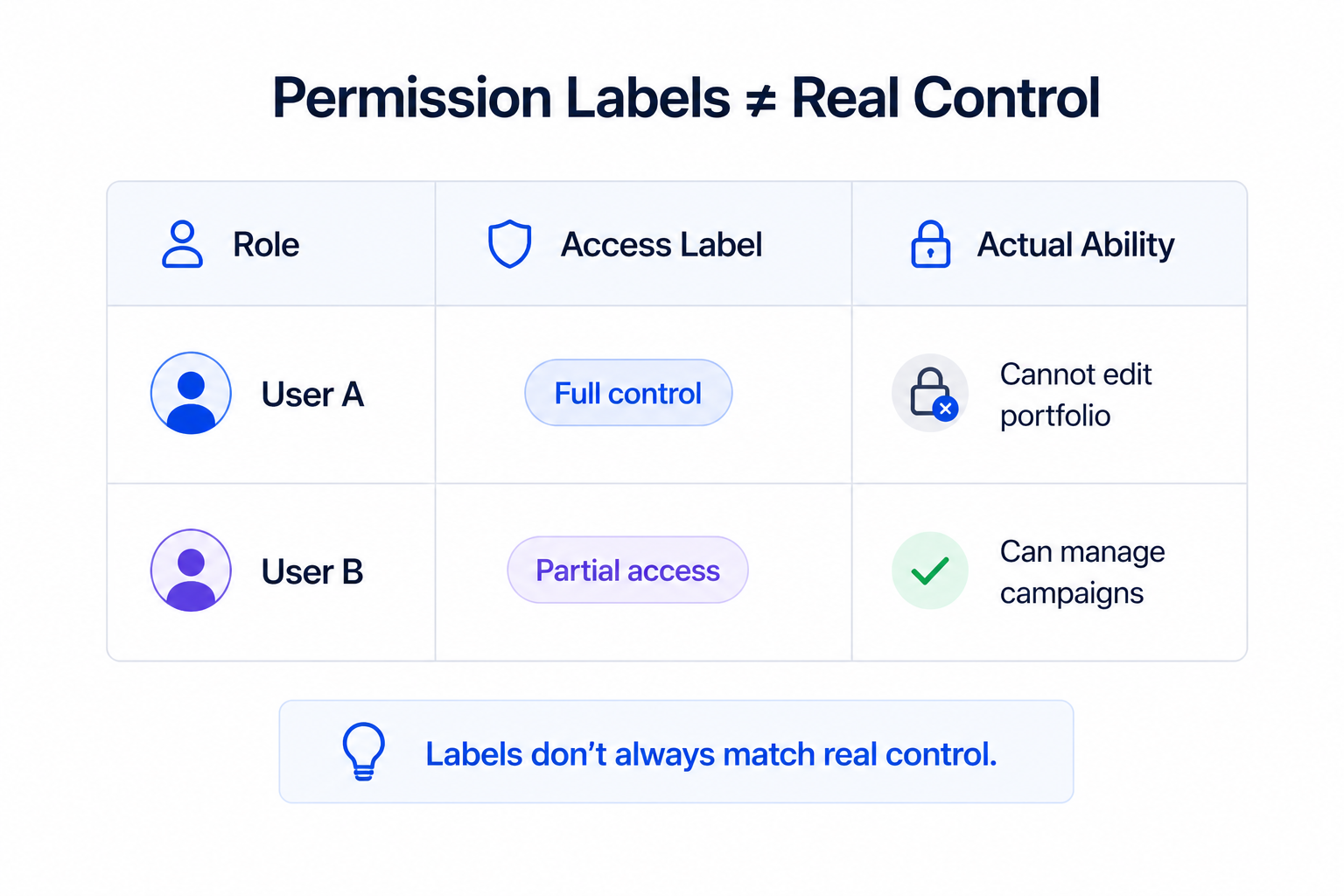
Across both levels, users are assigned one of two access types:
- Full control, which allows complete management of assets, permissions, and settings.
- Partial access, which limits users to specific tasks or assigned assets.
This structure is flexible, but that flexibility creates edge cases that affect execution.
For example, someone can have full control of an ad account but no control over the portfolio. Another user may manage integrations but lack access to campaign performance data.
Where Permission Structure Starts Affecting Campaign Execution
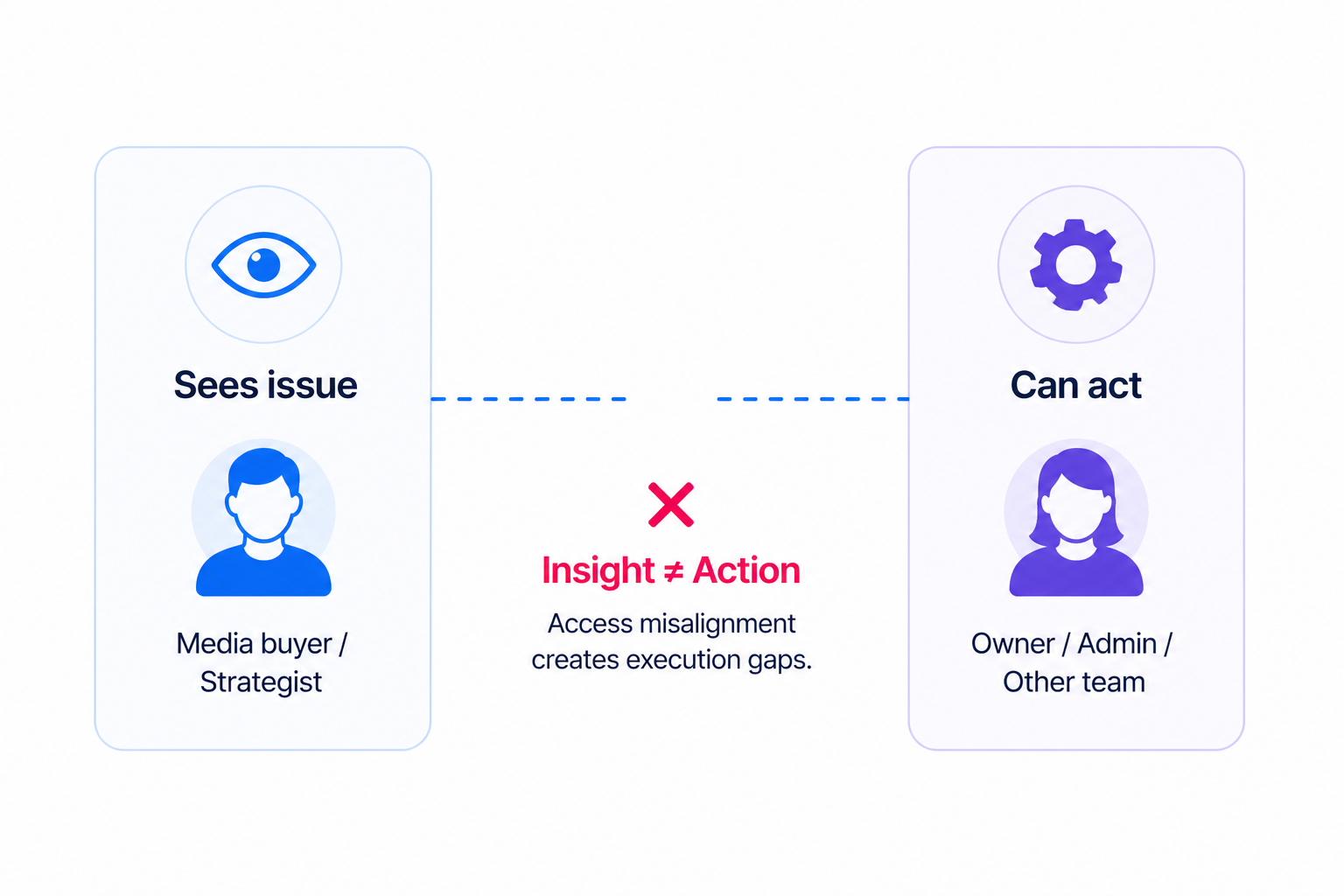
Problems begin when access does not match responsibility.
In practice, this shows up in a few recurring ways:
- A media buyer sees performance issues but cannot adjust budgets or targeting.
- A strategist identifies a problem but depends on another person to implement changes.
- An agency has limited access, which slows down optimization cycles.
Each of these situations creates delays. And in Meta’s auction system, delays translate directly into performance loss.
Why This Directly Impacts Campaign Performance
Meta’s delivery system responds to signals quickly.
If your team cannot react at the same speed, campaigns drift out of alignment.
You’ll often see this through observable patterns:
- Stable spend with declining conversions.
- Rising CPM without a clear targeting change.
- Learning phase resets after delayed edits.
These signals are often misinterpreted as targeting or creative problems. In reality, they are execution problems caused by restricted or fragmented access.
Business Impact
Permission misalignment creates inefficiencies that compound over time.
It rarely looks like a clear error. Instead, it shows up as performance that feels inconsistent or difficult to scale.
The impact typically includes:
- Higher CPA, because optimization happens too late.
- Lower ROAS, due to missed scaling opportunities.
- Budget waste, caused by duplicated or uncoordinated actions.
- Slower testing cycles, which reduce learning speed.
Many advertisers try to fix this by adjusting targeting.
However, if your system cannot react quickly, even strong targeting will underperform.
For example, poor targeting becomes more expensive when execution is slow. High CPA? Fix These Facebook Targeting Mistakes explains how these issues compound at the campaign level.
Typical Scenarios Where This Applies
This problem tends to appear in specific setups.
It is especially common in:
- Agency-client relationships with restricted or unclear access.
- Businesses managing multiple portfolios with legacy structures.
- Growing teams where permissions were never updated.
- Situations where temporary access expires during active campaigns.
Temporary access is often overlooked. When it expires, execution can stop without an obvious signal in Ads Manager.
For teams working across multiple accounts, structure becomes even more critical.
How to Manage Facebook Ads for Multiple Clients Without Risking Account Issues shows how access affects operational stability.
Risks and Considerations
Before changing permissions, it’s important to evaluate your current structure.
Common risks include:
- Too many users with full control, leading to conflicting actions.
- Critical roles lacking the permissions needed to act.
- Overlapping responsibilities between internal teams and partners.
The objective is not to maximize access, but to align it with real workflows.
Prerequisites and Dependencies
Permissions only improve performance when the surrounding system is clear.
You need defined ownership, clear responsibilities, and consistent campaign structure.
This connects directly to user roles in your business portfolio, since roles determine how access is applied.
Practical Recommendations
Instead of reviewing permissions abstractly, test them in real scenarios.
Ask yourself:
- Who identifies performance issues?
- Who can act immediately?
- How long does it take to respond?
If there is a delay between insight and action, permissions are already affecting performance.
Align access with responsibility so that execution can happen without friction.
Final Takeaway
Permissions are not just an administrative setting.
They define how fast your campaigns can adapt.
When access matches responsibility, campaigns improve through speed and consistency. When it doesn’t, inefficiencies build quietly and reduce performance over time.