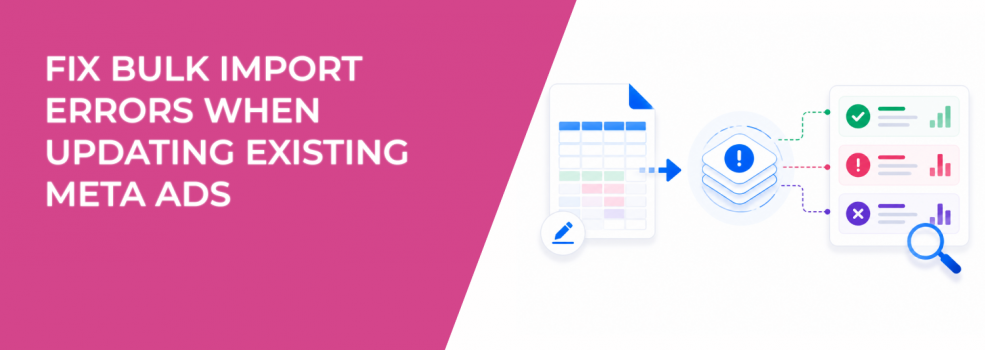
Bulk editing existing ads should be a fast optimization lever. In reality, it’s one of the easiest ways to break stable campaigns.
Most import failures happen because the spreadsheet no longer matches the structure Ads Manager expects for updates. Unlike creating new ads, updating existing ones depends on preserving IDs, relationships, and field integrity.
When that structure breaks, Ads Manager either rejects the file or applies changes incorrectly. That can push ads back into review, disrupt delivery, or create unintended duplicates.
Why updating existing ads is more fragile than creating new ones
When you update an ad, you’re not just editing text or a URL. You’re modifying an object that already has delivery history, engagement signals, and conversion data.
Meta relies on ad IDs to identify exactly which asset should be updated. If those IDs are missing or altered, the system can’t map your changes correctly.
This is where many bulk updates fail:
- Missing columns from the original template. Ads Manager requires the same structure used during export, even for fields you don’t edit.
- Deleted or changed ad IDs. Without IDs, Meta treats rows as new ads or rejects them entirely.
- Wrong file format. Files must be saved as Unicode .txt for the import process to work correctly.
- Broken field relationships. Changing values without preserving dependencies can invalidate the update.
These aren’t just formatting errors. They directly affect how your live ads behave after the update.
How failed updates show up in Ads Manager
Bulk update issues rarely stay isolated to the import stage. They show up in delivery almost immediately.
You might notice ads entering review again, even if you only intended a minor change. In some cases, only part of the update is applied, creating inconsistent ad variations within the same ad set.
Typical signals include:
- Ads switching from Active to In Review after import.
- Sudden drops or spikes in spend across ad sets.
- Delivery concentrating on a smaller subset of ads.
These changes can distort performance data. A stable campaign can suddenly show fluctuating CPA or inconsistent conversion volume without any obvious targeting change.
The performance risk of bulk editing live ads
Bulk updates often happen during scaling or optimization phases. That makes timing critical.
If you modify too many fields at once, Meta may treat the ads as significantly changed. This can impact delivery stability and create short-term volatility in results.
A common scenario looks like this:
You update headlines, URLs, and tracking parameters across dozens of ads. After import, half the ads go back into review. The remaining ads absorb most of the spend. CPA appears stable for a short window, then rises as delivery normalizes.
This is why understanding how to edit live Facebook ads without resetting learning is critical before running bulk updates.
The correct workflow for updating ads via Excel
Bulk updating works reliably when you treat the export file as a locked structure.
Start by exporting your existing ads directly from Ads Manager. This file contains the exact column format and IDs required for updates.
Then follow a controlled process:
- Keep all original columns from the export, even if you don’t modify them.
- Do not delete or edit ad IDs, campaign IDs, or ad set IDs.
- Make only the intended changes, such as copy, URL, or creative references.
- Save the file as a Unicode .txt before importing.
- Upload through Ads Manager using the Import ads option.
If the import still fails, Meta recommends submitting a support request with your account ID and original file. Including a screencast helps identify mapping issues faster.
Why partial updates create misleading performance signals
One of the biggest risks is not a full failure — it’s a partial success.
If only some rows update correctly, your campaign ends up with mixed versions of ads. Some reflect the new messaging, others remain unchanged.
This creates inconsistent data:
- CTR differences between updated and non-updated ads.
- CPC shifts driven by uneven creative distribution.
- Conversion tracking gaps if URLs or parameters weren’t applied consistently.
From a reporting perspective, this makes it harder to isolate what actually improved or declined.
If you notice unexpected volatility, it often falls under patterns explained in performance drops after campaign changes, where structural changes — not targeting — drive results.
How bulk edits can disrupt spend distribution
Meta allocates budget dynamically across ads within an ad set. When bulk updates affect delivery status, that allocation changes.
If several ads go into review or stop delivering, remaining ads receive more impressions. That can temporarily inflate their performance metrics.
You may see:
- Sudden increases in frequency for a few ads.
- CPM fluctuations as auction competition shifts.
- Uneven pacing throughout the day.
This creates instability, especially in campaigns using campaign budget optimization. Managing these shifts requires the same discipline used to manage ad spend fluctuations without hurting campaign stability.
A safer approach to bulk updating ads
The safest way to update ads at scale is to reduce the number of variables changed at once.
Instead of editing everything in one import, break updates into controlled batches. For example, update copy first, then URLs, then tracking.
Test changes on a small subset of ads before rolling them out across the account. This allows you to confirm that the update behaves as expected in Ads Manager.
Also document every bulk change. Without clear timestamps, it becomes difficult to explain sudden performance shifts later.
Final takeaway
Bulk importing updates to existing ads fails when the spreadsheet loses its original structure or when IDs are modified.
The fix is simple but strict — preserve all columns, keep ad IDs intact, use the correct file format, and apply changes in controlled batches.
For performance marketers, the goal isn’t just to update ads faster. It’s to update them without breaking delivery, distorting data, or introducing hidden inefficiencies into the campaign.