Adding an Instagram account to your Meta Business Portfolio often feels like a routine setup step.
In reality, it determines whether your campaigns can use Instagram behavior as a reliable signal source.
When this step is skipped or done incorrectly, campaigns still run. They just run with less context, which quietly reduces efficiency.
What adding an Instagram account actually changes
Inside Meta, an Instagram account is treated as a business asset with ownership rules.
When you add it to a business portfolio, you define who controls the account and how it connects to ads, Pages, and data.
This connection unlocks several core capabilities:
-
Instagram becomes available as an automatic ad placement.
-
Ads can run under the correct Instagram identity.
-
Engagement data starts feeding into optimization.
-
The account can be linked to ad accounts and Pages.
At the same time, Meta enforces strict constraints. Each Instagram account can belong to only one business portfolio, and only professional accounts are eligible. If these conditions are not met, the system blocks the connection.
That’s why most failures are structural, not technical.
Why this directly affects campaign performance
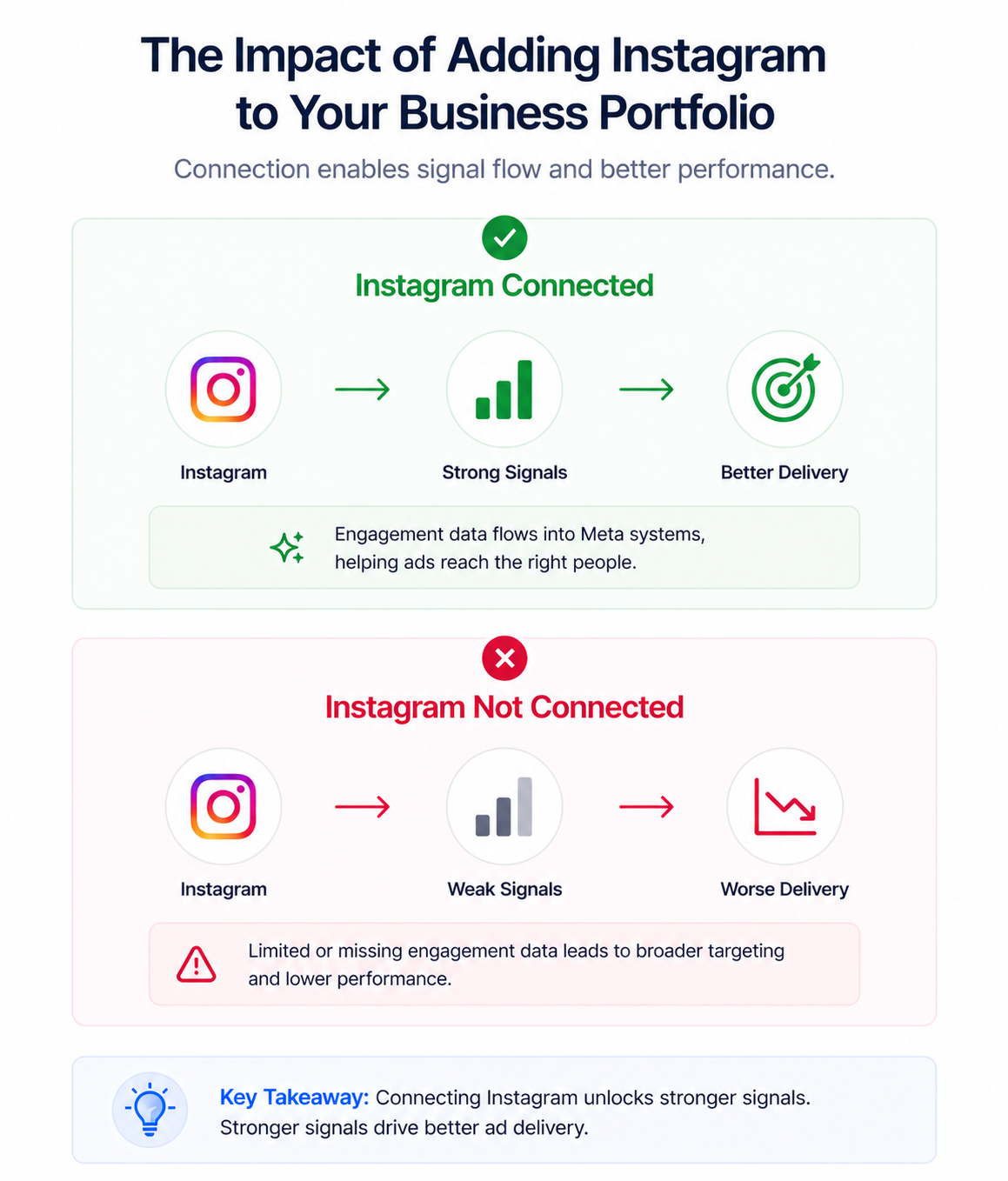
Instagram is one of the strongest behavioral signal sources in Meta’s ecosystem.
Users interact with content more actively, which gives the algorithm clearer intent signals.
When the account is properly added, Meta can connect engagement patterns to ad delivery. Users who interact with your content are more likely to be prioritized in auctions.
If the account is missing or misconfigured, those signals do not fully transfer. Meta compensates by expanding targeting, which often reduces precision.
This gap usually appears through a few observable signals in Ads Manager:
-
Learning phase takes longer than expected.
-
CPM increases without clear competition changes.
-
Conversion rates drop despite stable creatives.
Many advertisers misread these signals. If you’ve seen campaigns generate traffic but fail to convert, the root cause is often explained in why Facebook ads aren’t generating leads.
Business impact
This problem rarely appears as a visible error. Instead, it shows up as inefficient performance.
Campaigns with incomplete Instagram integration often rely on weaker targeting signals. As a result, the system spends budget less precisely.
You may notice:
-
Higher CPC, because Meta expands beyond high-intent users.
-
Lower conversion rates, due to weaker audience alignment.
-
Underperforming Instagram placements, even when organic content performs well.
-
Reduced retargeting depth, especially for Instagram-first audiences.
These patterns often lead to incorrect decisions. Teams adjust creatives or budgets while the real issue remains unresolved.
Common scenarios where advertisers face this problem
These issues usually appear during transitions rather than initial setup.
The most common situations include:
-
The Instagram account already belongs to another business portfolio, which blocks the connection entirely.
-
You have access to the account but lack full control of the business portfolio, preventing asset changes.
-
The Instagram account is linked to a personal Facebook profile instead of a Page, breaking the business structure.
-
The account is still personal and not converted into a professional account, making it incompatible with ads.
Each of these scenarios interrupts the signal flow between Instagram engagement and campaign delivery.
Risks and considerations
Fixing the setup requires careful changes, not quick fixes.
Adjusting asset structure can impact active campaigns and access permissions. Removing an account from another portfolio may disrupt existing workflows or partner relationships.
There are also performance-related risks:
-
Reconnecting assets can reset the learning phase.
-
Incorrect ownership changes can limit future access control.
-
Account restrictions may surface during the process.
Before making changes, map your full asset structure and confirm who owns what.
Prerequisites and dependencies
Before adding an Instagram account, a few conditions must be met.
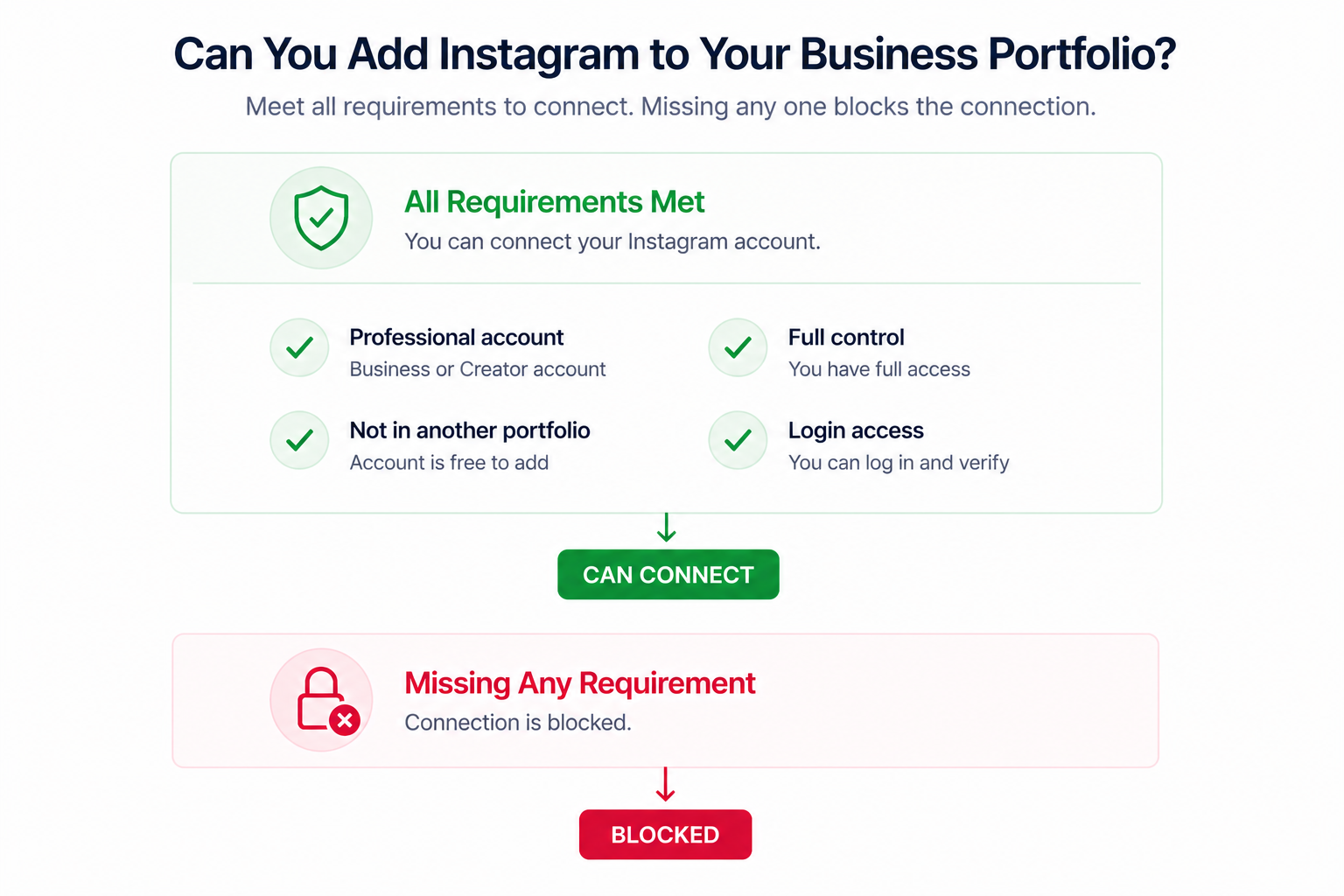
The most important requirements are:
-
The Instagram account must be a professional account (Business or Creator).
-
You must have full control of the business portfolio.
-
The account must not already belong to another portfolio.
-
Login credentials and security verification must be accessible.
It is also important to understand that adding the Instagram account does not automatically connect it to a Facebook Page. That step must be handled separately.
Practical recommendations
Treat this step as part of your campaign infrastructure, not just setup.
Start by identifying where the Instagram account currently sits. Ownership conflicts are the most common blocker and often go unnoticed.
Then verify permissions and account type. Many connection failures come from small structural mismatches rather than system errors.
After adding the account, validate performance instead of assuming everything works. Check whether Instagram engagement is reflected in delivery patterns and audience behavior.
To get full value from Instagram in paid campaigns, you need to align it with your broader strategy. This becomes critical when you combine Facebook and Instagram ads effectively.
Finally, revisit how your audiences are structured. Even with proper setup, weak targeting logic limits performance. A deeper explanation is covered in Facebook ads audiences.
Final takeaway
Adding an Instagram account to your business portfolio is not just administrative work. It determines whether Meta can use Instagram behavior to guide ad delivery decisions.
When the structure is correct, campaigns gain stronger signals and better targeting precision.
When it is not, performance drops quietly — and scaling becomes harder than it should be.