Most Facebook Ads accounts accumulate structural issues over time. Campaigns multiply, audiences start overlapping, and tracking becomes less reliable. Performance declines gradually, but the underlying problems often remain hidden inside the account structure.
A quick audit helps identify the few factors that usually cause most performance issues. You do not need to analyze every campaign historically. Instead, focus on the elements that affect how Meta’s algorithm learns and allocates delivery.
In practice, you can diagnose most structural problems in about 30 minutes if you review the right areas of the account.
1. Verify Conversion Tracking First
Before evaluating campaign performance, confirm that the account measures conversions correctly. If tracking is unreliable, every optimization decision becomes questionable.
Open Events Manager and review the main conversion event.
Check three signals.
Event volume stability
Look at the last 7–30 days of event activity. Healthy tracking shows relatively consistent daily volume. Sudden spikes or long gaps usually indicate a broken pixel, incorrect event triggers, or issues with server-side tracking.
Compare the reported events with your backend data. For example, if Meta reports 40 purchases but your store recorded only 25 orders, duplicate events or attribution errors may exist.
Event prioritization
Check the Aggregated Event Measurement configuration. Your primary conversion event (purchase, lead, or registration) should appear near the top of the priority list. If a secondary event such as “Add to Cart” ranks above the purchase event, Meta may optimize delivery toward the wrong action.
Pixel and Conversion API signals
Strong accounts usually run both browser and server tracking. When only the pixel fires, attribution loss from iOS traffic increases significantly. Ideally, the account should show:
-
active browser events from the pixel;
-
server events from Conversion API;
-
acceptable event match quality.
If tracking data is incomplete, fix that before changing campaigns.
If you want a deeper explanation of how Meta builds audiences from tracked behavior, see Facebook Custom Audiences Guide: Everything You Need to Know.
2. Identify Budget Fragmentation
Many accounts suffer from budget fragmentation. Instead of concentrating spend in a few campaigns, the budget spreads across too many structures.
Open the campaign list and evaluate how spend distributes across campaigns.
Look for patterns such as:
-
multiple campaigns spending less than $20–30 per day each, which limits the number of optimization events;
-
duplicated campaign structures targeting similar audiences;
-
identical creatives running in several campaigns with slightly different budgets.
When budget fragments across many campaigns, Meta’s delivery system receives fewer conversion signals per campaign. Learning slows down, and the algorithm struggles to determine which audience clusters convert best.
In smaller accounts with fewer than 30–50 weekly conversions, a simplified structure usually performs better. A common setup includes:
-
one prospecting campaign focused on new users;
-
one retargeting campaign for recent visitors;
-
one testing campaign for new creatives or audiences.
Consolidating campaigns increases signal density and improves algorithmic learning.
3. Check Audience Overlap and Saturation
Audience structure often becomes messy as new ad sets are added over time. Multiple audiences may target the same users without the advertiser realizing it.
Start by reviewing how audiences are defined across campaigns.
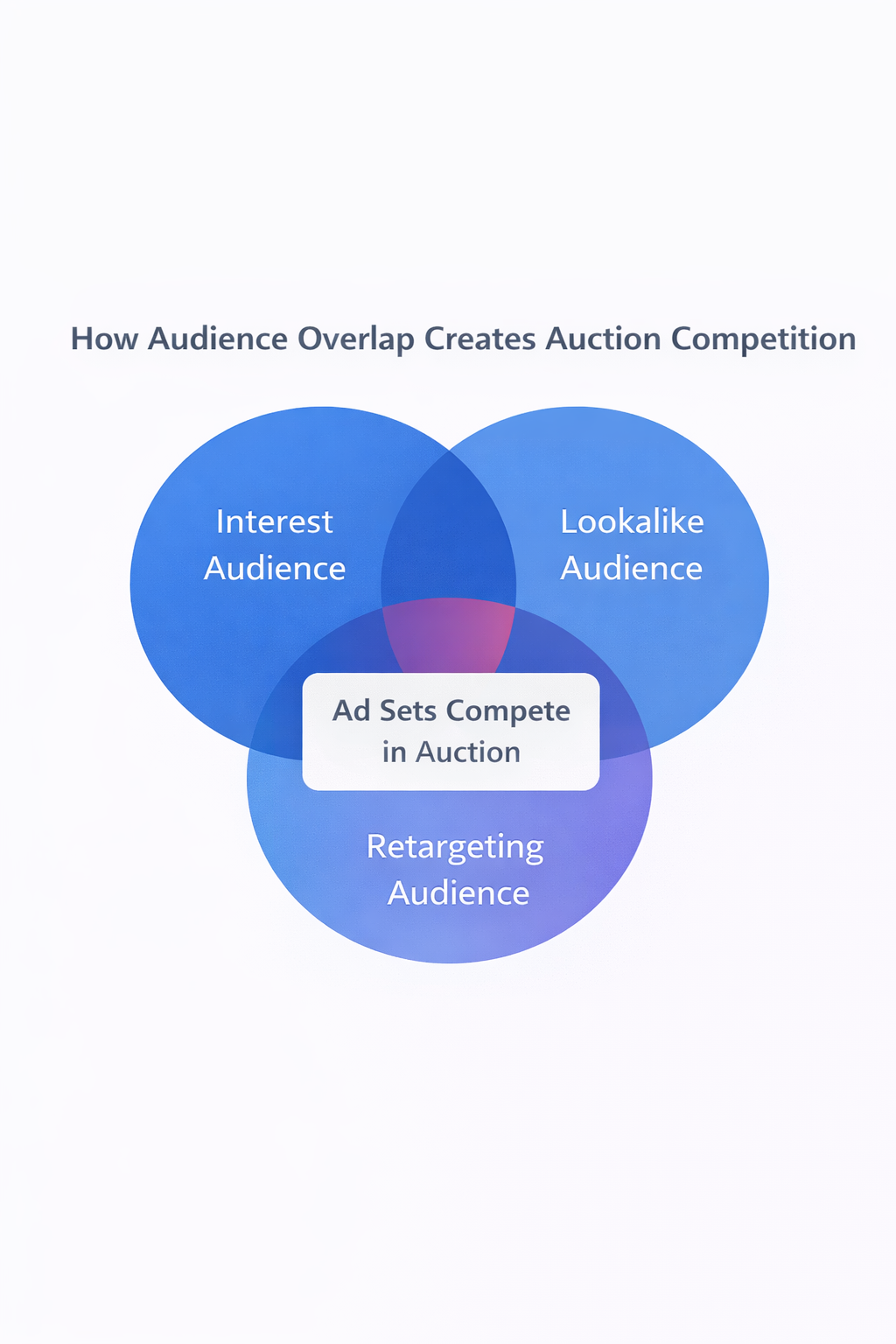
Typical overlap sources include:
-
several lookalike audiences built from very similar seed lists;
-
interest groups that share large behavioral overlap;
-
retargeting audiences that do not exclude recent converters.
When audiences overlap heavily, ad sets compete against each other in Meta’s auction. The platform resolves this conflict internally by prioritizing one ad set while limiting delivery for others.
You can often detect overlap through performance signals:
-
frequency rising quickly in relatively small audiences;
-
declining CTR, even when creatives are still new;
-
delivery instability, where some ad sets stop spending despite sufficient budget.
A simpler audience structure usually performs better. Instead of running many narrow segments, consolidate similar targeting groups and allow the algorithm to explore broader audiences.
A detailed explanation of segmentation strategies can be found in Maximizing ROI through Facebook Audience Segmentation.
4. Evaluate Creative Fatigue
Creative performance often declines before campaign metrics clearly reveal the problem. Instead of looking only at campaign-level data, open the ad-level breakdown and analyze the last 14–30 days.
Focus on three indicators.
CTR trend
Healthy creatives maintain relatively stable click-through rates during their early delivery period. When CTR declines steadily while impressions continue increasing, the audience may be seeing the same creative too often.
Frequency relative to audience size
Frequency alone does not always signal a problem. However, fatigue becomes likely when:
-
frequency rises above 3–4 in prospecting campaigns;
-
CTR and conversion rate decline simultaneously.
This pattern usually means the message has already reached most responsive users in that audience.
Creative concentration
Sometimes one creative initially outperforms others, causing the algorithm to allocate the majority of impressions to that single ad. Over time, the campaign becomes dependent on that creative. Once it fatigues, overall performance drops quickly.
A healthier structure distributes spend across several competitive creatives.
5. Inspect Learning Phase Stability
Open the campaign diagnostics and check whether ad sets frequently return to the learning phase.
The learning phase begins when Meta tests delivery across multiple audience segments. The system needs roughly 50 optimization events to stabilize performance.
Learning resets occur when major campaign changes interrupt this process. Common triggers include:
-
large budget increases or decreases;
-
frequent targeting edits;
-
adding or removing ads too often.
When resets happen repeatedly, the algorithm never accumulates enough data to optimize effectively.
Stable campaign structures usually perform better. Instead of constant edits, allow campaigns to gather sufficient conversion data before making adjustments.
6. Review Retargeting Window Logic
Retargeting campaigns often waste budget when all users receive the same message regardless of how recently they interacted with the business.
Open your retargeting audiences and review the time windows.
A typical structure might include:
-
0–3 day visitors, who recently viewed products or pricing pages and may still be comparing options;
-
4–14 day visitors, who remain interested but require stronger reminders or proof points;
-
15–30 day visitors, who often respond better to educational or brand reinforcement messaging.
If all segments receive identical conversion-focused ads, the campaign may overspend on low-intent users.
For deeper insight into how warm audiences behave differently from cold traffic, see The Complete Guide to Warm, Cold, and Custom Audiences in Meta Ads.
7. Verify Attribution Settings
Finally, confirm that reporting reflects performance accurately.
Meta attributes conversions based on specific time windows. The most common configuration includes:
-
7-day click attribution, which credits conversions occurring within seven days after a user clicks an ad;
-
1-day click attribution, which records only immediate conversions.
Problems appear when attribution windows change during the reporting period. A campaign may appear to lose conversions simply because the attribution model changed.
During an audit, confirm that:
-
campaigns use consistent attribution settings;
-
comparisons across time periods rely on the same attribution window.
Without this consistency, performance analysis becomes misleading.
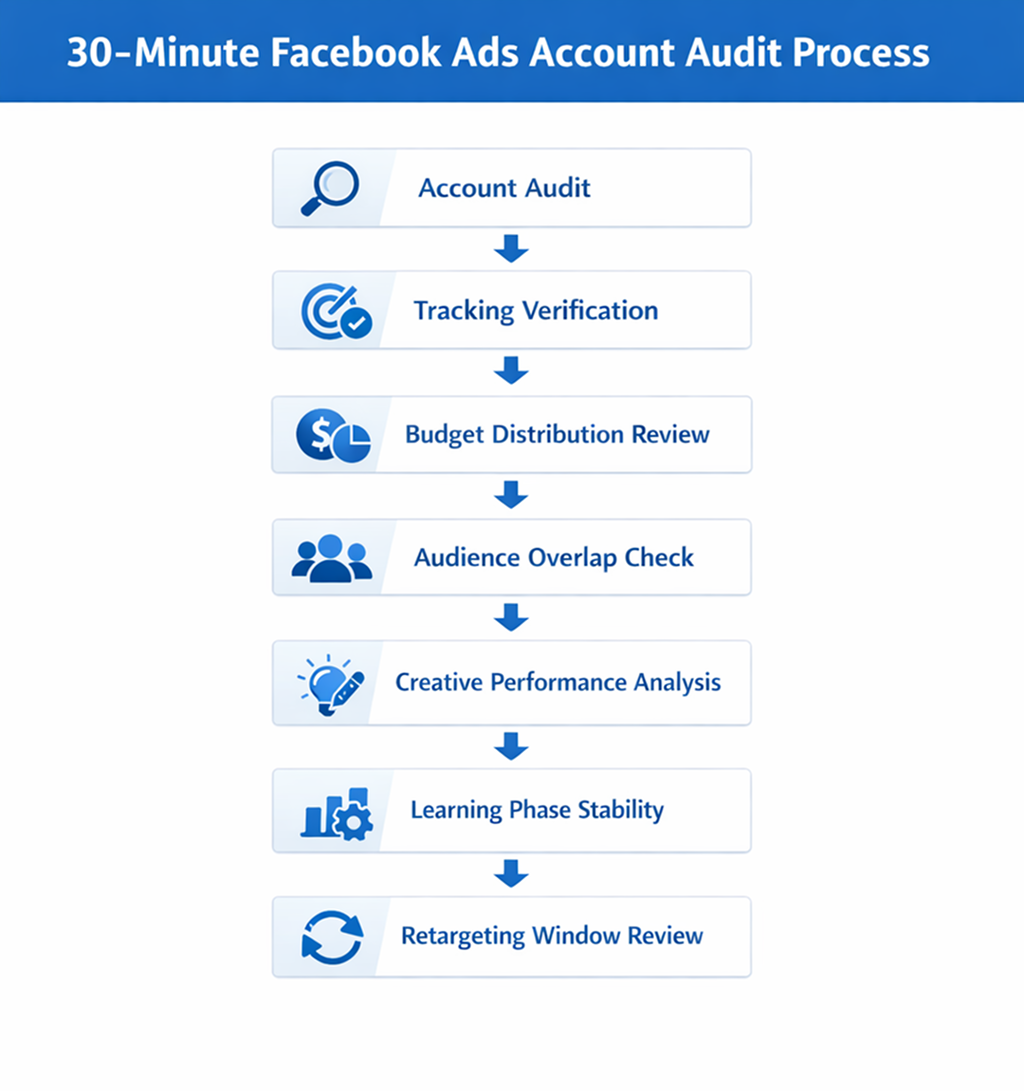
A Simple 30-Minute Facebook Ads Audit Process
A fast audit focuses on structural signals rather than individual campaign tweaks.
In practice, most advertisers review the account in this order:
-
Check conversion tracking reliability, including event volume, prioritization, and pixel + Conversion API signals.
-
Review budget distribution to detect fragmented campaign structures that slow down learning.
-
Analyze audience overlap, especially among lookalike and retargeting segments.
-
Evaluate creative performance, looking for fatigue or overconcentration of impressions.
-
Inspect learning phase stability, ensuring campaigns receive enough data to optimize.
-
Review retargeting logic, confirming that messaging matches user intent over time.
-
Verify attribution settings, so reported results reflect actual campaign performance.
Most accounts reveal their biggest constraints during these checks.
The Real Goal of a Fast Audit
A quick Facebook Ads audit is not meant to produce a complete optimization roadmap. Its purpose is to identify structural bottlenecks that prevent Meta’s algorithm from learning efficiently.
When tracking works correctly, budgets concentrate in a few campaigns, audiences are simplified, and creatives refresh regularly, the platform can locate high-value users much more reliably.
Complex campaign structures rarely outperform simple ones. In most cases, the accounts that scale consistently are the ones designed to give the algorithm clear signals and enough data to learn.
The writing structure and operational explanations in this article follow the LeadEnforce article standards for clarity, mechanism-focused explanations, and practical diagnostics.