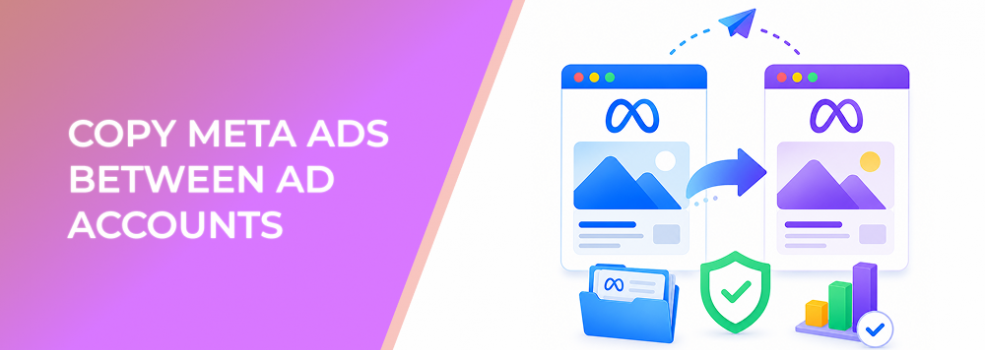
Copying an ad from one Meta ad account to another can be a major time saver.
Agencies use it to move proven creative between client accounts. Franchise marketers use it across regional accounts. Growth teams use it when reorganizing account structures. Affiliate and freelance marketers use it to reuse launch assets without rebuilding every ad manually.
But cross-account copying is not just a mechanical task. It is a performance risk if the destination account is not ready.
The copied ad may look familiar, but the audience, permissions, tracking visibility, Page identity, catalog, destination, and review context can be different.
What Cross-Account Ad Copying Really Solves
Copying ads between accounts helps advertisers reuse existing work.
Instead of rebuilding copy, creative, settings, and structure from scratch, teams can export from one account and import into another. This is especially useful when the same offer, creative concept, or campaign framework needs to be deployed across multiple accounts.
The main benefit is speed.
The risk is assuming the copied ad will behave exactly the same way. It usually will not. A different account can mean a different audience pool, different historical signals, different permissions, different approved assets, different tracking setup, and different business context.
The copied ad should be treated as a new launch asset that needs review, not as a guaranteed continuation of the original campaign.
Business Impact on CPC, CPA, CAC, ROAS, and Wasted Spend
Cross-account copying can improve efficiency when it reduces manual setup errors and speeds up campaign launches.
It can hurt performance when the copied ad carries over assumptions that do not fit the new account.
Potential business impacts include:
- CPC rising if the creative does not fit the destination audience or placement mix.
- CPA increasing if the new account lacks the same conversion signals or audience quality.
- CAC worsening if the copied ad reaches a less relevant market.
- ROAS dropping if the offer, pricing, landing page, or product availability differs.
- Lead quality declining if the destination account targets a different ICP.
- Wasted spend increasing if import issues, broken links, or missing settings are missed before publishing.
The copy process is valuable only if the review process is strong enough to catch what changed.
Typical Scenarios Where This Applies
Agencies managing multiple client accounts
Agencies may use similar ad frameworks across clients, but each client still needs audience and offer alignment.
Franchise or multi-location businesses
A central team may copy ads into regional accounts. Local market relevance, location pages, budgets, and schedules must be checked.
Account restructuring
A business may move campaigns to a new account for ownership, billing, or organizational reasons.
Affiliate marketing
Advertisers may adapt ads across multiple accounts, offers, or markets. That requires careful naming and destination review.
B2B market expansion
A B2B team may copy ads into a new regional or vertical-specific account. The same creative may need different audience logic and qualification expectations.
Risks and Considerations
The biggest risk is silent mismatch.
An ad can import successfully but still be wrong for the new account. The wrong Page identity, destination URL, CTA, naming convention, tracking visibility, or creative variation can all create performance issues.
Another risk is unsupported or partially transferred settings. Import/export workflows can behave differently depending on campaign features. Advertisers should not assume every feature carries over cleanly.
There is also a permission risk. The destination account may not have access to the same Page, Instagram account, pixel, dataset, catalog, lead form, or custom audience.
Finally, copying ads can create messy reporting. If naming does not show where the ad came from, what changed, and which account it belongs to, teams may struggle to compare performance.
Prerequisites and Dependencies
Before copying ads between accounts, confirm:
- The destination account has the right permissions.
- The correct Facebook Page and Instagram account are available.
- The destination URL is correct for the new account or market.
- The audience strategy is valid for the destination account.
- The creative is approved for the new context.
- The campaign objective and optimization event still match the goal.
- The budget and schedule are appropriate.
- Any unsupported import issues are reviewed.
- Naming conventions identify source account, destination account, audience, and date.
- Stakeholders understand that the copied ad is a new test, not a guaranteed repeat.
Cross-account copying works best when account readiness is checked before import.
How LeadEnforce Helps
LeadEnforce helps advertisers improve the audience strategy behind copied ads.
When an ad moves to another account, the creative may remain the same, but the audience context changes. If the new account relies only on broad or generic targeting, a previously successful ad may underperform because it is reaching the wrong people.
LeadEnforce helps build high-intent audiences from Facebook groups, Instagram profiles, followers, engagers, LinkedIn professional data, and custom social-profile data. That allows teams to pair copied ads with more relevant audience pools in the destination account.
For agencies, this is especially useful. A creative concept can be reused, but the audience can be customized by client vertical, niche community, competitor profile, or B2B role. For local businesses, copied ads can be paired with audiences connected to relevant local communities. For B2B campaigns, copied ads can be tested against professional segments instead of generic interests.
The copied ad becomes a starting point. LeadEnforce helps make the destination audience more intentional.
Practical Recommendations
Treat every copied ad as a new launch
Even if the creative is identical, the destination account creates a new performance context.
Build a destination-account checklist
Check Page identity, Instagram identity, destination URL, CTA, budget, schedule, objective, optimization event, and audience.
Review import issues before publishing
Do not ignore warnings, missing fields, or draft errors. Fix them before the campaign goes live.
Update naming immediately
A copied ad named “Ad copy 1” creates confusion. Include source, destination, offer, audience, and date.
Recheck creative relevance
A message that worked in one market or account may not fit another. Review tone, offer, pricing, language, and visual context.
Start with a controlled budget
Use the copied ad as a test in the new account before scaling.
Final Takeaway
Copying Meta ads between ad accounts can save time, but it should never bypass campaign QA.
The copied ad still needs review for account permissions, audience fit, creative relevance, destination quality, and performance measurement. Speed is useful only when it does not introduce mistakes that waste budget.
To pair copied ads with more relevant audience segments in your next account launch, join the free 7-day LeadEnforce trial period.
Related LeadEnforce Articles
- Unsupported Features in Meta Ad Imports and Exports Explained — Explains why some export/import workflows can create missing settings or draft problems.
- How to Fix Meta Bulk Import Errors for New Ads — Useful for troubleshooting import errors before ads go live.
- How to Use Search and Filters in Meta Ads Manager to Find the Right Campaigns Faster — Helps teams manage copied ads in busy accounts.
- How to Manage Ads in Meta Business Suite Without Breaking Performance Signals — Relevant for managing copied ads after launch.