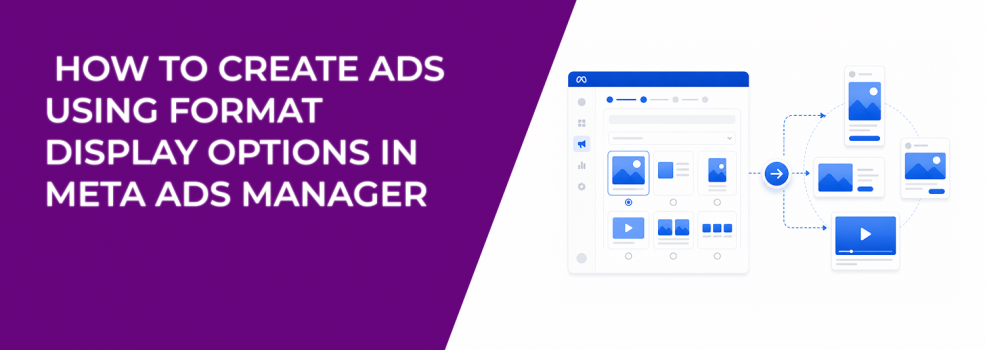
Turning on format display options feels like a simple upgrade.
You upload assets, tick a few boxes, and Meta promises broader reach through more formats. The setup takes minutes. The side effects show up later.
Campaigns start behaving differently without edits. CTR moves. Conversion rate drifts. Placement performance becomes uneven.
The feature works — but only if you understand what you actually built.
What you’re really creating when you enable format display options
You are not creating a single ad.
You are creating a pool of assets that Meta can rearrange into multiple formats. The system tests combinations automatically, adjusting layout and media depending on placement and audience behavior.
This means your chosen format is only a starting point.
- Single image or video can expand into multi-element layouts. The system may introduce product cards or links around your main asset.
- Carousel cards can be reduced to a single frame. This often happens in placements where users scroll quickly.
- Mixed media combinations appear across feeds. Product images, videos, and uploaded creatives can merge into new layouts.
Each variation changes how the message is perceived.
Manual upload setup — where control starts slipping
Manual upload gives the impression of control.
You choose your objective, define your format, and build your creative. But once format display options are enabled, that control becomes conditional.
Your setup determines what Meta is allowed to do:
- selecting single image or video allows expansion into carousel or collection layouts;
- selecting carousel allows compression into simpler formats or expansion into collections;
- adding products or site links introduces additional elements the system can rearrange.
These options are often enabled by default. Many advertisers never revisit them.
The result — campaigns that behave differently from what was designed.
Advantage+ catalogue setup — where automation takes over
With Advantage+ catalogue ads, format control becomes even looser.
The system pulls from your product catalogue and combines it with uploaded media. Instead of building layouts manually, you define inputs and let Meta assemble the output.
This leads to:
- catalogue-driven layouts appearing across placements;
- uploaded media becoming cover assets;
- constant switching between carousel, collection, and simplified formats.
If your catalogue is structured well, this can work efficiently. If not, inconsistencies multiply quickly.
Why performance shifts without any edits
One of the most confusing moments in campaign management is seeing results change while nothing was modified.
Format variation is often the reason.
You may notice:
- CTR improving while conversion rate declines;
- spend concentrating in placements you did not prioritize;
- engagement increasing without revenue impact;
- frequency rising faster in certain audiences.
These changes are driven by how formats adapt — not by targeting or budget changes.
This is the same pattern behind situations wher CPC is low but conversions are flat.
Placement behavior is driving more than you think
Format display options are closely tied to placement dynamics.
Different placements favor different formats. Meta adjusts accordingly.
You will typically see:
- simpler formats in fast-scroll environments;
- richer formats where users browse longer;
- video prioritized for engagement-heavy audiences;
- static visuals used where attention is limited.
This is why ad placement choices can make or break your campaign.
Even if targeting stays constant, placement-driven format variation can change outcomes significantly.
When format flexibility helps — and when it creates noise
Format automation works when the message is straightforward.
Clear offers, strong visuals, and simple actions translate well across formats. In these cases, variation increases exposure without breaking understanding.
It creates noise when the message depends on structure.
If your ad relies on sequencing, explanation, or layered messaging, format variation removes critical context. Users see fragments instead of the full picture.
This often leads to a familiar problem — ads get clicks but no sales.
The only place you can catch problems early
The preview panel is not just a visual tool.
It is your only chance to see how formats may appear before launch. Most advertisers skip this step or only check one placement.
That is a mistake.
You should review variations for:
- consistency of message across layouts;
- clarity when elements are removed or rearranged;
- visual hierarchy in both expanded and simplified formats;
- alignment between copy and media.
If the preview looks inconsistent, performance will reflect that.
Practical checks before publishing
Before you launch, validate the system you created — not just the ad.
- Do your assets work independently? Any element may appear alone in certain formats.
- Is your message consistent across variations? Changing format should not change meaning.
- Are you comfortable with placement-driven differences? Some formats will only appear in specific environments.
- Can you explain performance shifts later? If not, reduce the number of variations.
These checks prevent silent performance issues that are hard to diagnose later.
Final takeaway
Creating an ad with format display options means giving Meta flexibility.
That flexibility can unlock reach and efficiency — or introduce inconsistencies that weaken conversion.
The outcome depends on your inputs.
If your assets are strong and your message is simple, the system amplifies results. If your structure is fragile, it breaks under variation.
When campaigns behave unpredictably, do not assume it is targeting or budget.
Often, the format is doing more than you think.