Most reporting problems in Meta accounts are not caused by missing data. They come from fragmented interpretation.
One team looks at ROAS. Another focuses on CPL. A client reviews CTR without understanding attribution lag. Eventually, everyone works from different conclusions while looking at the same account.
Meta’s export and sharing tools exist partly to reduce that confusion.
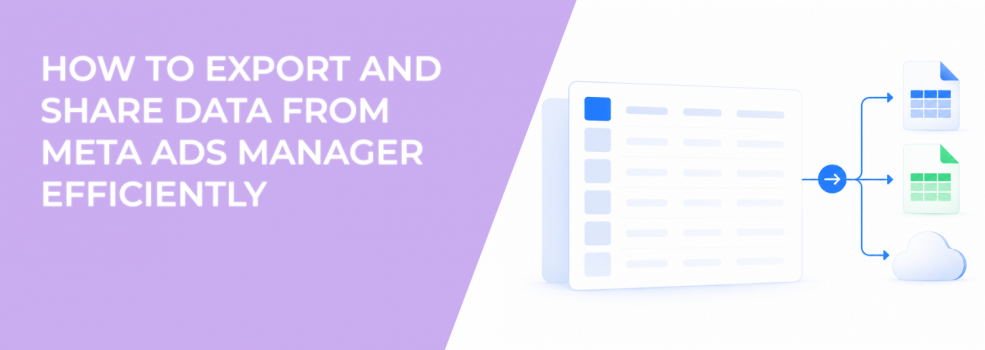
Advertisers can export reporting tables into CSV or Excel files, share reporting links directly from Ads Manager, and distribute saved reports across internal teams or client stakeholders.
The workflow sounds administrative. In reality, it directly affects optimization speed and decision quality.
Why reporting delays quietly hurt campaign performance
Campaign problems compound quickly when reporting slows down.
A CPA spike that sits unnoticed for three days can distort an entire scaling cycle. A fatigued creative may continue consuming spend because reporting reviews happen too infrequently. Audience saturation often becomes visible in exported reports before advertisers notice it inside campaign dashboards.
This is why experienced media buyers care about reporting workflows operationally, not cosmetically.
Fast reporting usually leads to:
- faster budget corrections;
- quicker creative refresh decisions;
- earlier detection of audience fatigue;
- cleaner communication between buyers and stakeholders.
The goal is not producing prettier spreadsheets. The goal is reducing reaction time when delivery conditions change.
Shared report links reduce version-control problems inside teams
Many agencies still pass spreadsheets manually between buyers, clients, and analysts. That process creates reporting fragmentation almost immediately.
One file contains outdated attribution windows. Another uses different breakdown filters. A third excludes recent spend because the export happened earlier in the day.
Meta’s share-link feature reduces part of that problem because teams access the same reporting view directly from Ads Manager.
That consistency matters during fast-moving optimization cycles.
A common scenario appears during campaign scaling. The buyer sees rising CPM but stable ROAS. The client sees weaker lead quality inside the CRM. The analyst notices declining click-through rates across one placement group.
If each person reviews different exported snapshots, diagnosis becomes slower.
Shared reporting views create a cleaner operational reference point.
Exported reports reveal patterns dashboards often hide
Ads Manager dashboards prioritize visibility. Exported reports prioritize flexibility.
Once reporting data moves into Excel, advertisers can isolate relationships that are harder to analyze inside the interface itself.
For example, exported reports make it easier to identify:
- recurring CPA spikes tied to specific weekdays;
- placements driving cheap clicks but weak downstream quality;
- campaigns where frequency rises faster than conversion volume;
- audiences generating low-cost leads but poor sales qualification.
These relationships matter because Meta’s platform metrics do not always reflect business performance accurately.
That is why advanced teams learn how to read Facebook ad reports like a growth marketer instead of relying only on surface-level KPIs.
The spreadsheet becomes a diagnostic environment, not just a reporting archive.
The biggest reporting mistakes advertisers make with Meta exports
Most reporting errors happen after the export, not during it.
Teams often overload reports with unnecessary metrics while ignoring the indicators that actually predict performance deterioration.
The most common mistakes include:
- comparing campaigns using different attribution windows;
- reviewing CPL without checking downstream lead quality;
- exporting account-level summaries without audience breakdowns;
- using inconsistent date ranges across reports shared internally.
These mistakes create false optimization signals.
For example, a campaign may appear more efficient simply because one report uses 7-day click attribution while another uses 1-day click attribution. The CPA comparison becomes unreliable immediately.
Another common issue appears when advertisers focus only on Meta-reported conversions while ignoring CRM close rates. This is exactly why Facebook Ads data alone can’t explain true ROI.
Actionable ways to make exported Meta reports more useful
Strong reporting systems reduce wasted optimization cycles.
Most experienced advertisers simplify reporting aggressively instead of expanding it endlessly.
A few practical adjustments usually improve reporting clarity immediately:
- Build one saved report for creative diagnostics and another for audience diagnostics.
- Include frequency and CPM alongside CPA to catch fatigue earlier.
- Separate prospecting and retargeting exports instead of combining them.
- Add CRM qualification data beside exported Meta lead data whenever possible.
These changes help advertisers connect delivery signals to business outcomes instead of reacting only to platform-level metrics.
A useful report should help teams decide what action to take next. If the spreadsheet only archives numbers, it slows optimization instead of supporting it.
Saved reports create more stable optimization workflows
Large accounts often suffer from reporting inconsistency more than optimization inconsistency.
One buyer reviews CPC daily. Another tracks CPM and frequency. A third prioritizes blended ROAS. Eventually, campaign decisions stop following a unified logic.
Saved reports help reduce that drift.
Instead of rebuilding reporting views repeatedly, teams can standardize:
- attribution settings;
- breakdown structures;
- conversion windows;
- reporting columns tied to optimization goals.
That consistency improves decision quality because every stakeholder reviews the same performance framework.
This is particularly valuable during agency-client communication cycles where reporting misunderstandings frequently delay optimization approvals.
Reporting exports become more valuable when audience quality improves
Better audience targeting increases the importance of clean reporting interpretation.
LeadEnforce advertisers often use higher-intent audience segments built from Facebook groups, Instagram followers, engagers, and social profile data. Those audiences frequently produce stronger conversion intent than broad acquisition pools.
That changes reporting behavior.
Cheap clicks become less important. Lead quality patterns become more important. Sales efficiency starts mattering more than raw conversion volume.
This is where reading ad reports correctly becomes critical.
The exported report should help advertisers identify which audience segments produce sustainable business outcomes, not just attractive platform metrics.
Final takeaway
Meta’s export and sharing tools are not just reporting conveniences for advertisers managing campaigns. They are operational systems that shape how quickly teams diagnose problems, align decisions, and respond to delivery changes.
The value is not the spreadsheet itself.
The value comes from creating faster visibility into performance shifts before wasted spend compounds across campaigns.
Teams that build disciplined reporting workflows usually optimize faster, communicate more clearly, and make stronger scaling decisions under pressure.