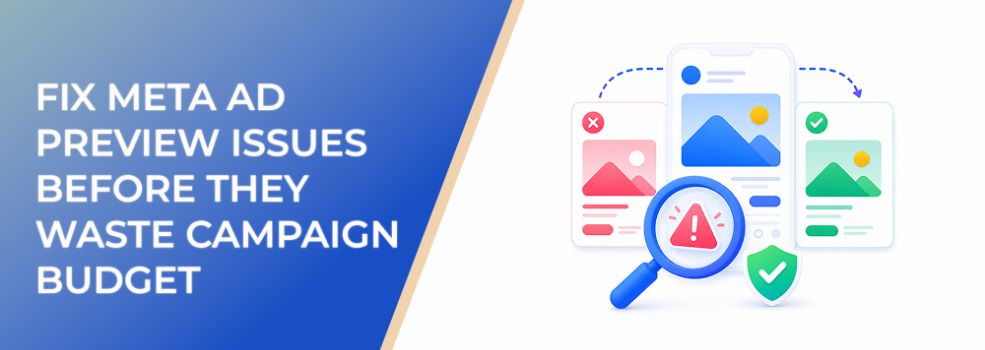
Ad preview issues can feel minor until they become expensive.
A cropped headline, wrong image, missing CTA, broken destination, mismatched Page identity, or confusing placement preview can turn a decent campaign into wasted spend. The ad may technically publish, but the user experience is already damaged.
For performance marketers, the ad preview is not a formality. It is a final quality-control step before budget enters the auction.
What ad preview problems usually reveal
A preview issue often points to one of three problems.
First, the creative may not fit the placement. An image that works in Feed may crop poorly in Stories. A video that looks clear on desktop may lose key text on mobile.
Second, the ad setup may not match the intended user experience. The wrong Page, Instagram account, CTA, destination, headline, or description can appear in the preview.
Third, the preview may not show every variation exactly as users will see it. Dynamic creative, placement customization, format options, and automatic enhancements can make the final delivery experience more variable than one static preview.
The goal is not to make one preview look perfect. The goal is to catch problems before they affect real users.
Business impact on CPC, CPA, CAC, ROAS, and conversion performance
Preview problems hurt performance because they reduce clarity and trust.
If the creative is cropped badly, users may scroll past it. If the CTA does not match the offer, clicks may become less qualified. If the destination is wrong, conversion rate can drop. If the ad identity is confusing, users may hesitate.
These issues can affect:
- CPC, because weak creative fit can reduce engagement.
- CPA, because unclear ads convert less efficiently.
- CAC, because poor-fit clicks create lower-quality leads.
- ROAS, because users may not reach the correct purchase path.
- Lead quality, because confusing ads attract confused responses.
- Budget efficiency, because spend begins before creative QA is complete.
A preview check cannot guarantee performance, but it can prevent avoidable waste.
Typical scenarios where this applies
Launching new creative
Every new image, video, carousel, or copy variation should be checked across the placements where it may appear.
Using existing posts as ads
Existing posts may carry context that does not translate well into paid placements or cold audiences.
Running mobile-first placements
Stories, Reels, and vertical placements require careful review because cropping and text placement matter more.
Using automatic creative enhancements
When Meta can adjust formats or variations, advertisers should review the likely user experience before launch.
Agency approval workflows
Agencies need previews to confirm that client-facing ads match the approved message, destination, and brand identity.
Risks and considerations
The first risk is assuming that a preview is the same as live delivery.
A preview is a quality-control view. It may not capture every user-specific variation, placement behavior, or dynamic creative combination.
Another risk is checking only one placement. A creative can look strong in Feed and weak in Stories. If Advantage+ placements or multiple placements are used, the ad needs broader review.
There is also a risk of solving the wrong issue. If the preview looks wrong because the uploaded asset is the wrong size, the fix is creative production. If the preview shows the wrong identity, the fix may be account setup or permissions. If the preview shows weak copy, the fix is messaging.
Finally, preview problems can delay launch. Build QA time into the campaign timeline instead of discovering issues minutes before publishing.
Prerequisites and dependencies
Before reviewing previews, confirm:
- The correct Page and Instagram account are selected.
- The creative assets are final.
- The headline, primary text, description, and CTA are approved.
- The destination URL or response path is correct.
- The campaign objective matches the intended action.
- Placement choices are known.
- Any format or creative automation settings are intentional.
- The person reviewing has enough access to see the preview correctly.
Ad preview QA is only useful when the setup inputs are ready to review.
How LeadEnforce helps
LeadEnforce helps advertisers connect creative QA to audience relevance.
A preview should not be judged only by whether it looks polished. It should be judged by whether the intended audience will understand the offer, trust the message, and know what to do next.
LeadEnforce lets advertisers build audiences from Facebook groups, Instagram profiles, followers, engagers, LinkedIn professional data, and custom social-profile data. That makes it easier to define who the ad is for before reviewing whether the preview makes sense.
For example, a B2B team can check whether the creative speaks clearly to a professional segment. An ecommerce brand can review whether the ad matches the expectations of niche Instagram audiences. An agency can use audience hypotheses to evaluate whether each creative version is relevant to the target group.
Better audience clarity makes preview review more strategic.
Practical recommendations
Review previews by placement
Do not check only the default view. Look at Feed, Stories, Reels, and other intended placements where possible.
Check the first impression
Ask whether the main message is clear in the first second. Users should not need context from the original post or internal campaign brief.
Confirm identity and destination
Make sure the ad comes from the correct Page or Instagram account and sends users to the correct website, form, call path, or message flow.
Look for text and crop issues
Check whether important text is cut off, too small, hidden by interface elements, or awkwardly placed.
Review comments and social context for existing posts
If the ad uses an existing post, make sure visible engagement supports the campaign instead of creating objections.
Get approval before publishing
For agencies and teams, preview approval should happen before spend begins, not after the ad is already live.
Final takeaway
Meta ad previews help advertisers catch creative, placement, identity, and destination problems before they become paid performance issues.
Use previews as part of a pre-launch QA workflow. The goal is not just to make the ad look good, but to make sure the right audience sees a clear, credible, conversion-ready message.
To test ad creative against more relevant audience segments, join the free 7-day LeadEnforce trial period.
Related LeadEnforce Articles
- How to Use Meta Ad Previews to Catch Creative Problems Before Launch — Directly supports preview QA workflows before publishing.
- How to Review Meta Ad Proposals Before Publishing Them — Useful for teams approving ad concepts and setup before launch.
- How to Customize Ad Creative for Placements in Meta Ads Manager — Helps advertisers avoid placement-specific creative issues.
- How to Create Ads Using Format Display Options in Meta Ads Manager — Explains how format choices can change ad behavior across placements.