Many advertisers focus heavily on CPL and lead volume. The real problems usually appear after the lead enters the pipeline. Ads Manager may show strong performance while the sales team struggles with slow follow-up, duplicate contacts, weak qualification, or unclear ownership.
This often becomes visible through downstream metrics. Booked-call rates decline, response times increase, and CAC rises after scaling. In many accounts, the campaign itself is not the problem. The handoff process is.
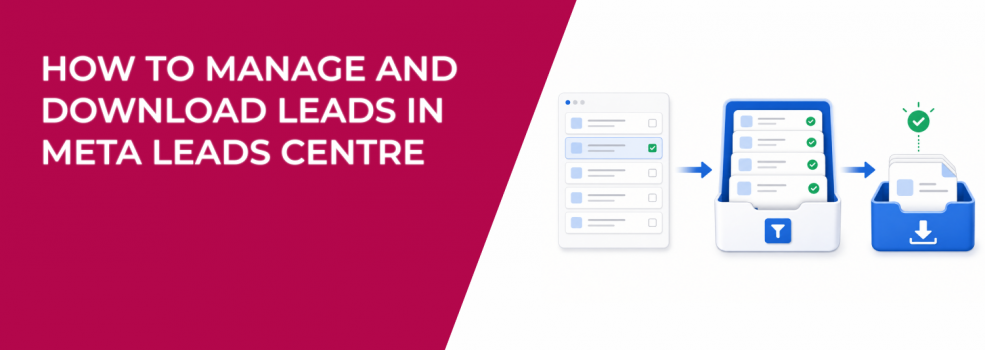
Leads Centre exists to reduce that operational gap inside Meta Business Suite. Instead of treating lead ads as simple CSV exports, advertisers can actively organize and manage leads directly inside Meta.
What Meta Leads Centre Actually Does
Leads Centre is Meta’s built-in lead management workspace inside Meta Business Suite. It allows advertisers to organize, qualify, assign, and re-engage leads without immediately relying on an external CRM.
Inside Leads Centre, advertisers can manage several actions directly:
- assign lead owners,
- move leads through funnel stages,
- add labels and notes,
- message leads directly,
- schedule reminders,
- download filtered lead data.
This setup matters because lead response speed strongly affects conversion rates. A lead contacted within minutes usually behaves differently from a lead contacted several hours later.
For smaller businesses and lean sales teams, Leads Centre often becomes the first operational layer between Meta lead ads and the full CRM workflow.
Where to Access Leads Centre in Meta Business Suite
Leads Centre is available directly inside Meta Business Suite. Advertisers can access it from the left-side menu or by clicking All tools and navigating to Engage audience.
Meta also allows access through the Facebook Page Professional dashboard. This flexibility helps businesses that operate differently across teams. Agencies often manage through Business Suite, while smaller local businesses frequently work directly from the Page interface.
The important detail is consistency. If leads enter Meta but nobody checks Leads Centre regularly, response speed usually collapses during busy campaign periods.
Funnel Stages Reveal Where Leads Are Actually Breaking
By default, every lead enters the Intake stage. This includes both instant form leads and click-to-message leads.
Many advertisers leave every lead in Intake forever. That creates a messy pipeline where nobody knows which leads were qualified, contacted, lost, or converted.
Meta includes several default stages:
- Intake for new or unreviewed leads,
- Qualified for leads that appear likely to buy,
- Converted for completed sales or appointments,
- Lost for inactive opportunities,
- Not qualified for poor-fit leads.
These stages create visibility inside the sales process. If most leads remain stuck in Intake, the business likely has a follow-up issue. If most leads move directly into Not qualified, the targeting or offer probably needs work.
This is one of the easiest ways to diagnose lead quality problems before scaling spend aggressively.
Custom Funnel Stages Improve Sales Workflow Clarity
Meta allows advertisers to customize funnel stages inside Leads Centre settings. Businesses can create new stages, rename existing ones, rearrange the funnel order, or remove unnecessary stages entirely.
This becomes especially useful for businesses with longer sales cycles. A SaaS company may need stages like Demo booked or Proposal sent. A local service business may prefer Estimate scheduled or Deposit received.
The funnel should match the real buying process. Otherwise, sales teams stop updating lead status consistently, and reporting quality deteriorates quickly.
The more closely the stages reflect actual sales movement, the easier it becomes to diagnose weak spots in the funnel.
Conversions API Helps Meta Find Better Leads
Leads Centre also supports Conversions API integration. When connected, Meta gains stronger visibility into downstream lead quality signals.
After enabling data sharing from the Facebook Page settings, advertisers can optimize future campaigns using the Conversion leads performance goal. This changes how Meta evaluates users during auctions.
Instead of optimizing only for form submissions, Meta starts looking for users more likely to become qualified opportunities later in the funnel.
The effect usually appears gradually inside campaign reporting. Sales-qualified lead rates improve, lead rejection rates decline, and CPA becomes more stable during scaling.
Meta also notes that CRM integration is not required to download leads. Advertisers can still export leads directly from Leads Centre without connecting an external system.
Lead Ownership Prevents Follow-Up Chaos
One of the most useful Leads Centre features is owner assignment. Advertisers can assign individual leads to specific sales reps or account managers directly inside the platform.
Without ownership structure, follow-up becomes inconsistent quickly. Multiple reps may contact the same lead while other leads receive no response at all. During high-volume campaigns, this usually creates reporting confusion and weak customer experience.
Clear ownership solves much of that operational friction. If one rep handles enterprise leads and another handles local inquiries, accountability becomes much easier to track.
This structure becomes especially important after scaling campaigns, when lead volume increases faster than the sales workflow can comfortably handle.
Labels and Notes Help Identify Lead Quality Patterns
Leads Centre also supports labels and internal notes. While simple on the surface, these tools become valuable during optimization and sales analysis.
Labels can help advertisers categorize leads by:
- location,
- service interest,
- urgency level,
- qualification quality,
- spam behavior.
Over time, these notes reveal recurring patterns. For example, one audience may repeatedly generate low-intent price shoppers while another produces stronger consultation requests.
Those patterns matter more than CPL alone. A campaign with a higher CPL but stronger sales notes may actually deliver better CAC and ROAS long term.
This is why advertisers should regularly run lead quality checks before scaling spend instead of optimizing only around front-end metrics.
Direct Messaging Improves Lead Response Speed
Leads Centre allows advertisers to message leads directly from the interface. Once a lead is selected, the chat appears at the bottom of the screen for immediate follow-up.
This reduces one of the biggest weaknesses in many lead-generation campaigns: delayed contact timing. In many industries, the first business to respond has a major advantage.
The warning signs are easy to spot inside campaign reporting. CPL stays healthy while booked-call rates and conversion rates gradually weaken. The platform still generates leads, but the business responds too slowly to convert intent effectively.
For many advertisers trying to improve lead conversion rates from Facebook ads, operational speed matters more than lowering CPL another few dollars.
Bulk Editing Helps During High-Volume Campaigns
Meta also includes bulk editing tools inside Leads Centre. Advertisers can update multiple leads at once by changing owners or moving leads into different stages.
This becomes useful during aggressive scaling periods or seasonal promotions when lead volume spikes quickly. Without bulk management tools, administrative cleanup often slows the sales process dramatically.
When workflows become overloaded, several operational issues appear at once. Leads remain untouched for too long, reminders get missed, and reporting accuracy falls behind actual sales activity.
Bulk editing helps reduce that friction and keeps the pipeline more organized during busy periods.
Downloading Leads From Leads Centre
Advertisers can download lead data directly from Leads Centre through Meta Business Suite or from the Facebook Page Professional dashboard.
The exported CSV file includes:
- date,
- name,
- email address,
- phone number,
- stage,
- source,
- owner.
The export uses the active filter inside Leads Centre. That means advertisers can download segmented lead groups instead of exporting one large unorganized spreadsheet.
This becomes especially useful for teams trying to align sales and marketing data across Meta campaigns and CRM reporting systems.
Cleaner exports usually create cleaner reporting and better attribution visibility.
Better Lead Management Often Improves ROAS Faster Than New Creatives
Many advertisers assume creative changes are the fastest way to improve lead generation results. In reality, operational improvements often produce faster gains.
A campaign generating 60 well-managed leads can outperform a campaign generating 120 poorly handled leads. Faster response times, cleaner qualification, and clearer ownership frequently improve conversion rates without changing targeting or creative at all.
Leads Centre helps advertisers manage that middle layer between the form submit and the final sale. It turns Meta lead ads from a simple acquisition channel into a more structured sales workflow.
Better Targeting Still Matters Before Leads Enter the Funnel
Leads Centre improves lead organization, but it cannot fully fix weak targeting. If broad audiences generate low-intent users, the funnel eventually fills with poor-fit leads regardless of workflow quality.
This is where LeadEnforce becomes useful for advertisers struggling with inconsistent lead quality. LeadEnforce helps advertisers build higher-intent audiences using Facebook groups, Instagram followers and engagers, and social profile data.
That gives Meta stronger behavioral signals before optimization even begins. The result is usually cleaner lead qualification, stronger sales efficiency, and less wasted spend.