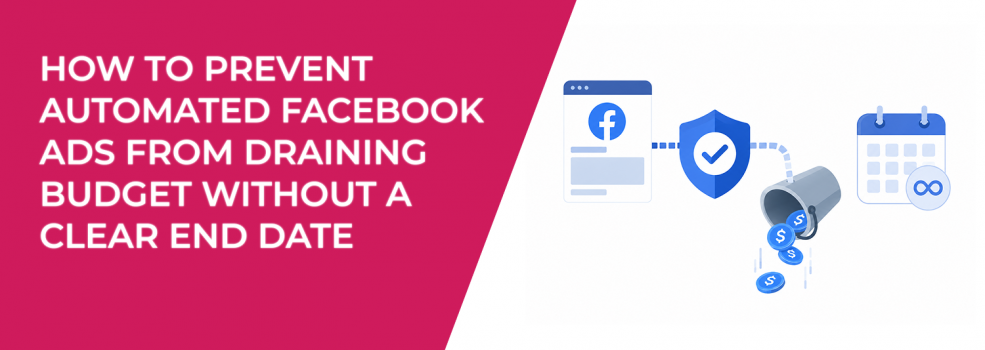
Automated Facebook Ads can turn a small test into ongoing spend if the campaign has no clear stop point.
The issue is not always a huge daily budget. Sometimes the daily amount looks harmless. The problem is that the ad keeps running after the original purpose is gone.
That is how a $15 or $30 daily campaign becomes wasted spend over several weeks.
Meta says Automated Ads are being phased out in 2026, but many advertisers still need to manage active or legacy campaigns during the transition. Ads that run continuously behave differently from ads where you set a defined budget and end date, so the control problem is easy to miss.
Why no end date creates a budget leak
An Automated Ad without a clear end point does not know when the test is finished.
It can keep entering auctions, spending budget, and collecting results long after the campaign should have been reviewed. Meta may still find clicks or leads, but that does not mean the spend still makes sense.
This hurts performance because campaign context changes.
A promotion ends. Sales capacity changes. The audience gets tired. Lead quality drops. The ad still runs because the setup allows it.
That is why the end date is not only an admin setting. It is a budget control.
Treat every Automated Ad as a test first
Automated Ads should not start as open-ended campaigns.
Even if the campaign later becomes evergreen, the first version should have a defined test window. That gives you a point where spend stops being automatic and becomes a decision.
For most small campaigns, the first review should answer one question: did the ad produce enough useful business signals to justify more budget?
That does not mean judging only by CPC or clicks. A campaign can look cheap and still bring weak leads. It can also look expensive early but produce better qualified users.
A simple test window keeps you from reacting too late. It also connects well with control spend while testing new ideas, because early tests need limits before the campaign starts spending.
Set a budget ceiling before launch
A daily budget is not the same as a total budget ceiling.
If an ad spends $20 per day, that may feel controlled. But if it runs for 45 days without review, the total spend reaches $900. If the campaign was only meant to test one offer, that is no longer a test.
Before launching, define the maximum amount you are willing to spend before making a decision.
That ceiling can be based on your target CPA, expected conversion volume, or acceptable test cost. For example, if your target cost per qualified lead is $50, you may decide not to spend $300 without seeing at least a few leads worth reviewing.
This is the logic behind good ad budget pacing. You are not only asking whether the campaign can spend. You are asking whether the spend is still earning the right to continue.
Use review points, not vague monitoring
“Keep an eye on it” is not a control system.
Most budget leaks happen because nobody owns the review point. The ad stays active because the team assumes someone else is checking it.
Set specific review triggers before launch:
- Date-based review: Check the campaign after a fixed number of days, such as 3, 5, or 7 days.
- Spend-based review: Pause or review once the campaign reaches a defined spend amount.
- Result-based review: Continue only if the campaign reaches a minimum number of qualified leads, purchases, or calls.
- Quality-based review: Stop if leads are cheap but fail sales review or post-click behavior is weak.
These triggers prevent the campaign from running on memory.
They also make the decision cleaner. You are not asking whether the ad “feels promising.” You are checking whether it met the condition required to keep spending.
Build stop rules around business outcomes
Many advertisers stop campaigns too late because they only watch platform metrics.
Clicks, reach, and form fills can keep coming while the business result gets worse. For lead generation, the real issue may appear in the CRM. For e-commerce, it may show up in low AOV, weak repeat purchases, or poor profit margin.
A stronger stop rule connects Meta data with business quality.
If leads are coming in but sales says they are irrelevant, the campaign should not keep spending just because CPL is low. If purchases are coming in but ROAS is below break-even, the campaign needs a budget decision before more spend goes through the same pattern.
This is especially important for Automated Ads because the setup can feel detached from full campaign management. The simpler the launch process, the more deliberate the stop rules need to be.
Use automated rules when manual checks are not enough
Manual reviews work only if someone actually does them.
If a business has multiple active ads, several clients, or a small team, manual checks can slip. Automated rules can help by triggering alerts or actions when spend, CPA, or results pass a threshold.
For example, a rule can notify you when spend reaches a certain amount without conversions. Another rule can pause an ad if cost per result crosses a limit after enough spend has been recorded.
This does not replace human judgment. It simply reduces the chance that a campaign drains budget unnoticed.
For advertisers moving away from Page-level automation, automated rules for campaign efficiency can replace some of the guardrails they assumed Automated Ads handled for them.
Watch audience quality before extending the campaign
A campaign without an end date often gets weaker because the audience signal gets weaker.
Early results may come from the easiest responders. After that, Meta may need to reach broader or less responsive users to keep spending. The campaign still delivers, but CPA rises or lead quality drops.
This is where LeadEnforce can help if the budget drain comes from low-intent traffic.
LeadEnforce helps advertisers build high-intent audiences from Facebook groups, Instagram followers and engagers, and social profile data. Instead of letting an Automated Ad keep spending into a broad audience, advertisers can test a more precise audience built around relevant communities or competitor interest.
For example, a niche B2B offer may not need more reach. It may need a tighter audience that matches the buyer profile better. A smaller, higher-intent audience can reduce waste if broad delivery keeps attracting people who click but never become qualified leads.
Decide what happens after the test
A test should end with a decision, not just another week of spend. After the review window, choose one of three actions.
Keep the campaign running if the numbers and business quality support it. Pause it if the campaign has spent enough to prove the signal is weak. Rebuild it if the issue is structural, such as the wrong objective, unclear offer, or poor audience match.
This step matters because many advertisers keep weak ads active out of uncertainty.
They do not want to pause too early, but they also do not have a clear reason to continue. A predefined decision point removes that gray area.
Final takeaway
Automated Facebook Ads can drain budget when advertisers launch them without a clear end date, budget ceiling, or review rule.
The fix is not complicated. Treat every Automated Ad as a controlled test first. Set the total spend limit, define the review window, connect results to business quality, and use automated rules if manual checks are unreliable.
Automation can help with delivery, but it should not decide how long your budget keeps spending.
That decision should stay with you.