A restricted account doesn’t just lose delivery — it loses memory.
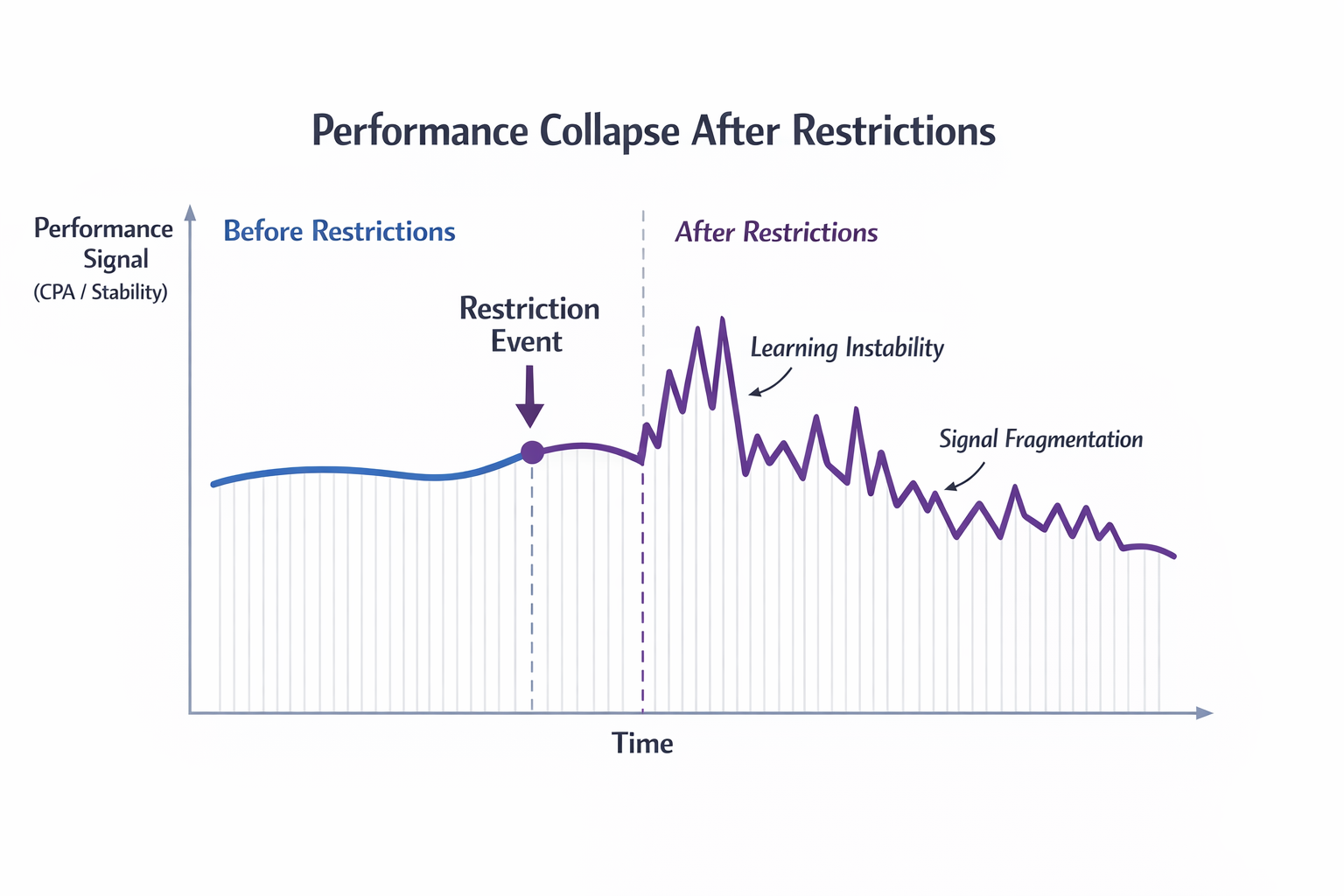
You’ll usually notice this within a few days. Campaigns that were stable start fluctuating, CPA becomes unpredictable, and lead quality drops even when targeting and creatives stay unchanged.
Inside Ads Manager, the system behaves like it no longer recognizes your historical conversion patterns.
That’s the real issue.
What Actually Breaks After Restrictions
The first visible change is usually CPA volatility. But the more reliable signals show up in delivery patterns.
You might see this:
-
Ad sets exiting and re-entering learning without major edits;
This usually means conversions are no longer forming consistent behavioral clusters. The system can’t “lock in” a pattern, so it keeps resetting. -
Spend concentrating into short time windows;
Instead of smooth delivery, budget gets spent in bursts. This is a sign the algorithm only finds occasional pockets of confidence. -
Lead quality dropping while CPL stays stable;
You’re still getting conversions, but they come from weaker intent segments. This often overlaps with the issue explained in What Causes Facebook Lead Ads to Fail (Even When Metrics Look Good). -
Frequency staying low despite worse results.
If frequency isn’t rising, your creatives aren’t the issue. The system simply isn’t finding the right people anymore.
At this point, the algorithm is no longer optimizing. It’s relearning under uncertainty.
Why Scaling or Testing Usually Makes It Worse
Most accounts respond to performance drops by doing more — more tests, more creatives, more audiences.
After restrictions, that usually backfires.
Here’s what happens structurally:
-
You fragment already weak data;
Instead of feeding 30 conversions into one system, you split them across multiple ad sets. None of them stabilize. -
Creative testing becomes misleading;
Performance differences reflect unstable delivery, not real user preference. -
Budget increases force bad auctions.
The system spends faster than it can identify high-quality users.
You’ll typically see:
-
Stable CTR but declining CVR;
-
No clear pattern across placements or hours;
-
Inconsistent cost swings without obvious cause.
This behavior closely mirrors what’s described in Why Your Facebook Ads Stop Performing After Two Weeks and How to Fix It.
Step 1 — Rebuild Conversion Signal Quality
After restrictions, weak signals become dangerous.
If your campaign optimizes for easy conversions, the system will aggressively chase low-intent users.
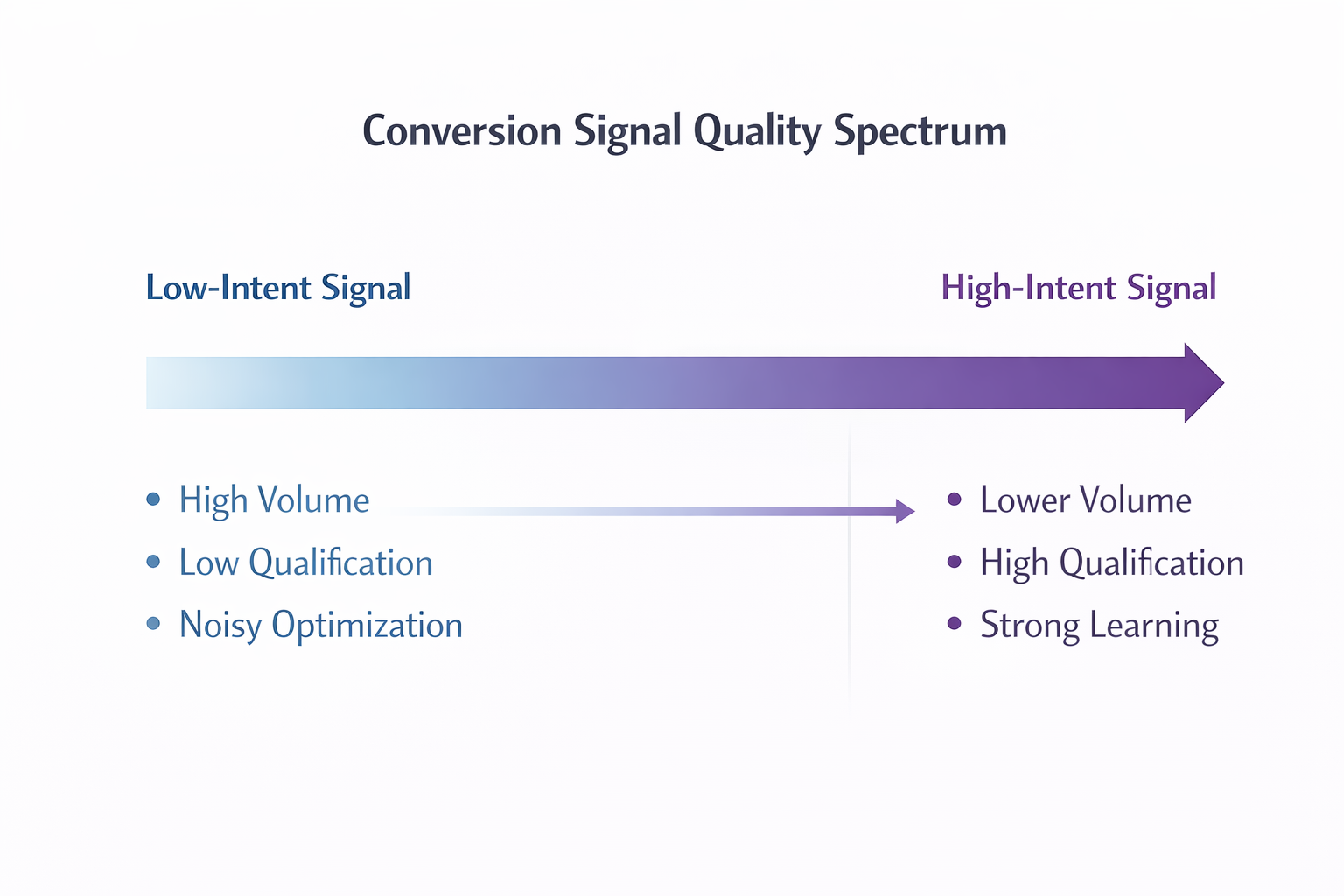
You need to tighten the definition of a “good” conversion.
-
Add friction that filters out low intent;
For example, asking about budget or timeline reduces volume but improves signal clarity.
In practice, this often cuts lead volume by 30–50% while improving sales acceptance within days. -
Remove broad or ambiguous offers;
If your offer attracts everyone, the algorithm can’t differentiate who actually matters. -
Align conversion with sales reality.
If most leads are rejected, you’re training the system on noise.
This ties directly into Lead Quality vs Lead Volume: What Facebook Advertisers Need to Know, where increasing volume reduces optimization accuracy.
A simple check:
If CPL increases but cost per qualified lead decreases, you’re correcting the system.
Step 2 — Consolidate Campaign Structure
What worked before restrictions often stops working after.
Complex structures rely on strong signal flow. Without it, they break.
Common issues:
-
Too many ad sets with overlapping audiences;
-
Budget split across multiple campaigns;
-
Excessive creative variations per ad set.
To stabilize:
-
Merge ad sets targeting similar intent groups;
-
Reduce campaign count to concentrate data;
-
Limit creatives to a manageable number (usually 3–5 per ad set).
This aligns with the issue explained in Over-Segmentation in Facebook Ads: Why Too Many Campaigns Kill Efficiency.
You’re not simplifying for convenience. You’re restoring signal density.
Step 3 — Stabilize Budget and Delivery
After restrictions, the system becomes more sensitive to changes.
Even small edits can disrupt learning.
You’ll often notice:
-
CPA spikes immediately after budget changes;
-
Spend distribution resets;
-
Conversion consistency drops for several days.
To stabilize:
-
Keep budgets stable for several days;
Let delivery normalize before making decisions. -
Scale gradually;
Increase budgets in controlled increments rather than jumps. -
Monitor hourly breakdowns.
Uneven performance across hours signals instability.
Stable delivery is not the result of optimization — it’s a prerequisite for it.
Step 4 — Revalidate Tracking and Event Flow
Restrictions often expose hidden tracking issues.
Even small inconsistencies affect optimization.
Check for:
-
Drops in event match quality;
-
Delays in conversion reporting;
-
Mismatch between browser and server events.
This becomes especially important in environments affected by privacy changes, as explained in Combating iOS Privacy Changes: Smart Ad Targeting Strategies for Facebook.
The algorithm can’t optimize what it can’t clearly observe.
Step 5 — Rebuild Account Trust Gradually
After restrictions, the account behaves like it’s under evaluation.
You’ll notice that aggressive actions trigger instability faster than before.
Avoid:
-
launching multiple campaigns at once;
-
making frequent edits;
-
scaling budgets aggressively.
Instead:
-
keep campaign structure stable;
-
minimize unnecessary changes;
-
allow consistent data accumulation.
Over time, you’ll see:
-
fewer learning resets;
-
more even spend distribution;
-
improved consistency in results.
Recovery is a pattern the system rebuilds — not a switch you flip.
What Recovery Actually Looks Like
Recovery rarely looks like immediate improvement.
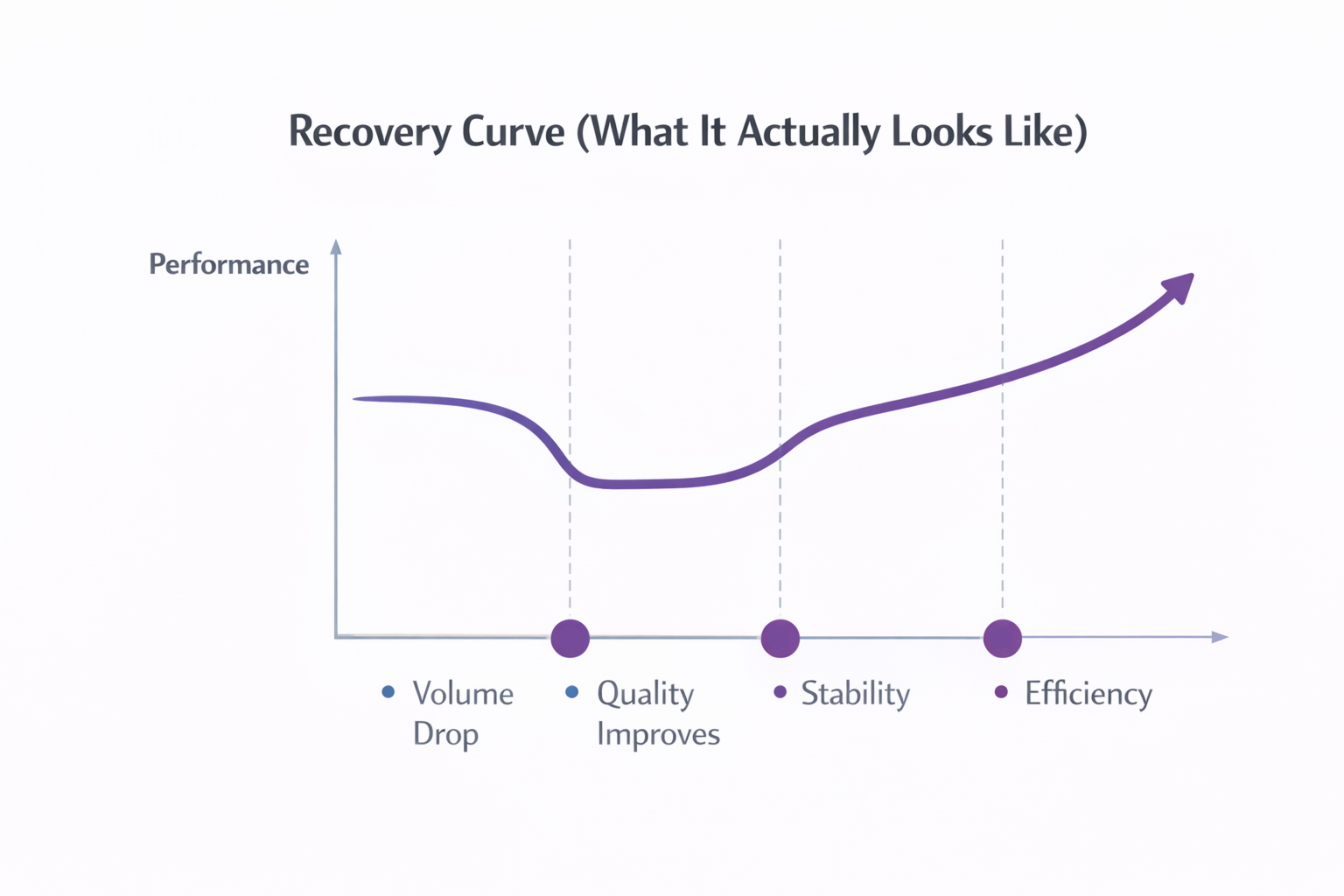
It usually follows this sequence:
-
lead volume decreases;
-
lead quality improves;
-
CPA stabilizes;
-
efficiency gradually increases.
If you optimize for volume too early, you interrupt the process.
A Practical Way to Evaluate Progress
Surface metrics can mislead during recovery.
Instead, track performance in layers:
-
Daily:
Spend consistency, CPL stability, learning phase behavior. -
Weekly:
Lead acceptance rate, qualification rate, pipeline movement. -
Monthly:
CAC and revenue alignment.
If lower-funnel metrics improve while top-of-funnel metrics decline, recovery is working.
Final Takeaway
Restrictions don’t just reduce performance — they disrupt how the system learns.
Trying to fix that with more testing or faster scaling usually increases noise.
Recovery depends on:
-
strengthening conversion signals;
-
simplifying structure;
-
stabilizing delivery;
-
rebuilding trust gradually.
Once the system can recognize meaningful patterns again, performance starts to return.