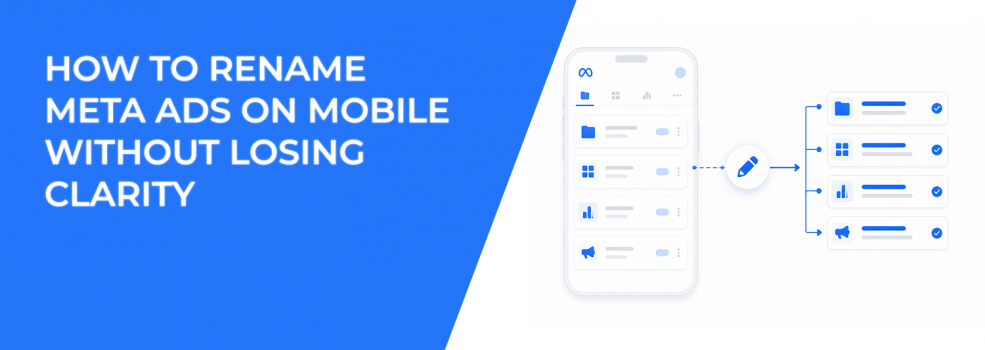
Renaming an ad inside the Meta Ads Manager app looks like a small admin task. Open the app, change the label, tap Publish, and move on.
That small task can protect your campaign data when you manage ads from a phone. If every live test has a vague name, mobile performance checks become slow and risky.
The real issue is not the rename itself. The issue is what happens when CPC rises, CPA jumps, or spend shifts toward the wrong creative, and nobody can identify the ad quickly.
The Mobile Rename Flow Meta Gives Advertisers
Meta’s mobile instructions are simple. The Ads Manager app lets advertisers create and manage ads from mobile devices, then rename items directly in the app.
The provided flow uses the “Campaign name” field, so check the level carefully before publishing. On a small screen, campaign, ad set, and ad labels can look similar during a fast edit.
Use the flow this way:
- Open the Ads Manager app. Start from the correct business account, especially if you manage multiple clients or brands.
- Tap a campaign. Choose the campaign that contains the ad or naming field you need to update.
- Tap Campaign name. Confirm the editable name field matches the item you actually intend to rename.
- Type in a new name. Use the account’s naming structure, not a one-off label created under pressure.
- Tap Publish. This saves the change and applies the updated label in the app.
- Check for “Campaign updated.” The home page confirmation tells you the rename was published.
That confirmation matters. If you do not see it, do not assume the change saved before pulling reports or updating a client.
Why a Name Change Can Affect Optimization Decisions
A rename should not change your budget, bid strategy, creative, destination, audience, or conversion event. It changes how you identify the item inside Ads Manager.
Performance impact comes from decision quality. Poor names make it harder to see which ad is driving a CPC spike, weak CTR, rising frequency, or low-quality leads.
Imagine a B2B lead campaign with three active creative tests. One ad uses a webinar offer, one uses a demo CTA, and one uses a founder-led video. If all three are named “Lead Ad Test,” the mobile dashboard hides the actual variable.
That confusion can lead to expensive mistakes. A buyer may pause the wrong ad, duplicate a weak creative, or increase spend on traffic that produces cheap but unqualified leads.
Clean names help you read the account faster when Ads Manager shows uneven spend distribution. If one ad starts taking most of the budget, the name should explain whether Meta is favoring a format, offer, audience, or funnel stage.
For deeper account structure, follow campaign naming conventions that help you optimize faster. A mobile rename should reinforce that system, not create another naming layer.
What to Check Before Renaming a Live Ad From Your Phone
The main risk with mobile edits is accidental change. Small screens make it easier to tap the wrong field, especially during client calls or quick performance checks.
Before publishing a rename, check these conditions:
- Confirm the account and campaign. Agencies often manage similar campaign names across clients, so verify the business account first.
- Check current delivery status. If the ad is active, in review, learning, or learning limited, record that status before editing.
- Take a quick metric snapshot. Note spend, CPC, CPA, CTR, frequency, and cost per result before the name changes.
- Avoid touching performance settings. Do not adjust budget, schedule, destination, creative, audience, or optimization event during a naming edit.
- Check reporting dependencies. Some spreadsheets, dashboards, CRM exports, or naming rules may rely on the old ad name.
These checks prevent false diagnosis. If CPA rises two hours after the rename, you need to know whether the rename caused no delivery change or whether another setting moved.
The safest pattern is simple. Rename only the label, publish, then confirm delivery looks normal after the app returns to the home page.
If you are editing more than the name, read about editing live Facebook ads without resetting learning. A naming cleanup should not become an unplanned campaign edit.
How to Name Ads So Mobile Reports Stay Useful
Mobile views truncate long names. Put the most important identifiers near the front, where they remain visible inside the app.
A useful ad name should tell you what the ad is testing before you open the full details. That matters when you scan several campaigns and only have a few columns visible.
Use a compact structure like this:
- Funnel stage first. TOFU, MOFU, BOFU, or Retargeting explains the ad’s role before you judge CPA.
- Audience source second. Broad, lookalike, CRM, group-based, Instagram engagers, or retargeting shows where the signal comes from.
- Offer or action third. Demo, Trial, LeadForm, Webinar, Guide, or Purchase clarifies what result the ad should drive.
- Creative format fourth. Static, Reels, Story, Carousel, UGC, or Video helps explain CTR and placement behavior.
- Version marker last. v01, v02, or a date code lets you compare iterations without guessing.
A practical example would be “MOFU-IGEngagers-Demo-Reels-v03.” It is short enough for mobile, but detailed enough for optimization.
That name helps when you see a spend shift inside Ads Manager. If Reels v03 starts taking budget from Static v01, you can inspect the creative pattern instead of blaming the audience too early.
Why Naming Matters More When You Test High-Intent Audiences
Audience tests become unreliable when names hide the source of the audience. This is common when teams compare broad targeting against custom audiences, lookalikes, and engagement-based pools.
LeadEnforce helps advertisers build high-intent audiences from Facebook groups, Instagram followers, Instagram engagers, and social profile data. Those audiences are often tested against broader Meta delivery to improve signal quality and reduce wasted spend.
The ad name should preserve that signal. If a LeadEnforce audience built from a niche Facebook group produces higher sales-qualified lead rates, the name needs to show that source clearly.
A name like “BOFU-GRP-SaaSFounders-Demo-Static-v02” gives the buyer useful context. It tells them the funnel stage, source type, segment logic, offer, format, and version.
That clarity matters when Ads Manager shows a lower CPL but the CRM shows weak lead quality. Without clean names, your team may optimize toward cheap form fills instead of pipeline value.
Pair audience testing with building high-performing custom audiences in LeadEnforce. Precision targeting works better when reporting can separate high-intent traffic from broad low-signal reach.
When Renaming From Mobile Creates Reporting Risk
Renaming from the app is useful for quick fixes. It is not ideal for account-wide taxonomy changes.
Large naming updates can affect exports, dashboard filters, automated naming rules, and client reporting templates. If your team uses ad names to reconcile Meta data with GA4, HubSpot, Salesforce, or a spreadsheet, a casual rename can break the thread.
The risk becomes larger when multiple people touch the same account. One buyer may rename ads from mobile while another analyst pulls a weekly report. The data still exists, but the labels may no longer match the previous report.
This can distort performance reviews. A campaign may look like it launched new ads, lost old variants, or split results across inconsistent labels.
Use desktop for bulk cleanup. Use the mobile app for precise corrections, missing version tags, typos, and urgent clarity fixes.
How to Read Performance After the Rename Publishes
After the app shows “Campaign updated,” check whether the account behaves the same way. A cosmetic rename should not create a sudden delivery pattern.
Look at delivery status first. If the ad remains active with the same learning state, the edit likely stayed limited to naming.
Then check short-term spend distribution. If budget allocation changes sharply across ads after a rename, review account activity and confirm no additional setting was edited.
CPC, CPM, and CPA can fluctuate during the day, so avoid blaming the rename immediately. Compare the change against auction pressure, frequency, creative fatigue, and conversion lag before making another adjustment.
The goal is not to over-monitor a label change. The goal is to avoid confusing a harmless rename with a real optimization event.
Final Takeaway: Rename Ads to Protect Decision Quality
Renaming an ad in the Meta Ads Manager app is a simple mobile workflow. Open the app, tap the campaign, edit the name field, publish, and confirm the “Campaign updated” message.
For performance marketers, the value is operational clarity. Clear names help you diagnose CPC spikes, CPA increases, ROAS drops, uneven spend, and audience quality issues faster.
Use mobile renaming for focused corrections. Keep bulk naming systems, reporting dependencies, and cross-team changes on desktop.
A strong ad name does not improve performance by itself. It helps you make the right performance decision before wasted spend compounds.