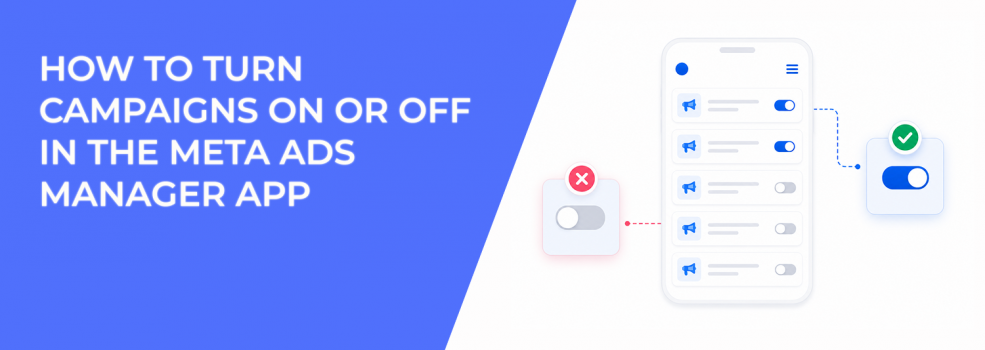
Turning a campaign on or off in the Meta Ads Manager app is simple. You open the campaign, tap the toggle, and the status changes.
The decision behind that tap is more important than the action itself.
When you turn off a campaign, Meta also turns off the ad sets and ads inside it. The campaign is not deleted, but delivery stops. That means spend stops, impressions stop, and performance data pauses until the campaign is turned back on.
How to Turn a Campaign On or Off in the Ads Manager App
Meta lets advertisers control campaign status directly from the mobile app. This is useful when you need to react quickly to spend, delivery, or performance issues.
To turn a campaign on or off:
- Open the Ads Manager app. Make sure you are in the correct ad account before editing anything.
- Tap the campaign you want to edit. Check the campaign name carefully, especially if you manage several similar campaigns.
- Tap the toggle to change the status. The campaign will switch between active and off.
- Check the color of the toggle. Blue means the ad is active. Grey means the ad is off.
- Only delete the ad if you no longer need it. Use Delete only when you do not plan to turn the campaign on again or duplicate it later.
Turning a campaign off does not delete it. You can usually turn it back on later, as long as the account, payment, and campaign setup allow it.
What Happens When You Turn a Campaign Off
When you turn off a campaign, every ad set and ad inside that campaign stops too. This is different from pausing one ad or one ad set.
That matters when a campaign contains several tests. If one ad set has a high CPA, but another is still profitable, turning off the whole campaign stops both.
Inside Ads Manager, you will see delivery stop after the status changes. Spend should stop accumulating, and impressions should no longer increase.
This can help when spend is moving too fast or when a campaign has a serious setup issue. But it can also interrupt useful data collection if you pause too early.
Before switching off a campaign, compare the decision with when to raise, pause, or reallocate campaign spend. The toggle should support a clear budget decision, not replace analysis.
When Turning a Campaign Off Makes Sense
A campaign toggle is useful when the issue affects the whole campaign. If the problem is only one ad, one ad set, or one placement, a smaller edit may be safer.
Turning off the full campaign can make sense when:
- Spend is running against the wrong setup. For example, the wrong landing page, offer, or location targeting is active.
- Payment or billing needs review. If there is a billing issue, stopping delivery can prevent confusion while the account is checked.
- The campaign has a major tracking problem. If events, UTMs, or lead forms are wrong, continuing spend may create unusable data.
- The offer is no longer valid. A campaign promoting an expired sale, event, or seasonal message should stop quickly.
- CPA or ROAS has moved far outside the target range. If the campaign has enough data and no clear fix, pausing can protect budget.
A campaign should not be turned off just because one daily result looks bad. Meta performance can swing during the day, especially with smaller budgets.
If the issue is at ad set level, use the same logic you would apply when deciding when to pause, kill, or scale an ad set. Pause the smallest part of the structure that is causing the problem.
Why Campaign Toggles Affect Performance Data
Turning campaigns on and off can change how you read performance. A paused campaign stops gathering new delivery data, which can slow your ability to judge trends.
For example, a campaign may have a weak morning CPA but recover by evening. If you turn it off too early from your phone, you may stop the campaign before the full-day pattern appears.
This is common with lead generation campaigns. Conversion volume can lag behind clicks, especially when users submit forms later or sales data updates outside Ads Manager.
ROAS can also look worse before delayed purchases appear. If you pause based only on early revenue, you may cut a campaign that would have improved after attribution caught up.
That does not mean you should ignore bad performance. It means campaign toggles should be based on enough data, not a quick mobile glance.
Why You May Not Be Able to Turn a Campaign Back On
Sometimes a campaign does not turn back on when you expect it to. Meta notes two common areas to check: your account spending limit and your payment information.
If the account spending limit has been reached, delivery may not resume until the limit is reset. If payment information is outdated or failing, Meta may also block delivery.
This can look like a campaign problem, but the issue is at account level.
Before rebuilding a campaign, check billing and account settings. If the toggle turns blue but delivery does not restart, look at payment status, account spending limit, campaign status, and ad review status.
The campaign may be active in name but still not delivering.
Delete Only When You Are Sure
Meta gives advertisers the option to delete an ad from the app. That should be used carefully.
Turning off a campaign keeps it available. You can review it later, duplicate it, reuse the structure, or compare past performance.
Deleting removes that flexibility. If you delete something too early, you may lose a useful reference for future campaigns.
For most performance teams, turning off is safer than deleting. Delete only when the campaign is no longer needed, will not be duplicated, and does not contain useful setup history.
If you are unsure, pause first. Deletion should be a cleanup decision, not a fast reaction.
How to Review Performance Before Using the Toggle
Before turning a campaign off, check the signals that explain whether the problem is broad or isolated. This prevents pausing more than necessary.
Look at:
- Spend distribution. If one ad set is taking most of the budget, the issue may not require pausing the full campaign.
- CPA or cost per result. Check whether poor performance is consistent or based on too few conversions.
- CTR and CPC. Weak CTR with rising CPC may point to creative fatigue or poor message fit.
- CPM. A CPM spike can come from auction pressure, seasonality, or audience competition.
- Frequency. Rising frequency can show that the same users are seeing the campaign too often.
These signals help you decide whether to turn off the campaign, adjust the ad set, refresh creative, or leave the campaign running.
For deeper context, review what happens when you pause and restart Facebook campaigns. Pausing is simple, but the restart can affect delivery patterns.
Final Takeaway
The Meta Ads Manager app lets you turn campaigns on or off from your phone. Open the app, choose the campaign, and tap the toggle. Blue means active. Grey means off.
Turning off a campaign does not delete it, but it does stop every ad set and ad inside it. If you cannot turn it back on, check your account spending limit and payment information.
Use the toggle carefully. It is helpful for urgent spend control, broken setups, expired offers, and clear performance problems.
But do not pause a full campaign when only one ad or ad set needs attention. The best mobile campaign decisions still come from reading the data before tapping the switch.