A single ad does not always need a single destination.
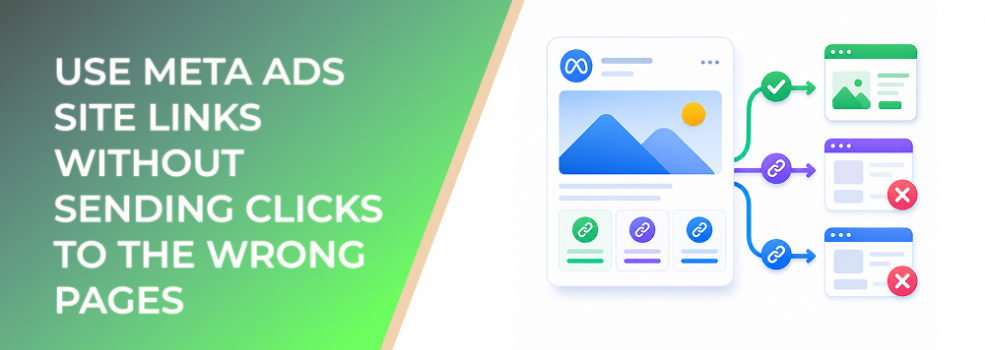
Meta ads with site links allow advertisers to add multiple landing pages to an ad. That can be useful when one audience may have several valid next steps: product categories, pricing, case studies, service pages, booking pages, collections, or educational resources.
Used well, site links can reduce friction.
Used poorly, they can send users to pages that do not match the ad, fragment intent, and make performance harder to read.
What Site Links Are Trying to Solve
Standard ads usually point users toward one primary destination.
That works when the offer is simple. But many campaigns serve audiences with different levels of intent. One person may want pricing. Another may want proof. Another may want a specific product category. Another may need educational context before taking action.
Site links give users more relevant paths from the same ad.
For ecommerce, that might mean linking to best sellers, new arrivals, sale items, and a product collection. For B2B, it might mean linking to demo booking, case studies, pricing, and a product overview. For local businesses, it could mean services, reviews, appointments, and contact pages.
The opportunity is better routing.
Business Impact on CPC, CPA, ROAS, and Budget Efficiency
Site links can improve performance when they help users choose the right next step.
They can support:
- Better click relevance by matching users to more specific pages.
- Higher conversion rate when users land closer to their intent.
- Lower CPA when fewer clicks are wasted on irrelevant destinations.
- Better ROAS when product or offer paths are clearer.
- Better lead quality when users choose proof, pricing, or service pages before submitting interest.
But more links do not automatically mean better performance.
If the site links are vague, repetitive, outdated, or unrelated to the ad promise, they can create confusion. A confused click is rarely a valuable click.
Typical Scenarios Where This Applies
Ecommerce product discovery
An online store can use site links to route shoppers to product categories, sale pages, new arrivals, or best sellers.
This is useful when the ad introduces a broader collection rather than one specific SKU.
B2B lead-generation campaigns
A B2B advertiser may give users options such as “Book a Demo,” “View Case Studies,” “Compare Plans,” or “See Use Cases.”
That can help different buyer roles self-select the content they need.
Agencies promoting multiple client offers
Agencies can use site links to support campaign testing across service pages, proof pages, and conversion pages without building separate ads for every destination.
Local service businesses
A local business may link to appointment booking, service descriptions, reviews, and contact pages.
This can reduce the number of clicks required to reach the right action.
Risks and Considerations
The biggest risk is destination mismatch.
If the main ad promotes a specific offer but the site links send users to generic or unrelated pages, conversion rates can drop. Meta may still deliver clicks, but those clicks may not lead to qualified actions.
Another risk is weak measurement clarity. If several site links send users to different pages, advertisers need to understand which path produced valuable actions.
Site links may also expose landing-page weaknesses. A poor category page, slow pricing page, or outdated service page can hurt performance even if the ad is strong.
Finally, advertisers should avoid letting site links become an excuse for unclear strategy. The main ad still needs a primary message.
Prerequisites and Dependencies
Before using site links, make sure:
- Each linked page is relevant to the ad.
- Landing pages load well on mobile.
- The main destination and site links do not contradict each other.
- Each link label is clear and specific.
- The campaign objective supports the intended action.
- Reporting can distinguish quality by path when needed.
- The offer, creative, and destination are aligned.
Site links work best when the landing-page ecosystem is already organized.
How LeadEnforce Helps
LeadEnforce helps advertisers make smarter choices about which audiences should see ads with multiple destination options.
Site links give users more routes. LeadEnforce helps improve who sees those routes.
Advertisers can build audiences from Facebook groups, Instagram profiles, followers, engagers, LinkedIn professional data, and custom social-profile data.
That matters because different audiences need different site links.
A cold ecommerce audience may need “Best Sellers” and “Reviews.” A warmer audience may respond better to “Sale” or “New Arrivals.” A B2B audience built from professional data may need “Case Studies” and “Book a Demo.” A niche Facebook group audience may respond to product pages that match the group’s specific interest.
LeadEnforce helps make site-link testing more intentional by starting with audience relevance.
Practical Recommendations
Start with the user journey.
Do not add site links just because the feature exists. Add them when they make the next step easier.
Use clear labels. Avoid vague text like “Learn More” for every link. Use labels that tell users exactly where they will go.
Prioritize high-intent pages. Good options include pricing, demos, product categories, reviews, case studies, comparisons, booking pages, and relevant resources.
Keep site links aligned with the campaign objective. A lead-generation campaign should not bury the lead path behind unrelated content. A sales campaign should not send users to pages that do not support purchase behavior.
Review landing-page performance. If one site link drives clicks but weak conversions, the page or label may be misaligned.
Test site links against a version without site links. More options can help, but they can also distract. Let performance decide.
Final Takeaway
Meta ads site links can improve user routing when one ad supports multiple relevant next steps.
They work best when each link matches audience intent, landing pages are strong, and advertisers measure downstream quality instead of clicks alone.
To test site links with more relevant audience segments, join the free 7-day LeadEnforce trial period.
Related LeadEnforce Articles
- How to Choose the Right Meta Ad Destination Without Wasting Clicks — Helps advertisers choose post-click paths that match audience intent.
- Where Do Facebook Ads Send Users After Click? — Explains how destination choices influence CPC, CPA, and lead quality.
- Verify Your Meta Domain Before Ad Link Editing Slows Campaign Testing — Relevant when site links involve multiple domains, landing pages, or ownership workflows.
- Meta Ad Campaign Objectives Explained: How to Choose the Right One — Connects objective choice with destination strategy and post-click outcomes.
- How to Choose the Right Meta Ad Objective Before You Launch — Useful for making sure site links support the campaign’s real business goal.