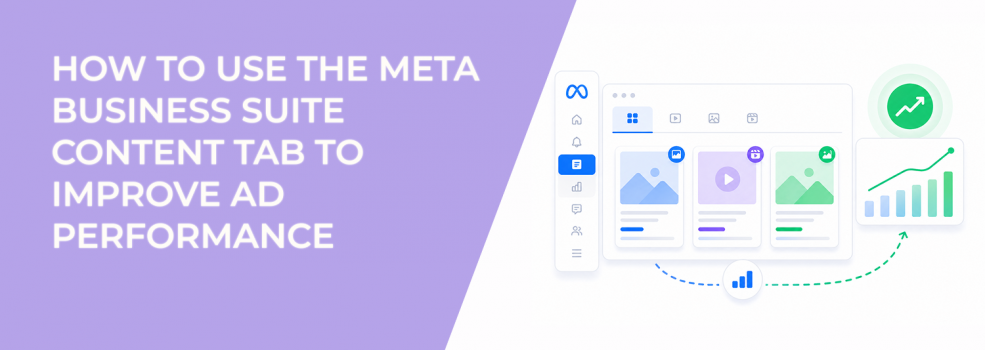
The Content tab in Meta Business Suite is where all your content lives. It includes published posts, drafts, scheduled content, reels, stories, videos, and Live broadcasts.
For most teams, it is treated as a publishing tool. In practice, it is one of the most underused performance diagnostics available before you spend money on ads.
Every post you publish creates signals. The Content tab is where you can evaluate those signals before they become expensive.
What the Content tab actually controls
The Content tab centralizes everything related to organic publishing and content management. This includes both execution and analysis.
Inside the tab, you can:
- Create, schedule, and publish posts across Facebook and Instagram.
- Run A/B tests on different content variations.
- Crosspost content across accounts or Pages.
- Track mentions, tags, and clips tied to your brand.
Beyond publishing, it also connects to creator tools. That means you can monitor performance metrics, manage audience interactions, and even connect content performance to monetization or ad activity.
For advertisers, this creates a single layer where organic content and paid strategy start to overlap.
Why the Content tab matters for paid performance
Most campaigns fail before they reach Ads Manager.
The issue is not targeting or budget. It is message quality. If a post does not generate meaningful engagement organically, paid distribution usually amplifies that weakness.
The Content tab helps you catch that early.
When reviewing posts, you are not looking for high engagement alone. You are looking for signals that indicate intent. That includes:
- Comments that show interest, not just reactions.
- Click behavior, not just impressions.
- Saves or shares that suggest future action.
A post with high reach but low interaction depth often leads to higher CPC once promoted. A post with fewer reactions but strong comment intent can scale more efficiently.
This is why it is useful to review how to use learnings from organic posts to guide ad creative before launching campaigns.
How to use Content tab data before launching ads
Instead of building campaigns from scratch, strong teams use existing content signals to guide decisions.
A simple workflow looks like this:
- Review recent posts by topic, format, and hook.
- Identify which posts generate meaningful engagement.
- Compare comment quality and click behavior.
- Select only the strongest candidates for paid testing.
This reduces wasted spend during the testing phase.
For example, if three variations of a product post exist, the Content tab will usually show which one attracted actual questions or buying intent. That version should be your starting point in Ads Manager.
Skipping this step often leads to unnecessary testing costs.
Where content management breaks campaign efficiency
Many teams separate content and paid media. This creates disconnects that show up later in performance metrics.
A campaign might promote a message that already failed organically. Or it might drive traffic to a landing page that does not match the post’s promise.
These issues appear in Ads Manager as:
- Low CTR despite stable CPM.
- High CPC with average engagement.
- Drop-offs between click and conversion.
The root cause is often visible in the Content tab.
If a post attracts the wrong audience organically, paid campaigns will amplify that mismatch. This is why why relevance matters more than reach in paid social campaigns is not just a targeting principle — it starts at the content level.
Using creator tools to connect content and ads
Meta moved most Creator Studio features into Business Suite to unify workflows. That means you can now manage content, engagement, and performance in one place.
From a performance perspective, this matters because:
- You can compare Facebook and Instagram results side by side.
- You can monitor audience feedback before scaling content.
- You can respond to comments and shape perception early.
This feedback loop is critical. If negative sentiment appears in comments, running ads on that post usually increases CPA.
On the other hand, posts that generate discussions or questions often perform better in conversion campaigns because they indicate active interest.
How LeadEnforce fits into a content-driven strategy
The Content tab shows how your existing audience reacts. It does not fix audience quality issues.
If your content attracts the wrong people, performance will suffer even if engagement looks strong.
This is where LeadEnforce becomes relevant. Instead of relying only on broad or mixed audiences, you can build high-intent segments based on Facebook groups, Instagram engagement, and social behavior.
This allows you to test content against audiences that already show interest in your category.
When combined with Content tab insights, this creates a cleaner feedback loop between content and targeting.
Final takeaway
The Content tab is not just a publishing tool. It is a filtering system.
It helps you identify which content deserves budget and which content should never be promoted.
Use it to evaluate engagement quality, detect audience mismatch, and validate messaging before entering paid auctions.
Then, before scaling, run lead quality checks before scaling spend to make sure your campaigns are driving actual business results — not just engagement.