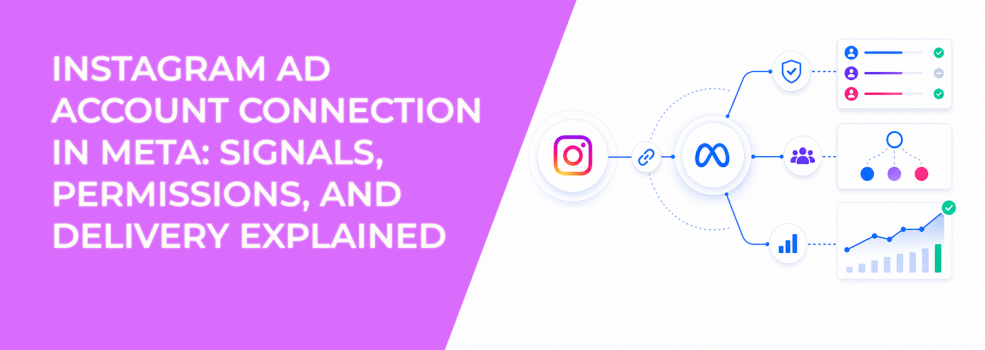
Most advertisers assume that once Instagram is added to Meta Business Suite, campaigns are fully set up.
In practice, performance depends on a second layer — how the Instagram account is connected to the ad account.
If this connection is missing or misaligned, Meta cannot fully use Instagram signals. Campaigns still deliver, but they rely on weaker inputs.
What the Instagram ad account connection actually controls
Connecting an Instagram account to an ad account defines how that account is used in campaigns.
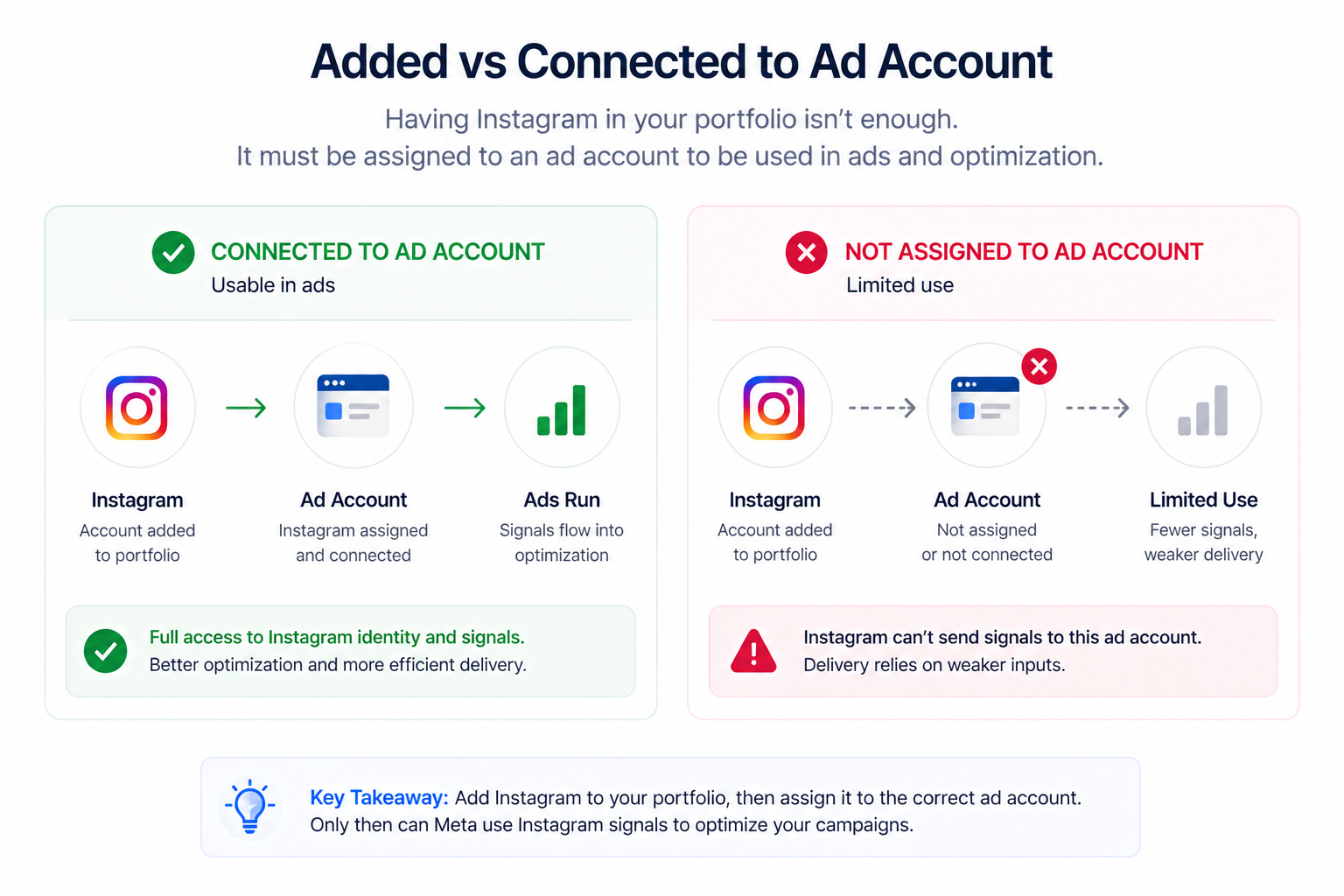
This step determines three critical things at once:
-
Which identity your ads use when shown on Instagram.
-
Which engagement signals feed into optimization.
-
Which ad accounts are allowed to deliver ads through that profile.
Even if the Instagram account exists in your business portfolio, it does not automatically become usable for advertising. It must be explicitly connected and assigned.
This is where many setups break. The asset is present, but the system cannot fully use it.
How signals flow after connection
Meta’s delivery system is driven by signals, not just targeting inputs.
When the connection is correctly configured, Instagram activity becomes part of the optimization loop. The algorithm starts recognizing patterns such as repeated engagement, profile visits, and interactions with content.
This improves how Meta prioritizes users in auctions.
Without this connection, the system loses visibility into a large portion of user behavior. As a result, it compensates by widening targeting and relying on less precise signals.
In Ads Manager, this often shows up through subtle changes:
-
Campaigns take longer to stabilize during the learning phase.
-
Engagement rates vary significantly between placements.
-
Performance becomes less predictable when scaling.
These are not random fluctuations. They are symptoms of missing signal inputs.
Why permissions directly affect delivery
The connection between Instagram and an ad account is controlled by permissions.
Meta uses a layered access system. Business portfolios, assets, and ad accounts all have separate permission structures. If these do not align, the connection may exist technically but fail operationally.
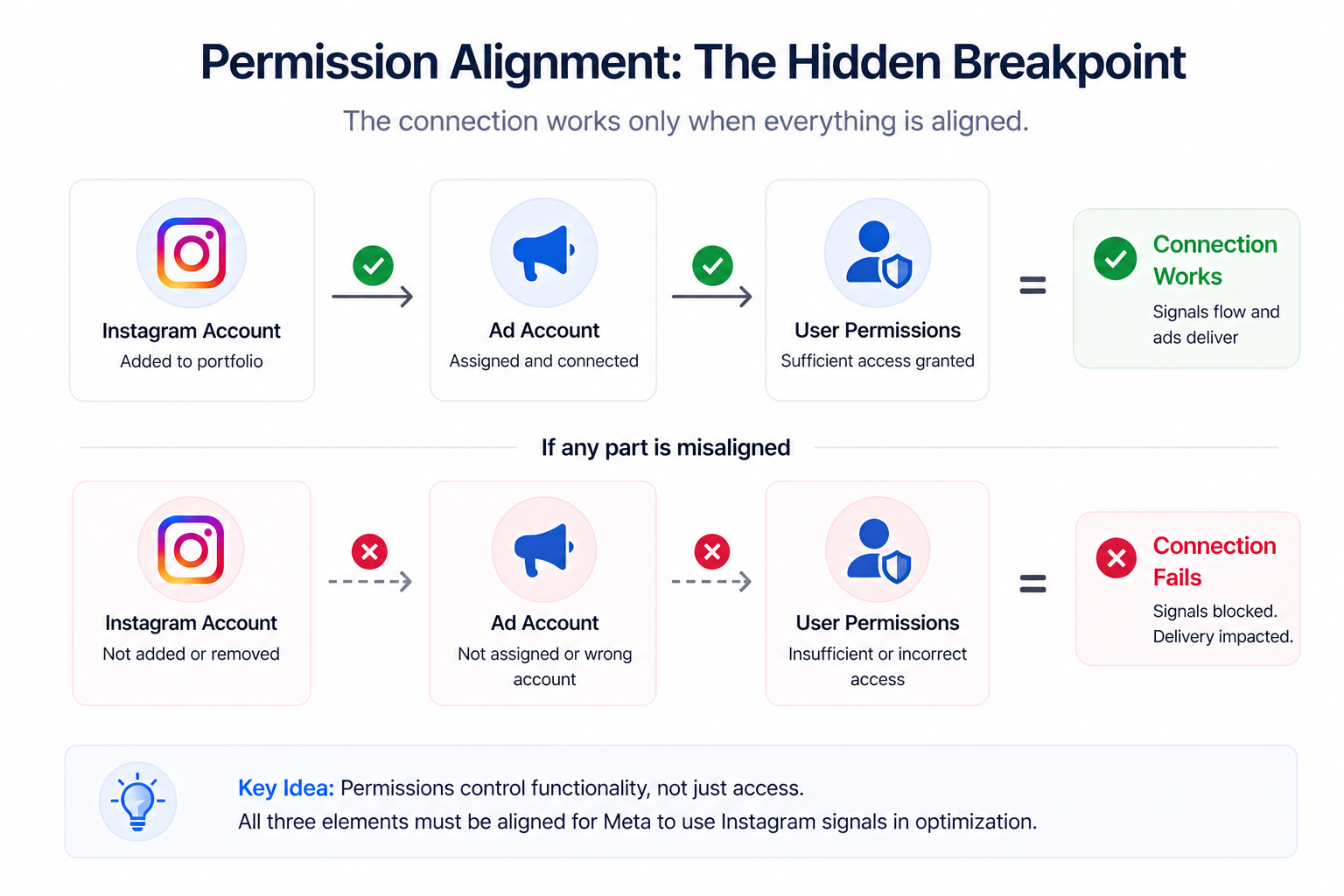
There are two key access levels that matter:
-
Full control allows users to manage assets, assign access, and connect accounts.
-
Partial access limits actions to specific tasks, such as creating ads or managing content.
If a user lacks the right level of access, they may not be able to complete or maintain the connection properly.
This is especially common in agency setups, where multiple teams interact with the same assets. One missing permission can prevent the system from using Instagram signals correctly.
Business impact
The impact of a weak or missing connection is rarely obvious at first.
Campaigns still run. Budgets are still spent. But the system operates with incomplete data.
Over time, this creates measurable inefficiencies:
-
Cost per acquisition increases because targeting becomes less precise.
-
Conversion rates drop as audience quality declines.
-
Retargeting pools become less effective, especially for Instagram-driven traffic.
-
Budget allocation becomes less efficient across placements.
These issues often lead to unnecessary optimization changes. Teams adjust creatives or audiences, while the real problem sits in the connection layer.
If you’re seeing strong engagement but weak results, the issue often relates to signal quality. This is explored further in
why Facebook ads aren’t generating leads.
Typical scenarios where this issue appears
This problem usually emerges during operational changes.
A common case is when an Instagram account is added to a business portfolio but not linked to the correct ad account. The asset exists, but campaigns cannot use it fully.
Another scenario involves multiple ad accounts. The Instagram account may be connected to one account but not others, which creates inconsistent performance across campaigns.
Permission mismatches also play a role. A user may have access to the Instagram account but not to the ad account, preventing proper alignment.
Finally, restructuring business portfolios often breaks existing connections. During migrations or account changes, links between assets are lost or only partially restored.
Risks and considerations
Fixing the connection is not just a technical adjustment. It can affect campaign stability.
Switching the Instagram identity used in ads may reset parts of the learning phase. This can temporarily reduce performance as the system recalibrates.
There are also strategic risks:
-
Using the wrong Instagram account can confuse brand identity.
-
Low-quality engagement signals can negatively influence optimization.
-
Over-reliance on a single signal source can limit scalability.
Before making changes, evaluate both the structure and the quality of the data coming from the account.
Prerequisites and dependencies
Before connecting an Instagram ad account, several conditions must be in place.
The most important ones include:
-
The Instagram account must already be added to the business portfolio.
-
You must have appropriate permissions for both the ad account and the asset.
-
The account must be set as a professional account.
-
The ad account must belong to the same business structure.
If the Instagram account is not yet added, the issue starts earlier in the setup process. If the connection fails entirely, the problem may be related to login or authentication.
Practical recommendations
Treat the Instagram ad account connection as part of your signal infrastructure.
Start by confirming that the Instagram account is not only added but also assigned to the correct ad account. This is where many setups fail.
Next, verify permissions across users and assets. Misaligned access often creates hidden limitations that affect delivery.
After connecting, validate performance through observable signals. Look at engagement patterns, conversion rates, and placement distribution.
To maximize results, align Instagram activity with your campaign strategy. When signals from both platforms reinforce each other, delivery becomes more efficient. This becomes especially important when you combine Facebook and Instagram ads effectively.
Finally, review your audience structure. Even with perfect setup, weak audience logic limits performance. A deeper understanding of how signals translate into targeting is covered in Facebook ads audiences.
Final takeaway
Connecting your Instagram ad account is not just a setup step.
It determines whether Meta can use Instagram engagement as part of its optimization system.
When signals, permissions, and delivery are aligned, campaigns become more efficient and scalable.
When they are not, performance declines quietly — and optimization turns into guesswork.