You open the Ads Manager app and see your campaign isn’t spending. Budget is set. Audience is defined. But delivery isn’t happening.
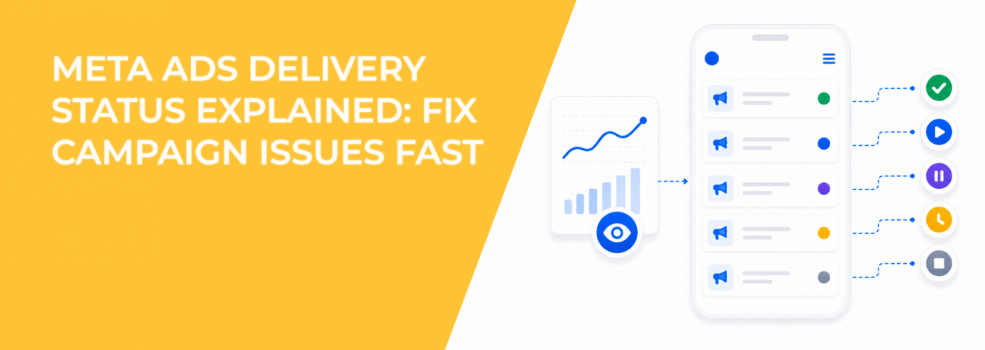
The delivery status column is where Meta tells you exactly what’s going on.
Inside the app, you can view campaign statuses like active, in review, learning, or not approved. These are not just labels. Each one directly affects how your ads enter auctions and how your CPA behaves.
Why delivery status directly impacts CPA and ROAS
Delivery status determines whether your campaign participates in auctions.
If a campaign is not active, it is not competing. No impressions, no clicks, no conversions.
More subtle statuses, like “Learning,” still deliver ads but with unstable performance. That’s where advertisers often misread results.
Typical signals inside Ads Manager:
- Stable CPM but fluctuating CPA usually indicates learning phase instability.
- No spend with “In review” status shows the campaign hasn’t entered auctions yet.
- Sudden delivery drop with no status change may point to audience saturation or rejection risk.
Understanding these patterns prevents unnecessary campaign changes.
The key delivery statuses and what they actually mean
Meta surfaces several statuses inside the Ads Manager app. Each one reflects a different system state.
Here’s how they behave operationally:
- In review; the ad is being checked for policy compliance, and no delivery happens during this period.
- Active; the campaign is live and competing in auctions based on budget and targeting.
- Learning; Meta is testing delivery patterns, causing unstable CPA and inconsistent performance.
- Not approved; the ad is blocked due to policy violations and cannot deliver at all.
You can also see campaigns marked as completed, off, or deleted. These reflect manual or scheduled changes, not system issues.
Why “In review” delays can disrupt campaign timing
A campaign doesn’t start delivering immediately after publishing.
“In review” can last minutes or several hours. During this time, your campaign is inactive.
This becomes a real problem for:
- time-sensitive launches;
- event-driven campaigns;
- daily budget pacing strategies.
If your campaign misses its initial delivery window, CPM can increase later due to higher competition.
Learning phase: where most performance misreads happen
The “Learning” status causes the most confusion.
Meta is actively testing delivery combinations during this phase. That includes audiences, placements, and bidding patterns.
You’ll usually observe:
- CPA higher than target;
- inconsistent conversion volume;
- fluctuating CPM and CTR;
This is normal.
The mistake is making changes too early. Every significant edit resets learning and prolongs instability.
If you want to stabilize faster, it helps to learn how to finish the learning phase faster.
Not approved: when delivery stops completely
If your ad shows “Not approved,” delivery stops entirely.
This is not a performance issue. It’s a compliance issue.
You’ll see:
- zero impressions;
- zero spend;
- no auction participation;
Fixing this requires adjusting creative, copy, or targeting to meet Meta’s policies.
If this happens frequently, it’s worth reviewing how to understand Facebook ad statuses and how to fix them to prevent repeated disruptions.
Why campaigns show active but still don’t spend
This is one of the most frustrating scenarios.
A campaign shows “Active,” but spend remains low or zero.
This usually points to auction-level issues rather than status problems.
Common causes include:
- Audience too narrow; limits available impressions and reduces auction participation.
- Low bid competitiveness; Meta loses auctions due to weak expected value.
- Poor engagement signals; low CTR reduces delivery priority.
- Budget too small; prevents meaningful entry into auctions.
These issues don’t change the status, but they directly impact delivery.
Using filters to diagnose delivery issues faster
The Ads Manager app allows filtering by:
- campaign status;
- campaign name;
- objective type;
- date range;
This is not just a convenience feature.
Filtering helps isolate underperforming segments quickly. For example, you can identify all campaigns stuck in learning or all campaigns not delivering under a specific objective.
This speeds up diagnosis without needing full reporting breakdowns.
Where LeadEnforce improves delivery consistency
Many delivery issues are not caused by status. They are caused by weak audience signals.
Broad or low-intent audiences make it harder for Meta to find responsive users during auctions.
LeadEnforce helps improve this by enabling targeting based on:
- Facebook group members, who share specific interests and intent signals;
- Instagram followers and engagers, who already interact with similar content or brands;
This creates stronger input data for Meta’s system.
As a result, campaigns move through learning more efficiently and maintain more stable delivery after activation.
Final takeaway
Delivery status is not just a label. It’s a direct indicator of whether your campaign is competing, learning, or blocked.
Before making changes, always check status first.
- If it’s “In review,” wait.
- If it’s “Learning,” avoid early edits.
- If it’s “Not approved,” fix compliance.
- If it’s “Active” but not spending, diagnose auction issues.
Many advertisers change campaigns too quickly without checking this layer.
If delivery becomes unstable after adjustments, reviewing what happens when you pause and restart Facebook campaigns can help you avoid unnecessary resets.