Many campaigns underperform even when creative and targeting look correct. The issue often comes from using one version of an ad across all placements.
Users behave differently in Feed, Stories, Reels, and Audience Network. A single asset rarely fits all of them.
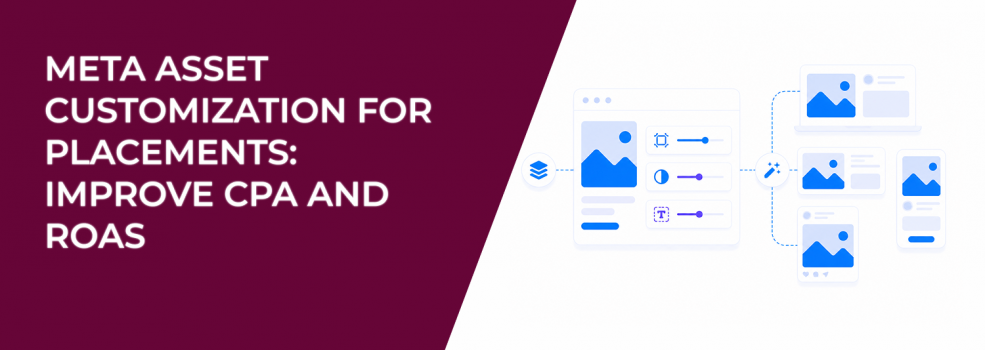
Asset customization fixes this. It lets you adapt creative elements per placement so your ads match how people actually consume content.
Why the same ad performs differently across placements
You can see this inside Ads Manager. One placement drives conversions, while another spends budget with weak results.
This is not random.
Feed users scroll but still read headlines. Stories users react instantly to full-screen visuals. Reels viewers often watch passively and click less.
That’s why the same ad behaves differently. Understanding how ad placements affect performance makes this pattern much easier to diagnose.
What asset customization actually changes
Asset customization lets you adjust your ad for each placement instead of forcing one version everywhere. This increases the number of placements where your ad can perform well.
You can change:
- Aspect ratio: Vertical for Stories and Reels, square or vertical for Feed, horizontal for in-stream video.
- Video length: Short versions for fast placements, longer versions for Feed.
- Text and headlines: Short copy for quick interactions, longer copy for context.
- Media selection: Different visuals depending on placement group.
These adjustments help Meta deliver the right version in the right environment. That improves both reach and efficiency.
Aspect ratio directly affects attention
Aspect ratio is one of the most overlooked performance factors. It controls how much screen space your ad occupies.
If your creative does not fit the placement, it loses visibility. That usually leads to lower CTR.
Here’s what works best:
- Feed placements:
- Use 1:1 for consistency.
- Use 4:5 to take up more vertical space.
- Stories, Reels, Status:
- Use 9:16 to fill the full screen.
- Carousel:
- Keep all images consistent (1:1 or 4:5).
- In-stream video:
- Use 16:9 horizontal.
- Audience Network:
- Use 9:16 vertical.
When ratios don’t match placements, engagement drops before users even process the message.
Why shorter videos work better in fast placements
Video length should match attention span. That changes a lot between placements.
A 30-second video can work in Feed. In Stories, most users drop off within a few seconds.
Shorter edits fix this.
Meta recommends short videos for Stories, often between 1 and 15 seconds. These deliver the message faster and fit how users consume content.
You’ll usually see higher completion rates and better clicks when you shorten videos for fast placements.
Text customization improves lead quality
Copy should match how quickly users engage. Fast placements need short, direct messaging.
Feed allows more explanation, so longer copy can work better there.
You can adjust:
- Primary text above the ad.
- Headline below the creative.
- Link context and messaging.
If you leave text empty, Meta may pull content from your website automatically. That often weakens the message and reduces conversion quality.
Automation tools: when to use them
Meta offers flexible media and Advantage+ creative to adjust assets automatically. These tools help expand delivery across placements.
They are useful once you already know which creatives perform well.
However, they reduce control.
If performance changes, it’s harder to understand why. That’s why automation works better for scaling, not for testing.
Common limitations to watch for
Asset customization doesn’t work in every setup. Most issues come from compatibility restrictions.
Typical limitations include:
- Unsupported objectives: Some campaign goals don’t allow customization.
- Unsupported formats: Catalogue or automated formats may restrict it.
- Device-level variation: You can’t separate mobile and desktop assets.
- Feature conflicts: Dynamic creative or Shops ads can block customization.
Always check these before building your campaign.
Why customization lowers CPA
Most advertisers try to fix CPA by changing targeting. Often, the real issue is how the ad appears.
If the creative doesn’t match the placement, you attract low-quality clicks.
Customization improves this alignment. It changes how the ad is presented without changing who sees it.
That usually leads to better engagement and higher conversion rates.
Audience quality still matters
Even strong creative won’t fix weak targeting. If Meta lacks good signals, it will optimize for cheap clicks.
That lowers lead quality.
Using high-performing custom audiences helps solve this. These audiences are based on real engagement and behavior, not broad assumptions.
With better inputs, customization works much more effectively.
How customization fits into your format strategy
Format defines the structure of your ad. Customization adapts that structure per placement.
Both need to work together.
If you’re unsure how formats behave, review different Facebook ad formats to understand how each one performs.
Once the format is set, customization ensures it works across placements.
Final takeaway
Asset customization is not just a design feature. It directly affects delivery and performance.
When your creative matches placement behavior, Meta distributes your ads more efficiently.
Start with the right format. Then adapt it for each placement.
That’s how you reduce wasted spend and improve CPA without changing your offer.