Some Meta campaigns look weak if you only judge them by link clicks.
A Reels ad may get few outbound clicks, but still influence people who watch, save, comment, or come back later. Engage-through attribution helps Meta report those conversions more clearly.
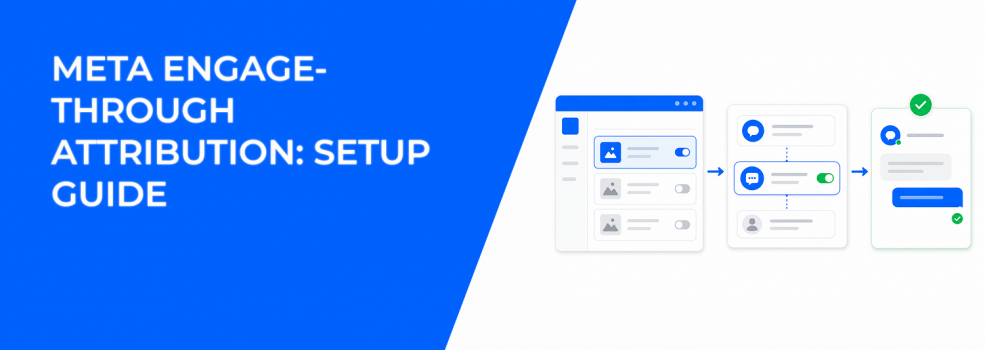
Meta describes engage-through as attribution for conversions after non-link ad engagement. For video ads, this includes a video play of at least five seconds, or 97% of the video when it is shorter than five seconds. Meta’s setup guidance also points advertisers to Engagement, Leads, or Sales objectives when creating these campaigns in Ads Manager.
For advertisers, the goal is not to make Meta numbers look better. The goal is to understand which ads create real demand, even when users do not click immediately.
What Engage-Through Attribution Measures in Meta Ads
Engage-through sits between click-through and view-through attribution.
A click-through conversion happens after someone clicks a destination link. A view-through conversion happens after someone sees an ad and converts later. Engage-through is different because the user does something with the ad, but not through the main link.
That action might be a save, reaction, comment, share, carousel interaction, or qualifying video view. Meta’s attribution documentation says engage-through actions include ad clicks that exclude link clicks. For video, it also includes a five-second play or 97% of a shorter video.
This matters because Ads Manager may show conversions that GA4 or Shopify does not credit the same way. The user interacted with the ad, but they may have converted through another path.
That gap can confuse reporting if everything gets treated as one blended CPA.
Why This Attribution Setting Changes How CPA and ROAS Look
Engage-through can make cost per result look stronger.
That does not always mean acquisition became cheaper. It means Meta is giving credit to more interaction paths.
For example, a B2B SaaS brand may run a short demo video. A prospect watches six seconds, keeps scrolling, then books a demo later that day. Engage-through can help explain why the ad mattered.
In e-commerce, the same thing can happen when a shopper saves a product ad. They may compare prices, return later, and purchase without clicking the original ad.
The risk is over-crediting soft engagement. If reported CPA drops inside Meta but qualified leads, purchase value, or ROAS outside Meta do not move, the campaign may not be improving.
Check the attribution split before scaling.
If engage-through conversions rise while link clicks, landing page views, and checkout events stay flat, the ad may be building attention instead of direct buying intent.
How to Set Up Engage-Through in Ads Manager
Engage-through works best when the campaign has clean tracking and a clear conversion goal.
Before launch, check these four items:
- Use a supported campaign objective. Start with Engagement, Leads, or Sales, depending on the action you want Meta to optimize toward.
- Confirm the conversion event. A purchase, lead, or appointment event should match the actual business outcome.
- Check Pixel and Conversions API coverage. Missing events make attribution harder to trust, especially when browser tracking drops data.
- Use creative that earns attention quickly. If the opening five seconds are slow, the ad may not generate useful engage-through signals.
Then build the campaign in Ads Manager:
- Click Create in Ads Manager.
- Choose Engagement, Leads, or Sales.
- Select the right conversion location and event.
- Review the attribution setting at the ad set level.
- Use the available 1-day engage-through option when it fits the campaign goal.
Do not change attribution settings, budget, and creative at the same time.
If CPA moves afterward, you will not know what caused the shift. You may also trigger a learning phase reset, which can make the next few days of results noisy.
How to Read Engage-Through Results Without Inflating Performance
Start with the attribution breakdown.
If click-through conversions are growing, CPC is stable, and landing page views are rising, your destination path is probably working. The ad is driving people through the funnel directly.
If engage-through conversions grow while link clicks stay flat, the creative may be creating attention first. That can still be useful, especially for mid-funnel video, product demos, or high-ticket offers.
But the lead quality check matters.
A lead counted after a short video interaction may not have the same intent as someone who clicked, read the offer page, and submitted a form. For B2B teams, compare both groups in the CRM.
Look at contact rate, booked calls, show-up rate, and sales-qualified lead rate. If engage-through leads fail there, the campaign is not ready to scale.
This is also where attribution context helps. Pair engage-through reporting with a clearer read on click-through and view-through conversions, so each conversion path gets judged correctly.
When Engage-Through Can Mislead Advertisers
Engage-through is useful, but it can hide weak direct-response signals.
This happens often in retargeting. A warm user may already be close to buying because of email, search, organic content, or previous website visits. If they react to a Meta ad before buying, Meta may claim influence.
That does not mean the ad created the sale.
Watch for these warning signs in Ads Manager:
- Reported CPA improves, but backend revenue stays flat. This suggests attribution credit changed faster than real business performance.
- Engage-through conversions dominate the results column. The campaign may be relying on soft interactions rather than strong purchase or lead intent.
- Spend shifts heavily into Reels or Stories. Short-form placements can produce fast engagement, but not always qualified conversions.
- Frequency rises in small warm audiences. Repeated exposure can increase attributed conversions while audience quality decays.
For lead generation, this risk is especially important. Cheap leads mean little if sales cannot contact them or qualify them.
Use engage-through as a signal, not as proof.
Why Better Audiences Make Engage-Through Data More Useful
Engage-through data depends on who is engaging.
If broad targeting sends spend toward low-intent users, the campaign can collect likes, saves, and video views without improving CAC. Ads Manager may show activity, but the sales funnel still gets weak prospects.
This is where audience quality becomes important.
LeadEnforce can help advertisers build more focused audiences from Facebook groups, Instagram followers, Instagram engagers, and social profile data. That gives Meta a cleaner starting point than generic broad targeting.
For example, a B2B advertiser could target people connected to niche professional communities. If those users watch a demo video and convert within the engage-through window, the signal is stronger.
It is not just “engagement.” It is engagement from people closer to the offer.
Use this logic when you use engagement data for smarter retargeting. Then improve the source audience by learning how to build high-performing custom audiences in LeadEnforce.
What to Monitor After Launch
The first few days should focus on signal quality, not just cost per result.
Look at the attribution split, placement performance, and lead quality together. One metric will not explain the whole campaign.
If CPM rises but engagement remains strong, the audience may still be valuable. If CPM stays stable but lead quality drops, the problem is likely targeting, offer clarity, or form friction.
For video campaigns, compare five-second plays with downstream actions. A strong early view rate means little if form submissions, add-to-cart events, or booked calls do not follow.
For retargeting, watch frequency closely. If frequency climbs while CPA looks stable, you may be paying to re-credit users who were already likely to convert.
Keep budget increases controlled until the pattern is clear.
Final Takeaway
Engage-through attribution helps you see when Meta ads influence conversions without direct link clicks.
That is useful for Reels, Stories, video demos, educational ads, and mid-funnel campaigns. It also helps explain why some ads affect revenue even when CPC and link clicks look average.
But it should not become your main scorecard.
Use engage-through alongside click-through data, CRM quality, purchase value, ROAS, and attribution comparisons. When those signals agree, you can make better scaling decisions with less wasted spend.