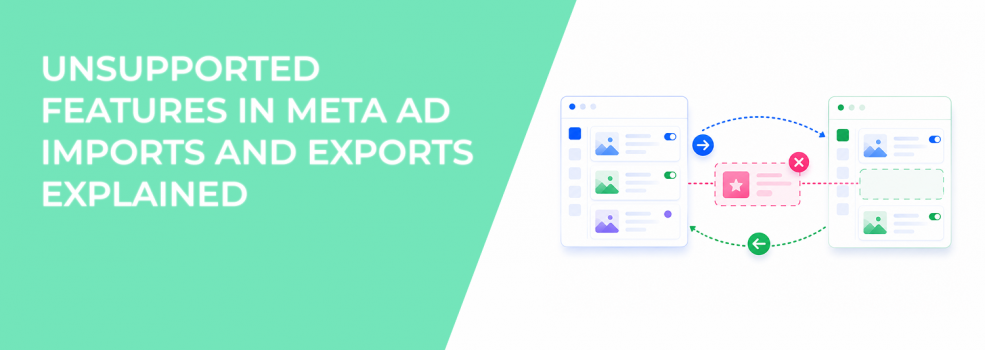
Most advertisers assume exported Meta campaigns behave the same way after re-import.
That is not always true.
Some campaign features partially break during exports. Others disappear completely. In more serious cases, imported drafts cannot even be published afterward. The dangerous part is that many advertisers do not notice the damage immediately.
The spreadsheet imports successfully. The campaign structure quietly changes underneath it. That can create real performance problems later:
- broken A/B tests;
- missing creative variations;
- removed offers;
- unstable placement behavior;
- draft errors that block publishing.
Understanding unsupported features matters more once campaigns become larger and more complex.
Why unsupported features create problems during imports
Meta’s export and import system does not fully support every campaign feature.
Some campaign settings transfer partially. Others are removed during import. A few combinations create drafts that cannot publish at all.
This becomes risky during large-scale campaign edits because advertisers often duplicate campaigns quickly without checking how Meta handled unsupported features afterward.
A common example looks like this: an advertiser exports a campaign using placement customization and multiple languages. The spreadsheet imports successfully, but the resulting draft contains errors that block publishing entirely.
Inside agencies, these problems often appear during:
- bulk creative refreshes;
- multilingual campaign duplication;
- regional scaling workflows;
- large reporting and editing cycles.
The import may technically succeed while important campaign functionality breaks silently.
Meta gives advertisers issue codes for a reason
When exported campaigns contain unsupported features, Meta adds extra columns to the spreadsheet:
- Export and import issue code;
- Export and import issue;
- Export and import issue details.
Many advertisers ignore these columns completely.
That is a mistake. The issue codes explain exactly which features will fail, be removed, or create publishing errors after import.
Rows without issue codes usually import safely. Rows with issue codes need review before re-importing.
Meta even recommends deleting rows containing issue codes before importing files again.
This is important because deleting only the issue-code column — instead of deleting the entire row — can create broken drafts that fail later inside Ads Manager.
Some features partially break instead of failing completely
The most dangerous unsupported features are often the partial failures.
The campaign imports successfully, but important functionality disappears quietly.
Meta specifically warns about several examples:
- A/B test campaigns lose testing setups.
- Ad sets with offers lose their offers.
- Branded content ads lose tagged partner Pages.
- Ads with more than 10 languages lose extra languages.
- Advantage+ creative ads lose extra text options.
These problems are easy to miss during large imports because the campaign still appears functional afterward.
The advertiser may not realize anything changed until delivery performance shifts later.
Unsupported imports can damage creative testing environments
Some unsupported features affect optimization directly.
For example, Meta notes that ads using multiple text options or dynamic creative variations may lose extra creative combinations after export and import.
That changes how Meta distributes impressions. Inside Ads Manager, advertisers may later notice:
- weaker creative rotation;
- less variation diversity;
- unstable CTR trends;
- faster creative fatigue.
These are optimization-level consequences, not simple spreadsheet issues.
This is one reason advertisers should carefully structure reliable A/B tests for paid traffic before using large export and import workflows.
Reservation campaigns and placement customization create the biggest risks
Some features are not partially supported at all. Meta specifically warns that these campaign types can create drafts with publishing errors:
- reservation campaigns;
- carousel ads with customized placements;
- ads using placement asset customization with multiple languages.
These drafts often import successfully but cannot publish afterward.
That creates wasted time during launches because advertisers may only discover the issue after rebuilding large campaign batches already.
Inside scaling teams, this becomes expensive during seasonal launches or high-volume campaign duplication periods.
Practical ways to avoid unsupported import problems
Most unsupported-feature problems become manageable once advertisers slow down and review imports carefully.
A few habits reduce risk significantly:
- Review issue-code columns before importing anything.
- Delete entire rows with unsupported features, not just the issue codes.
- Test imports using small batches before uploading large campaign sets.
- Check imported drafts carefully before publishing.
These steps help advertisers catch structural damage early before campaigns go live.
Most import problems become expensive only after advertisers ignore Meta’s warnings.
Better campaign structure reduces unsupported-feature problems
Complex campaign systems usually create more unsupported-feature conflicts.
Advertisers running:
- multilingual campaigns;
- layered placement customizations;
- advanced dynamic creative systems;
- aggressive testing environments
are far more likely to encounter unsupported export behavior.
This is why advertisers should first learn how to import ads to Meta Ads Manager without causing delivery problems before scaling large spreadsheet workflows.
Simpler campaign structures usually create fewer import failures.
Better audience targeting makes import mistakes more expensive
LeadEnforce advertisers often use high-intent audiences built from Facebook groups, Instagram followers, engagers, and social profile data.
These audiences usually produce stronger conversion consistency than broad acquisition campaigns.
That makes structural campaign damage more noticeable.
A broken import may not hurt a broad audience immediately. High-intent segmented campaigns react much faster to unstable creative setups, missing offers, or damaged placement structures.
This is one reason unsupported imports become more dangerous as campaign precision increases.
Final takeaway
Unsupported Meta export and import features are not just technical inconveniences. They can quietly remove campaign functionality, damage optimization structures, and create drafts that fail after launch.
The biggest mistake advertisers make is assuming successful imports mean campaigns stayed unchanged.
Meta provides issue codes and warnings for a reason. Advertisers who review those warnings carefully usually avoid the hidden delivery and publishing problems that spreadsheet workflows often create.