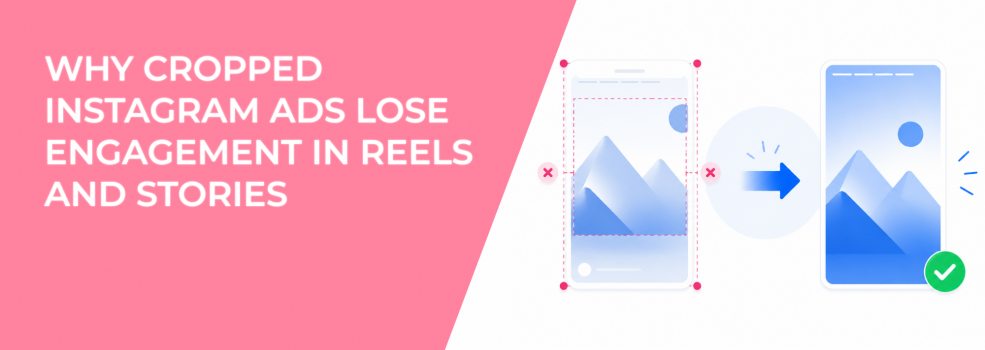
Instagram Reels and Stories give advertisers full-screen attention, but they also punish careless framing. A creative can look strong in the design file and still lose its hook once Instagram crops, masks, or overlays interface elements.
That is the real problem with cropped Instagram ads.
The ad may technically deliver, but the user does not see the full message. A headline can sit too close to the top. A product can be cut at the edge. A CTA can disappear behind native controls, captions, or profile elements.
When that happens, engagement drops before the audience has a fair chance to respond.
The problem: cropped Reels and Stories ads hide the parts users need first
Cropping hurts performance when it removes the visual cue that explains the ad. In Reels and Stories, the first second matters because users are already in a fast-swipe environment.
A cropped creative usually fails in one of three places: the hook, the product, or the action step. If the opening headline gets clipped, the user may not understand the promise. If the product is pushed outside the visible frame, the ad loses context. If the CTA sits too low, the next step becomes easy to miss.
This is different from using the wrong aspect ratio. The ratio may be correct, but the layout can still be unsafe.
For example, a 9:16 Story ad may use the right canvas size. But if the headline is placed at the very top, Instagram’s interface can make it harder to read. The ad is vertical, but the important elements are still in risky zones.
Why cropped creative weakens engagement signals
When users cannot understand the ad quickly, they do not pause to solve it. They swipe.
That behavior creates weaker engagement signals. Reels and Stories may still receive impressions, but the creative does not earn enough interaction from those impressions. Over time, that can affect CTR, CPC, video completion, and cost per result.
A cropped ad can create several campaign-level problems:
- Lower hook recognition: Users miss the first message because the headline, product, or visual contrast is partly hidden.
- Shorter video watch time: Viewers leave early when the frame feels confusing or visually incomplete.
- Weaker click intent: Users who click may have less context, which can reduce post-click conversion quality.
- Higher CPA: The campaign needs more impressions and clicks to generate the same number of qualified actions.
This often shows up as a placement-level gap. Feed may look acceptable, while Stories and Reels underperform. That does not always mean the audience dislikes vertical placements. It may mean the vertical version is losing information inside the frame.
The solution: design Reels and Stories ads around safe zones
The fix is to build the ad around safe zones before exporting it. Safe zones are the parts of the screen where key creative elements remain visible after platform overlays appear.
A safe-zone layout keeps the message away from the highest-risk edges. The goal is not to center everything. The goal is to protect the elements that drive understanding and action.
For Reels and Stories, the safest working area usually means keeping core information away from the very top and bottom of the frame. Profile details, captions, buttons, swipe controls, and other interface elements can compete with the creative.
A safer layout places the hook, product, and main proof point in the middle portion of the screen. The CTA can still appear lower in the frame, but it should not depend on the bottom edge to be understood.
This is where visual hierarchy in Instagram ads becomes a performance issue. The most important message needs to appear where the eye can catch it fast.
What to keep inside the protected area
A safe-zone workflow works best when the team decides which elements are essential. Not every detail deserves protected space.
For most Instagram Reels and Stories ads, protect these elements first:
- The opening hook: The user should understand the problem, offer, or product category without reading the caption.
- The product or service cue: The visual should make it clear what is being promoted.
- The proof point: A review, result, before-and-after cue, or demo moment should not sit near the edge.
- The action prompt: The CTA should be visible without fighting native controls or stickers.
A good Reels or Stories ad does not need to show everything. It needs to protect the part that makes the viewer stop and understand why the ad is relevant.
How to diagnose cropping problems before changing targeting
When Stories or Reels underperform, many advertisers adjust the audience first. That can waste time if the real issue is visual framing.
Check the creative before rebuilding the campaign:
- Preview the ad inside each placement. Do not judge the asset only from the editing canvas.
- Watch the first two seconds without sound. If the message is unclear, the frame is not doing enough work.
- Check the top and bottom edges. If the hook or CTA becomes weaker, the layout is too close to interface zones.
- Compare placement-level CTR and hold rate. If Reels or Stories lag while Feed performs better, crop may be the issue.
This prevents the wrong fix. A better audience will not solve a hidden CTA. A bigger budget will not repair a product shot that users cannot see clearly.
How to build a crop-safe creative workflow
The safest workflow starts with the final placement, not the original asset. If the ad will run in Stories or Reels, create the vertical layout first and place key elements inside protected areas.
Use the full screen for presence, but do not use the full screen for essential information.
Background motion can extend to the edges. Secondary visuals can sit near the outer frame. But the offer, product, testimonial, and CTA should remain in stable, readable zones.
Before launch, export the creative and review it on a phone. Desktop previews can hide mobile readability issues. A line of text that looks acceptable on a monitor can feel cramped on a mobile screen.
For lead campaigns, this is especially important when building Instagram Story ads that drive form submissions. The user should understand the reason to submit before reaching the form.
Why automatic cropping is risky for performance tests
Automatic cropping can be useful for simple visuals. It becomes risky when the ad relies on text overlays, product details, people, screenshots, or proof points.
The main issue is test contamination. If one placement gets a clean version and another gets a cropped version, you are no longer testing the same idea. You are testing different communication quality.
An advertiser may assume Reels does not work for the offer. In reality, the Reels version may have hidden the key benefit. Another team may assume Stories users are lower quality, when the Story layout simply buried the CTA.
That is why image cropping breaks ad performance across Meta placements. Cropping changes what users see, and what users see changes the signal the campaign collects.
Final takeaway
Cropped Instagram ads lose engagement because they remove the information users need to stop, understand, and act.
The core problem is that cropping hides the hook, product cue, proof point, or CTA inside fast-swipe placements.
The solution is to design Reels and Stories ads with safe zones from the start. Keep essential information inside protected areas, preview the ad on mobile, and diagnose placement-level performance before blaming the audience.