Accepting a Meta Business Portfolio invitation is usually treated as a quick administrative step. You get access, open Business Suite, and start working.
But this is one of the points where long-term campaign efficiency is either set up correctly — or quietly undermined.
Access defines how quickly you can act, what data you can rely on, and how clean your workflow will be. If those pieces are misaligned at the moment you join, performance issues later are often a symptom of that initial setup.
What You’re Actually Joining
A business portfolio is not just a collection of assets. It’s the structure that connects everything inside Meta:
-
Pages and Instagram accounts,
-
ad accounts and audiences,
-
people and their permissions,
-
billing and operational control.
When you accept an invitation, you’re attaching your identity to that system.
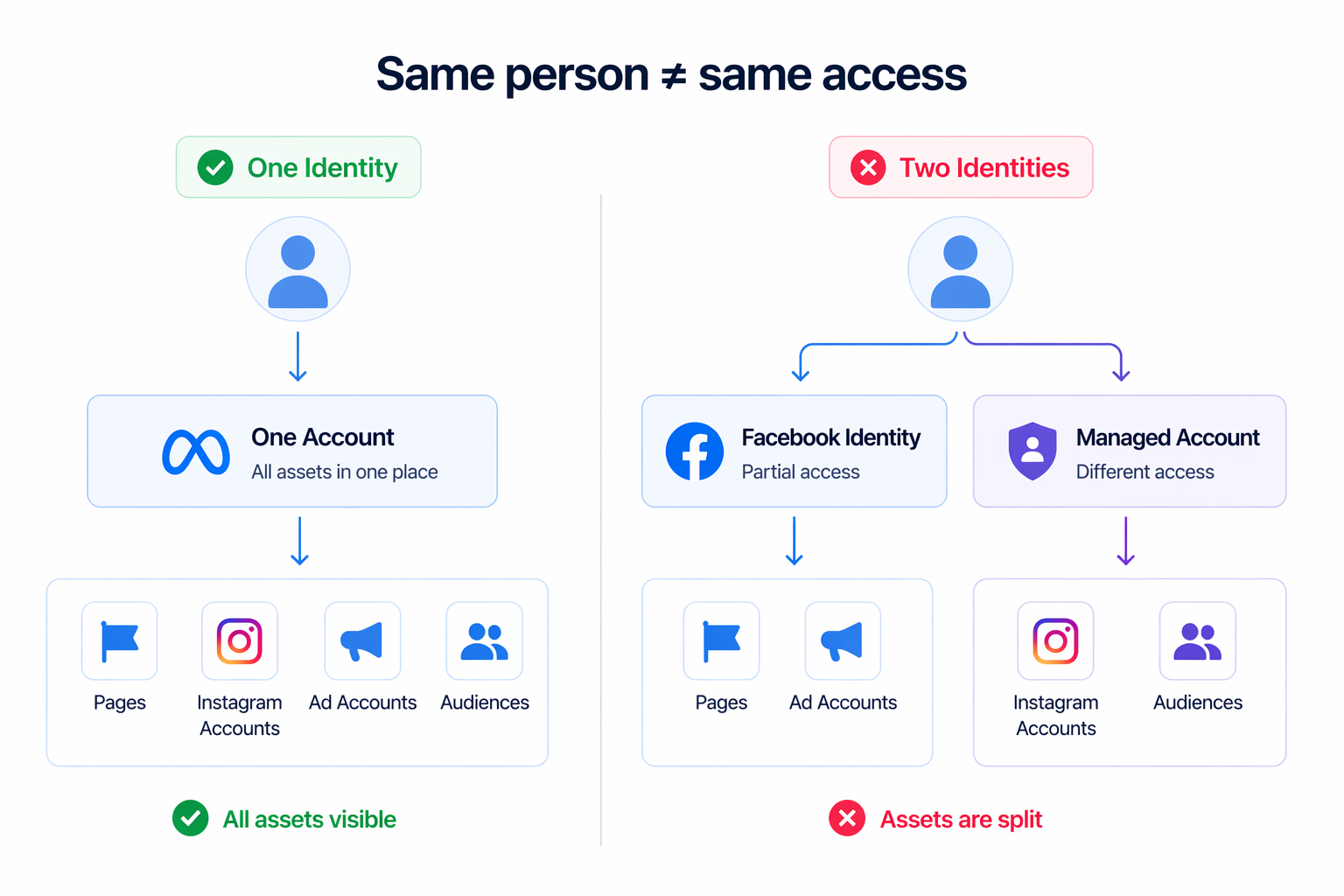
That identity matters. You might join using:
-
a Facebook account,
-
an Instagram account,
-
or a managed Meta account created by your organisation.
From that moment on, everything you see and everything you can do depends on that combination of identity and permissions.
Why Identity Choice Creates Hidden Problems
One of the most common issues appears when different login identities are used across portfolios.
If you access one portfolio with a Facebook account and another with a managed account, Meta treats them as separate profiles. That leads to fragmentation:
-
some assets appear under one profile but not the other,
-
permissions seem inconsistent,
-
switching between accounts becomes part of daily workflow.
This doesn’t look like a major issue at first. But over time, it slows down execution and increases the chance of mistakes — especially when working across multiple brands or clients.
For teams managing several accounts, this is closely related to broader operational issues described in how to stay organized when managing multiple ad accounts or brands.
Why This Affects Campaign Performance
Access structure directly impacts how campaigns are managed.
When everything is clear and aligned, optimization is fast and controlled. When it isn’t, friction builds into the system.
The most common effects are:
-
slower reaction to performance changes,
-
incomplete visibility into campaign data,
-
overlapping edits from multiple users,
-
dependency on others to make basic adjustments.
These are not technical limitations — they are structural ones. But they influence how efficiently campaigns run.
From a performance standpoint, delays and inconsistencies lead to wasted spend. Campaigns continue running underperforming setups longer than they should, and improvements take longer to implement.
Business Impact Over Time
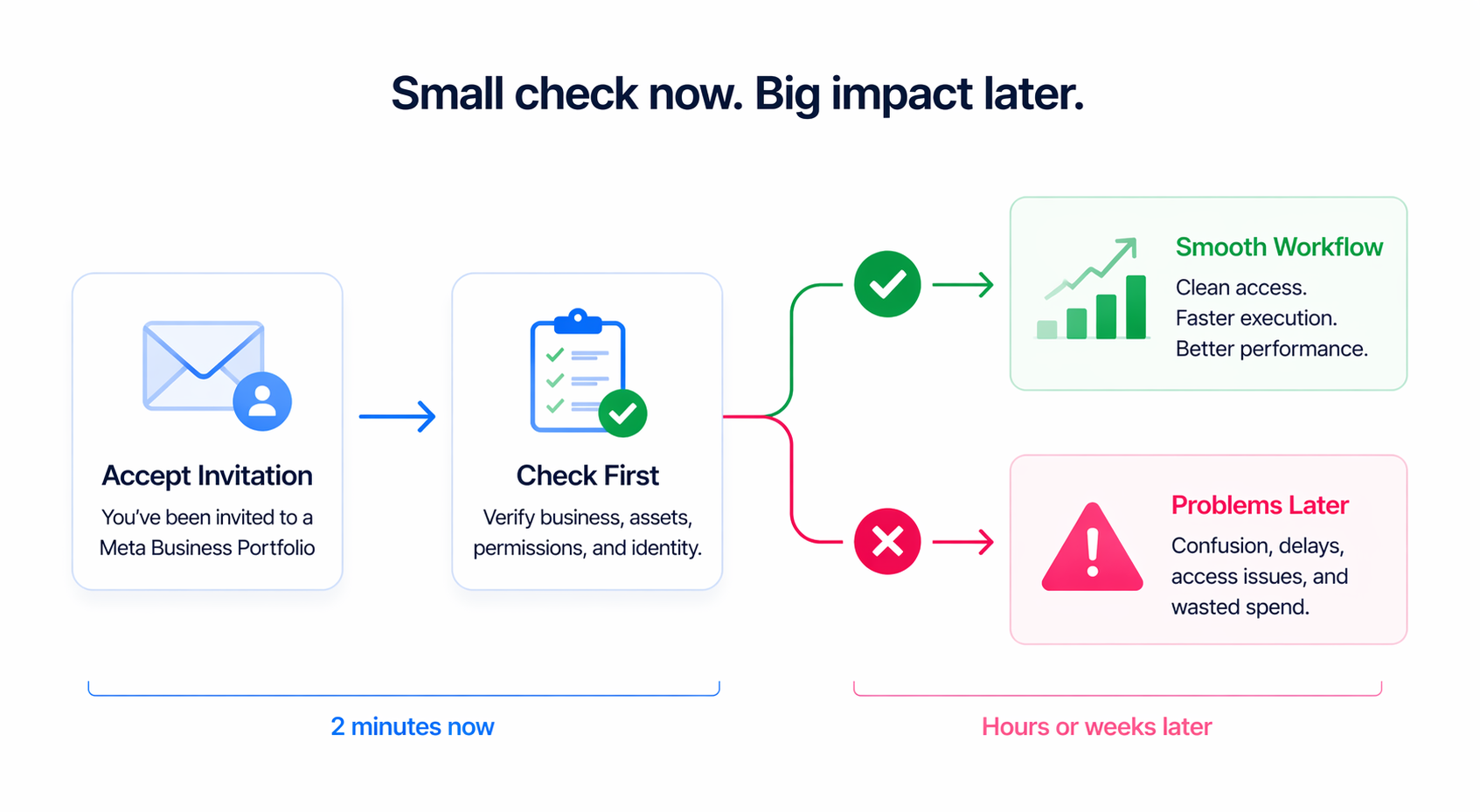
Access issues rarely cause immediate failures. Instead, they gradually reduce efficiency.
You may notice patterns like:
-
rising CPA because optimization is delayed,
-
inconsistent results across campaigns due to uncoordinated changes,
-
wasted impressions on audiences that should have been adjusted earlier,
-
slower scaling because decisions depend on access, not data.
This is the kind of hidden inefficiency that’s often misdiagnosed as a targeting or creative problem.
In reality, it’s closer to what’s described in the hidden costs of a messy ad account — structural issues that quietly reduce performance.
Where This Breaks Down in Real Scenarios
This problem shows up differently depending on how accounts are managed.
Agencies often run into it during onboarding. Invitations are accepted quickly, but roles are not defined clearly. Later, teams discover gaps in access or too many overlapping permissions.
Freelancers typically face the identity issue. Managing multiple portfolios with different login methods creates fragmented workflows and slows down execution.
In-house teams encounter it as they scale. New members are added without restructuring permissions, leading to confusion about who controls what.
Even smaller businesses are affected when using managed Meta accounts without understanding how they differ from personal logins.
What to Check Before Accepting the Invitation
Before accepting access, it’s worth pausing for a moment and verifying a few key details.
Make sure you understand:
-
which business is inviting you,
-
what assets are included,
-
what level of access you are being granted,
-
and which identity you are using to join.
If something feels unclear — especially the business name or asset list — it’s better to clarify first. Fixing access later is always more complicated.
Setting Up for Clean Campaign Operations
For access to support performance instead of limiting it, the structure needs to be intentional from the start.
That includes:
-
aligning permissions with actual responsibilities,
-
using a consistent login method across portfolios,
-
defining who owns campaign decisions,
-
limiting full control to a small number of users.
Without this, teams tend to work around the system instead of through it.
If you’re managing access for others, it’s also worth reviewing how to give access to Facebook Ads Manager step by step to avoid common setup mistakes.
Practical Recommendations
Treat accepting an invitation as part of your campaign setup — not just onboarding.
Use one identity consistently whenever possible. Confirm your permissions immediately after joining. Make sure you can access the data and controls you need before campaigns go live.
As your team grows, revisit access regularly. What works for a small team often becomes inefficient as more people get involved.
Final Takeaway
Accepting a Meta Business Portfolio invitation is not just a login step. It defines how you operate inside the account.
When identity, permissions, and responsibilities are aligned, campaign management becomes faster and more predictable. When they are not, even well-structured campaigns become harder to control.
Getting this step right early removes friction, improves decision-making speed, and protects your performance as you scale.