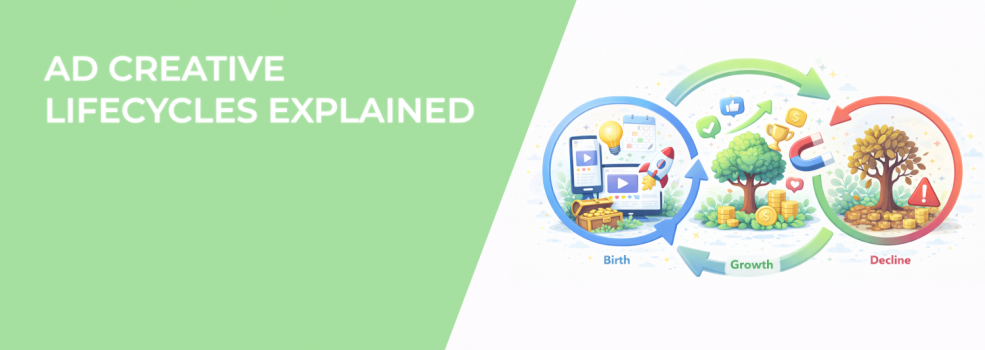
If you run Facebook or Instagram ads, your creative is doing more than just filling space. It’s the face of your campaign — and how people first experience your brand. But even the best creative doesn’t perform forever.
Every asset goes through a natural lifecycle. If you’re not tracking where it is in that cycle, you could be wasting money without realizing it.
In this article, we’ll walk through what that lifecycle looks like, how to identify each phase, and how to act before performance drops.
Why Creative Lifecycles Matter
Advertisers often focus on improving targeting or budgets when results slow down. But creative fatigue is a much more common cause — and harder to spot.
When you keep running the same visual or video for too long, the algorithm starts to pull back. Users get bored. Costs go up. Engagement falls.
Here’s what usually happens as your creative ages:
-
CPMs rise as your ad loses relevance in the auction,
-
CTR drops because people have seen it too many times,
-
Conversions decline, even if you're spending the same amount.
The key is to notice these shifts early. By acting before your creative hits burnout, you protect your results — and your budget. For a deeper look at how to spot and fix this issue, check out The Truth About Ad Fatigue — and How to Avoid It.
The 4 Stages of an Ad Creative Lifecycle
Let’s break down the typical lifecycle most creatives go through. Whether it’s a static image, video, carousel, or Reels ad, the pattern is usually the same.
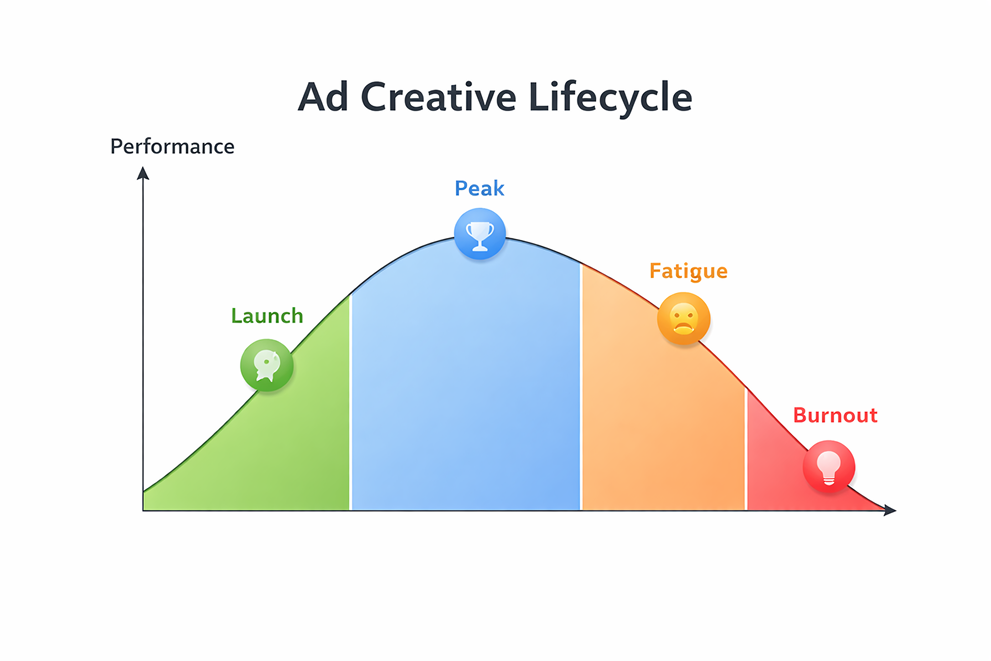
1. Launch Phase
This is the early stage when your creative first hits the feed. Meta’s algorithm gives it a “new content” boost, helping it get traction quickly.
During this short window, performance tends to look strong. You’ll likely see things like:
-
Higher-than-average CTR because the content is unfamiliar,
-
Lower CPMs as Meta tests your creative across the audience,
-
Quick early engagement like likes, saves, or shares.
Use this phase to test and compare versions. For ideas on how to do that without overspending, read Secrets Behind High-Performing Creative Testing Campaigns.
2. Peak Performance Phase
After the algorithm finds the best-fit audience for your creative, results tend to stabilize. This is the sweet spot — where you’re getting the most value.
Here’s how to tell your creative is in peak form:
-
Cost metrics stay stable, such as CTR, CPC, and ROAS,
-
Engagement remains strong and doesn’t drop off quickly,
-
You’re reaching the right audience with minimal waste.
This phase can last from a few days to a couple of weeks. If you’re going to increase your budget, this is the time to do it.
3. Fatigue Phase
Eventually, all creatives begin to lose steam. Your audience gets overexposed, and the algorithm reduces delivery efficiency.
The signs of fatigue usually show up in a few key ways:
-
CTR starts to fall, even though your targeting hasn’t changed,
-
CPM gradually rises, eating into your budget,
-
Engagement slows down, with fewer likes, comments, or clicks.
You’ll also want to monitor how fast this happens. If your ad stops performing after two weeks, this article explains why — and what to do next.
4. Burnout Phase
Once a creative reaches burnout, it's no longer helping your campaign. The algorithm limits delivery, and performance drops sharply.
At this point, the best move is to take clear action:
-
Pause or replace the ad with a fresh variation,
-
Analyze performance history to learn what worked,
-
Plan your next round of testing to keep momentum going.
You don’t want to reach this phase if you can help it. A good rotation system helps you refresh creatives before burnout takes hold.
How Long Can a Creative Stay Effective?
The lifespan of a creative depends on several factors. There’s no universal answer, but you can make more accurate predictions by considering a few things.
The most important variables include:
-
Audience size — Larger audiences slow fatigue because the same people don’t see your ad as often.
-
Ad frequency — When users see the same creative more than three times, performance often starts to dip.
-
Creative format — Static images usually fatigue faster than videos or native-style content like UGC.
As a rule of thumb:
-
Static image ads tend to hold up for 5–10 days.
-
Video ads can last 10–21 days depending on how engaging they are.
-
UGC or Story/Reel formats may stretch even further, especially if they blend into the feed.
The best way to track this is to monitor frequency, CTR, and performance together — not in isolation.
How to Keep Creative Performing Longer
You don’t always need a brand-new concept. Sometimes, small updates can keep a great creative going without the effort of a full rebuild.
Here are a few easy ways to extend the lifespan of your creative assets.
Make Visual Tweaks
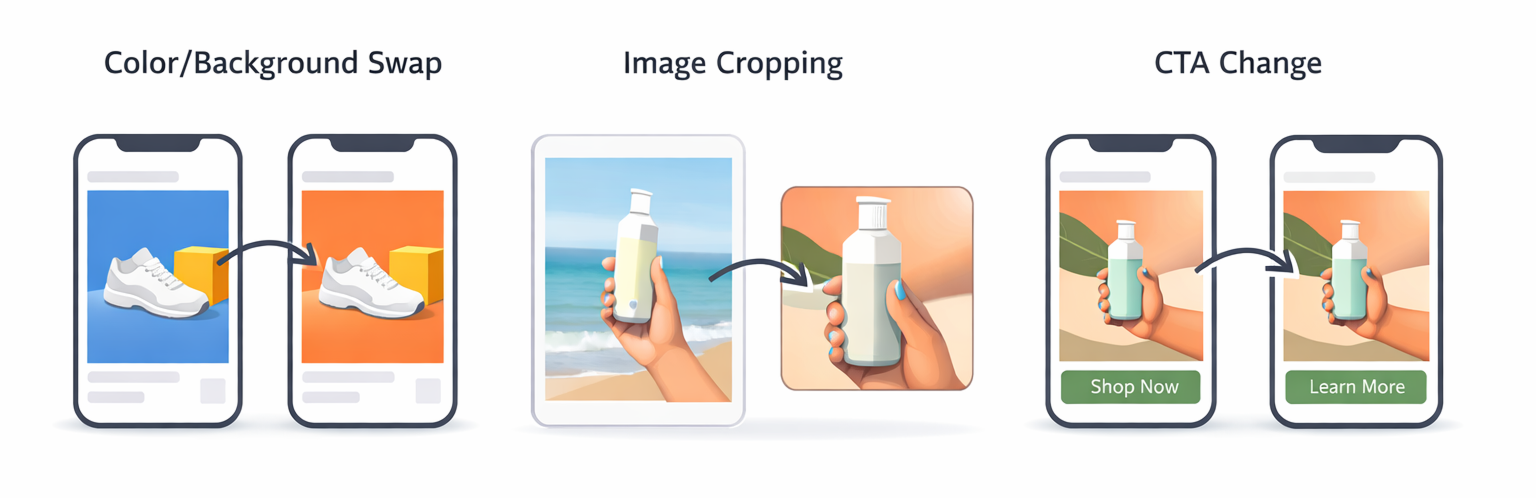
Instead of creating something entirely new, try updating small parts of your visuals. For example:
-
Switch color backgrounds to create a fresh look,
-
Crop or resize visuals to fit different placements (square vs. vertical),
-
Show a different product angle or use alternate lifestyle photos.
You can also reuse existing assets across multiple placements. Here's a guide on how to repurpose one creative across five formats — it can save time and keep things fresh.
Update the Messaging
Text and tone matter just as much as visuals. Adjusting headlines or CTAs can keep the message sharp.
Try these ideas:
-
Use new copy that speaks to a different benefit,
-
Test different CTAs (like “Shop Now” vs. “See Why It Works”),
-
Shift the tone slightly — more urgent, more relaxed, or more informative depending on the audience.
Even small copy changes can give your audience a reason to stop and re-engage.
Use Audience Rotation
Reusing the same creative across new audiences is another way to reduce fatigue.
For example, you can:
-
Show one creative to cold audiences and another to warm retargeting groups,
-
Alternate creatives by location or demographic,
-
Use performance-based segmentation to match creatives with high-intent users.
This way, the creative feels fresh without needing frequent redesigns.
When to Replace a Creative Entirely
At a certain point, updates won’t be enough. You’ll need to build a new creative — or risk continued drops in performance.
Here’s when it makes sense to start from scratch:
-
You’re launching a new product or seasonal campaign,
-
You’ve adjusted your offer or pricing,
-
You’ve already tried variations and they’re also fatiguing,
-
Your creative has been live for several weeks with no new engagement.
Look at your recent campaign data. If CTR is under 1%, frequency is above 4, and cost per result keeps rising — it’s time to refresh.
Creative Lifecycle Best Practices
Managing creative doesn’t need to be time-consuming. With the right structure in place, you can keep things moving smoothly.
Here are some practical tips to keep in mind.
Launch with Multiple Versions
Start every campaign with 3 to 5 creative variations. This gives Meta more options to optimize delivery and lets you compare performance early on.
For structure and testing frameworks that make this easier, see Secrets Behind High-Performing Creative Testing Campaigns.
Monitor Metrics Regularly
Use Meta’s Ads Manager or a custom dashboard to track performance. Focus on:
-
CTR,
-
Frequency,
-
CPM,
-
ROAS.
Look for trends, not just daily spikes. This helps you catch fatigue before it cuts into results.
Build a Creative Library
Save your top-performing creatives in a shared folder or asset manager. Include different formats and tones:
-
Short-form videos,
-
Carousels,
-
Story ads,
-
Informational vs. promotional angles.
This is your go-to resource when you need to rotate fast — or revive a campaign with something that already works.
Final Thoughts
Ad creatives don’t last forever. They change, shift, and eventually wear out — just like anything else.
But when you understand the lifecycle, you don’t need to scramble. You can plan smarter, rotate faster, and spend your budget more efficiently.
Instead of waiting for performance to crash, get ahead of the curve. Build a creative process that matches how people really engage and you’ll keep your campaigns moving forward