Unclear Facebook Ads goals are one of the easiest ways to waste budget before a campaign has a fair chance to work.
The campaign may look normal. You choose a goal, add creative, define an audience, set a budget, and launch. That quick workflow is useful, and Meta’s own Page-ad lesson frames ad creation as a simple process that starts with choosing an ad type and goal, then adding creative, defining an audience, and setting budget.
The problem is that speed can hide weak strategy.
If the goal is “get more leads,” “increase sales,” “drive traffic,” or “grow awareness,” the campaign is not ready yet. Those phrases describe a direction, not a measurable performance target. For agencies, SMB owners, B2B lead-generation teams, startup marketers, and affiliate advertisers, that difference matters because vague goals lead to vague setup, vague reporting, and vague decisions.
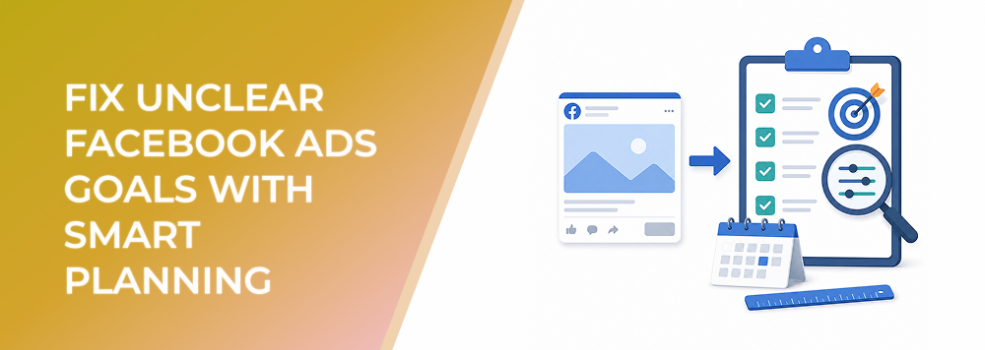
SMART planning fixes that by forcing the campaign goal to become specific, measurable, achievable, relevant, and time-bound before spend begins.
The Problem
The problem is not that advertisers forget to set goals.
Most campaigns have some kind of goal. The issue is that the goal is too unclear to guide campaign structure.
A vague goal sounds like:
“Get more leads.”
“Drive more website traffic.”
“Promote this offer.”
“Generate awareness.”
“See if Facebook Ads works.”
None of those statements tells the advertiser what success should look like. They do not define the target audience, desired action, acceptable cost, quality standard, or time frame.
A campaign built around “get more leads” could mean 500 low-cost form submissions, 30 qualified demo requests, 10 sales-accepted opportunities, or five booked calls with decision-makers. Those are completely different campaigns.
Without SMART planning, the campaign setup becomes a chain of guesses. The objective is guessed. The audience is guessed. The budget is guessed. The KPI is guessed. Then, when results arrive, the team has to guess whether the campaign worked.
Why This Problem Hurts Performance
Unclear goals hurt Facebook Ads performance because Meta optimizes toward the instruction it receives, not the business outcome the team hoped for later.
If the campaign is built for traffic, Meta can find people likely to click. If it is built for engagement, Meta can find people likely to react, comment, share, or interact. If it is built for leads, Meta can find people likely to submit information. Meta’s current objective categories include awareness, traffic, engagement, leads, app promotion, and sales.
But a platform action is not always the same as a business result.
Cheap clicks can raise traffic while conversion rate stays weak.
Low CPL can look efficient while the sales team rejects most leads.
High engagement can create social proof without producing buyers.
Broad reach can increase visibility without improving pipeline, ROAS, or CAC.
This is why unclear goals create reporting traps. Teams optimize toward the easiest number to improve instead of the result that matters most.
Common Scenarios Where This Happens
A founder boosts a product post because sales are slow, but the campaign is judged by clicks instead of purchases or profitable CPA.
A B2B marketer runs a lead campaign but does not define what counts as a qualified lead. The campaign produces form fills, but many contacts are students, vendors, job seekers, or companies outside the ICP.
An ecommerce team says the campaign goal is “more sales,” but nobody defines target ROAS, break-even CPA, minimum order value, or new-customer acquisition target.
An agency launches a campaign quickly for a client and chooses the closest Meta objective without agreeing on the reporting standard.
A local business runs ads for appointment requests but does not define the service area, response window, or acceptable cost per booked appointment.
In each case, the campaign may produce activity. The issue is that the activity does not map cleanly to business value.
Why the Problem Happens
Unclear goals usually happen because marketers start inside the ad platform instead of starting with the business question.
The setup screen asks for an objective, audience, budget, placements, creative, and destination. That makes campaign building feel tactical. But the strategic work should happen before setup.
Another cause is pressure to launch quickly. Fast testing is valuable, but only when the test is designed to answer a clear question. A vague campaign test usually produces vague data.
KPI confusion also plays a major role. CPC, CTR, CPL, impressions, reach, and engagement are useful diagnostic metrics, but they are not always success metrics. A campaign can improve a diagnostic metric while damaging CPA, CAC, ROAS, lead quality, or sales efficiency.
The final cause is weak audience definition. If the goal does not specify who the campaign should reach, the advertiser may target broad interests, generic lookalikes, or convenience audiences that do not match the real buyer.
The Solution
The solution is to turn every Facebook Ads goal into a SMART goal before launch.
A SMART goal should define:
Specific outcome.
Measurable KPI.
Achievable target.
Relevant business result.
Time-bound review window.
Here is the difference:
Vague goal: “Get more leads.”
SMART goal: “Generate 40 qualified demo requests from B2B SaaS companies with 50–500 employees at a cost per qualified demo request below €120 within 30 days.”
That goal gives the campaign a clear job. It defines the action, audience, cost threshold, quality standard, and time frame.
Make the goal specific
Start by naming the exact business result.
Do not stop at “traffic,” “leads,” “sales,” or “awareness.” Define the result behind the category.
For lead generation, that may be qualified demo requests, booked consultations, quote requests, webinar registrations, or sales-accepted opportunities.
For ecommerce, it may be first purchases, profitable purchases, bundle sales, repeat purchases, or purchases above a certain AOV.
For local businesses, it may be booked appointments, calls from the service area, completed consultations, or store visits.
Make the goal measurable
Choose one primary KPI and one quality metric.
The primary KPI might be CPA, cost per qualified lead, ROAS, cost per booked appointment, qualified lead rate, purchase conversion rate, or cost per sales opportunity.
The quality metric keeps the campaign honest. For example:
Lead campaign: qualified lead rate.
Traffic campaign: landing page conversion rate.
Sales campaign: ROAS or margin-adjusted CPA.
Message campaign: qualified conversation rate.
Awareness campaign: relevant reach and retargeting-pool growth.
Make the goal achievable
A SMART goal should be ambitious but not disconnected from budget, funnel stage, audience size, and historical performance.
If the account has never produced purchases from cold traffic, expecting profitable sales in the first few days may be unrealistic. If the audience is small, expecting high volume at low CPA may be unrealistic. If the offer is unproven, the first goal may need to focus on validation rather than scale.
Make the goal relevant
The campaign goal should connect to the business model.
A B2B company with a high-ticket offer should not optimize only for low-cost form fills. An ecommerce brand with thin margins should not judge success by purchase count alone. A local service company should not celebrate message volume if few chats become appointments.
The goal must support pipeline, revenue, ROAS, CAC, lead quality, booking volume, or another real business priority.
Make the goal time-bound
Define when the campaign will be reviewed.
A time-bound goal prevents emotional decision-making. Instead of reacting to every daily fluctuation, the team agrees on a review window.
For example:
Review after 7 days for early signal quality.
Review after 14 days for creative and audience direction.
Review after 30 days for CPA, ROAS, lead quality, or pipeline contribution.
The time frame should match the buying cycle. Ecommerce campaigns may generate faster feedback than B2B pipeline campaigns.
How LeadEnforce Helps
LeadEnforce helps when the SMART goal depends on reaching a specific, high-intent audience.
It does not replace goal strategy. It does not decide the KPI, fix weak tracking, improve landing pages, or guarantee conversion quality. Its role is narrower and more practical: helping advertisers build audiences that better match the “specific” and “relevant” parts of the SMART goal.
For example, if the SMART goal is to generate qualified demo requests from a defined B2B segment, LeadEnforce can support audience creation using LinkedIn-derived professional data such as job titles, industries, and companies.
If the campaign goal depends on reaching people already active in a niche community, LeadEnforce can help create audiences from Facebook groups related to that topic or problem.
If the campaign is built around ecommerce, creators, affiliate offers, or category demand, LeadEnforce can help advertisers build audiences from Instagram profiles, followers, or relevant engaged communities.
This is useful because a SMART goal is only as strong as the campaign inputs behind it. A clear KPI aimed at the wrong audience can still produce poor results.
Risks and Considerations
SMART planning will not rescue a weak offer.
If the value proposition is unclear, the creative is generic, or the landing page does not match the ad promise, a better goal will only make the problem easier to diagnose.
Do not make the audience so narrow that the campaign cannot deliver or learn. Specificity matters, but overly small audiences can raise frequency and limit useful testing.
Do not judge lead-generation campaigns only by CPL. Low-cost leads can still damage CAC if they do not become sales-accepted opportunities.
If using LeadEnforce, source quality matters. A Facebook group, Instagram profile, LinkedIn segment, or custom profile list should reflect likely buyer relevance, not superficial interest.
Prerequisites and Dependencies
Before using SMART planning, the advertiser needs a clear ICP, offer, campaign objective, funnel stage, budget range, and success metric.
Reliable conversion tracking or downstream reporting is also important. For lead generation, that means CRM feedback, sales acceptance data, booked-call tracking, or manual lead-quality review. For ecommerce, that means purchase value, ROAS, AOV, margin, and refund visibility.
If LeadEnforce is part of the workflow, the team also needs relevant source communities, profiles, professional segments, or custom social-profile data that align with the SMART goal.
Practical Recommendations
Write the SMART goal before opening Ads Manager.
Use one primary KPI per campaign.
Add one quality metric so the campaign cannot “win” on volume while losing on business value.
Map the Meta objective to the user action, not to a vague business wish.
Review performance only after the agreed time window unless spend is clearly moving in the wrong direction.
Use LeadEnforce when the SMART goal depends on reaching a specific ICP, niche community, competitor audience, professional segment, or high-intent social audience.
Final Takeaway
Unclear Facebook Ads goals create unclear campaign setup, unclear reporting, and unclear optimization decisions.
SMART planning fixes the problem by defining the outcome, audience, KPI, quality standard, and review window before budget starts moving.
To build more relevant audiences for your next SMART-goal Facebook Ads campaign, join the free 7-day LeadEnforce trial period.
Related LeadEnforce Articles
- How to Set Facebook Ads Goals Before You Spend Budget — Useful for building a pre-launch goal framework before campaign setup.
- Fix Facebook Ads That Launch Without a Clear Goal — Helps diagnose campaigns that started spending before the goal was properly defined.
- Match Facebook Ads Goals to Real Business Objectives — Shows how to connect campaign goals to business outcomes.
- Facebook Ads Goals: How to Connect Campaign Setup to Revenue and Pipeline — Explains how goal-setting should connect to pipeline, revenue, and business economics.