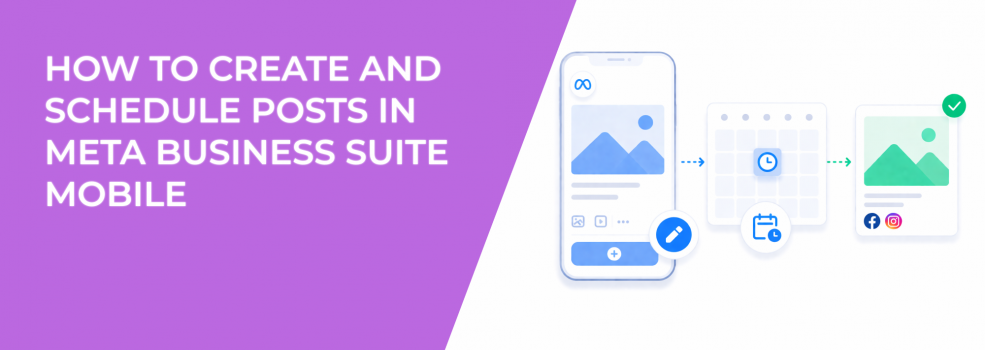
The Meta Business Suite mobile app makes it easy to create and schedule content from anywhere. You can write posts, add media, select placements, and choose whether to publish immediately or later.
That flexibility is useful for execution.
However, when mobile posting becomes unstructured, it introduces inconsistencies that affect both organic performance and paid campaigns.
Why mobile content creation often weakens performance signals
Mobile posting is usually reactive. Content is created when something is ready, not when conditions are optimal.
That affects how posts enter Meta’s distribution system.
The algorithm evaluates early engagement to decide whether to expand reach. If a post is published at the wrong time or with weak structure, engagement builds slowly. That limits distribution and reduces the quality of signals collected.
Over time, this leads to unstable performance.
You may see inconsistent engagement, fluctuating CTR when promoting posts, and rising CPA when scaling similar creatives.
What actually happens when you create a post on mobile
The mobile workflow is simple. You tap “Create post,” choose Facebook, Instagram, or both, add text or media, and decide whether to publish, schedule, or save as draft.
Despite the simplicity, several key decisions happen at this stage.
Meta evaluates:
- The content format, because video, images, and text perform differently across placements.
- The selected platforms, since Facebook and Instagram have different engagement patterns.
- The expected interaction type, based on how similar posts performed historically.
If these elements are misaligned, engagement signals become inconsistent.
For example, a post designed for Instagram Stories may perform poorly when published simultaneously to Facebook feed without adaptation. That mismatch affects how the system evaluates the content.
To handle cross-platform posting more effectively, it helps to recycle Instagram content for Facebook.
Scheduling posts on mobile requires consistency
The mobile app allows you to schedule posts for specific times. You can also use “Active times” to align with when your audience is most engaged.
The challenge is not scheduling itself. It is maintaining consistency.
When posts are scheduled randomly, each one enters a different environment. That makes it difficult to compare performance and identify what actually works.
A more structured approach improves results because it creates predictable engagement patterns.
To make scheduling effective, focus on:
- Using consistent time slots instead of scheduling based on convenience.
- Aligning posts with audience activity patterns rather than internal workflows.
- Keeping timing stable when testing different content variations.
If you need a deeper understanding of timing mechanics, review ad scheduling timing strategy.
How story scheduling behaves differently from feed posts
Stories follow a different consumption pattern compared to feed posts. They are short-lived, visual-first, and depend heavily on immediate engagement.
When scheduling stories through the mobile app, you select media, add overlays, and choose when they go live.
The timing impact still matters, but the signal pattern changes.
Stories typically show:
- Faster engagement cycles, with most interactions happening shortly after publishing.
- Higher variability, because creative quality plays a bigger role than timing alone.
- Stronger influence on awareness and recall rather than direct conversions.
If story scheduling is inconsistent, it becomes difficult to identify which formats drive meaningful engagement.
This is especially relevant when stories are used to support campaigns or warm up audiences before paid promotion.
Why mobile scheduling affects paid campaign stability
Organic posts often become inputs for ads. When those posts are created and scheduled inconsistently, their engagement signals vary.
That variation carries into paid campaigns.
You will often observe:
- Stable performance when posts follow consistent timing and generate predictable engagement.
- Higher CPM and CPA when posts are scheduled irregularly and lack strong early signals.
- Difficulty scaling campaigns because results are not repeatable.
These fluctuations are often misunderstood as creative issues.
In reality, timing variability plays a major role.
For a deeper explanation of why results change, review why Facebook ads performance fluctuates daily.
Where LeadEnforce improves the workflow
Mobile scheduling controls when content is published.
It does not control who engages with it.
LeadEnforce improves campaign inputs by building audiences from high-intent sources such as Facebook groups, Instagram engagement, and behavioral data.
This allows advertisers to rely less on perfect timing and more on precise targeting.
Even if mobile scheduling introduces variability, stronger audience signals help stabilize performance.
Practical takeaway
Creating and scheduling posts in Meta Business Suite mobile is efficient, but it must be structured.
Use mobile as an execution tool, not a decision-making tool.
Define your posting schedule in advance, adapt content to each platform, and maintain consistency in timing.
When those elements are aligned, engagement signals become more reliable — and campaign performance becomes easier to scale.