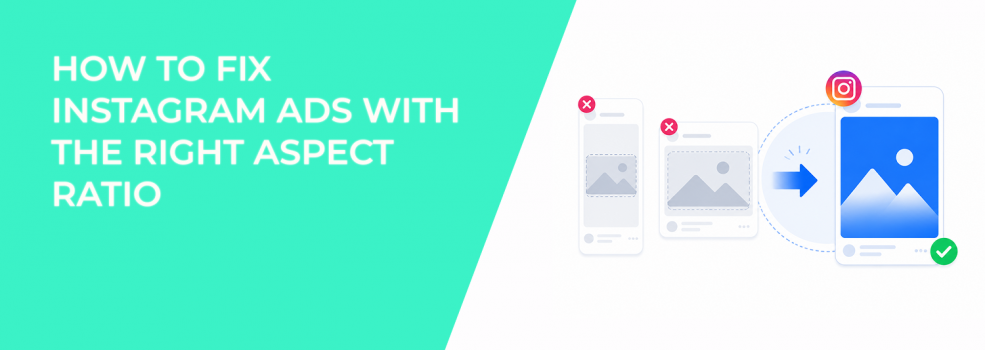
Instagram ads can lose performance before the campaign even starts. The offer may be strong, the targeting may be relevant, and the creative idea may make sense, but the asset can still feel wrong inside the placement.
Aspect ratio is often the reason.
When an ad is built in the wrong shape, Instagram has to fit it into a placement that was not designed for that layout. The result is usually wasted space, awkward cropping, smaller product visibility, or a weaker first impression. In performance campaigns, that can affect more than design quality. It can change how quickly users understand the ad, how much of the message they see, and whether they engage at all.
Meta’s own Instagram advertising guidance points advertisers toward improving creative for Instagram placements, and format is one of the first practical checks before launch. If the ad does not match how users view Instagram content, the campaign starts with avoidable friction.
The problem: wrong Instagram ad aspect ratios make the creative harder to read
A wrong aspect ratio does not always look broken inside Ads Manager. That is why this issue often gets missed during setup.
The asset may preview correctly in one placement, then perform poorly in another. A square video may look acceptable in Feed but feel too small in Stories. A horizontal asset may preserve the full image but leave too much blank space on a vertical screen. A vertical video may work well in Reels but lose important context when squeezed into Feed.
The issue is not only visual neatness. Aspect ratio changes the amount of screen space your ad earns.
In Instagram placements, screen coverage matters because users move quickly. A creative that fills the screen naturally has more room for the product, hook, proof, and CTA. A creative that appears small or boxed-in asks the viewer to do more work before they understand the message.
For example, a SaaS demo ad built in a 16:9 format may show the interface clearly on desktop. In Instagram Stories, that same asset can become a small rectangle in the middle of the screen. The user sees the ad, but the actual product view is too small to process fast.
That weakens engagement before copy or targeting even have a chance to work.
Why aspect ratio affects CPC, CPA, and conversion quality
Instagram ad performance is shaped by how users respond to the creative in the placement. When the format creates friction, engagement signals often weaken.
A poorly matched aspect ratio can affect campaign performance in several ways:
- Lower thumb-stop rate: The ad occupies less useful screen space, so users are less likely to notice the offer during fast scrolling.
- Weaker engagement rate: Users may skip because the visual hierarchy is unclear or the product is too small to understand.
- Higher CPC: If fewer users engage with the ad, the campaign may need more impressions to generate the same click volume.
- Higher CPA: Lower-quality clicks can increase acquisition costs when users click without fully understanding the offer.
This is especially painful in lead generation campaigns. A B2B advertiser may pay for clicks from users who only understood part of the message. The landing page then has to do extra work to explain what the ad failed to communicate.
For e-commerce brands, the impact is more immediate. If the product is too small in the frame, users may not recognize the category, use case, or offer fast enough. That can suppress click-through rate and add-to-cart volume.
For local service advertisers, a wrong ratio can hide the most persuasive detail. A remodeling company may show a strong before-and-after visual, but if the image is compressed into the wrong layout, the transformation loses impact.
The solution: choose the aspect ratio before designing the ad
The fix is not to resize the creative at the end. The fix is to decide where the ad will run before production starts.
A strong Instagram ad format starts with placement intent. You should know whether the asset is mainly built for Feed, Stories, Reels, Explore, or a mix of placements. That choice determines the shape of the creative, the position of key elements, and how much space the message can use.
For most Instagram campaigns, these ratios are the practical starting point:
- 9:16 for Stories and Reels: Use this when the ad needs to feel native in full-screen vertical placements.
- 4:5 for Feed: Use this when you want strong mobile screen coverage without relying on full-screen behavior.
- 1:1 for flexible Feed usage: Use this when the creative needs a simpler square layout, but avoid treating it as universal.
- 16:9 only when the concept truly needs width: Use this carefully, because it often underuses vertical mobile space.
The mistake is assuming one ratio can carry every placement equally well. It usually cannot.
If the campaign depends heavily on Instagram Stories or Reels, start with a 9:16 layout. Build the hook, product, and CTA inside that frame from the beginning. Do not create a horizontal video first and crop it later.
If the campaign depends on Feed, 4:5 often gives the ad more vertical presence than 1:1. It also keeps the layout more stable than forcing a full-screen concept into a feed environment.
For placement-specific execution, it is worth reviewing Instagram ad size requirements before creative production. That prevents the team from approving assets that look good in a design file but fail inside Instagram placements.
How to diagnose aspect ratio problems in live campaigns
You can usually spot format problems by comparing placement performance, not just total campaign results.
If Stories and Reels have high impressions but weak clicks, the creative may not be using the vertical frame well. If Feed performs better than Reels with the same message, the issue may be video structure or screen fit. If engagement looks weak across all Instagram placements, the asset may be too small, too crowded, or built around the wrong visual hierarchy.
Check these signals before changing the offer or audience:
- Placement breakdown: Look for gaps between Feed, Stories, Reels, and Explore performance.
- CTR by placement: A low CTR in full-screen placements can signal poor vertical formatting.
- Video hold rate: If users drop quickly, the opening frame may not work in that ratio.
- Preview accuracy: Review the ad inside each placement, not only in the main preview.
This matters because advertisers often blame targeting too early. A precise audience cannot fix a creative that is hard to read inside the placement.
Targeting and creative format need to work together.
How to build a ratio-first Instagram ad workflow
A cleaner workflow prevents the aspect ratio problem from happening again.
Start by assigning each ad concept to a primary placement. Then create the layout for that placement first. After that, adapt the concept into secondary ratios instead of forcing the original asset everywhere.
A practical workflow looks like this:
- Choose the primary placement before production. If the campaign is built for Reels, design in 9:16 first. If it is built for Feed, design in 4:5 first.
- Place the key message inside the most visible area. The hook, product, and CTA should be readable without relying on captions or extra context.
- Create separate ratio exports. Do not rely only on automatic cropping if the creative contains product shots, text overlays, dashboards, testimonials, or pricing.
- Preview each placement before launch. Check whether the ad still makes sense when viewed as a user would see it.
This also makes creative testing cleaner. If one ad uses the correct ratio and another does not, the test is no longer only about the message. It is also testing format quality.
For broader placement planning, use adapt one ad concept for different Instagram placements as a next step. The goal is not to redesign the entire campaign for every placement. The goal is to preserve the same idea while making it fit the user experience.
Real-world examples of aspect ratio mistakes
A wrong aspect ratio can hurt different businesses in different ways.
| Business type | Aspect ratio mistake | Performance problem | Better format decision |
|---|---|---|---|
| SaaS free trial campaign | 16:9 product demo used in Stories | Interface appears too small, lowering demo clarity | Rebuild the demo in 9:16 with one feature per scene |
| Local gym campaign | Square video reused in Reels | The trainer and offer occupy too little screen space | Use 9:16 with the movement centered vertically |
| E-commerce product ad | Horizontal product shot used in Feed | Product detail gets lost on mobile | Use 4:5 with the product filling more of the frame |
| B2B lead magnet ad | Text-heavy square graphic used everywhere | Copy becomes hard to read in vertical placements | Create separate 4:5 and 9:16 versions with fewer words |
The pattern is the same across these examples. The ad does not fail because the business is unappealing. It fails because the user cannot process the message quickly enough in the chosen placement.
What to avoid when resizing Instagram ads
Resizing should not mean stretching, padding, or cropping without judgment.
A common mistake is taking a finished creative and forcing it into every required size. This keeps production fast, but it often breaks the actual communication. Text moves too close to the edge. Product shots become smaller. Faces, screenshots, or CTAs fall into low-attention areas.
Avoid these fixes:
- Adding large blurred backgrounds just to fill vertical space.
- Cropping product visuals so tightly that context disappears.
- Keeping the same amount of text across every ratio.
- Assuming automatic placement previews catch every readability problem.
A better approach is to redesign the layout around the ratio. The asset should look intentional in each placement, not adapted as an afterthought.
This is especially important for mobile-friendly ad creative, where the user’s screen size, scroll speed, and attention span shape how the ad is judged.
Final takeaway
Instagram aspect ratio is not a design detail to check after the ad is finished. It is a performance variable that affects attention, engagement, CPC, and CPA.
The core problem is simple: the wrong ratio makes the ad harder to understand inside the placement.
The solution is to choose the placement first, design in the right ratio from the start, and preview each version before launch. When the ad fits the screen naturally, the message has a better chance to create real intent instead of wasted impressions.