Running Facebook or Instagram ads with AI is the norm now. But how do you know if it’s actually helping?
AI promises better targeting and smarter decisions. Still, you need to keep an eye on it. ou can’t assume it’s working just because it’s automated.
In this article, you’ll learn a clear, simple way to tell if your AI optimization is doing what it should.
Why You Shouldn’t Just Trust the Algorithm
Meta’s AI is powerful. It can process more data than you ever could. But it doesn’t always focus on what matters most to your business.
It might chase cheap clicks instead of real sales. Or it might over-deliver one ad just because it got early results.
You need to check in regularly — not just hope for the best. This is especially true as campaign settings and attribution logic change.
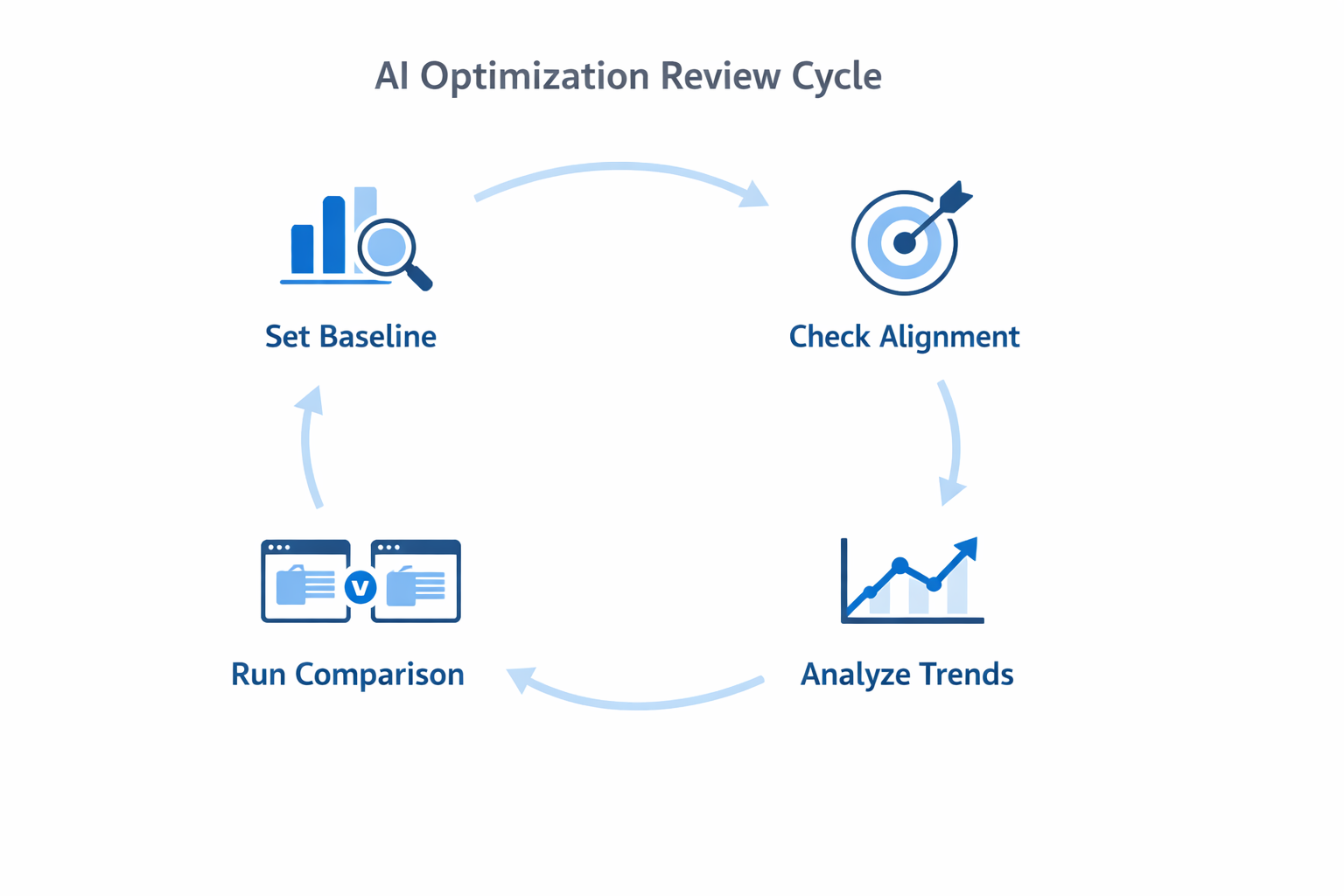
A 4-Step Framework to Check If AI Is Helping
Use this framework every week or two. It helps you catch problems early and make smarter choices.
1. Set a Clear Baseline Before You Start
Before turning on AI, you need to know what your numbers look like without it. Otherwise, you won’t know if things are getting better or worse.
Track these:
-
Cost per acquisition (CPA). What you usually pay for one sale or lead.
-
Click-through rate (CTR). A sign of how well people respond to your ads.
-
Return on ad spend (ROAS). How much you earn for every dollar spent.
-
Conversion speed. How long it takes for someone to buy or sign up.
Without this baseline, you’re guessing. And guessing makes it hard to improve anything.
2. Make Sure Your Optimization Matches Your Goal
Sometimes advertisers turn on AI, but the settings don’t match what they’re really after. This leads to good-looking numbers that don’t drive real results.
Here’s what to check:
-
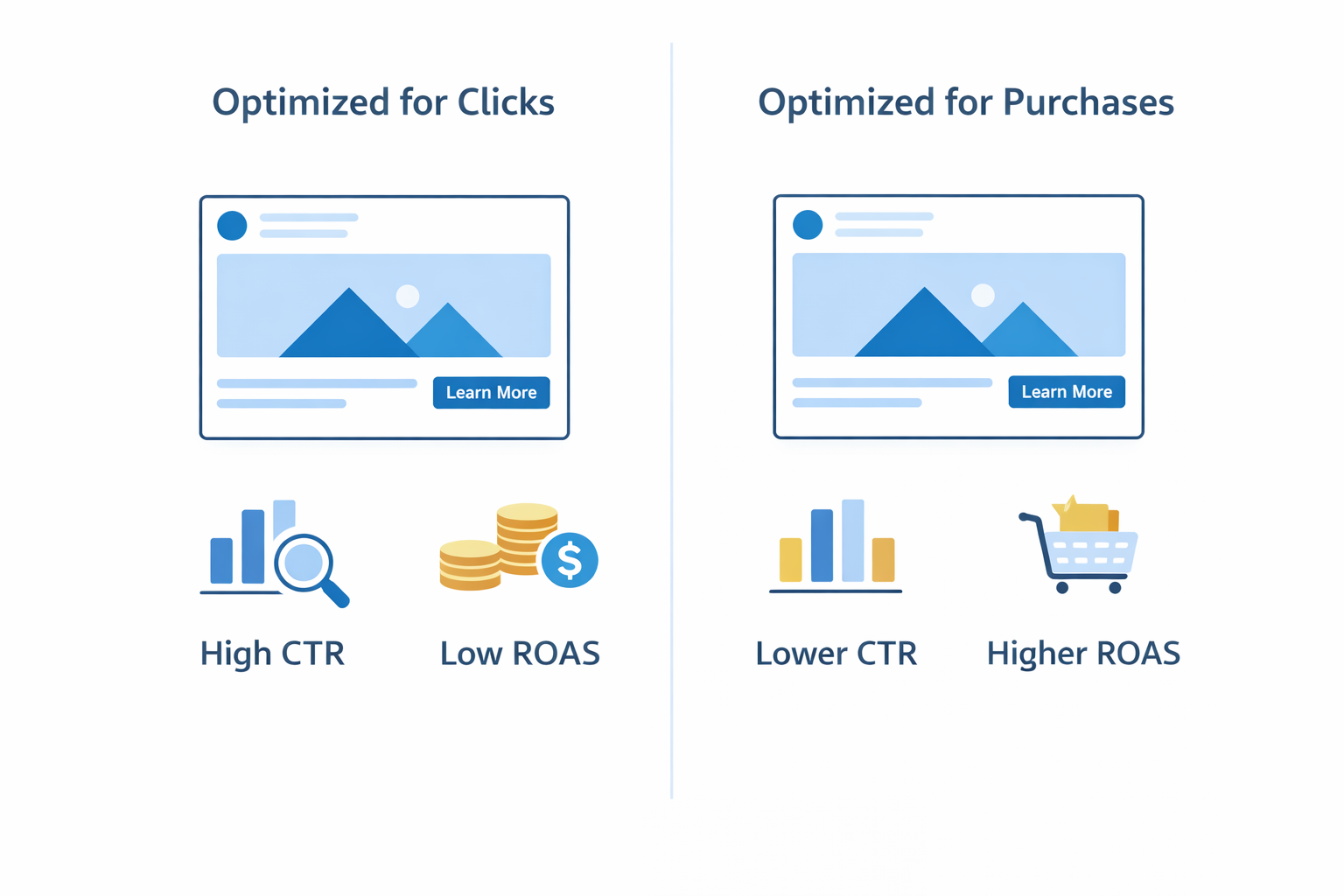
Optimization event. Are you telling Meta to optimize for purchases, not just clicks or page views?
-
Attribution window. Are you giving enough time for a conversion to be counted?
-
Budget settings. Is your budget focused on what’s working — or spread too thin across weak ads?
Many advertisers miss this step, which is why their AI setup fails. If that sounds familiar, see this guide to fixing underperforming ad strategies.
3. Don’t Focus on Daily Results — Look at the Trend
AI needs time and data to do its job. If you judge it day by day, you’ll make bad calls. Instead, zoom out and look at 7 to 14 day trends.
Here’s what to watch:
-
CPA and ROAS over time. Are they getting better or worse?
-
Ad delivery. Are you getting stable impressions — or strange spikes and drops?
-
Creative fatigue. Are the same ads being shown too often and getting worse results?
Look for patterns — not noise. It’s the trend that tells you if things are really working. And if your campaign seems stuck in the learning phase, here’s how to exit that phase faster without restarting everything.
4. Test AI vs. Manual Campaigns
One of the best ways to check if AI is helping is to compare it with a campaign you control. Run a manual ad set with the same audience and creative, then see how it performs next to the AI-driven one.
Compare things like:
-
Cost per result. Is AI giving you better results at the same or lower cost?
-
Creative rotation. Is AI favoring the best ads — or getting stuck on one?
-
Quality of conversions. Are the leads or customers from AI campaigns as strong as the manual ones?
This test is worth doing even if you're mostly automated. You may also want to read up on how to automate Facebook ads without sacrificing quality for additional context.
What to Do If AI Isn’t Helping
Sometimes, results flatline. Or costs go up while conversions drop. Here’s how to fix that without rebuilding everything.
Rethink Your Optimization Goal
If you’re telling Meta to optimize for clicks, but you care about purchases, you’ll get the wrong results. Choose the event that’s closest to your real goal — even if it brings in fewer conversions. Those conversions will matter more.
Clean Up Your Data Signals
AI relies on your data to make smart choices. Weak or broken tracking leads to bad decisions.
Make sure:
-
Your Meta Pixel is working properly and firing on key events.
-
You’re using Conversions API to improve tracking accuracy.
-
Your audience lists are clean — remove buyers from prospecting campaigns.
Simplify Your Campaign Structure
Too many ad sets, audiences, and goals create confusion. AI works best with clean, simple inputs. Consolidate where possible. Test variations inside one ad set instead of running ten that overlap.
How to Tell If AI Is Working
When your optimization is doing its job, you’ll notice a few clear signs:
-
Costs are going down or staying steady while results go up.
-
Top ads get more budget automatically.
-
You don’t need to tweak things every day.
-
Your best-performing ads get tested faster and scaled more efficiently.
You’ll also feel more confident that your system is learning and improving — not just spending.
Final Thought: AI Helps, but You Still Need to Think
AI is a great tool. But it still needs your input. It can test faster and adjust quicker — but only if you give it the right signals and check the results.
Don’t leave your strategy on autopilot. Use AI to support your goals, not replace your thinking.