The more campaigns you run, the harder Ads Manager becomes to navigate.
At first, finding a campaign is easy. Then the account grows. Old tests remain. Agencies add client variations. New audiences, creatives, objectives, and promotions pile up. Suddenly, the real problem is not campaign strategy. It is finding the right campaign before making the wrong decision.
Search and filters in Meta Ads Manager are not just convenience features. Used well, they help advertisers move faster, diagnose problems, and avoid costly mistakes.
What search and filters really solve
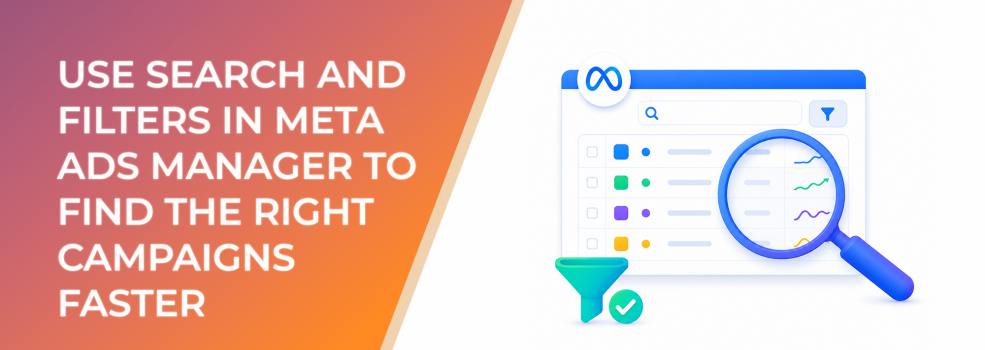
Search and filters help advertisers narrow the view inside Ads Manager.
That matters because campaign management often requires precision. You may need to find all active lead campaigns, isolate one product launch, review ads using a specific audience, compare campaigns from a certain date range, or identify ads with delivery issues.
Without filters, teams waste time scrolling. Worse, they may edit, pause, duplicate, or report on the wrong campaign.
Search and filters become especially valuable when the account uses consistent naming. If campaign names include objective, audience, market, offer, creative type, or client code, the search bar becomes a fast performance-management tool.
Business impact on CPC, CPA, CAC, ROAS, and budget efficiency
Search and filters do not directly lower CPC or CPA. They improve the decisions that affect those metrics.
When marketers can find the right campaigns quickly, they can spot waste faster, compare tests more accurately, and avoid accidental changes.
Better account navigation supports:
- Lower wasted spend by finding poor delivery or broken campaigns sooner.
- Better CPA decisions by filtering campaigns by objective, status, or date.
- Improved CAC analysis by comparing audience or offer segments.
- Stronger ROAS review by isolating sales campaigns from traffic or awareness tests.
- Faster optimization because teams spend less time searching and more time deciding.
- Lower operational risk because fewer wrong campaigns are edited or paused.
In busy accounts, organization becomes a performance advantage.
Typical scenarios where this applies
Agencies managing multiple clients
Agencies need fast ways to isolate clients, campaigns, markets, audiences, and status issues without mixing account data.
Growth teams running many tests
Startups and ecommerce teams often test several audiences, creatives, and offers at once. Filters help compare the right test groups.
B2B teams reviewing lead quality
Lead-gen teams may need to find campaigns by audience source, funnel stage, form, or offer to compare qualified pipeline.
SMBs cleaning up old campaigns
Small businesses often accumulate old boosts, experiments, and seasonal campaigns. Search and filters make cleanup safer.
Affiliate and freelance marketers
Marketers managing multiple offers need a reliable way to find active campaigns and avoid editing the wrong promotion.
Risks and considerations
The first risk is poor naming. Search only works well when campaign names are readable and consistent.
If campaigns are named “New campaign,” “Test 2,” or “Leads final final,” filters become less useful. The account may still function, but optimization becomes slower.
Another risk is over-filtering. A filtered view can hide important context. For example, viewing only active campaigns may exclude paused campaigns that explain spend history or testing decisions.
Bulk edits are also risky. Search and filters make it easier to select many items at once, which can save time but also increases the risk of pausing or editing the wrong ads.
Finally, filters can create reporting bias. If you compare only a narrow slice of campaigns, you may miss wider performance patterns.
Prerequisites and dependencies
To use search and filters effectively, advertisers need:
- A consistent naming convention.
- Clear campaign, ad set, and ad labels.
- A basic account structure.
- Date ranges aligned with the analysis window.
- Status awareness, including active, paused, learning, limited, or error states.
- Team rules for bulk edits.
- Documentation for audience, offer, and creative codes.
- A habit of clearing filters before switching tasks.
Search and filters are most powerful when account organization is intentional.
How LeadEnforce helps
LeadEnforce helps make account organization more useful by giving advertisers clearer audience inputs to label, filter, and compare.
When you build audiences from Facebook groups, Instagram profiles, followers, engagers, LinkedIn professional data, or custom social-profile data, those audience sources can become part of your campaign naming structure.
For example, a B2B campaign name might include a LinkedIn-based professional segment. An ecommerce campaign might include the Instagram profile source. An agency campaign might include a client code plus audience source.
That makes it easier to search and filter campaigns by audience hypothesis. Instead of asking, “Which campaign was that?” teams can quickly isolate the tests built around specific high-intent sources.
LeadEnforce improves audience relevance, but it also supports cleaner campaign management when teams name and track audience tests properly.
Practical recommendations
Build naming around how you search
Use campaign names that include the information you regularly need: objective, offer, audience source, market, date, and funnel stage.
Filter before optimizing
Before making decisions, filter by objective, delivery status, date range, and campaign type. Do not compare awareness tests with sales campaigns as if they have the same goal.
Use search to isolate audience tests
If audience source matters, include it in the campaign or ad set name. This makes it easier to compare LeadEnforce-built audiences, lookalikes, broad audiences, and retargeting pools.
Clear filters between tasks
Many reporting mistakes happen because an old filter remains active. Clear filters before moving from diagnosis to reporting or editing.
Avoid careless bulk edits
Before applying bulk changes, confirm the filtered list contains only the intended campaigns, ad sets, or ads.
Review paused and inactive campaigns too
Paused campaigns can explain historical spend, previous tests, and why certain audiences or creatives were abandoned.
Final takeaway
Search and filters in Meta Ads Manager help advertisers manage complexity.
They make it easier to find campaigns, isolate performance issues, compare tests, and avoid accidental edits. But they work best when the account uses clear naming and disciplined structure.
For busy advertisers, better organization is not cosmetic. It protects budget, speeds up optimization, and makes performance decisions easier to trust.
To build and label more relevant audience tests inside your Meta campaigns, join the free 7-day LeadEnforce trial period.
Related LeadEnforce Articles
- What Campaign Naming Conventions Actually Help You Optimize Faster — Shows how structured names make search and filtering more useful.
- Understanding Facebook Ad Statuses: Common Issues and How to Fix Them — Helps advertisers interpret filtered delivery and status views.
- Meta Campaigns Explained: How to Structure High-Performance Campaigns — Useful for building cleaner campaign structures before filtering and optimizing.
- The Ultimate Guide to Analyzing Your Facebook Competitors' Ad Campaigns — Relevant for advertisers using structured research and campaign organization to improve testing.