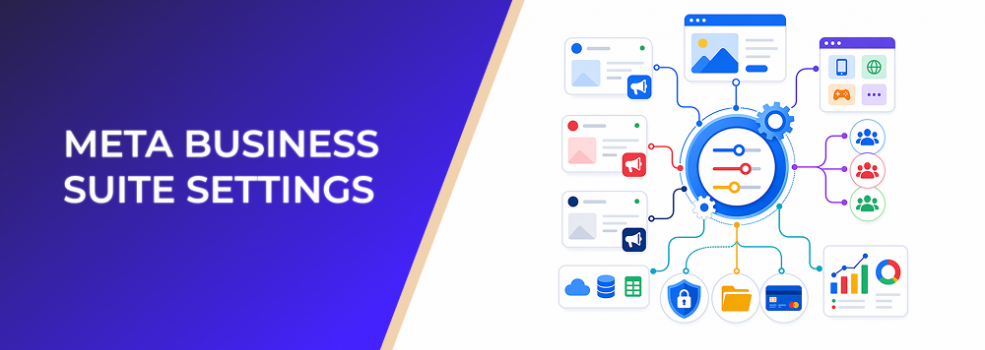
Meta Business Suite Settings often looks like an admin menu. For paid social teams, it is much more than that.
It is where access, assets, ad accounts, data sources, payments, security, requests, and business information come together. Meta describes Settings as the place where a business portfolio can add people and assign business assets, including users, accounts, data sources, payments, security center settings, requests, notifications, and business info.
For advertisers, that means Settings can either support fast campaign launches or quietly create bottlenecks that slow down testing, reporting, and scaling.
Why Meta Business Suite Settings matter for advertisers
Paid media performance is not only about creative, bidding, and landing pages. It also depends on whether the right assets are connected, the right people have access, and the right ad account can use the right audience.
When Settings are clean, a team can move quickly. A strategist can confirm the right Page. A media buyer can access the correct ad account. A growth marketer can use the right audience source. An agency can work without asking for shared passwords or emergency admin access.
When Settings are messy, campaign execution becomes fragile. A launch can stall because an Instagram account is not connected. A retargeting test can fail because the wrong data source is selected. A freelancer can accidentally get broader access than needed. A client can delay testing because nobody knows who controls the business portfolio.
This is why Meta Business Suite Settings should be treated as a paid-media operating layer, not just a back-office area.
What is happening inside Settings?
Settings is where the business controls the infrastructure around Meta advertising.
For performance marketers, the most important areas usually include:
People and partners
This determines who can work on campaigns, assets, Pages, Instagram accounts, ad accounts, and related tools.
Poor access control can slow down campaign builds. Overly broad access can create security and governance risk. Underpowered access can prevent media buyers from launching, editing, or reviewing campaigns.
Accounts and business assets
This includes assets such as Pages, ad accounts, Instagram accounts, business asset groups, commerce accounts, Meta Pixels, WhatsApp accounts, and other connected business tools. Meta’s Settings documentation lists accounts and data sources as core Settings areas.
For advertisers, this matters because campaign performance depends on using the correct asset combination. A Page, Instagram account, ad account, audience, and conversion signal should all support the same business objective.
Data sources and conversion signals
Settings may include access to data sources such as pixels, datasets, offline event sets, custom conversions, and shared audiences. These do not guarantee better performance on their own, but they influence the quality of optimization and reporting.
If the wrong people cannot access the right signals, campaign learning can become slower and troubleshooting becomes harder.
Payments, security, and requests
Billing issues can pause delivery. Security issues can restrict access. Pending requests can delay onboarding.
These are not “marketing strategy” issues, but they affect marketing execution directly.
Business impact
A poor Settings structure can affect performance in several practical ways.
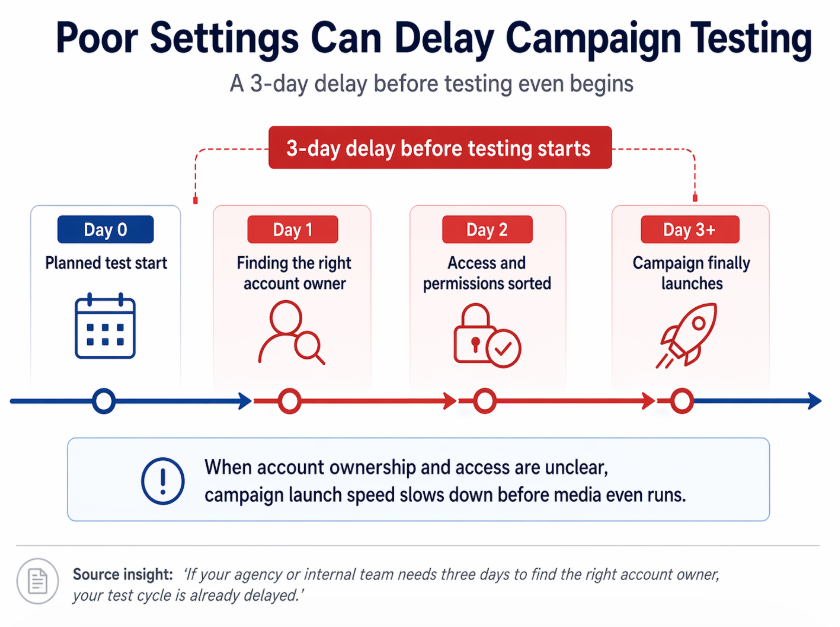
A messy Settings structure can delay testing by three days before a campaign even launches
First, it can slow down launch speed. If your agency or internal team needs three days to find the right account owner, your test cycle is already delayed.
Second, it can increase wasted spend. If campaigns are launched from the wrong ad account, Page, Instagram account, or data source, reporting can become fragmented. That makes it harder to compare CPC, CPA, CAC, ROAS, and lead quality accurately.
Third, it can weaken campaign learning. Meta’s optimization systems rely on campaign setup, conversion signals, and account history. If teams keep rebuilding campaigns because they cannot access the correct assets, they may interrupt learning and create unnecessary duplication.
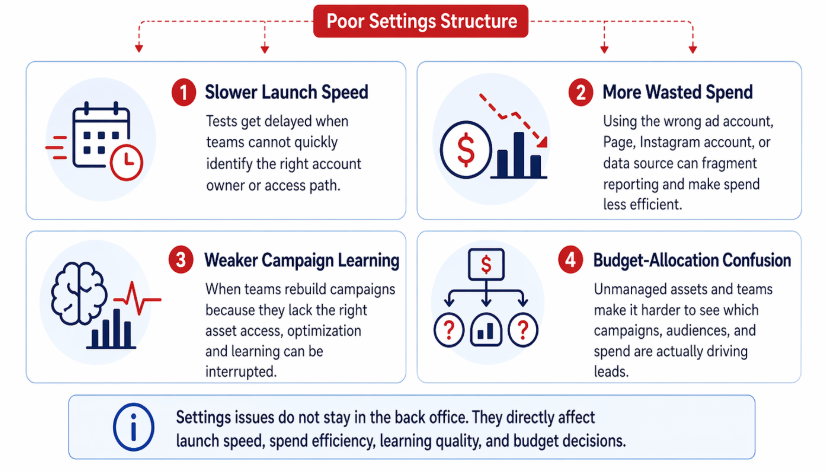
Poor Meta Business Suite Settings hurt performance in four ways: slower launches, more wasted spend, weaker learning, and less reliable budget allocation
Fourth, it can create budget-allocation confusion. If multiple ad accounts, Pages, or teams are unmanaged, marketers may not know which campaigns are driving leads, which audiences are being tested, or where spend is being wasted.
Typical scenarios where this applies
This issue appears often in practical paid social work.
- An agency takes over a client account and discovers that the founder, a previous freelancer, and a former agency all have different levels of access.
- A startup wants to test Meta Ads quickly, but its Page, Instagram account, ad account, and payment method are not organized under the same business portfolio.
- A B2B lead-generation team has a clear ICP but cannot connect its audience strategy to the correct ad account and conversion setup.
- An ecommerce brand runs campaigns across multiple product lines, but the team cannot tell which assets belong to which product, market, or region.
- A local business adds a contractor to run ads, but gives them broader access than required because nobody has reviewed Settings.
- An affiliate marketer or freelance media buyer wants to test multiple niche audiences but lacks a clean asset structure for separating campaigns, audiences, and results.
If the issue is not just general Settings but the way assets are grouped, read Business Asset Groups for Meta Ads: Organize Accounts So Campaign Testing Does Not Break. If the immediate problem is team or agency access, see Adding People to Business Asset Groups: Give Paid Media Teams Access Without Overexposing Assets.
Risks and considerations
Settings discipline does not guarantee performance.
Advertisers should still check whether the audience is relevant, the offer is strong, the landing page converts, and the campaign objective matches the business goal.
A clean Settings structure will not compensate for weak creative, unclear ICP, poor lead qualification, or low-quality conversion signals.
There is also a risk of over-organizing. If every minor test gets its own ad account, asset group, and naming system, the team may create more complexity than clarity.
Compliance matters too. Audience creation and campaign execution should respect platform rules, privacy expectations, and the advertiser’s own data-handling standards. LeadEnforce can help with audience relevance, but advertisers remain responsible for how they use audiences in campaigns.
Prerequisites and dependencies
Before this strategy works well, advertisers need a few basics in place.
They need a business portfolio with the correct Pages, ad accounts, Instagram accounts, and data sources. They need a clear ICP, clean campaign objectives, and reliable success metrics.
They also need enough budget to test properly. A well-organized account does not help if campaigns are underfunded, paused too quickly, or judged before enough signal is collected.
For LeadEnforce specifically, the advertiser should have relevant source communities, profiles, competitors, influencers, or social segments to research. Better inputs usually produce better audience hypotheses.
How LeadEnforce helps
LeadEnforce does not replace Meta Business Suite Settings. It does not fix permissions, billing, tracking, or account ownership.
Its value comes after the operating structure is clear.
Once your Meta assets are organized, LeadEnforce helps you improve the quality of the audiences you bring into paid campaigns. Instead of relying only on broad targeting or generic interest categories, advertisers can build more relevant audiences from Facebook groups, Instagram profiles, followers, engagers, and custom social-profile data.
That matters because a clean account structure only helps if the campaigns inside it are testing meaningful audiences.
For example, a B2B advertiser can use LeadEnforce to identify communities where target buyers already gather. An agency can build audience segments around competitor followers, niche Instagram profiles, or high-intent Facebook groups. A startup can test several ICP-based audiences without waiting for months of pixel data.
The practical workflow is simple: use Meta Business Suite Settings to keep assets, access, and data sources under control, then use LeadEnforce to improve audience relevance inside campaigns.
Practical recommendations
Start with an access audit. Identify who has full control, who has partial access, and who no longer needs access.
Then review your accounts and assets. Confirm which Page, Instagram account, ad account, data source, and payment method belong to each business line, client, or campaign objective.
Next, build a naming convention. Use names that make sense to a media buyer under pressure: brand, region, product line, market, or client.
Separate operational structure from campaign strategy. Do not create new assets just because you want to test a new audience. Use asset groups and campaign structure intentionally.
Finally, connect the Settings audit to your audience strategy. Once the correct accounts and assets are ready, use LeadEnforce to build sharper prospecting audiences from relevant social communities and profiles.
If your team cannot create a new ad account, do not treat that as the first solution. Review Can’t Create a New Meta Ad Account? Keep Testing Moving Without Multiplying Accounts before restructuring your entire campaign setup.
Final takeaway
Meta Business Suite Settings are not just admin hygiene. They affect launch speed, access control, audience execution, data quality, and budget allocation.
The stronger your Settings structure, the easier it becomes to test better audiences, reduce wasted impressions, and make paid social decisions with confidence.