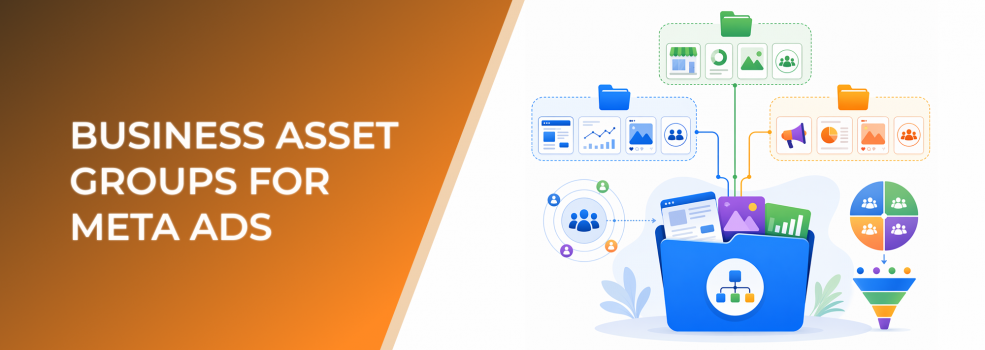
Business asset groups help advertisers bring order to messy Meta setups.
Meta describes a business asset group as a collection of business assets, such as Pages, ad accounts, and Instagram accounts, inside a business portfolio.
For paid social teams, this matters because campaign testing often fails for operational reasons before it fails for strategic reasons. Assets are scattered. People cannot find the right ad account. Agencies are given access one asset at a time. Brands and regions get mixed together. Reporting becomes harder than it needs to be.
A business asset group is not a performance tactic by itself. It is a structure that helps performance tactics run cleanly.
What business asset groups actually solve
Business asset groups are useful when one business portfolio contains multiple assets that need to be managed as a logical unit.
That unit might be a brand, a client, a region, a product line, a franchise location, or a business division.
Meta’s related guidance on creating business asset groups says they can be used to organize assets and assign them to people and partners, including by brand, line of business, region, agency, or another structure.
For advertisers, this helps answer practical questions:
- Which Page belongs to this ad account?
- Which Instagram account should this campaign run from?
- Which team members should work on this client?
- Which assets belong to the German market versus the US market?
- Which ad account is tied to this product line?
Without grouping, those answers often live in Slack messages, spreadsheets, old agency onboarding documents, or someone’s memory.
That is not scalable.
Why asset grouping affects campaign performance
Asset grouping does not directly reduce CPC or CPA. It affects the systems that make performance work possible.
If a campaign launches from the wrong Page or Instagram account, the creative context may be wrong. If a media buyer cannot access the correct ad account, testing slows down. If a team mixes assets from several brands, reporting becomes less reliable.
In paid social, speed and clarity matter. The faster a team can build, test, compare, and iterate, the faster it can identify which audiences, creatives, and offers deserve more budget.
Business asset groups support that speed by reducing operational ambiguity.
They also help agencies avoid repeated access requests. If a client’s assets are grouped properly, the agency can work within the correct scope instead of chasing separate permissions for every Page, account, and profile.
For broader context on the Settings layer behind this, see Meta Business Suite Settings: The Paid Social Control Layer Most Advertisers Ignore.
Business impact
Poor asset organization can create hidden performance costs.
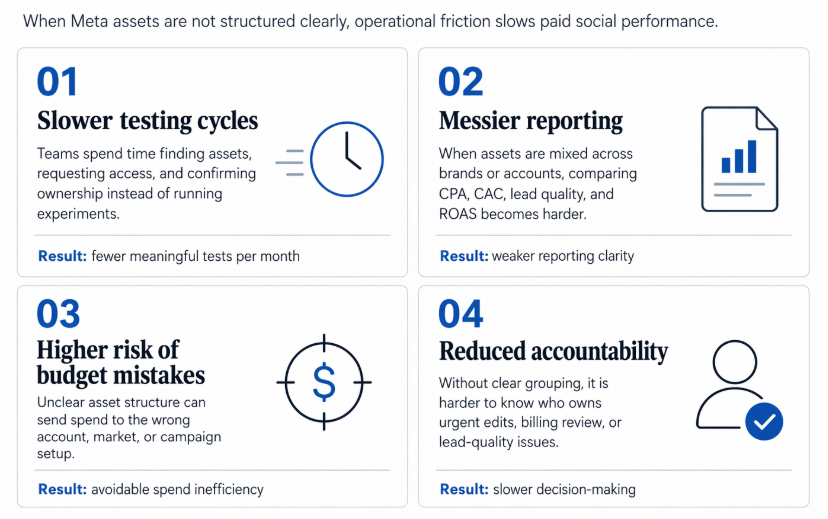
Poor asset organization creates four predictable operational costs: slower testing, weaker reporting clarity, greater budget risk, and less accountability
Slower testing cycles
When teams spend time finding assets, requesting access, or confirming ownership, they spend less time testing audiences and creative.
This can delay campaign learning and reduce the number of meaningful experiments a team can run each month.
Messier reporting
If assets are not grouped logically, campaign results can become difficult to interpret. One ad account may hold multiple brands. One brand may have campaigns across several ad accounts. One Instagram account may be used across unrelated tests.
That makes it harder to compare CPA, CAC, lead quality, and ROAS.
Higher risk of budget mistakes
When assets are unclear, budget can be allocated to the wrong account, wrong market, or wrong campaign structure.
For small businesses and startups, even modest misallocation can matter. For agencies, it can damage client trust.
Reduced accountability
Clear asset grouping makes it easier to know who owns what. That matters when campaigns need urgent edits, billing needs review, or lead quality drops.
Typical scenarios where business asset groups apply
Business asset groups are especially useful in multi-asset environments.
- An agency manages several clients inside separate business portfolios and wants each client’s Pages, ad accounts, Instagram profiles, and data sources organized cleanly.
- An ecommerce company runs multiple product lines and wants each line to have its own operating structure.
- A local service business manages several locations and wants location-specific Pages and ad accounts separated.
- A B2B company has different business units targeting different buyer personas and sales motions.
- A startup is launching into multiple regions and does not want early campaign tests to become tangled.
- An affiliate marketer tests several verticals and needs a clearer way to separate assets and access.
The goal is not to create more complexity. The goal is to make the structure match the way the business actually buys media.
Risks and considerations
Business asset groups can become counterproductive if they are created without a clear reason.
Too many groups can make the system harder to use. Too few groups can leave assets mixed together. The right structure depends on how the business manages budget, reporting, teams, and campaign objectives.
Advertisers should also check exact permissions before assuming that grouping automatically solves access management. Meta’s help snippets note that some permissions may need to be assigned individually, so marketers should verify what each person or partner can actually access before launching campaigns.
Asset grouping also does not fix weak strategy. If the audience is too broad, the offer is unclear, or the landing page does not convert, the campaign can still underperform.
LeadEnforce can help improve audience relevance, but it should be paired with strong creative, clear positioning, reliable conversion tracking, and disciplined budget management.
How LeadEnforce helps
LeadEnforce helps advertisers improve the audience side of this structure.
A business asset group tells you where campaigns and assets belong. LeadEnforce helps you decide who those campaigns should reach.
For example, an agency might create one asset group per client. Inside each client’s media plan, LeadEnforce can help build audience segments from relevant Facebook groups, Instagram followers, Instagram engagers, competitor profiles, and niche social communities.
A B2B advertiser might group assets by product line, then use LeadEnforce to build audience segments around communities where each product’s buyers are more likely to appear.
An ecommerce brand might group assets by region or category, then use LeadEnforce to test audiences based on local Instagram communities, competitor engagement, or category-specific groups.
This creates a practical connection between operational organization and audience quality.
Business asset groups keep the account structure clean. LeadEnforce helps make the audiences inside that structure more relevant.
Prerequisites and dependencies
Before business asset groups work well, advertisers need a business portfolio with the right assets already added.
They also need a clear organization model. Group by brand, client, product, region, or business unit only if that structure supports real campaign decisions.
A strong naming convention is important. Names should help a media buyer understand the purpose of the group without opening five different menus.
Teams also need clear access roles. Decide who needs campaign management, who needs reporting, who needs billing visibility, and who needs full control.
For LeadEnforce workflows, advertisers need relevant source communities or profiles. Asset groups organize campaigns, but audience strategy still depends on useful audience inputs.
Practical recommendations
Start by mapping your current assets. List Pages, Instagram accounts, ad accounts, data sources, and key users.
Then decide the grouping logic. Agencies usually benefit from client-based grouping. Multi-brand companies may group by brand. Regional teams may group by market. B2B teams may group by product line or business unit.
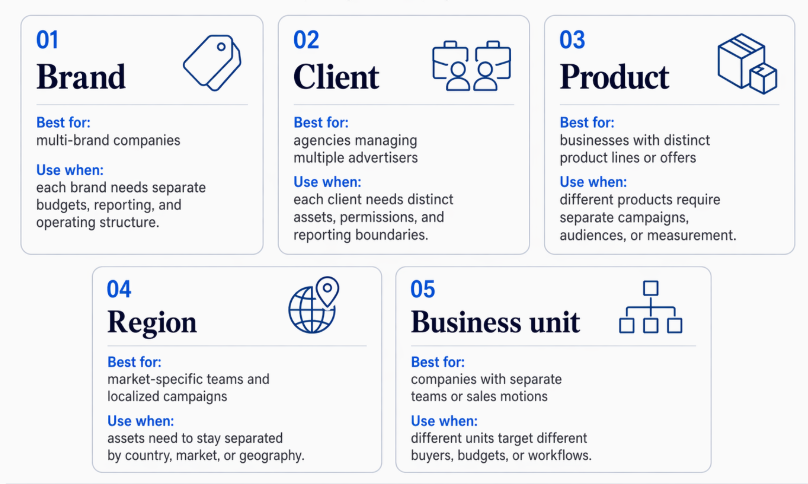
The best business asset group structure depends on how the business actually manages budgets, reporting, teams, and campaign decisions
Avoid using asset groups as a substitute for campaign naming. You still need campaign-level discipline.
Review access after creating or editing groups. If a person or partner can access more than they need, reduce the scope. If they cannot launch or report properly, adjust the permissions.
Use LeadEnforce audience segments in a way that matches your asset structure. For example, if an asset group is dedicated to a SaaS product for HR teams, build audiences from HR communities, relevant Instagram profiles, and competitor or category signals rather than generic business-interest targeting.
Once the groups are ready, the next step is controlled access. Read Adding People to Business Asset Groups: Give Paid Media Teams Access Without Overexposing Assets for a team-access workflow.
If you are creating asset groups because you cannot create another ad account, review Can’t Create a New Meta Ad Account? Keep Testing Moving Without Multiplying Accounts first. More accounts are not always the right answer.
Final takeaway
Business asset groups help paid social teams keep Meta assets organized around real business units, clients, regions, or brands.
That structure improves launch speed, reduces confusion, and makes audience testing easier to manage.
For best results, pair clean asset grouping with better audience inputs.
Start your free LeadEnforce trial today and see how sharper audience targeting can help turn a cleaner Meta account structure into better-performing campaigns.