Campaigns can run perfectly on the surface and still underperform. When that happens, the issue is often not targeting or creatives, but how your data is managed behind the scenes.
One of the most overlooked areas is dataset permissions in Meta Business Suite. If access is misconfigured, your campaigns may be working with incomplete or unusable data.
That directly affects optimization, audience quality, and overall return on ad spend.
What dataset permissions actually control
Datasets store event data collected from your website or app. This includes actions such as page views, add-to-cart events, and purchases.
Permissions define who can access this data and what they can do with it.
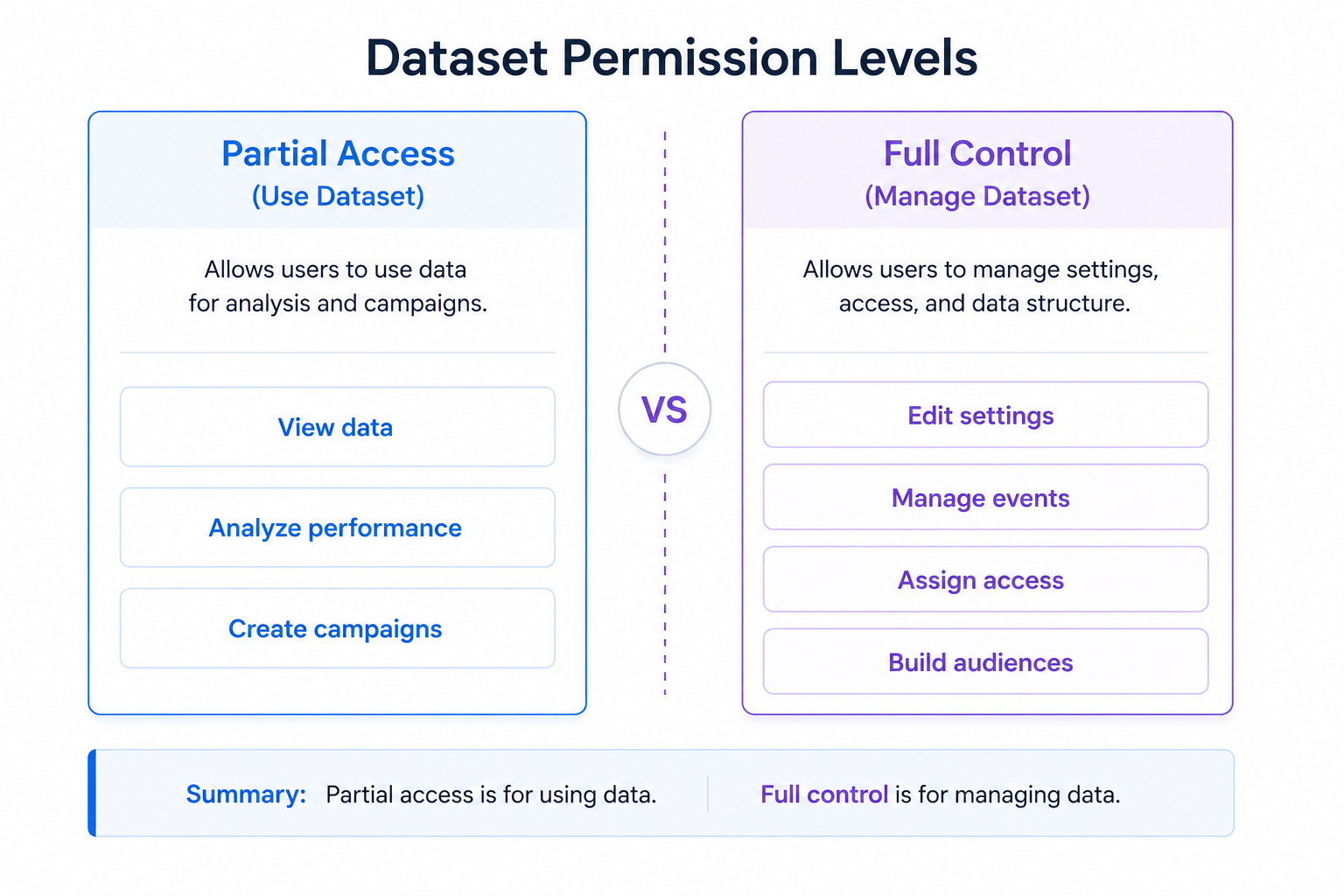
There are two main permission levels:
- Partial access (Use dataset). Allows users to view data, analyze performance, and create conversion campaigns.
- Full control (Manage dataset). Allows users to edit settings, manage events, assign access, and build audiences.
This distinction is important because it separates execution from control. One allows you to use the data, the other allows you to shape it.
Why dataset permissions affect campaign performance
Meta’s algorithm relies on event data to make decisions. If that data is incomplete or inaccessible, optimization becomes less effective.
When permissions are set correctly, your team can work with reliable signals. Campaigns can optimize toward meaningful actions, and audiences can be built based on real behavior.
When permissions are wrong, the system becomes limited. Campaigns may run, but they optimize on weak or partial data. This leads to inefficient delivery and inconsistent results.
To understand how this data is collected in the first place, it helps to review how Meta tracks user behavior with pixel data.
Without proper access to this data, even a correctly installed pixel becomes less useful.
Key dataset permission factors
A few elements determine whether your dataset setup supports performance or creates bottlenecks.
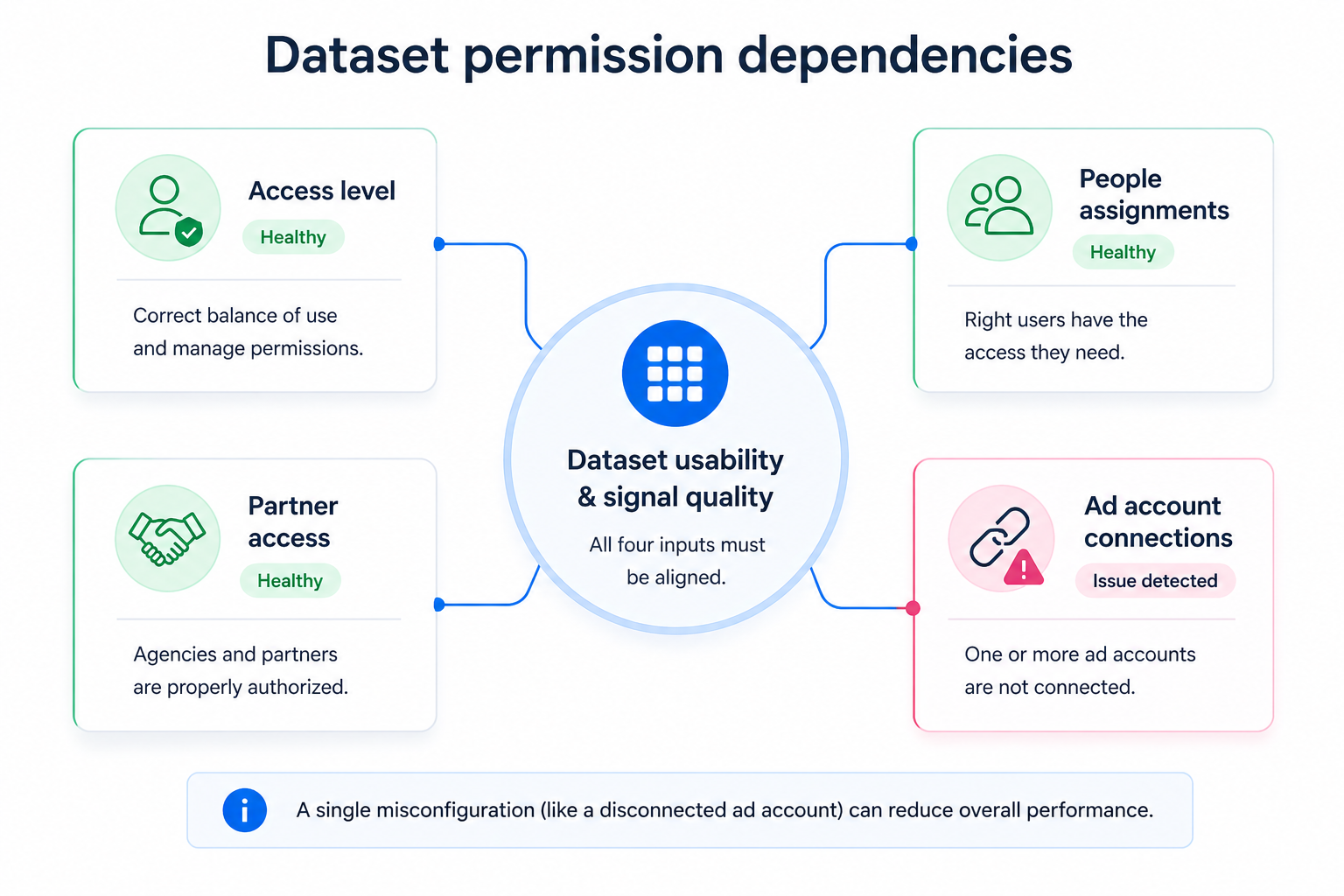
Key dataset permission factors:
- Access level. Decide who needs full control and who only needs usage access. Misalignment here limits efficiency.
- People assignments. Ensure internal team members have the permissions required to analyze and act on data.
- Partner access. Agencies need the right level of access to manage campaigns and fix issues.
- Ad account connections. Only connected ad accounts can use dataset signals for optimization.
If any of these elements are misconfigured, data flow becomes inconsistent.
Typical scenarios where this applies
Dataset permission problems tend to appear in real-world workflows.
- Agencies are given limited access, so they cannot fix tracking or build audiences properly.
- Internal teams only have partial access, which prevents them from managing data settings.
- Ad accounts are not connected to the dataset, so campaigns cannot use the data at all.
- Multiple partners have conflicting access, creating inconsistency in how data is managed.
These situations lead to slower optimization and reduced campaign efficiency.
Risks and considerations
Before changing permissions, it is important to assess potential risks.
Too many users with full control can lead to accidental changes or misconfigurations. Too little access can slow down campaign management and troubleshooting.
There is also a dependency on data quality. Permissions alone cannot fix poor tracking or weak signals.
Security should also be considered. Dataset access gives visibility into valuable business data, so it should be assigned carefully.
Prerequisites for effective dataset management
Dataset permissions only work when the foundation is solid.
Before managing dataset permissions, ensure:
- Your dataset is properly set up and collecting events.
- Your business portfolio has full control over the dataset.
- All relevant people and partners are added to your portfolio.
- Your ad accounts are connected to the dataset.
Without these elements, permission changes will not improve performance.
Practical recommendations for marketers
Dataset permissions should be part of your overall performance strategy.
Define clear roles from the beginning. Decide who needs full control and who only needs access to use the data.
Make sure agencies and internal teams have enough access to act quickly. Delays in fixing data issues can directly impact results.
Regularly audit connections between datasets and ad accounts. Misalignment here is one of the most common hidden issues.
Finally, remember that better data leads to better audiences. High-quality signals improve how Meta identifies and reaches potential customers.
Final takeaway
Dataset permissions are not just an administrative setting. They define how your data is used in campaigns.
When permissions are aligned, Meta can use accurate signals to optimize delivery and improve performance.
When permissions are misaligned, campaigns lose efficiency without obvious errors.
If your campaigns are not improving despite adjustments, check your dataset permissions. The issue may not be your strategy, but your access to data.