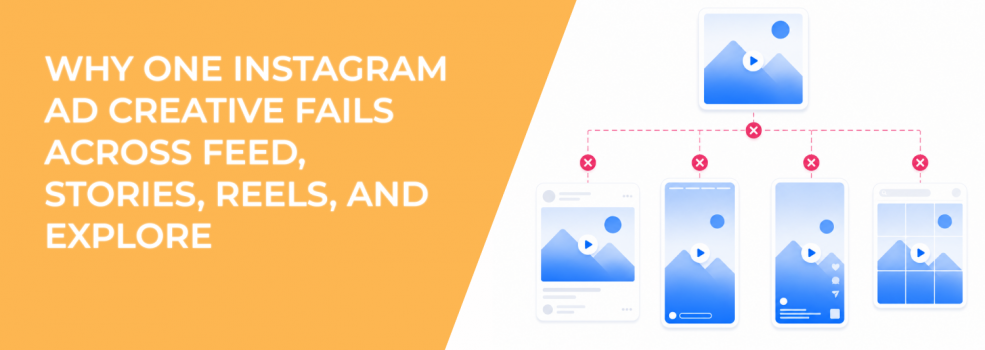
One Instagram ad can look “fine” in every preview and still perform unevenly across placements.
That is why reusing one creative across Feed, Stories, Reels, and Explore often creates messy results. The campaign may show strong delivery in one placement, weak CTR in another, and poor CPA somewhere else. On the surface, it looks like a placement issue. In reality, the asset is doing different jobs in different environments.
Instagram placements do not behave the same way. Feed users scroll. Stories users tap forward. Reels users swipe through video. Explore users browse with discovery intent. A single creative rarely matches all of those behaviors without adjustment.
The problem: one Instagram ad creative cannot match every placement behavior
The core problem is not that the creative is bad. The problem is that it was built for one viewing pattern and then forced into several others.
A 4:5 Feed ad may have a strong product shot, a clear headline, and enough space for supporting copy. When that same idea is pushed into Stories, it may feel static or incomplete. In Reels, it may lack movement. In Explore, it may not create enough visual contrast to pull attention from surrounding content.
The message is the same, but the context changes.
This affects how users interpret the ad. A person scrolling Feed may accept a slower visual because the placement supports captions, comments, and comparison. A Reels viewer expects faster context and motion. A Stories viewer may need the offer to appear quickly because the next tap is effortless.
When one asset tries to satisfy all placements, it usually becomes too generic for the strongest ones.
Why this weakens campaign data and performance decisions
When the same creative runs everywhere, performance data becomes harder to read.
If Feed drives clicks but Reels gets cheap views, the advertiser may assume Reels is a weak conversion placement. That may be true. But it may also mean the creative was never edited for Reels behavior.
This matters because poor creative-placement fit can distort core metrics:
- CTR becomes placement-dependent: A creative may attract clicks in Feed but get skipped in Stories because the format feels passive.
- CPA becomes harder to diagnose: Higher CPA may come from placement mismatch, not audience quality.
- ROAS can look unstable: Product ads may sell from Feed but underperform in Reels when the use case is not shown fast enough.
- Creative tests become unreliable: The team may reject a strong concept because one placement received a weak adaptation.
This is a common issue in small-budget campaigns. Teams try to save production time by uploading one asset and letting placements sort themselves out. The campaign runs, but the data does not explain whether the idea failed or the adaptation failed.
That distinction matters before scaling.
The solution: keep one concept, but adapt the execution by placement
The fix is not to create unrelated ads for every placement. That would slow down production and make learning harder.
The better solution is to keep the same core concept and adapt the execution. The offer, angle, and promise stay consistent. The format, pacing, layout, and CTA placement change based on where the ad appears.
For example, an e-commerce brand promoting a bundle can use the same concept across all placements:
| Placement | Creative adaptation | Why it works |
|---|---|---|
| Feed | 4:5 product image with benefit-led headline | Gives users enough context while scrolling. |
| Stories | 9:16 layout with offer and CTA inside safe zones | Makes the next step visible in a tap-through placement. |
| Reels | Short vertical video showing the bundle in use | Matches motion-heavy viewing behavior. |
| Explore | High-contrast product visual with fast category recognition | Helps the ad stand out in a discovery grid. |
The concept stays unified. The user experience changes.
This is the cleanest way to adapt one ad concept for Reels, Stories, Feed, and Explore without turning every placement into a separate campaign idea.
How Feed, Stories, Reels, and Explore need different creative decisions
Each Instagram placement creates a different kind of attention.
Feed is usually better for ads that need a little more context. Users may pause, read a caption, compare the image, or click through after scanning the creative. A 4:5 layout often works well because it takes more vertical space without forcing a full-screen experience.
Stories require faster clarity. The user can tap through instantly, so the hook and CTA need to be visible without waiting. Safe zones matter because native interface elements can compete with the ad.
Reels need movement and immediate context. A static asset can work in some cases, but it often feels weaker beside native short-form video. The first second should show the product, problem, or result.
Explore is a discovery environment. The creative needs strong category recognition because the user is not necessarily watching a linear feed. If the product or offer is visually vague, the ad may blend into surrounding content.
This is why Instagram ad placements that drive results should be judged with creative fit in mind. Placement performance is not only about where the ad appears. It is also about whether the asset belongs there.
When one-asset campaigns create false winners and false losers
A one-asset campaign can make a placement look better or worse than it really is.
Suppose a coaching business runs a square testimonial graphic across all Instagram placements. Feed performs best because users can read the quote and caption. Stories performs poorly because the testimonial looks static and the CTA is too low. Reels barely contributes because the creative has no motion.
The advertiser may conclude that Feed is the only useful placement. But that conclusion is based on an asset built for Feed.
The reverse can also happen. A fast Reels-style video may perform well in Reels but feel too abrupt in Feed, where users might need more context before clicking. The creative is not universally strong or weak. It is placement-matched or placement-mismatched.
This explains why the same ad performs differently across Meta platforms. User behavior, screen format, and content expectations change the way the same message is received.
How to build placement-specific versions without slowing production
Placement adaptation does not need to create a production bottleneck. The key is to plan variations from the same creative brief.
Start with one core angle. Then define what each placement version must do differently.
A practical production system looks like this:
- Write one message brief: Define the audience, problem, offer, proof point, and CTA before designing any asset.
- Assign a primary job to each placement: Feed can explain, Stories can prompt action, Reels can demonstrate, and Explore can introduce the category.
- Create modular assets: Use the same product shots, UGC clips, screenshots, or proof points in different layouts.
- Review performance by placement: Judge each version against the behavior it was built for, not against one blended campaign average.
This keeps the campaign coherent. It also gives the media buyer cleaner data. If Reels underperforms after receiving a true Reels version, that tells you more than a generic asset ever could.
Real-world scenarios where one creative fails
| Business type | One-creative mistake | What happens | Better adaptation |
|---|---|---|---|
| SaaS | Same dashboard screenshot used everywhere | Too detailed for Reels and Stories | Use Feed for screenshot detail, Reels for one workflow demo. |
| Local service | Same square promo graphic across placements | Stories feels static and CTA gets missed | Build a 9:16 service-result version for Stories. |
| E-commerce | Same product image used in Feed, Reels, and Explore | Reels lacks motion and Explore lacks contrast | Use product demo video for Reels and high-contrast product shot for Explore. |
| B2B lead gen | Same webinar ad reused everywhere | Feed explains the value, but Stories lacks urgency | Use Stories for one clear promise and a direct action prompt. |
The issue is not creative volume. It is creative fit.
A brand does not need ten unrelated ideas. It needs one strong idea reshaped for the way each placement earns attention.
How to know when placement adaptation is worth the effort
Not every campaign needs a full creative set for every placement. Small tests can start with fewer versions, especially when budget is limited.
But adaptation becomes worth the effort when placement breakdowns show meaningful differences. If one placement spends heavily with weak CTR, low hold rate, or poor CPA, check whether the creative was built for that environment.
Look for these signs:
- Feed gets clicks, but Reels gets views without conversions.
- Stories receives impressions but very low outbound CTR.
- Explore has reach but weak engagement.
- Blended campaign performance looks acceptable, but one placement quietly wastes spend.
These are not always reasons to turn off the placement. They may be reasons to build a better version for it.
Final takeaway
One Instagram ad creative fails across Feed, Stories, Reels, and Explore because each placement creates a different viewing behavior.
The core problem is creative-placement mismatch. One asset cannot always explain, demonstrate, interrupt, and convert in every environment.
The solution is to keep the same concept but adapt the execution. Change the layout, pacing, safe zones, and CTA placement based on where the ad appears.
That gives the campaign cleaner data, stronger engagement signals, and a better chance of turning Instagram placement diversity into performance instead of wasted spend.