A blocked asset connection in Meta often looks like a small setup issue.
You try to add a Page or connect an ad account, and the platform refuses. There’s no clear explanation — just a restriction that slows everything down.
In reality, this is not just an access problem. It directly affects how your campaigns receive data, optimize delivery, and scale performance.
What’s actually happening when assets won’t connect
Meta enforces strict ownership and permission rules for all business assets.
Every Page, ad account, catalogue, or Instagram profile must belong to one business portfolio. On top of that, you need full control permissions to manage or connect those assets.
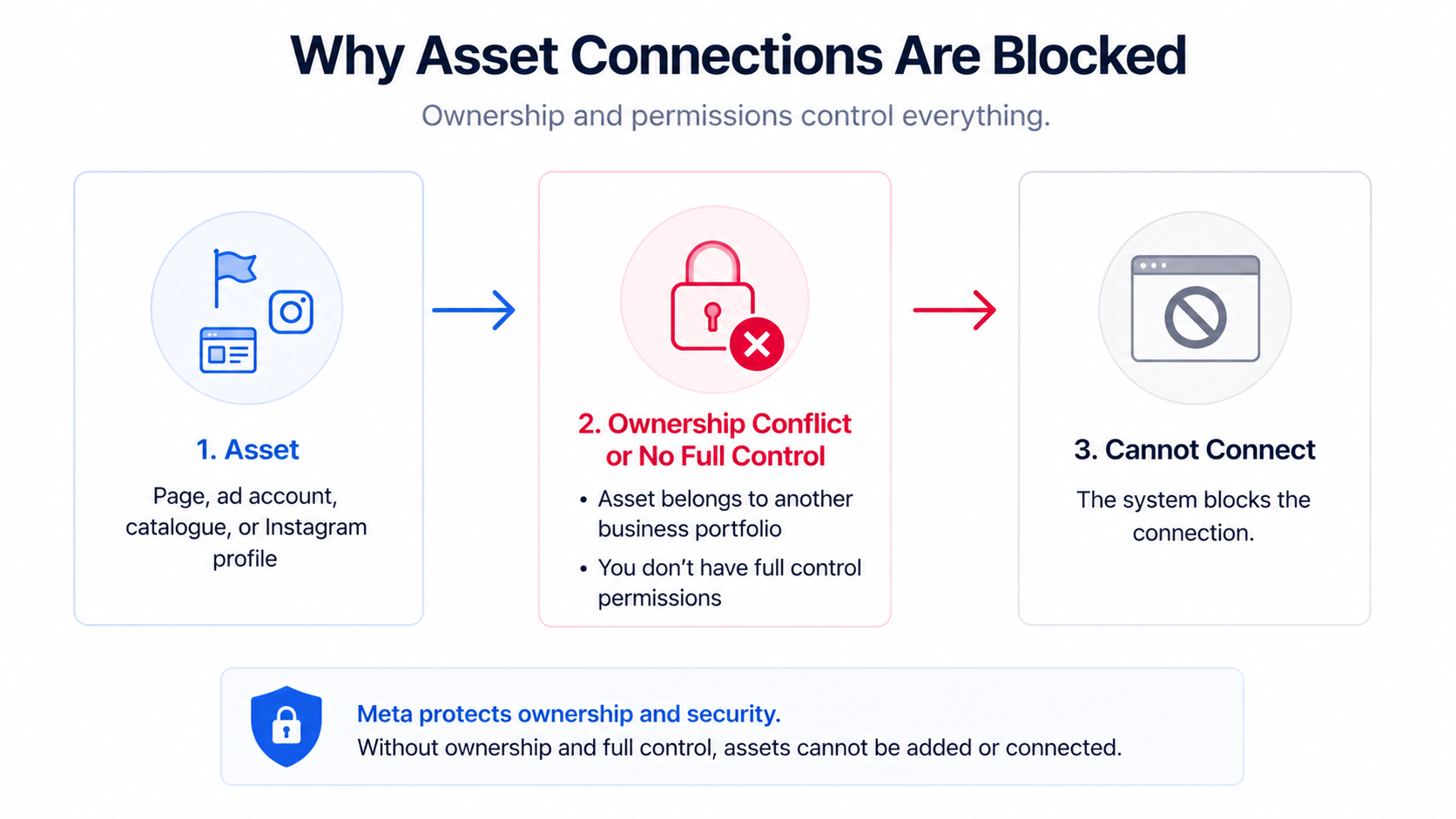
If any of these conditions are not met, the system blocks the action.
This structure protects ownership, but it also creates friction when assets are spread across multiple accounts or managed by different parties.
Why this affects campaign performance
When assets are not connected, your campaigns lose access to key signals.
That doesn’t stop delivery — it weakens it.
Instead of using full behavioral data, Meta relies on partial signals. Over time, this leads to:
- Less accurate targeting.
- Slower learning phases.
- Higher acquisition costs.
For example, if your Instagram account is not connected, engagement data from that platform is not fully used in optimization. The system cannot identify users who interact across channels.
This becomes especially visible when running cross-platform campaigns — similar to the limitations discussed in running campaigns across Facebook and Instagram.
Business impact on performance metrics
The impact of connection issues builds gradually.
Campaigns may still run, but performance becomes less efficient. You may notice higher CPA, lower conversion rates, or unstable scaling.
In some cases, advertisers create new ad accounts to bypass restrictions. While this solves access issues, it removes historical data. The algorithm has to relearn from scratch, which increases costs in the short term.
Common scenarios where advertisers face this problem
Most connection issues come from structural decisions made earlier. Below are the most common scenarios — each one points to a specific limitation inside Meta’s system.
Assets already belong to another business portfolio
This is the most frequent blocker.
A Page, ad account, or catalogue is already assigned to a different business portfolio — often owned by a previous agency or internal team.
Since Meta does not allow direct transfers, you cannot move the asset. Your only options are to request access or become a partner.
This limits control and slows down any restructuring.
You don’t have full control permissions
Access alone is not enough.
Meta requires full control of the business portfolio to add or connect assets. Without it, you may see assets but cannot manage them.
This creates operational bottlenecks, especially in teams where permissions are not clearly assigned.
Ad account ownership conflicts
Ad accounts are locked to their original business portfolio.
If you try to connect one that belongs elsewhere, the system blocks the action. You cannot move it.
In practice, you must either request access or create a new ad account. Creating a new one resets learning data, which impacts campaign performance.
Personal ad accounts used for business campaigns
This is common in early-stage setups.
A personal ad account is used to run campaigns, but later the business tries to move into a structured environment.
The problem is that personal ad accounts cannot always be added to a business portfolio. Even when they can, they create long-term dependency on an individual.
Third-party or agency-owned assets
Many businesses rely on agencies to manage their ads.
In these cases, assets may be owned by the agency’s business portfolio. This means you don’t have full control.
You may be able to run campaigns, but you cannot restructure assets or change ownership. This becomes a problem when scaling or switching partners.
Catalogue and commerce mismatches
Catalogues must be correctly linked to Shops, Pages, and Instagram accounts.
If they are connected to the wrong asset, Meta blocks the connection or allows campaigns to run with incomplete data.
This directly affects product-based campaigns, especially dynamic ads.
Multiple business portfolios inside one organization
Over time, companies often create multiple portfolios.
Assets get distributed across them, and no single structure contains everything. When you try to connect assets, Meta blocks the process because each one already belongs elsewhere.
This fragmentation reduces visibility and weakens optimization.
Restricted or disabled business portfolio
If your business portfolio is restricted, asset connections may be blocked entirely.
This can happen due to policy violations, payment issues, or suspicious activity.
Until the restriction is resolved, no structural changes will fix the problem.
Login and access issues
Sometimes the issue is simply lack of access.
If you cannot log into the account that owns an asset, you cannot approve connection requests or manage permissions.
This often happens when accounts were created by former employees or external partners.
Misalignment between assets and campaign structure
In some cases, connections exist — but they are incorrect.
For example, the wrong Page or Instagram account is linked. Campaigns still run, but signals are fragmented.
This leads to weaker optimization and inconsistent performance — a pattern often seen in common Meta setup mistakes.
Risks and considerations
Fixing connection issues involves tradeoffs. Creating new assets is often faster, but it removes historical data. Requesting access preserves data but limits control.
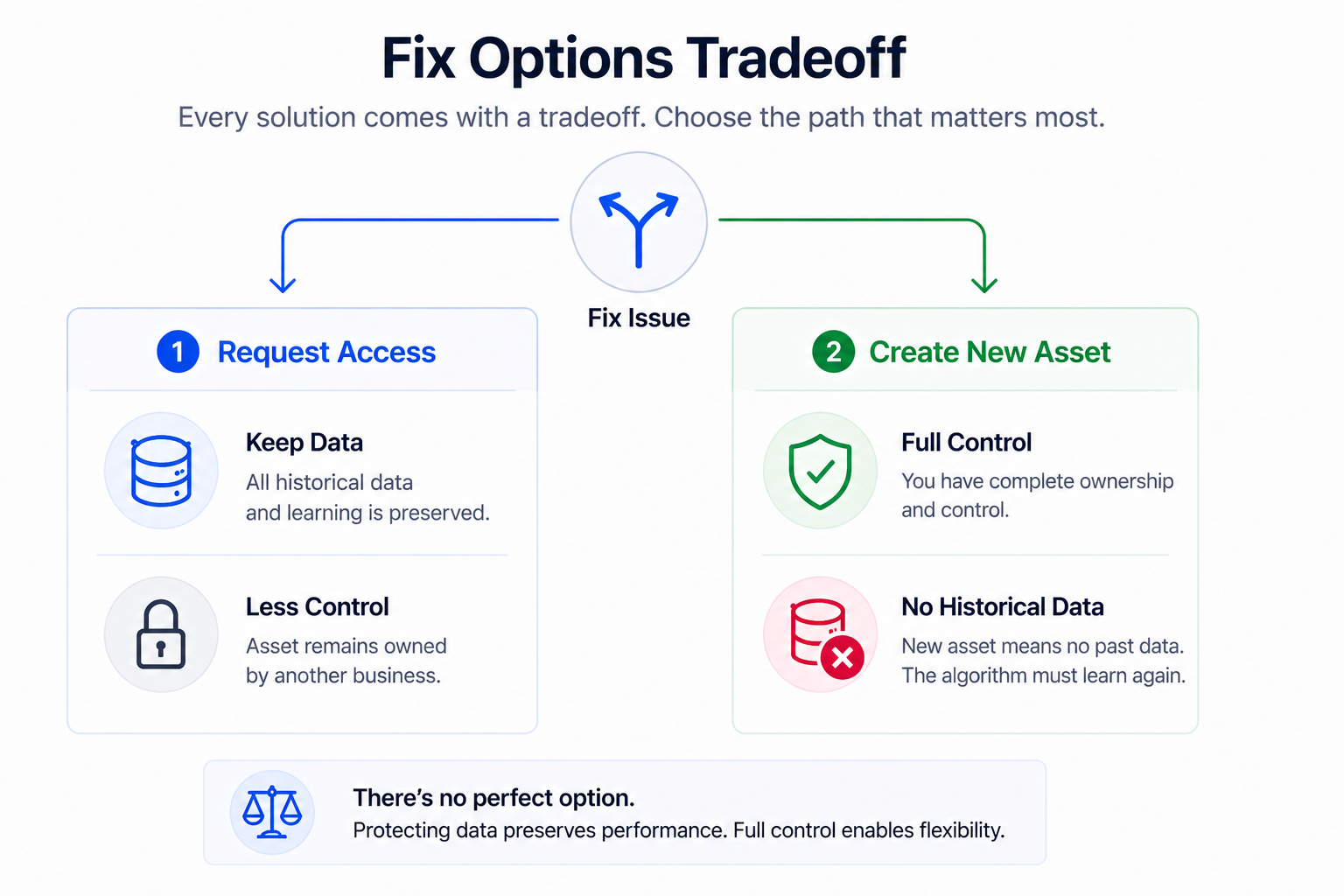
Transferring ownership can also disrupt active campaigns if done incorrectly.
These decisions should be based on performance impact, not just convenience.
Prerequisites before fixing connection issues
Before making changes, you need a clear view of your structure.
At a minimum, you should understand:
- Who owns each asset.
- Which portfolio it belongs to.
- What level of access your team has.
You also need reliable tracking. If your pixel setup is inconsistent, fixing connections will not improve performance.
In that case, review how to properly set up your Meta pixel first.
Practical recommendations for advertisers
Connection issues should be treated as structural diagnostics.
Start by mapping your entire asset ecosystem. This often reveals hidden conflicts.
Then prioritize actions:
- Request access instead of duplicating assets when possible.
- Avoid creating new ad accounts unless necessary.
- Align assets with how campaigns actually run.
Even with perfect connections, performance still depends on audience quality. Strong targeting inputs remain essential.
Final takeaway
When Meta prevents you from connecting business assets, it’s not just a technical limitation.
It’s a structural signal problem.
Without proper connections, campaigns operate with incomplete data. That leads to weaker targeting, higher costs, and unstable performance.
Fix the structure first — then build your campaigns on top of it.