
A high-performing Facebook ad campaign doesn’t start with your creative — it starts with your ad set setup.
Many advertisers waste time and budget due to simple but costly ad set mistakes. Whether your ads aren’t delivering or performance is flat, chances are the issue starts at the ad set level.
This guide breaks down the most common Facebook ad set errors — and exactly how to fix them. It’s written for marketers who want fewer headaches and more conversions.
Why Facebook Ad Set Setup Is So Important
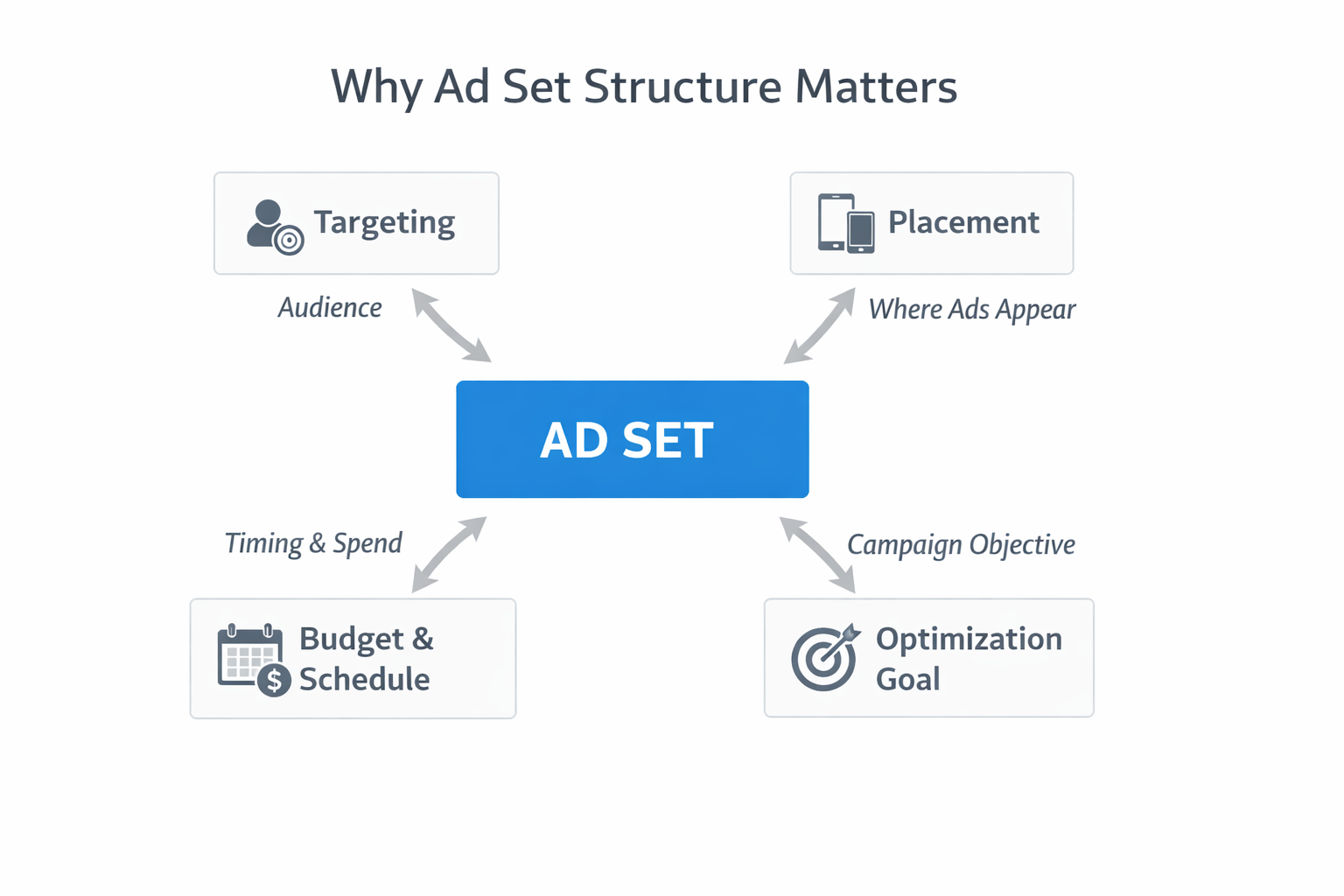
Your ad set defines:
-
Who sees your ad (audience targeting);
-
Where they see it (placements);
-
When and how often they see it (scheduling and budget);
-
What you're optimizing for (performance goal).
These elements impact everything — from delivery speed to return on ad spend. Even one mistake here can throw off your entire campaign.
1. Your Ad Set Isn’t Delivering
What’s Happening
You launch a campaign, but the ad set gets zero impressions. No budget is spent, and nothing moves.
Common Causes
-
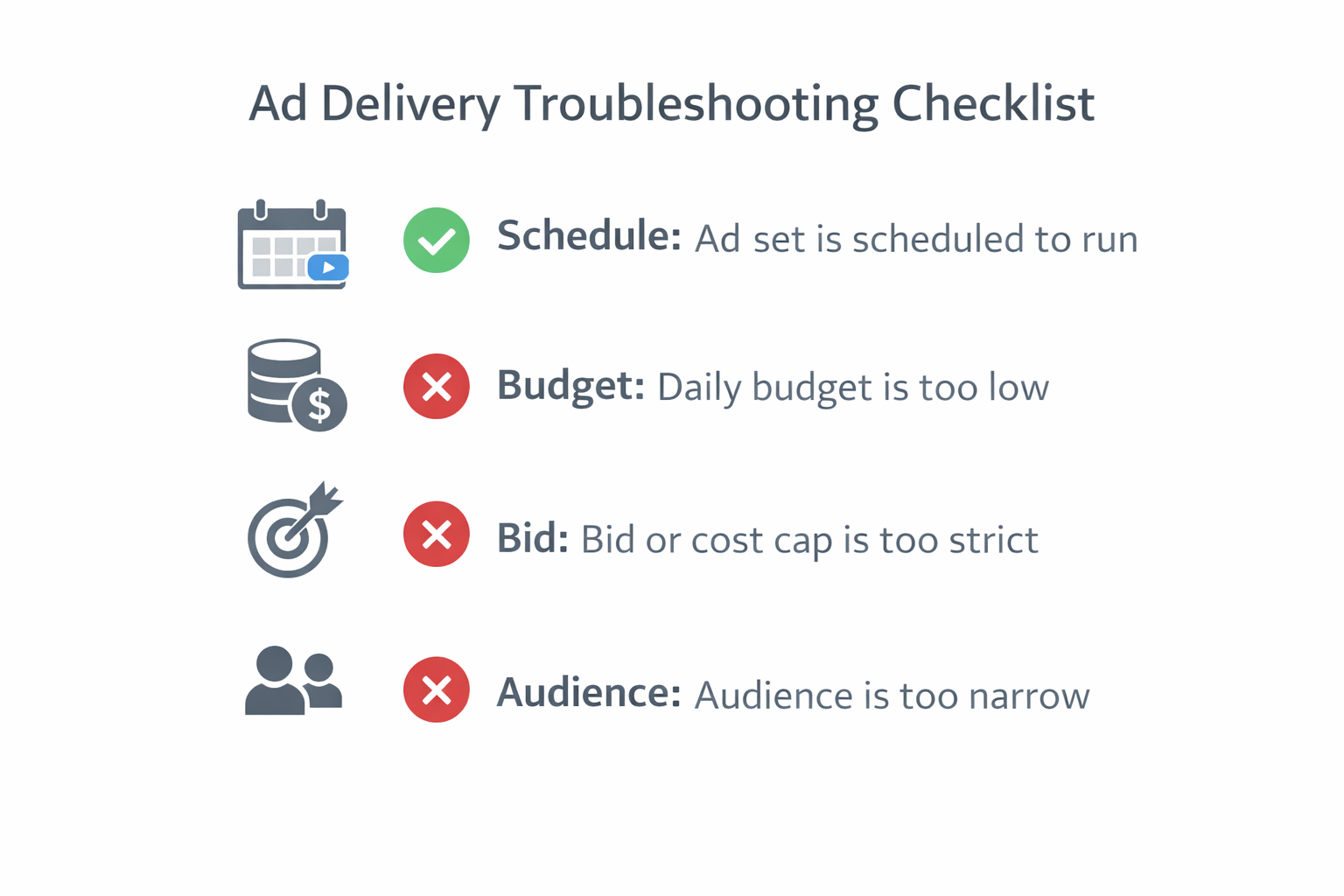
The ad set is scheduled to run outside your intended hours.
-
Budget is too low for the chosen optimization event.
-
Bid control or cost cap is too strict to win auctions.
-
The selected audience is too narrow or overlaps with another ad set.
These errors are subtle — but deadly to delivery.
How to Fix It
Check the following in Ads Manager:
-
Delivery column — Confirm the ad set is running. If paused or inactive, turn it on.
-
Schedule settings — Go to Budget & Schedule. Make sure the ad set is active during your desired timeframe. Avoid overly restrictive hours.
-
Bid strategy — In the Conversion section, ensure your bid cap or cost per result goal isn’t too low.
-
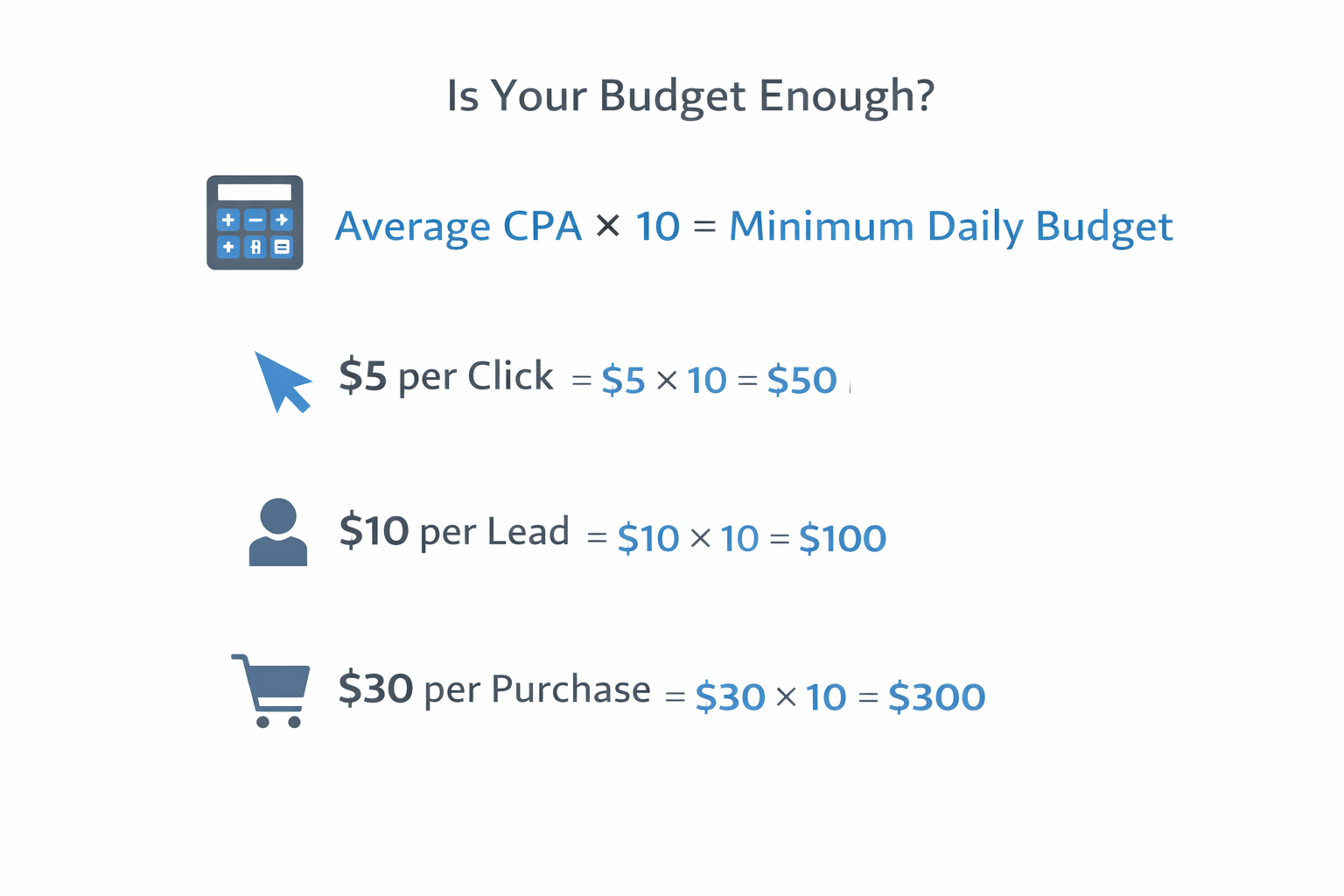
Budget size — Your daily budget should be at least 10x your average event cost.
-
Audience size — Avoid small or overly filtered audiences that prevent the ad from delivering.
Still not running after 48 hours? Delete and rebuild the ad set. For more, see Understanding Facebook Ad Statuses: Common Issues and Fixes.
2. Audience Overlap
What’s Happening
Your ad sets are targeting the same or very similar audiences — which means you’re bidding against yourself.
Why It Matters
Audience overlap causes:
-
Inflated CPMs and reduced efficiency;
-
Skewed performance data;
-
Fewer ad sets exiting the learning phase.
This internal competition can quietly ruin campaign performance.
How to Fix It
-
Use Meta’s Audience Overlap Tool before launching.
-
Avoid stacking similar interests or creating multiple ad sets targeting the same lookalike group.
-
Split cold, warm, and hot traffic into separate ad sets with unique objectives.
Learn more in Ad Set Cannibalization: When Your Facebook Campaigns Compete Against Each Other. Clean targeting leads to clearer data and more efficient scaling.
3. Budget Too Low for Optimization Goal
What’s Happening
You set a $10 daily budget but expect the algorithm to optimize for purchases.
Why It’s a Problem
Meta’s system needs enough data to learn. If you're optimizing for conversions but can’t reach 50 events per week, your ad set may stall in learning or never deliver efficiently.
How to Fix It
-
Increase daily budget — Aim for 10x the cost of your goal. If your cost per purchase is $20, set a $200 daily budget.
-
Choose a lighter optimization event — Start with landing page views or add-to-carts if you can’t afford high-conversion events.
Without the right budget, even great ads won’t scale. Use the breakdown in How to Fix Uneven Spend Distribution Across Facebook Ad Sets to realign your spend with goals.
4. Too Many Ad Sets with Not Enough Budget
What’s Happening
You launch 10 ad sets, each with $5–$10/day — hoping to test audiences faster.
Why It’s a Problem
You’ve spread your budget too thin. Meta’s algorithm can’t collect enough data to optimize any single ad set effectively.
How to Fix It
-
Consolidate ad sets by grouping similar audiences.
-
Test creatives within one ad set using A/B testing or dynamic formats.
-
Focus budget on fewer, higher-quality setups.
For better scaling, read How to Fix Uneven Spend Distribution Across Facebook Ad Sets. Concentrated spend leads to faster results and better insights.
5. Mixing Funnel Stages in One Ad Set
What’s Happening
You’re targeting cold prospects and cart abandoners in the same ad set.
Why It’s a Problem
These audiences have different intent levels. Cold traffic needs awareness — while hot traffic is ready to buy. Mixing them confuses both your messaging and Meta’s optimization.
How to Fix It
-
TOFU (Top of Funnel) — Broad targeting, brand intro ads, Advantage+ placements.
-
MOFU (Middle of Funnel) — Retarget site visitors, video viewers, or engagers.
-
BOFU (Bottom of Funnel) — Target add-to-cart users, email subscribers, or product page viewers.
Structured segmentation allows for personalized creative and cleaner reporting. If one stage underperforms unexpectedly, read What to Do When Your Best-Performing Ad Set Suddenly Fails to get it back on track.
6. Ad Scheduling Conflicts
What’s Happening
Your ads are approved — but not delivering. You’ve scheduled them to run only during tight windows.
Why It’s a Problem
If your ads are limited to short daily windows (e.g., 6–8 PM), you may miss delivery altogether — especially in competitive auctions.
How to Fix It
-
Loosen scheduling in Budget & Schedule.
-
Let ads run 24/7 initially, then refine based on data.
-
Avoid running only on weekdays unless you’ve tested performance differences.
Restrictive schedules limit opportunities. Start wide — then narrow once you have data.
7. Hitting Meta’s Campaign and Ad Set Limits
What’s Happening
You try to launch a new ad or duplicate an ad set — but Ads Manager gives you an error.
Why It’s a Problem
Meta has account-wide limits:
-
5,000 campaigns
-
5,000 ad sets
-
5,000 ads total (only 1,000 can be dynamic creative)
-
50 ads per ad set
Once you hit these, no more content can be created until you delete or archive.
How to Fix It
-
Delete and archive old ad sets or paused ads.
-
Avoid bloated structures by combining similar tests.
-
Keep a regular audit schedule for your ad account.
Limits can quietly block growth. Stay below the cap and streamline your workflows.
Final Checklist: Before You Launch Any Ad Set
Before going live, confirm:
-
Audience size is broad enough;
-
No audience overlaps with another ad set;
-
Your daily budget supports your optimization goal;
-
Bid strategy is realistic;
-
Schedule is flexible enough for delivery;
-
You haven’t exceeded Meta’s asset limits.
Even one unchecked setting can stall performance. And if an ad set suddenly underperforms, check out What to Do When Your Best-Performing Ad Set Suddenly Fails for troubleshooting steps.