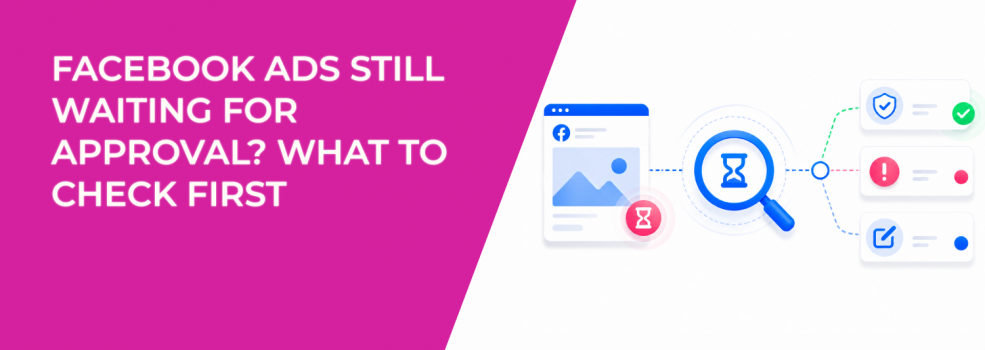
An ad waiting for approval is not always a serious problem.
The key problem is that advertisers often start changing things before they know why the ad is still pending. They edit the ad, duplicate it, or rebuild the campaign. That can restart review and make the delay worse.
The better approach is to check the source of the delay first.
Start with the exact ad status
Do not diagnose from the campaign level only.
Open the campaign, then check the ad set and ad level. One ad may still be in review even if the campaign looks ready. Another ad may be rejected while the rest of the campaign is active.
The status tells you what type of problem you have:
- In review: The ad is still waiting for approval.
- Rejected: The ad failed review and needs a fix or appeal.
- Active but not spending: The ad passed review, but delivery is blocked somewhere else.
- Scheduled: The ad may be approved, but the start time has not arrived.
This prevents you from solving the wrong problem.
If the issue turns into a delivery problem, use Facebook Ads Not Delivering status instead of continuing to treat it as review delay.
Check whether the ad is policy-sensitive
Some ads take longer because the message is harder to review.
This often happens with ads about money, health, jobs, housing, personal results, supplements, or sensitive life situations. The ad may not be rejected, but the system may inspect it more closely.
Look at the wording first. Direct personal claims can create risk. “Are you in debt?” is more sensitive than “Compare financing options.” “Struggling with anxiety?” is more sensitive than “Explore support options for stress management.”
The fix is to make the message less personal and more offer-focused. You can still be clear without sounding like the ad knows private details about the user.
If the ad gets rejected, move to what to do when your Facebook ads are disapproved.
Check the landing page before resubmitting
The ad is not the only thing Meta reviews.
The landing page also matters. If the page makes stronger claims than the ad, uses a different offer, loads poorly, or looks misleading, it can create review problems.
Check the page on mobile. Many issues only show up there: slow loading, broken forms, hidden pricing, pop-ups, or buttons that do not work.
Also make sure the page matches the ad. If the ad promotes a free consultation, the page should not immediately push a paid plan without explaining the step.
Check account and payment issues
If many ads are waiting longer than usual, the issue may be account-level.
Look for payment problems, account restrictions, disabled assets, missing permissions, or repeated rejection history. Agencies should also check whether the correct Page, ad account, pixel, and business portfolio are connected.
This matters because approval problems can sometimes be tied to account trust. A single delayed ad may be normal. Several delayed ads across campaigns deserve a wider account check.
For long-term prevention, read how to avoid getting your Facebook ad account disabled.
Know when to wait and when to act
Not every pending ad needs action.
If the ad has been waiting for less than 24 hours and there are no account alerts, waiting is usually better than editing. If it has been longer, check policy risk, landing page issues, account health, and billing before changing the ad.
Use this decision path:
- Less than 24 hours: Wait and avoid edits unless there is an obvious mistake.
- More than 24 hours: Check policy, landing page, account alerts, and payment setup.
- Rejected: Fix the issue or request another review if the rejection looks wrong.
- Approved but no spend: Move to delivery troubleshooting.
This keeps the response simple and avoids creating new review cycles.
Final takeaway
If Facebook ads are still waiting for approval, do not rebuild the campaign first.
Check the exact ad status, review policy-sensitive wording, inspect the landing page, and look for account-level issues. The right fix depends on whether the ad is still in review, rejected, or approved but not delivering.