Campaigns rarely fail at launch. They fail when you try to scale them.
At low budgets, most ad accounts perform similarly. Once you increase spend, differences appear. One account scales predictably, while another starts showing higher CPM, unstable delivery, and inconsistent conversion rates.
In many cases, the difference is verification status.
Meta uses business verification to determine how much trust to assign to your account. That trust influences how often your ads enter auctions and how aggressively the system expands delivery.
If your campaigns are hitting a ceiling, similar to patterns described in why Facebook ads stop scaling, verification is often one of the hidden constraints.
When Meta requires business verification
Verification is triggered when you try to access features tied to higher trust levels.
These typically include:
- increased ad spend limits and scaling capabilities,
- advanced billing methods such as invoicing,
- developer tools and integrations,
- certain ad formats or regulated categories.
Many advertisers only encounter verification when performance matters most — during growth phases.
At that point, missing verification becomes a bottleneck rather than a formality.
Eligibility requirements to verify your business in Meta Business Suite
Before starting the process, your account must meet specific conditions.
The most important prerequisites include:
- Business portfolio eligibility.
Not every account can start verification immediately. Meta evaluates activity and structure first. - Full control access.
Only users with full control permissions can initiate verification. Without this, Security Centre won’t show the option. - Clear ownership of business assets.
Your ad accounts, domains, and pages must be properly assigned to your business portfolio. - Correct billing setup if using invoicing.
If you operate on a line of credit, verification may rely on billing data instead of documents.
If these elements are misconfigured, verification may not be available at all. In those cases, you often need to set up a Facebook ad account correctly before proceeding.
Step-by-step process to verify your business in Meta Business Suite
The verification workflow is structured, but sensitive to small inconsistencies.
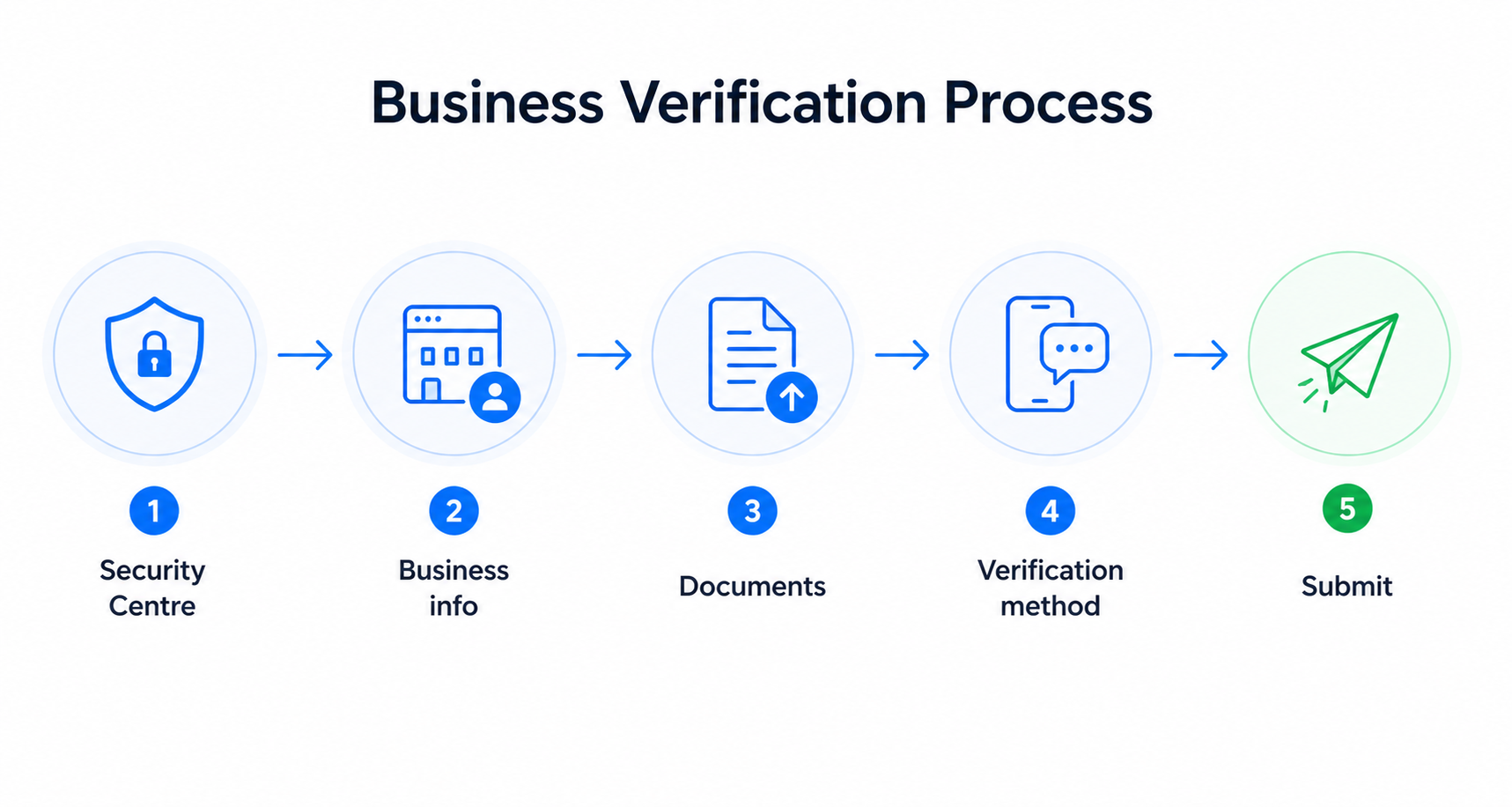
Here’s how the process works:
- Go to Security Centre and start verification.
If the option is missing, check permissions and eligibility first. - Enter your business details.
Provide your legal business name, address, phone number, and website. These must match official records exactly. - Confirm business identity.
Meta attempts to match your data with known records. If no match is found, you’ll need to submit documents. - Upload official documents if required.
This may include business licences or incorporation certificates. - Choose a verification method.
Options include email, phone, SMS, WhatsApp, or domain verification. - Confirm your connection and submit.
After submission, your application enters review.
Accuracy is critical. Even small discrepancies between your documents and Business Manager data can delay approval.
Why consistency across business signals matters
Verification is not evaluated in isolation.
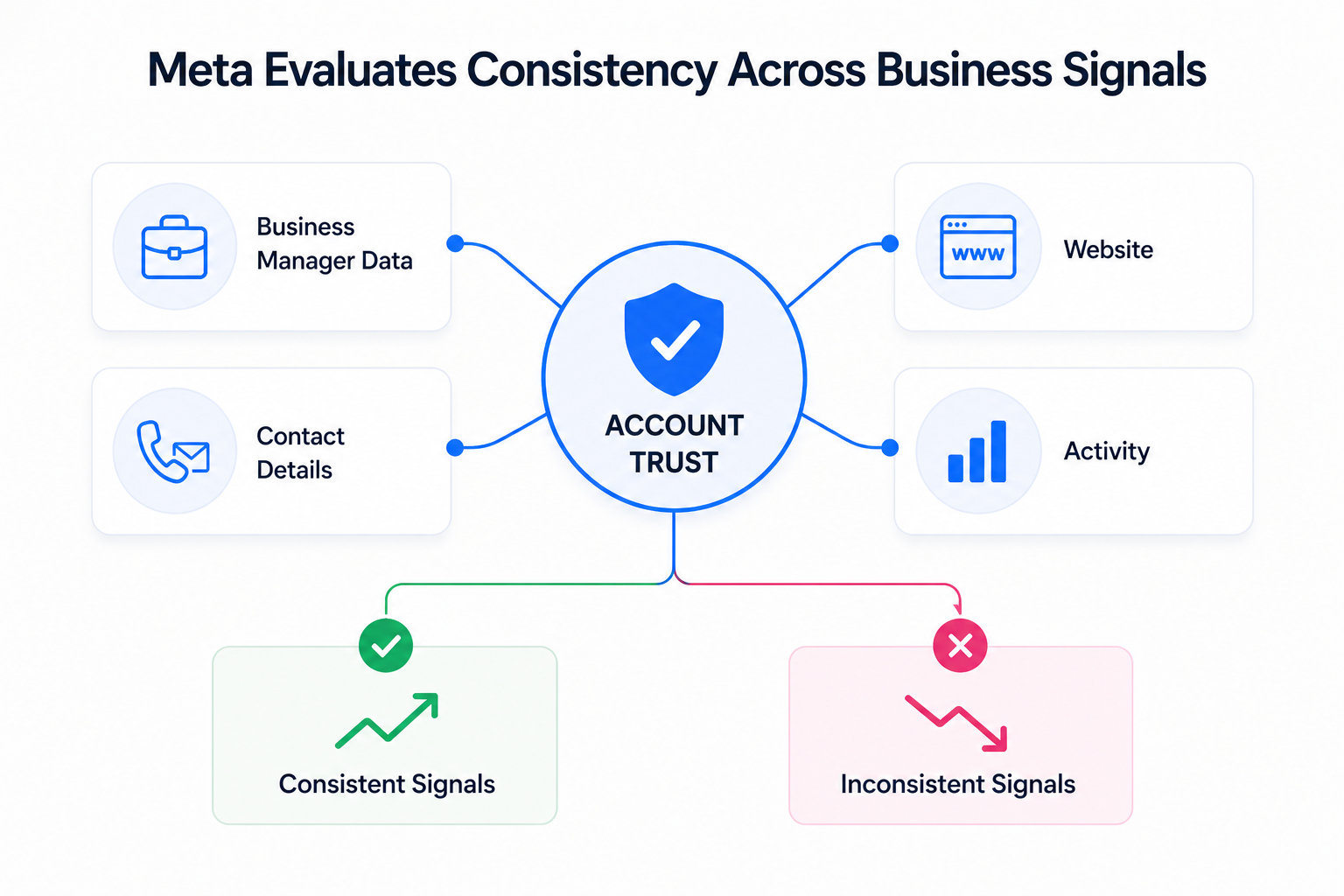
Meta checks whether your business data aligns across multiple layers:
- your Business Manager profile,
- your website domain and content,
- your contact details,
- your account activity patterns.
If these signals conflict, Meta reduces trust.
For example, if your domain loads inconsistently or does not clearly represent your business, verification becomes harder. Later, this often translates into delivery inefficiencies and unstable scaling.
This is why verification should be treated as part of a broader system, not a standalone task.
What happens during the verification review period
Once submitted, your verification request enters a review process that can take up to 14 working days.
During this period, campaign behavior often reveals whether your account is fully trusted.
A typical scaling attempt might look like this:
- you increase the campaign budget by 20–30%,
- total spend grows only marginally instead of proportionally,
- reach expansion slows down while frequency increases.
This pattern indicates restricted auction participation. The system is cautious because verification is not yet complete.
What changes after your business is verified
Verification does not “boost” performance directly. It removes limitations.
After approval, advertisers typically observe:
- more predictable spend scaling when budgets increase,
- lower volatility in CPM during expansion phases,
- more consistent delivery across ad sets,
- faster stabilization of conversion campaigns.
These improvements come from increased auction access, not from changes in targeting or creatives.
Risks of incorrect verification submissions
Meta actively monitors how businesses go through verification.
If you:
- submit false or misleading information,
- attempt to verify a business you don’t control,
- or try to bypass the system,
your account may face restrictions beyond simple rejection.
These issues often connect to broader structural problems in account setup. That’s why scalable advertisers focus on how they
structure ad accounts for scale before attempting verification.
What happens if you change business details later
Verification is tied to your business identity.
If you update core details such as:
- legal name,
- business address,
- domain,
you must complete verification again.
During this transition, performance can temporarily become unstable as Meta reassesses your account.
How to maintain stable performance before and after verification
Verification improves trust, but it doesn’t replace strong campaign fundamentals.
While waiting for approval or rebuilding verification, focus on:
- maintaining consistent business data across all assets,
- ensuring your website is reliable and secure,
- prioritizing high-intent audiences instead of broad expansion.
This reduces reliance on Meta’s automated scaling logic, which is more restrictive for unverified accounts.
Final takeaway: verification is part of your growth infrastructure
Business verification is not a checkbox. It’s a prerequisite for predictable scaling, stable delivery, and efficient budget allocation.
If your campaigns perform well at low spend but break at scale, verification is one of the first systems to audit.
Fixing it often unlocks performance improvements that campaign-level optimizations cannot achieve.