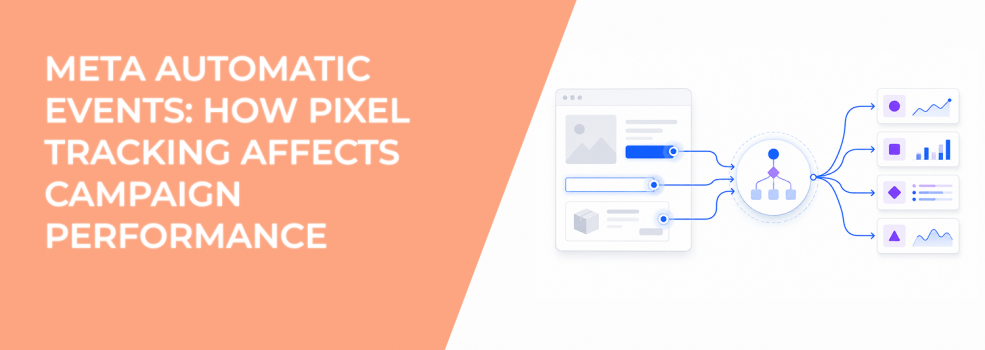
When you install the Meta Pixel, Meta can start tracking actions on your website automatically. These actions are called automatic events, and they do not require extra event code in many cases. Meta uses visitor behavior and page context to understand what users are doing on your website.
That sounds convenient, but these events directly affect campaign optimization, audience building, and reporting accuracy. Many advertisers turn them on without checking what signals Meta actually receives.
How Automatic Events Help Meta Ads Optimize Faster
Meta’s algorithm depends on conversion signals. The system studies which users complete actions, then looks for similar people in future ad auctions.
Automatic events help Meta collect those signals faster, especially in newer ad accounts with limited data. Advertisers can use them to support campaigns with sales, lead generation, or engagement objectives.
For example, automatic events can help advertisers:
- Build Custom Audiences from actions like purchases or add-to-cart activity.
- Create Lookalike Audiences based on customers or converters.
- Measure website actions inside Events Manager without adding extra code manually.
You can usually see these events in Events Manager under the Pixel Overview tab. The total event count may include automatic events, manually added events, and events coming from partner integrations.
Why High Event Volume Can Still Hurt Performance
More tracked events do not always improve optimization. Meta can only optimize around the quality of the signals it receives.
This becomes a problem when the system starts learning from weak actions. A campaign may optimize toward users who click buttons or browse pages without becoming real customers.
You can often spot this issue inside Ads Manager. CTR stays healthy and CPC may even decrease, but lead quality drops or ROAS weakens after scaling.
A SaaS advertiser, for example, might see many pricing-page interactions while demo requests remain flat. Meta learned which users click pricing sections, not which users actually book calls.
That is why event structure matters more than raw event volume.
If your Pixel setup still needs work, this guide on Facebook Pixel setup and optimization explains how to build cleaner tracking foundations.
How Automatic Events Improve Retargeting
Automatic events also support audience creation. Meta can group users based on actions they already completed on your website.
These audiences often perform better because users already showed some level of intent. Common retargeting segments include people who:
- Viewed products but did not purchase.
- Added products to their cart without checking out.
- Visited important landing pages repeatedly.
- Completed purchases or lead forms previously.
Advertisers can also turn those audiences into Lookalike Audiences. That helps Meta find new users with similar behavioral patterns.
This is one reason Meta recommends leaving automatic events enabled.
Why Meta Recommends Keeping Automatic Events Turned On
Meta automatically de-duplicates automatic events against manually configured events. If the same action is tracked multiple ways, the platform tries to avoid counting it twice.
That reduces reporting inflation and gives the optimization system more complete behavioral data. Automatic events also help advertisers who do not have developer support or advanced tracking setups.
Still, automatic tracking should not replace a deliberate measurement strategy. Advertisers should decide which events represent real business value and which actions only help diagnose user behavior.
For advertisers comparing browser-side tracking with server-side tracking, this breakdown of Pixel vs CAPI tracking differences explains where each method fits.
What Advertisers Should Audit Before Scaling Campaigns
Before increasing spend, advertisers should review whether the tracked events actually reflect valuable actions. Weak signals can quietly damage campaign efficiency over time.
Check these areas before scaling:
- Compare Meta-reported leads with CRM quality data. Cheap leads often signal weak optimization events.
- Review Events Manager for duplicate or inflated activity. Overlapping events can distort reporting.
- Watch for learning phase resets after event edits. Delivery patterns often shift after optimization changes.
- Separate cold traffic analysis from retargeting performance. Warm audiences can hide broader targeting problems.
These checks help advertisers avoid scaling campaigns based on misleading data.
You can also learn more about event reporting and optimization in this guide to Meta Pixel campaign insights.
How LeadEnforce Supports Better Optimization Signals
Automatic events improve what Meta learns after users visit your website. They do not improve audience quality before the click happens.
That is where LeadEnforce fits into the process. Advertisers can build high-intent audiences using Facebook groups, Instagram followers, engagers, and social profile data instead of relying only on broad targeting.
Stronger audiences usually create cleaner conversion signals. That gives Meta better data to optimize campaigns and often improves CPA stability during scaling.
Final Takeaway
Automatic events make Pixel tracking easier and faster to deploy. They help advertisers collect conversion-related data without extra coding and improve Meta’s ability to optimize campaigns.
At the same time, more event data does not guarantee better performance. If CPC drops while lead quality or ROAS weakens, the issue may come from the signals feeding the algorithm.
The best-performing accounts usually combine clean event tracking with stronger audience targeting and regular event audits.