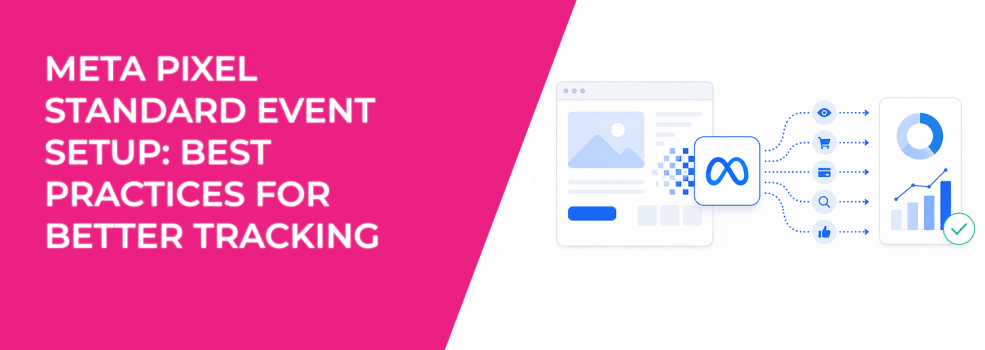
Many advertisers focus heavily on creatives, audiences, and budgets while ignoring event setup quality.
That becomes a problem because Meta’s optimization system depends on accurate event tracking. If events fire incorrectly, duplicate unexpectedly, or fail completely, campaign performance usually becomes unstable.
You often see the symptoms inside Ads Manager before realizing tracking is broken.
CPA rises suddenly. Retargeting audiences shrink. Purchase reporting fluctuates. Campaigns stop exiting the learning phase efficiently.
In many cases, the problem starts with the Meta Pixel setup itself.
Why Standard Event Structure Matters
Standard events help Meta understand what actions matter on your website.
Events like:
- Purchase.
- AddToCart.
- ViewContent.
- Lead.
- InitiateCheckout.
already exist inside Meta’s optimization system. Because Meta recognizes these events automatically, campaigns usually optimize faster and build stronger audiences.
Poor event setup weakens those signals.
For example, if “ViewContent” is misspelled as “viewcontent,” Meta treats it as a completely different custom event. That breaks optimization consistency because the platform no longer recognizes the action as a standard signal.
This type of issue happens more often than many advertisers realize.
The article on Facebook Pixel setup and optimization explains why tracking structure affects campaign performance long before scaling begins.
The Most Common Pixel Setup Mistakes
Many tracking problems come from small implementation errors inside the website code or tag manager.
The most common setup issues include:
- Incorrect Pixel base code placement, which prevents events from firing consistently across pages.
- Standard event spelling mistakes, where Meta treats intended standard events as unrelated custom events.
- Event code installed on the wrong pages, causing inflated or misleading optimization signals.
- Tag manager conflicts that prevent events from loading properly during page interactions.
These mistakes usually create inconsistent reporting before advertisers notice obvious campaign problems.
For example, an AddToCart event accidentally firing on every product page can train Meta to optimize toward low-intent browsing instead of actual purchase behavior.
Why Testing Events Before Launch Matters
Many advertisers launch campaigns immediately after installing a Pixel without verifying whether events actually work correctly.
That often leads to unstable optimization during the first days of delivery.
Meta provides several tools to validate event setup before scaling campaigns:
- Test Events Tool helps advertisers confirm whether standard and custom events fire correctly in real time.
- Diagnostics inside Events Manager identifies setup problems, duplicate events, or optimization issues automatically.
- Meta Pixel Helper helps verify Pixel activity directly on website pages without needing account access.
- Events Manager event activity confirms whether PageView and conversion events are reaching Meta successfully.
These tools help advertisers catch setup issues before campaign performance suffers.
You can usually spot broken tracking when events appear inconsistently across sessions or when Ads Manager conversion reporting differs heavily from backend sales systems.
Why Meta Recommends Pixel and Conversions API Together
Meta strongly recommends redundant event setups using both the Pixel and Conversions API.
This means advertisers should send the same important events through both systems.
For example:
- Purchase events should fire through both browser and server-side tracking.
- InitiateCheckout events should exist in both systems for stronger attribution reliability.
- Lead or Contact events should reach Meta from both browser activity and backend systems.
This setup improves connection resilience because browser-side tracking alone is increasingly unreliable due to:
- Ad blockers.
- Browser privacy restrictions.
- iOS tracking limitations.
- Page loading interruptions.
- Network failures.
Conversions API helps recover many events the Pixel may miss.
The article on Pixel vs CAPI tracking differences explains how both systems work together to improve optimization quality.
Why Event Placement Along the Funnel Matters
Meta recommends placing events across important steps in the customer journey, not only at the final purchase stage.
This gives the algorithm more behavioral context.
Useful funnel events often include:
- Product page views that show early buying interest.
- Add-to-cart actions that indicate stronger purchase intent.
- Checkout initiation that signals high-value users.
- Purchase completion that confirms final conversion behavior.
Tracking only purchases often leaves Meta with too little learning data, especially for smaller advertisers.
At the same time, tracking too many weak events can dilute optimization quality. The event structure should reflect real movement toward business outcomes.
How Advanced Matching Improves Attribution
Advanced matching allows Meta to receive hashed customer information together with Pixel events.
This helps improve event matching quality by connecting more conversions back to real Meta users.
Better matching usually improves:
- Attribution accuracy.
- Retargeting audience quality.
- Lookalike Audience performance.
- Conversion optimization consistency.
Meta hashes the information before transmission to help protect privacy, but advertisers still need to follow Meta policies carefully.
Sensitive or prohibited customer information should never be shared through Meta Business Tools.
Why Detailed Product and Page Data Matter
Meta can automatically include additional structured page and product information when supported correctly.
This gives the algorithm more context about:
- Product categories.
- Purchase value.
- Inventory details.
- Content relationships.
- Product attributes.
That information improves optimization granularity and supports more detailed reporting and custom conversion creation.
For e-commerce brands especially, stronger product data usually leads to better catalog performance and cleaner audience segmentation.
The article on Meta Pixel campaign insights explains how advertisers can use event data more effectively inside campaign analysis.
Why Opportunity Score Should Not Be Treated as a Guarantee
Meta’s Opportunity Score tool provides campaign recommendations in Ads Manager.
These recommendations may suggest:
- Tracking improvements.
- Optimization changes.
- Audience adjustments.
- Campaign structure updates.
The tool can help advertisers identify missed setup opportunities quickly.
However, a high opportunity score does not guarantee strong performance. Campaign success still depends on audience quality, offer strength, creative quality, landing pages, and conversion signals.
Many advertisers overestimate automated recommendations while ignoring deeper funnel problems.
Final Takeaway
Meta Pixel event setup directly affects campaign optimization, attribution quality, retargeting audiences, and reporting stability.
Small tracking mistakes can quietly damage performance long before advertisers notice obvious campaign problems.
Advertisers who verify event placement, use Conversions API alongside the Pixel, and monitor tracking quality regularly usually build more stable campaigns and scale more efficiently over time.