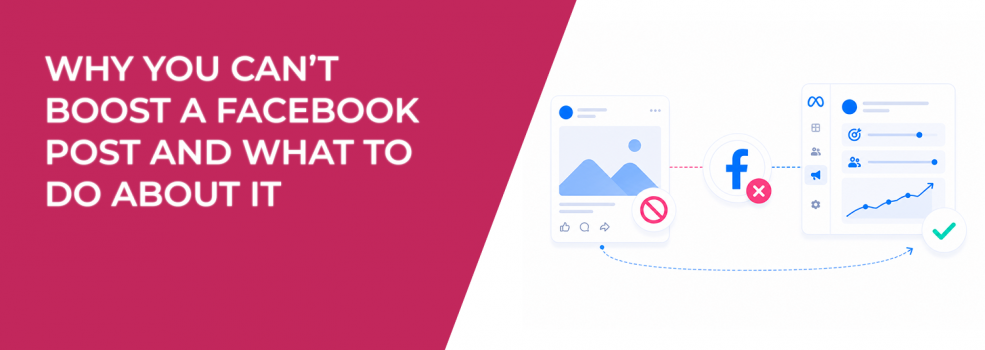
When the “Boost post” button is unavailable, most advertisers treat it as a technical issue.
It’s not.
In most cases, it’s a signal that something in your setup — content, permissions, or account status — doesn’t meet Meta’s advertising requirements.
And those same issues often affect campaign performance, even when ads are running.
Understanding why a post can’t be boosted gives you a clearer view of how Meta evaluates content, accounts, and delivery quality.
What “Boost unavailable” actually tells you
When you hover over “Boost unavailable,” Meta shows a short explanation. That message points to a specific limitation — either at the post level, account level, or Page level.
These restrictions are not random. They reflect how the system decides what is eligible for paid distribution.
For example, if a post cannot be boosted due to format or policy, it means the system would also struggle to deliver it effectively in a paid environment.
In other words, “boost unavailable” is often an early warning — not just a restriction.
Content-related issues that block boosting
Some posts cannot be boosted simply because of how they are created.
These are the most common content-level restrictions:
- Cover photos cannot be boosted because they are not designed as standalone content units for ads.
- Shared posts are restricted to preserve attribution to the original publisher.
- Expired posts or offers are considered irrelevant and therefore not suitable for promotion.
- URLs containing tracking strings like Facebook Click ID (fbclid) are blocked to prevent broken or misleading links.
The fix in most cases is straightforward — recreate the content as a new post.
But the deeper issue is relevance. If content is outdated, copied, or improperly formatted, boosting it would likely produce poor engagement and weak results anyway.
Why recreating posts often improves performance
Meta recommends creating a new post instead of boosting restricted content. That may seem like a workaround, but it actually improves performance potential.
A fresh post resets engagement signals, removes formatting issues, and allows you to align the message with your current campaign goal.
For example, replacing an expired offer with a new one doesn’t just make it boostable — it makes it relevant again.
This is directly tied to how Meta ranks ads. Higher relevance leads to better delivery and lower cost, which is why fixing content structure is often more important than simply enabling boosting.
Account and permission issues that stop delivery
Not all boost failures come from content. Many are tied to account status or permissions.
You’ll usually see boosting blocked when:
- Your ad account is disabled due to unusual activity.
- Your payment method is restricted or paused.
- Your Page role does not include advertising permissions.
- Your Page itself is unpublished or restricted.
These issues go beyond boosting. They affect all campaign activity.
If your account is disabled or flagged, you won’t be able to run ads at all. That’s why it’s important to understand Facebook ad status issues before trying to troubleshoot performance.
Why account restrictions impact campaign performance
Even when campaigns are technically running, account-level issues can affect delivery quality.
Restricted accounts often experience:
- Limited reach due to reduced trust signals.
- Higher CPM because the system is less confident in delivery.
- Delayed or inconsistent approval times.
If these issues are not addressed, performance will degrade over time.
Preventing them is critical. It’s worth learning how to avoid getting your ad account restricted before scaling campaigns.
Page-level issues that prevent boosting
Some boost restrictions come from the Page itself.
If your Page is unpublished, you cannot boost posts. If your Page violates advertising policies, boosting may be disabled entirely.
In more severe cases, the system blocks advertising access altogether.
This is not just a limitation — it’s a signal that your Page is not considered safe or compliant for paid promotion.
If your Page cannot advertise, your entire paid strategy is at risk.
When the issue is not technical but strategic
Sometimes a post can’t be boosted simply because it doesn’t align with how Meta expects ads to function.
For example, job posts that are expired or unpublished cannot be promoted because they no longer provide value to users.
This highlights a broader principle.
Meta prioritizes relevance, clarity, and user value. If a post fails on those dimensions, it won’t just be restricted — it will also underperform if promoted.
That’s why troubleshooting should not stop at fixing errors. It should include improving the structure and intent of the content itself.
How to approach boosting issues like a performance marketer
Instead of treating boost errors as obstacles, treat them as diagnostics.
Ask what the restriction reveals about your setup:
- Is the content outdated or misaligned with your goal?
- Is the audience targeting too broad or irrelevant?
- Is the account or Page flagged in a way that affects trust?
These questions help you move from fixing technical issues to improving campaign outcomes.
If your campaigns struggle even after boosting works, you may need to fix Facebook ads performance issues at a deeper level.
Final takeaway
When a Facebook post can’t be boosted, the problem is rarely just technical.
It’s usually tied to content quality, account health, or compliance — the same factors that influence ad performance.
Fixing the restriction is only step one. Improving the underlying signal is what actually improves results.
If you treat boost limitations as feedback instead of friction, you’ll build campaigns that don’t just run — they perform.