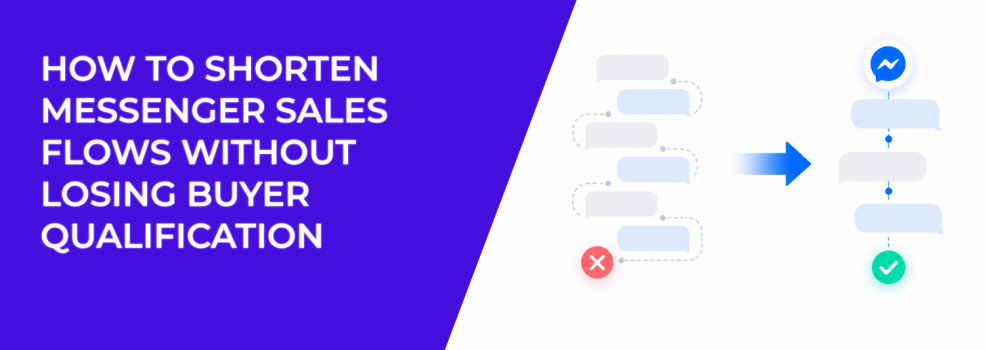
A Messenger sales flow should feel faster than a landing page, not slower. Users click because they expect a direct conversation. If the chat makes them answer too many questions, wait too long, or repeat information from the ad, they leave.
But cutting the flow too aggressively creates another problem.
If you remove all qualification, sales gets more conversations with less context. That can lower close rates and make cheap leads expensive. The goal is not the shortest possible flow. The goal is the shortest flow that still identifies real buyers.
The problem: Long Messenger flows create silent drop-off
Messenger drop-off is often quiet. Users do not complain. They simply stop replying.
This happens when the flow asks for too much too soon. A user clicks an ad about a product, then gets asked for name, email, phone, location, budget, timeline, and preferences before receiving any useful answer.
That feels like work.
The longer the chat flow gets, the more each extra step must justify itself. If a question does not change the next action, it is probably adding friction. If it helps sales route the lead, price the request, or recommend the right option, it may be worth keeping.
This is the same principle behind efforts to reduce friction across the customer journey. Each step should either help the buyer decide or help the business respond better.
Why removing every question is also risky
Some advertisers see drop-off and respond by cutting the flow down to one message: “Talk to us now.” That can increase replies, but it often reduces lead quality.
Sales then receives chats with no context. Reps have to ask basic questions manually. If response time is slow, the user cools down. If the offer needs qualification, sales may spend time on people who were never a fit.
That can make cost per lead look better while cost per sale gets worse.
This is why advertisers need to compare cost per lead vs lead value. A shorter flow is only better if it protects the value of the conversations that reach sales.
The solution: Keep only the questions that change the next step
A strong Messenger flow asks fewer questions, but each question has a job.
Start by mapping the current flow and marking every question as one of three types:
- Decision question. It helps the user choose a product, package, service, or next step.
- Routing question. It tells the business who should handle the lead or what process should follow.
- Nice-to-have question. It adds detail, but the conversation can continue without it.
Cut or delay the nice-to-have questions. Keep the decision and routing questions. If a question matters later, ask it later.
For example, a SaaS demo flow may not need company size, role, budget, current provider, and timeline before showing the calendar. It might only need team size and main use case. The sales rep can ask the rest during the demo.
For e-commerce, the flow may only need product preference and delivery location before sending the right link. Extra preference questions can wait until after the user sees the recommendation.
How to shorten the flow without weakening sales context
The easiest way to shorten a Messenger flow is to group questions by intent stage.
Early in the chat, ask only what helps the user move forward. After the user shows stronger intent, ask for the details needed to complete the action.
A cleaner structure might look like this:
- Confirm the reason for the click. “Are you asking about the package from the ad?”
- Ask one fit question. “Is this for your home, business, or team?”
- Offer the next step. “Want pricing, availability, or a quick recommendation?”
- Collect contact details only when needed. Ask for phone or email after the user chooses a clear next action.
This structure keeps the chat moving. It also gives sales enough context to avoid starting from zero.
The best Messenger flows feel conversational, but they are still designed. Each answer should either route the user, qualify the lead, or move the buyer closer to action.
Real scenario: A quote flow loses buyers before pricing
A remodeling company runs Messenger ads offering free project estimates. The original flow asks for name, phone, email, ZIP code, property type, room type, budget, timeline, and project description before offering the estimate.
Many users stop halfway through.
A shorter flow could ask only three things first: project type, ZIP code, and timeline. Then it can offer the next step: “We can estimate this faster if you send a photo or book a quick call.”
This keeps the user moving toward the quote. Sales still gets useful context, but the chat no longer feels like a long intake form.
That kind of adjustment can help improve lead-to-sale conversion rate because more serious users reach the handoff point.
How to know whether the shorter flow is working
Do not judge the new flow only by reply volume. A shorter flow should improve both completion and lead quality.
Track the percentage of users who reach the main action: booked call, quote request, checkout link click, product recommendation, or live-agent handoff. Then compare close rate or qualified-lead rate before and after the change.
If replies rise but qualified leads fall, the flow is too loose. If qualification rises but total handoffs fall sharply, the flow may still be too heavy. The best version usually sits between those extremes.
You are looking for fewer dead-end chats, not just more messages.
Final takeaway
Shorter Messenger flows work when they remove friction, not qualification.
Cut questions that do not change the next step. Keep the few that reveal fit, timing, need, or route. Then move users quickly toward pricing, booking, checkout, or sales handoff.
A good Messenger flow should feel easy for the buyer and useful for sales. That balance is what turns conversations into revenue.