Running social ads on Facebook and Instagram often feels more complicated than it needs to be. Too many campaigns, scattered data, unclear results — it all slows you down.
But simplification isn’t about doing less. It’s about making space for smarter decisions and better results. With the right structure, you can simplify your paid social setup while keeping full control over performance, targeting, and creative strategy.
Here’s how to do that, with both foundational tips and more advanced moves.
Why Simpler Campaigns Work Better
A complex ad account doesn’t mean a better one. In fact, overcomplicated setups usually create more confusion than insight.
Simpler structures allow data to flow more cleanly, optimization to happen faster, and performance to be easier to read.
Some key advantages:
-
Faster learning: Campaigns gather enough data to optimize efficiently.
-
Cleaner insights: You can see what's working without digging through layers of noise.
-
Smarter scaling: Fewer moving parts make it easier to reinvest in top performers.
Want to understand what’s slowing you down? Read The Hidden Costs of a Messy Ad Account for a closer look at how poor structure kills results.
The goal isn't to automate everything. It's to make smart, focused choices and avoid unnecessary clutter.
Step 1: Combine Campaigns Without Losing Precision
Running separate campaigns for every product or audience quickly gets unmanageable. It splits your budget and slows down optimization.
Instead, group campaigns by purpose. Use segmentation inside ad sets to stay organized while giving Meta room to optimize.
For example:
-
Prospecting campaign: Includes broad and lookalike audiences.
-
Retargeting campaign: Focuses on website visitors and social engagers.
-
Promotion or seasonal campaigns: For launches, discounts, or limited-time offers.
Advanced tip: Use clear naming conventions to track tests and audience types without confusion. A format like: [Stage]_[Audience]_[Concept]_[Date], can save hours during analysis or when setting automated rules.
If you’re unsure when to merge or split campaigns, check out When to Pause or Merge Facebook Campaigns for Better Optimization.
Step 2: Use Automation with Smart Limits
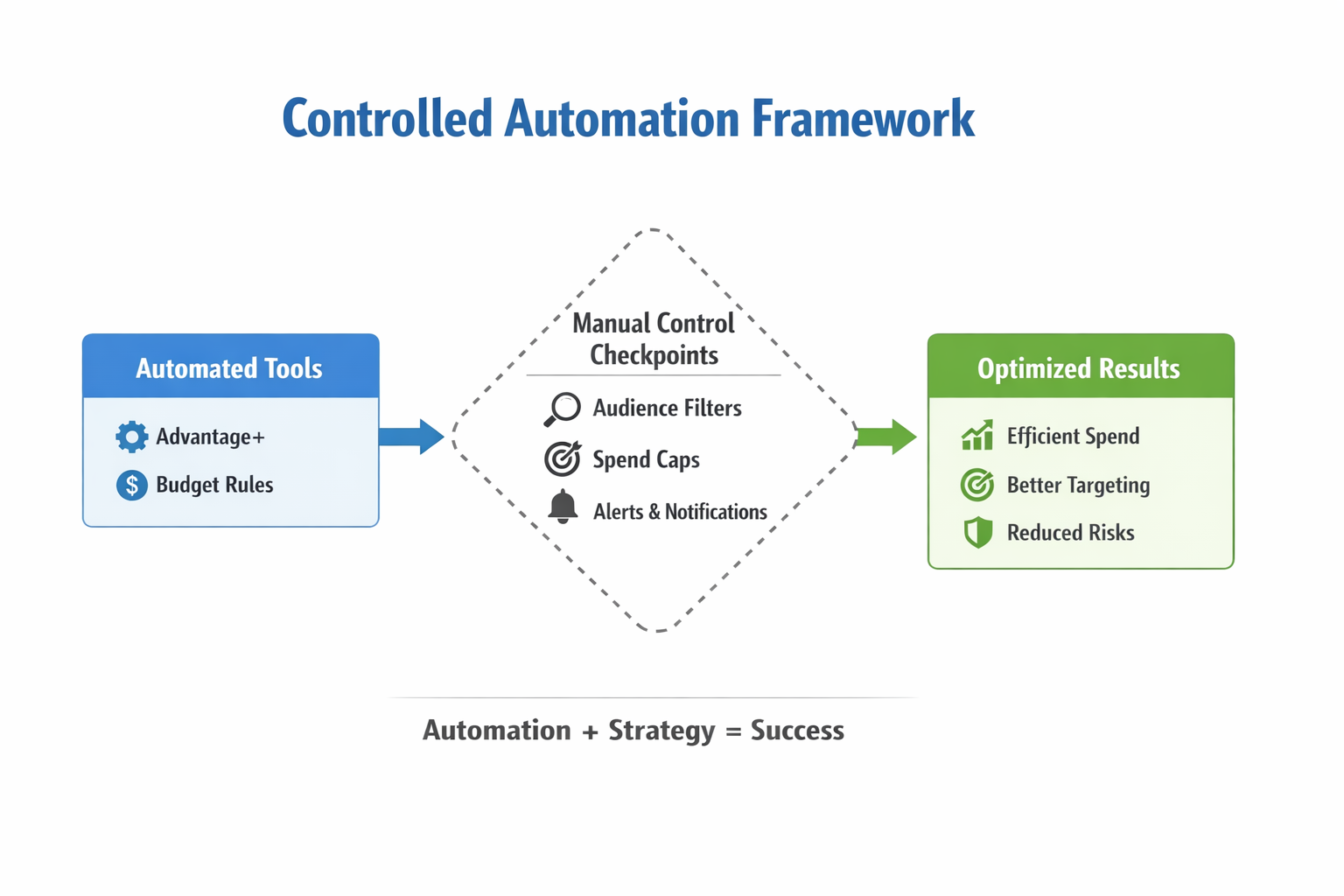
Meta’s automation tools can simplify ad management, but you need to use them with a clear plan.
Advantage+ campaigns and campaign budget optimization work well when you feed them the right inputs and apply the right guardrails.
When automation works best:
-
You run high-volume campaigns with conversion goals;
-
Your product appeals to a wide or diverse audience;
-
You want to scale without micromanaging daily shifts.
When to keep things manual:
-
You sell to a niche audience with specific targeting needs;
-
Your offer or funnel has multiple steps that need control;
-
You’re testing new concepts that need careful measurement.
Want to blend automation with more control? Read How to Combine Advantage+ and Manual Targeting for Smarter Campaigns.
Pro tip: Set budget rules in Meta Ads Manager. For example: increase spend by 20% if ROAS stays above 3.5 for five days; pause ad sets if CPA rises above your limit after $100 spent. These save time while keeping your performance steady.
Step 3: Test Creative Within a System
You don’t need a huge volume of creative to stay competitive. You need a clear structure for testing and iteration.
Start with one strong concept. Then build three or four variations that test different hooks, formats, or calls to action.
Simple creative testing matrix:
| Concept | Format | Hook Variant | CTA Variant |
|---|---|---|---|
| A | Carousel | “Problem” angle | “Learn more.” |
| A | Video | “Testimonial” angle | “Try it today.” |
| A | Static | “Before/after” | “Shop now.” |
Need a better testing process? Use this Creative Testing Matrix for Faster Wins to structure your tests without creative burnout.
Advanced tip: Don’t automatically replace ads when Meta says they’re fatigued. Look at click-through rate and CPA first. Fatigue warnings are often triggered by small audience size, not poor performance.
Step 4: Focus on a Few Metrics, Read Between the Lines
Chasing too many metrics leads to confusion. Focus on three to five based on your campaign goal, and use deeper layers only when needed.
Core metrics for conversion campaigns:
-
Cost per result (CPA or ROAS);
-
Landing page conversion rate;
-
Click-through rate (CTR).
Core metrics for awareness or lead gen:
-
Cost per lead;
-
Engagement rate;
-
Time on site or lead quality.
Advanced tip: Watch your landing page view to conversion ratio. If many people click but don’t convert, the issue is likely with your page — not the ad.
To catch strong performers early, read How to Spot Winning Ads Before They Peak.
Another useful signal is frequency trends. If your retargeting campaign has high frequency and no conversions, it’s time to refresh your creative or shorten the audience window.
Step 5: Let Automation Support You, Not Replace You
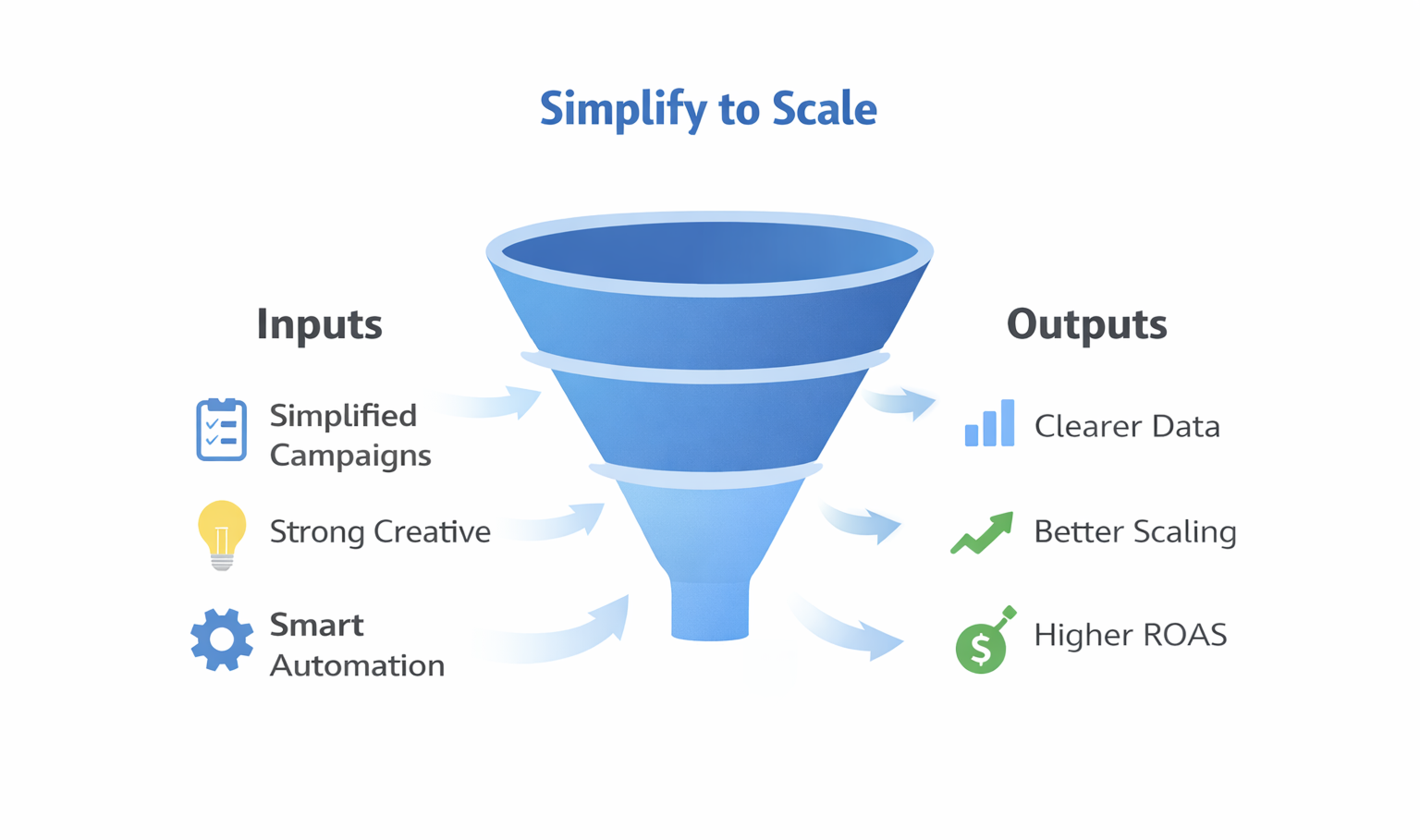
Automation saves time, but it shouldn’t replace strategic thinking. Use it to manage routine tasks and alerts so you can focus on decisions that matter.
Smart ways to use automation:
-
Budget rules: Automatically increase spend on top ads;
-
Creative rotation: Pause underperformers after a set spend threshold;
-
Alerts: Use Slack or email notifications when CPA spikes or spend increases sharply.
Pro tip: Use tools like Supermetrics or Looker Studio to sync ad data into daily dashboards. You’ll get a quick view of performance without logging into Ads Manager every hour.
Need help setting rules and scaling safely? Check out Facebook Ad Automation: How to Create Facebook Automated Rules.
Final Thoughts: Less Chaos, More Clarity
Simplifying your paid social setup doesn’t mean giving up control. It means making room for better insight and better decisions.
A simpler setup helps you:
-
Spot what’s working faster;
-
Scale with fewer mistakes;
-
Spend time on strategy, not chasing scattered data.
Start by cleaning up your campaigns, tightening creative tests, and setting a few smart automation rules. Then build from there, with less stress and more clarity.